

 FSX Civil Aircraft
Easy Jet Boeing 737-800
Easy Jet Boeing 737-800. Install: 1.extract in airplanes folder 2. start fsx …
Jet UK Boeing 737-800 livery brings a clean, fictional UK airline look to the default 737-800, with detailed exterior textures inspired by David James Collyer’s Airnow paintwork for FSX. Requires the stock Boeing 737-800 and adds a fresh airline identity while keeping the original virtual cockpit and flight model intact.
 Rate
Rate

SX Jet UK Boeing 737-800. These are textures for the default Boeing B737-800, in the livery of a fictional airline. This texture is based on the beautiful 'Airnow' Boeing 737 by David James Collyer. By Ben Jones.

Jet UK.
Boeing 737-800, Jet UK textures.
Installation:
Open your main fsx folder, C:\Program Files\Microsoft Games\Microsoft Flight Simulator X\SimObjects\Airplanes\B737_800, then unzip the folder "texture.AUK" to this folder. After then, right click on aircraft.cfg in your B737800 folder.
Select "open with" and choose notepad. You will see [fltsim.1], [fltsim.2] ... After the last fltsim, copy and paste the text below and change the xx of [fltsim.xx] to the next assigned number. For example if the last item is [fltsim.9], change xx to 10. Then save. That is all.
[fltsim.xx]

title=Boeing 737-800 Air UK

sim=Boeing737-800

model=

panel=

sound=

texture=AUK

kb_checklists=Boeing737-800_check

kb_reference=Boeing737-800_ref

atc_id=

atc_airline=AirUK

atc_flight_number=

ui_manufacturer="Boeing"

ui_type="737-800"

ui_variation="AirUK"

ui_typerole="Commercial Airliner"

ui_createdby="Microsoft Corporation"

description="One should hardly be surprised that the world's most prolific manufacturer of commercial aircraft is also the producer of the world's most popular jetliner. The 737 became the best-selling commercial jetliner worldwide when orders for it hit 1,831 in June 1987 (surpassing Boeing's own 727 as the previous champ). However, it wasn't always that way\s in the first few years of production, there were so few orders that Boeing considered canceling the program. They didn't, and the airplane has more than proven itself in over three decades of service."
[fltsim.xx]

title=Boeing 737-800 Jet UK

sim=Boeing737-800

model=

panel=

sound=

texture=JUK

kb_checklists=Boeing737-800_check

kb_reference=Boeing737-800_ref

atc_id=

atc_airline=JetUK

atc_flight_number=

ui_manufacturer="Boeing"

ui_type="737-800"

ui_variation="JetUK"

ui_typerole="Commercial Airliner"

ui_createdby="Microsoft Corporation"

description="One should hardly be surprised that the world's most prolific manufacturer of commercial aircraft is also the producer of the world's most popular jetliner. The 737 became the best-selling commercial jetliner worldwide when orders for it hit 1,831 in June 1987 (surpassing Boeing's own 727 as the previous champ). However, it wasn't always that way\s in the first few years of production, there were so few orders that Boeing considered canceling the program. They didn't, and the airplane has more than proven itself in over three decades of service."
Hope you enjoy the aircraft!
Free for all simmers · 3.1 MB · Scanned clean Oct 2026
Download speed: Free tier is capped at 0.5 Mbps. PRO members download at full line speed.
texture.{airline}) inside FSX\SimObjects\Airplanes\{base-aircraft}\.aircraft.cfg in Notepad. Add a new [fltsim.X] section per the readme.readme.txt or README file. It tells you exactly where files go, what dependencies are needed, and any quirks specific to this add-on.The archive 737_800_jetuk.zip has 11 files and directories contained within it.
This list displays the first 500 files in the package. If the package has more, you will need to download it to view them.
| Filename/Directory | File Date | File Size |
|---|---|---|
| b737_800_1_T.dds | 12.15.10 | 1.33 MB |
| b737_800_1_T_Specular.dds | 09.04.06 | 1.33 MB |
| b737_800_2_T.dds | 09.04.06 | 1.33 MB |
| b737_800_2_T_Specular.dds | 09.04.06 | 1.33 MB |
| Fresnel_Ramp.dds | 09.04.06 | 640 B |
| READ ME.txt | 12.15.10 | 1.50 kB |
| texture.cfg | 08.14.06 | 137 B |
| thumbnail.jpg | 12.15.10 | 22.30 kB |
| READ ME.txt | 12.15.10 | 1.50 kB |
| flyawaysimulation.txt | 10.29.13 | 959 B |
| Go to Fly Away Simulation.url | 01.22.16 | 52 B |
Only PRO members can place votes.
More FSX & P3D add-ons hand-picked based on this download.
FSX Civil Aircraft
Easy Jet Boeing 737-800. Install: 1.extract in airplanes folder 2. start fsx …
 FSX Civil Aircraft
This repaint showcases the classic Qantas Retrojet V-Jet livery for a Boeing …
 FSX Civil Aircraft
This freeware repaint delivers a striking Qantas Boeing 737-800 “Retrojet V-J…
 FSX Civil Aircraft
Qantas Jet Connect Boeing 737-800, registration ZK-JDN. This is the New Zeala…
 FSX Civil Aircraft
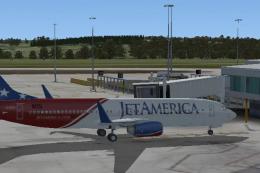
Jet America Boeing 737-800. Textures only for the default B737-800. Repant by…
 FSX Civil Aircraft
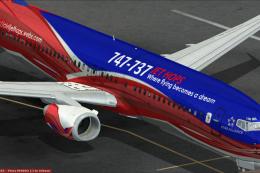
Adding logos for 737-800 default model for 747-737 Jet Hops livery. This file…
 FSX Civil Aircraft
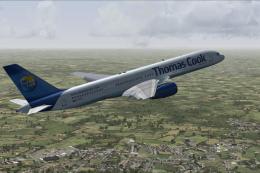
Thomas Cook UK Boeing 757-200, registration G-FCLC. Textures only for the pay…
 FSX Civil Aircraft
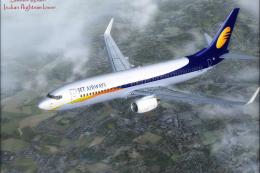
A repaint of the payware PMDG 737NGX in Jet Airways livery, registration VT-J…
Be the first to leave a comment on this download.
Be the first to share your thoughts on this download.