

 FSX Civil Aircraft
Air France Airbus A300B2-103
This freeware repaint showcases Air France’s Airbus A300B2-103 for Microsoft …
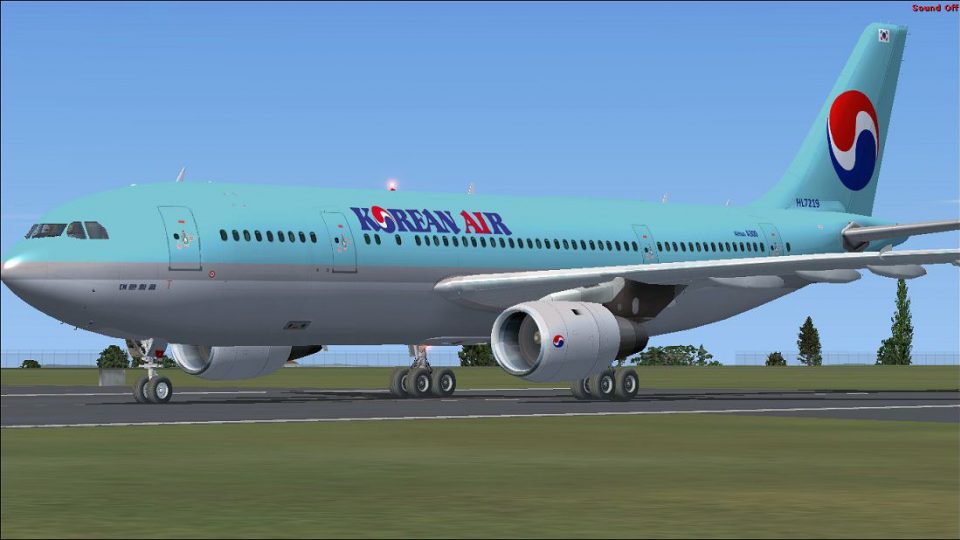
Korean Air Airbus A300B4-103 livery brings an early wide-body classic to life with crisp, era-accurate markings, refined engine nacelle artwork, and subtle weathering for a believable ramp presence in Microsoft Flight Simulator X. It requires Tom Ruth’s freeware A300B4 base model and integrates cleanly with its virtual cockpit and exterior details.
 Rate
Rate
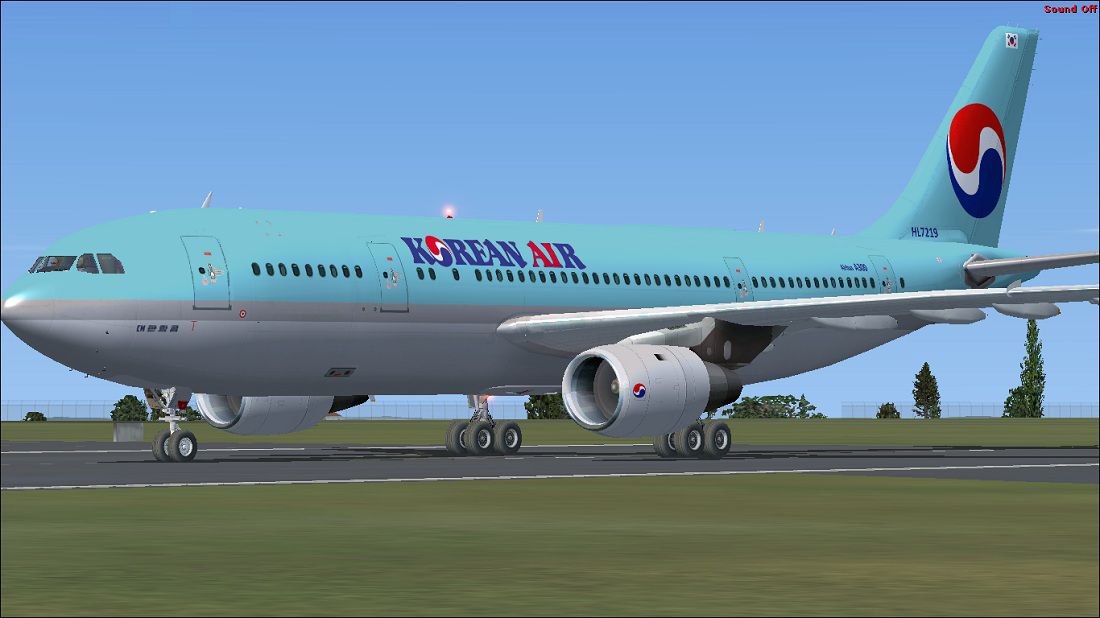
This freeware repaint package for Microsoft Flight Simulator X features an authentic Korean Air Airbus A300B4-103 livery created by Paul Craig. It depicts one of the early twin-engine Airbus A300B4-103 variants operated by Korean Air. The high-detail textures are designed to work exclusively with the freeware base model by Tom Ruth, which is not included here. You can find that base model (TOM30B.ZIP) in the Fly Away Simulation file library.
The Airbus A300B4-103 is a wide-body airliner notable for its twin-engine layout and medium-range capabilities. Korean Air introduced this model at a significant point in its history, reinforcing the airline’s presence on international routes. Paul Craig’s repaint draws attention to distinctive fuselage markings and the recognizable Korean Air color scheme, effectively capturing the unique aesthetic of early A300 jets in commercial service.
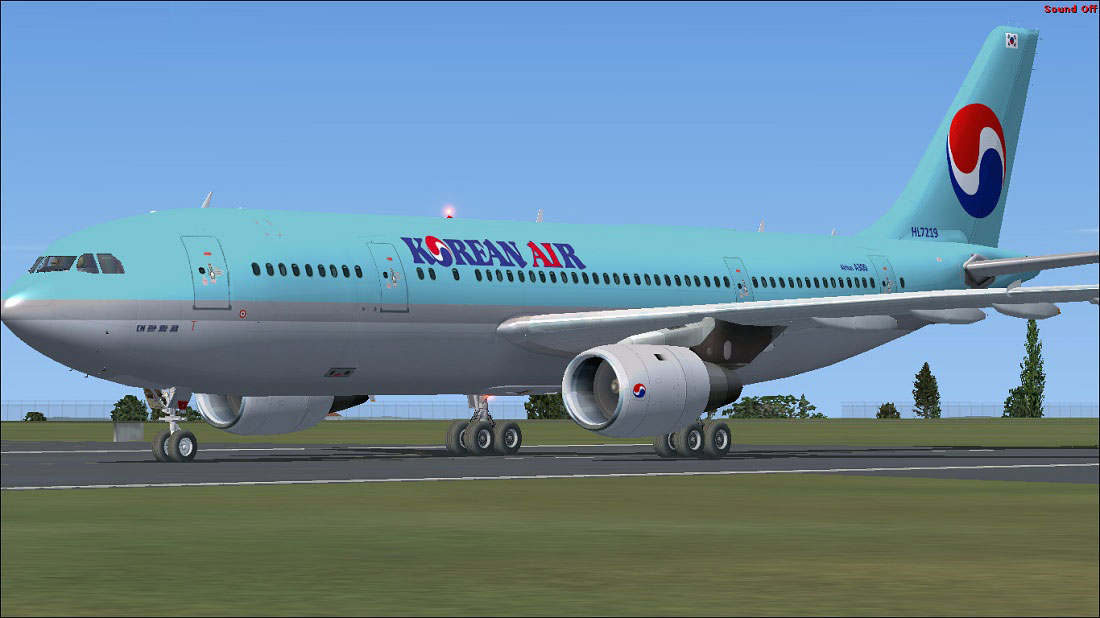
Korean Air Airbus A300B4-103 on runway.
This repaint adds:
The overall look aims to provide a balance between historical accuracy and seamless integration with Tom Ruth’s underlying model.
To install the texture files without complications, follow these concise steps:
texture.Korean folder into the “Tom_A300-B4” folder.Next, integrate the repaint into your aircraft configuration:
aircraft.cfg.aircraft.cfg with a text editor.[fltsim.X] entry, then copy and paste the block below and replace “X” with the next number in sequence:[fltsim.X] title=Korean Air A300-B4 sim=TomA300b model=4GEold panel=A300B4GE sound= texture=Korean kb_checklists= kb_reference= atc_id=N864PA atc_airline=Korean Air atc_flight_number=1124 atc_heavy=1 ui_manufacturer=Airbus ui_typerole=Commercial Airliner ui_createdby=Thomas Ruth ui_type=A300-B4 ui_variation=Korean Air
If you run into issues saving these changes, move the aircraft.cfg file out of the FSX directory for editing and then place it back once you have completed your modifications.
This repaint relies on Tom Ruth’s Airbus A300 freeware model, which must be obtained separately. Ensure Microsoft Flight Simulator X recognizes the newly added files by verifying the aircraft folder structure. The A300B4-103 can then be selected through your simulator’s aircraft menu under “Airbus” or “Thomas Ruth” manufacturer listings.
All files are provided as-is. The creator, Paul Craig, will not assume liability for any damage or errors caused directly or indirectly by the use of this repaint. Please use responsible backup practices before making system modifications.
Repaint by Paul Craig
Free for all simmers · 1.57 MB · Scanned clean Oct 2026
Download speed: Free tier is capped at 0.5 Mbps. PRO members download at full line speed.
This file is a repaint — the package below is the base model it paints onto. Install it first, or the textures will have nothing to load onto.
texture.{airline}) inside FSX\SimObjects\Airplanes\{base-aircraft}\.aircraft.cfg in Notepad. Add a new [fltsim.X] section per the readme.readme.txt or README file. It tells you exactly where files go, what dependencies are needed, and any quirks specific to this add-on.The archive ka_a300b4-103.zip has 16 files and directories contained within it.
This list displays the first 500 files in the package. If the package has more, you will need to download it to view them.
| Filename/Directory | File Date | File Size |
|---|---|---|
| FILE_ID.DIZ | 03.02.11 | 187 B |
| Korean Air Airbus A300B4-103.jpg | 03.02.11 | 141.04 kB |
| Readme.txt | 03.02.11 | 1.49 kB |
| texture.Korean | 03.02.11 | 0 B |
| glass.dds | 03.02.11 | 64.12 kB |
| main.dds | 03.02.11 | 4.00 MB |
| main_bump.dds | 03.19.10 | 4.00 MB |
| main_light.dds | 03.19.10 | 1.00 MB |
| main_spec.dds | 03.19.10 | 1.00 MB |
| texture.cfg | 03.16.10 | 143 B |
| thumbnail.jpg | 03.02.11 | 10.89 kB |
| wing_l.dds | 03.18.10 | 1.00 MB |
| wing_r.dds | 03.18.10 | 1.00 MB |
| thumbnail.png | 03.02.11 | 21.25 kB |
| flyawaysimulation.txt | 10.29.13 | 959 B |
| Go to Fly Away Simulation.url | 01.22.16 | 52 B |
Only PRO members can place votes.
More FSX & P3D add-ons hand-picked based on this download.
FSX Civil Aircraft
This freeware repaint showcases Air France’s Airbus A300B2-103 for Microsoft …
 FSX Civil Aircraft
Korean Air Airbus A380-861, registration HL8226. A repaint of the Project Air…
 FSX Civil Aircraft
This repaint depicts a Korean Air Airbus A330-300 created for Tom Ruth’s free…
 FSX Civil Aircraft
Korean Airlines Airbus A330-223. Textures only of Korean Airlines with regist…
 FSX Civil Aircraft
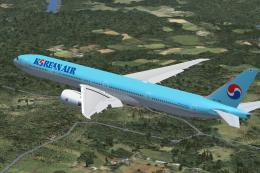
Korean Air Boeing 777-300 ER, painted in Korean Air livery. Registration HL77…
 FSX Civil Aircraft
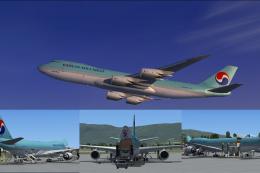
This complete freeware package introduces the Korean Air Cargo Boeing 747-8F …
 FSX Civil Aircraft
FSX Korean Air Boeing 737-800, registration HL5768. Textures only for the def…
 FSX Civil Aircraft
Boeing’s 747-400 series has long been a cornerstone of international travel, …
Be the first to leave a comment on this download.
Be the first to share your thoughts on this download.