

 FSX Civil Aircraft
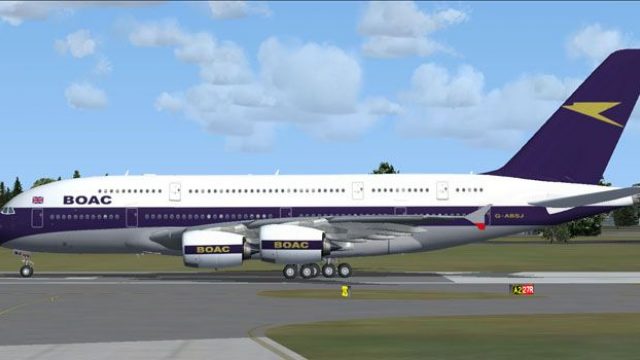
British Airways Boeing 747-400 post BOAC livery
FSX British Airways Boeing 747-400, registration G-BOAD (post BOAC livery). A…
BOAC’s classic Speedbird-era look meets the Airbus A380-800 in this freeware, fictional repaint for Microsoft Flight Simulator X, delivering crisp 32-bit textures and standout heritage branding across the superjumbo. It requires the Project Airbus A380 base model and supports dynamic wing flex, parallel bogies, drooping control surfaces, and signature double strobe lighting.
 Rate
Rate
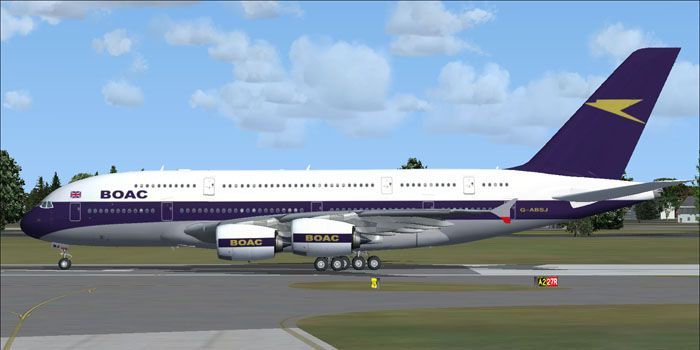
This freeware repaint features a vintage-themed British Overseas Airways Corporation (BOAC) design applied to the Airbus A380-800 model by Project Airbus. Created by Mohammed Al-Khalifa, this fictional livery blends classic BOAC styling with the modern airframe of the A380, inviting enthusiasts to explore a retro-inspired experience in Microsoft Flight Simulator X.
The traditional BOAC branding—long associated with British civil aviation prior to the formation of British Airways—stands out across the entire fuselage. Although purely fictional in this context, the overall aesthetic pays homage to that timeless look, complete with the recognizable SPEEDBIRD callsign. This interpretation updates that heritage color scheme for an A380, which is notable for its unrivaled passenger capacity and advanced aerodynamics.
BOAC Airbus A380-800 in flight.
Because it is a “textures only” package, this repaint requires the freeware base model, designated PA380_HOUSE.ZIP, from Project Airbus. That underlying model can be found in the Fly Away Simulation library. Once you have the base package, please follow these steps:
[fltsim.x]

title = A380-861 BOAC

sim = pa380

model =

panel =

sound =

texture =SB

kb_checklists =

kb_reference =

atc_id = HL8226

atc_airline = SPEEDBIRD

atc_flight_number = 934

ui_manufacturer = Airbus

ui_type = A380-861

ui_variation = BOAC

ui_typerole = "Commercial Airliner"

ui_createdby = "Project Airbus"

description = Project Airbus presents the Airbus A380-800. Features include dynamic wingflex (with input from several new variables), accurate LAF simulation, parallel bogies, drooping control surfaces, hardcoded double strobes, and over 40 other custom xml parts.

atc_parking_types = GATE

atc_parking_codes =
After you complete these steps, the newly installed livery will be added to your aircraft list.
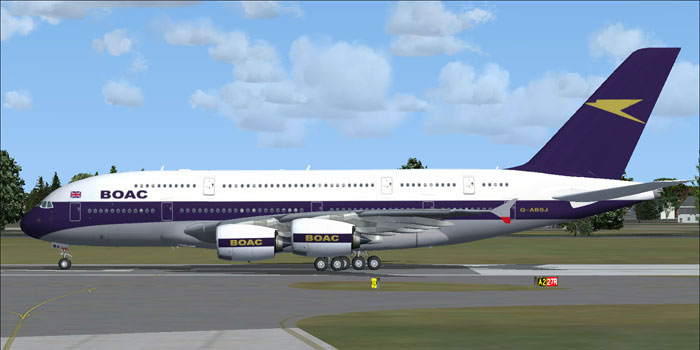
BOAC Airbus A380-800 on runway.
This freeware repaint was authored by Mohammed Al-Khalifa, using Project Airbus’ base A380 model as the foundation. Enjoy the unique BOAC theme, and feel free to explore further repaints within the Fly Away Simulation community.
Free for all simmers · 8.05 MB · Scanned clean Oct 2026
Download speed: Free tier is capped at 0.5 Mbps (this file takes approximately 2 mins at the cap). PRO members download at full line speed.
texture.{airline}) inside FSX\SimObjects\Airplanes\{base-aircraft}\.aircraft.cfg in Notepad. Add a new [fltsim.X] section per the readme.readme.txt or README file. It tells you exactly where files go, what dependencies are needed, and any quirks specific to this add-on.The archive paboac_a386.zip has 32 files and directories contained within it.
This list displays the first 500 files in the package. If the package has more, you will need to download it to view them.
| Filename/Directory | File Date | File Size |
|---|---|---|
| paboac_a386 | 03.19.11 | 0 B |
| File_id.diz | 03.19.11 | 215 B |
| readme.txt | 03.19.11 | 1.40 kB |
| SJ3.jpg | 03.19.11 | 60.46 kB |
| texture.SB | 03.19.11 | 0 B |
| A380_1_l.bmp | 08.20.10 | 4.00 MB |
| A380_1_t.bmp | 03.14.11 | 5.33 MB |
| A380_2_l.bmp | 06.30.10 | 1.07 kB |
| A380_2_t.bmp | 03.14.11 | 5.33 MB |
| A380_fuse_1_l.bmp | 08.20.10 | 4.00 MB |
| A380_fuse_1_t.bmp | 03.19.11 | 5.33 MB |
| A380_fuse_2_l.bmp | 06.28.10 | 4.00 MB |
| A380_fuse_2_t.bmp | 03.15.11 | 5.33 MB |
| A380_fuse_3_l.bmp | 06.28.10 | 4.00 MB |
| A380_fuse_3_t.bmp | 03.19.11 | 5.33 MB |
| A380_misc_1.bmp | 02.23.11 | 1.33 MB |
| A380_misc_2_l.bmp | 06.26.10 | 4.00 MB |
| A380_misc_2_t.bmp | 07.03.10 | 4.00 MB |
| A380_wing_1_l.bmp | 06.26.10 | 4.00 MB |
| A380_wing_1_t.bmp | 03.19.11 | 5.33 MB |
| A380_wing_2_l.bmp | 06.26.10 | 4.00 MB |
| A380_wing_2_t.bmp | 03.19.11 | 5.33 MB |
| cabin_l.bmp | 09.18.10 | 1.00 MB |
| cabin_t.bmp | 07.02.10 | 4.00 MB |
| floor_l.bmp | 09.11.10 | 330 B |
| floor_t.bmp | 01.08.10 | 64.07 kB |
| pax_l.bmp | 09.18.10 | 1.00 MB |
| pax_t.bmp | 01.13.10 | 4.00 MB |
| thumbnail.jpg | 03.19.11 | 27.62 kB |
| thumbnail.gif | 03.19.11 | 8.49 kB |
| flyawaysimulation.txt | 10.29.13 | 959 B |
| Go to Fly Away Simulation.url | 01.22.16 | 52 B |
Only PRO members can place votes.
More FSX & P3D add-ons hand-picked based on this download.
FSX Civil Aircraft
FSX British Airways Boeing 747-400, registration G-BOAD (post BOAC livery). A…
 FSX Civil Aircraft
FSX BOAC Boeing 747-400, registration G-BOAC. A British Overseas Airways Corp…
 FSX Civil Aircraft
FSX BOAC Boeing 737-600. A repaint of Project Open Sky B737-600. Textures onl…
 FSX Civil Aircraft
Experience a refined Boeing 787-8 in a classic BOAC Retro Jet Series finish. …
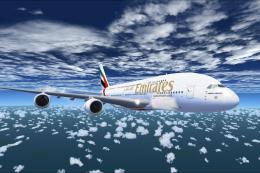 FSX Civil Aircraft
The Emirates A380-800 presented here offers a full freeware package that show…
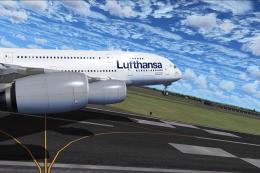 FSX Civil Aircraft
This freeware package showcases a meticulously crafted Lufthansa Airbus A380-…
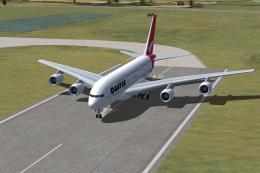 FSX Civil Aircraft
FSX Qantas Airbus A380-800. High quality Gmax model of the Airbus A380-800, …
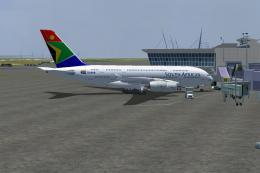 FSX Civil Aircraft
The A380-800 is shown as what it may look like in South African Airways Liver…
Be the first to leave a comment on this download.
Be the first to share your thoughts on this download.