

 FSX Civil Aircraft
Turkish Airlines Airbus A330-200
Turkish Airlines Airbus A330-200 GE (new colors). Model by CLS. Repaint by Se…
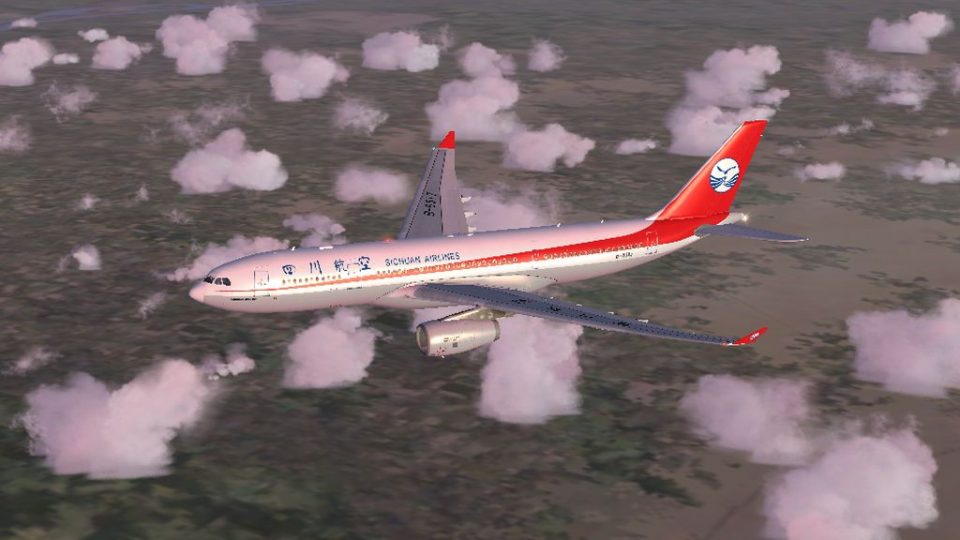
Sichuan Airlines’ vibrant red-and-white Airbus A330-200 livery brings accurate airline logos and tail artwork to Thomas Ruth’s Tom A330-200 series in Microsoft Flight Simulator X, with carefully aligned, high-detail textures. It uses the Rolls-Royce engine model option and requires the TOMA332B.ZIP base package installed.
 Rate
Rate
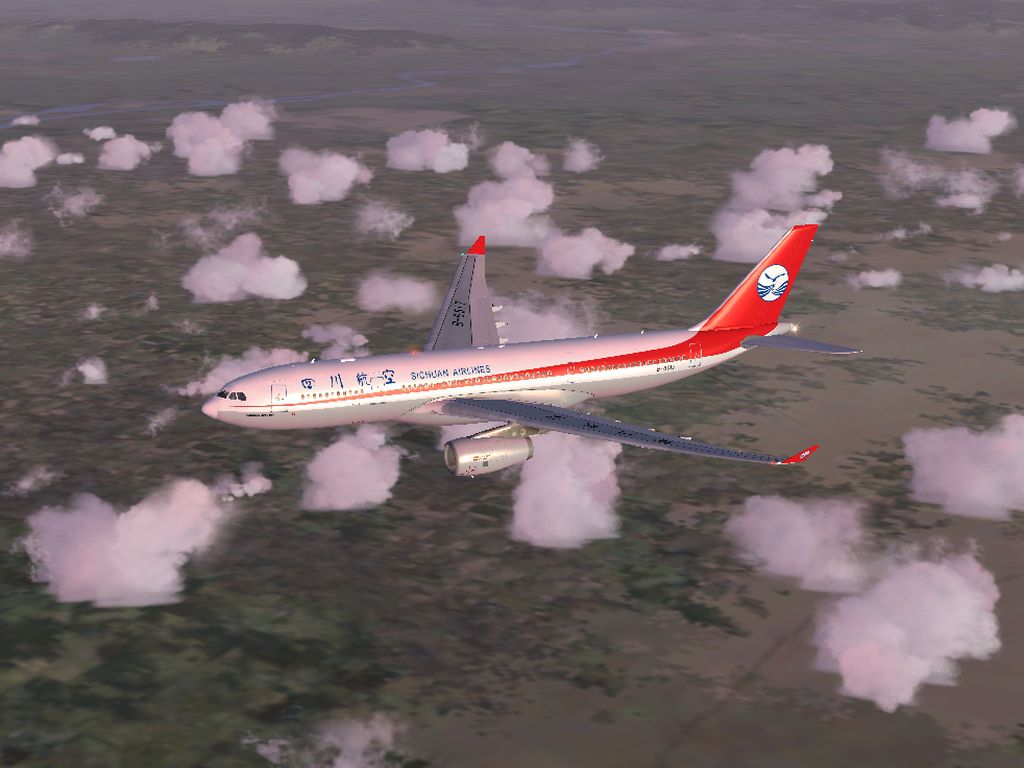
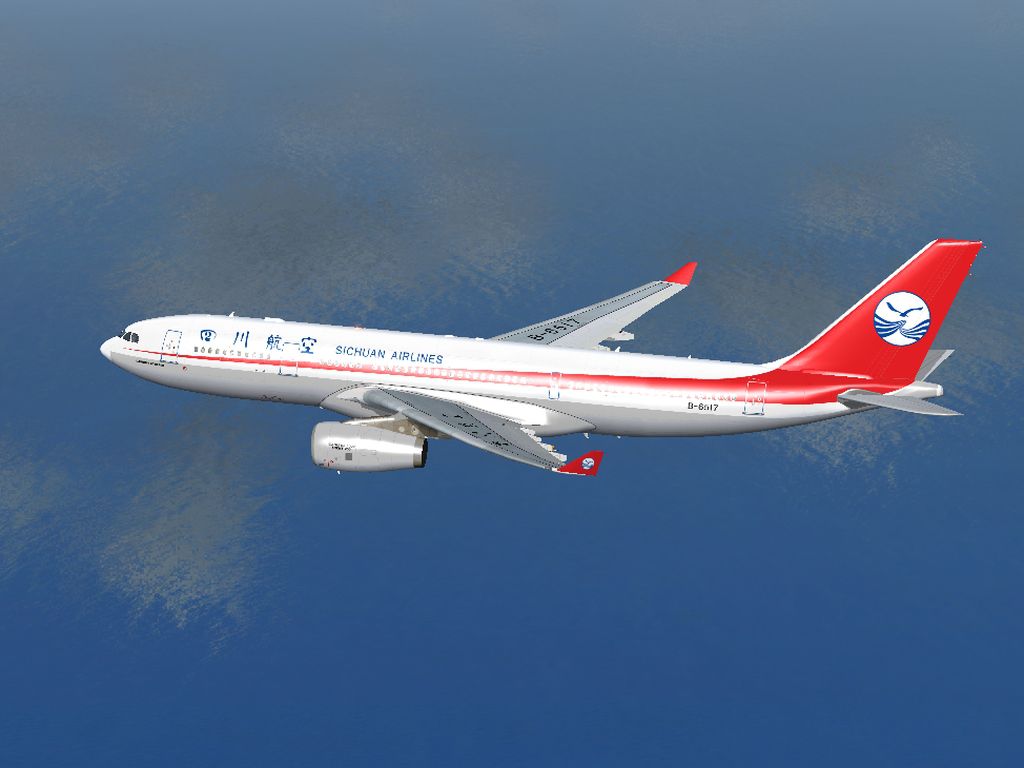
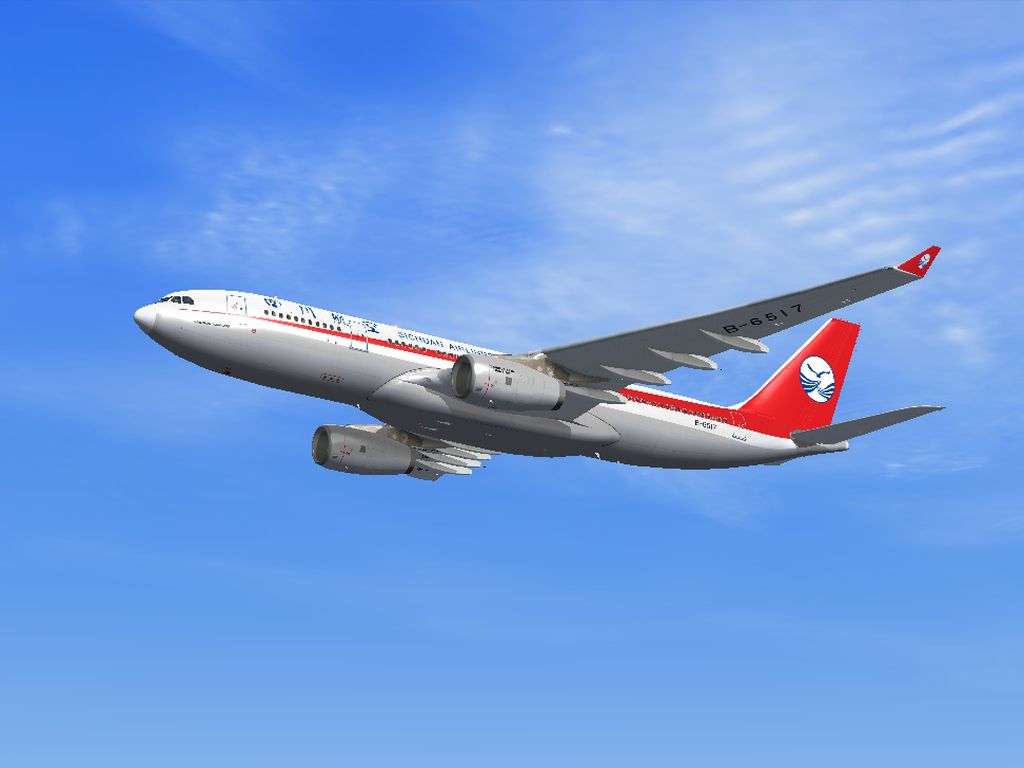
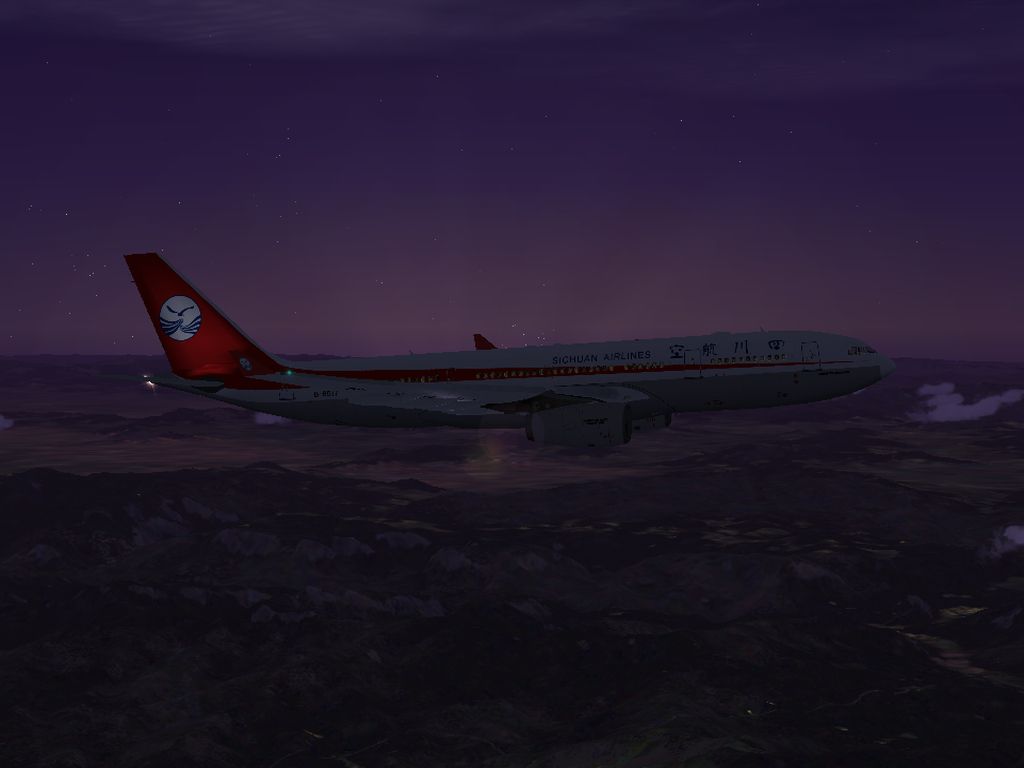
This freeware repaint for the popular Tom Airbus Series showcases the distinctive Sichuan Airlines color scheme on the Airbus A330-200 within Microsoft Flight Simulator X. It incorporates precisely detailed textures developed by He Lingyuan from China, while the underlying model stems from Thomas Ruth of Germany. You will need the original base (TOMA332B.ZIP) installed before adding this liveried variant, as the package here only provides the repaint data.
This repaint reproduces the Sichuan Airlines branding, which is recognized for its vibrant red and white design. It is configured with the Rolls-Royce engine setting (model=RR) to match the actual operator’s fleet styling. All exterior markings, including airline logos and tail fin motifs, are aligned accurately onto the Airbus A330-200 fuselage. The carrier itself is prominent in the Chinese market, operating from Chengdu and connecting multiple destinations throughout Asia and beyond.
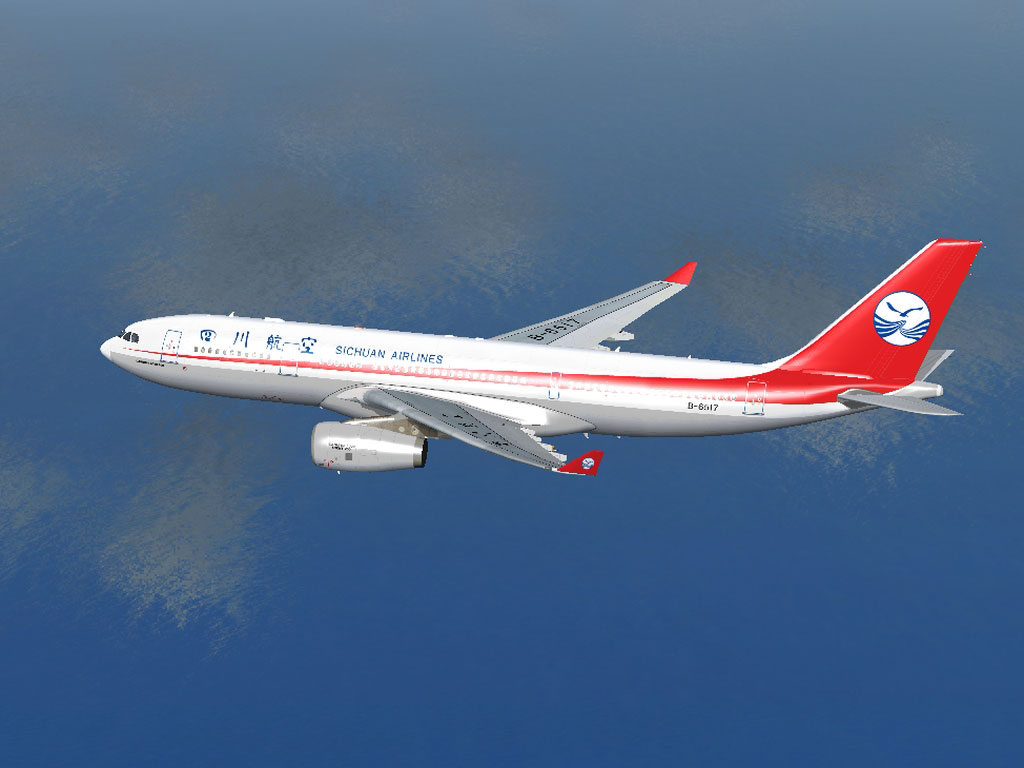
Sichuan Airlines Airbus A330-200 traversing the skies.
The Tom A330-200 is designed solely for FSX environments. For stable rendering and proper functionality, Microsoft Flight Simulator X should have either Service Pack 1 or Service Pack 2 installed. Without these updates, the 3D model and texture alignment may not display correctly. As always, confirm that your simulator settings meet or exceed any hardware specifications recommended for modern jetliner add-ons.
Texture.CSC into your FSX\SimObjects\Tom_A330-200\ directory.Aircraft.CFG located alongside the Tom_A330-200 folder using a basic text editor such as Windows Notepad.Use the snippet below:
[fltsim.X+1]
title=Sichuan Airlines A330-200 B-6517
sim=TomA332
model=RR
panel=330
sound=
texture=CSC
kb_checklists=
kb_reference=
atc_id=B-6517
atc_airline=Sichuan Airlines
atc_flight_number=
atc_heavy=1
ui_manufacturer=Airbus
ui_type="A330-200"
ui_variation="Sichuan Airlines"
ui_typerole="Commercial Airliner"
ui_createdby="Thomas Ruth"
description=Tom Airbus A330-200 Sichuan Airlines (China) B-6517\n\nAircraft by Thomas Ruth,Germany\nSichuan Airlines Repaint by He Lingyuan,China
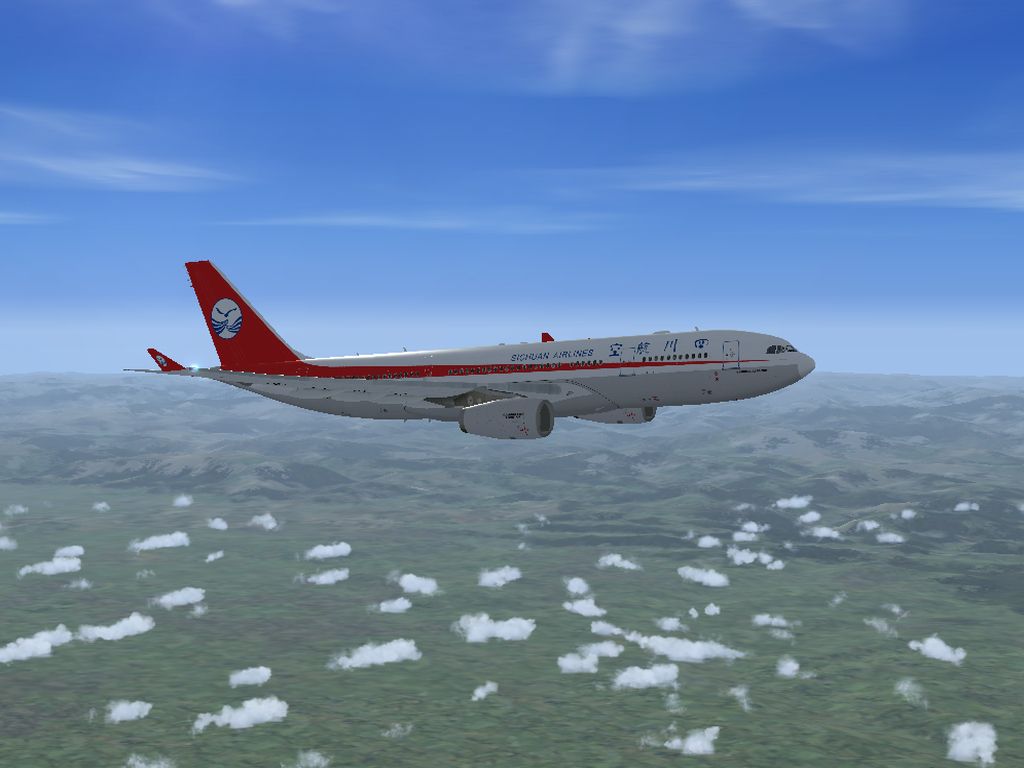
After saving and closing Aircraft.CFG, simply launch FSX. You will then see the Sichuan Airlines option within your aircraft library. This newly installed livery should depict the real-world scheme for the Chengdu-based carrier, complete with the airline’s official markings.

Sichuan Airlines Airbus A330-200 cruising at altitude.
The core A330-200 model was created by Thomas Ruth (Germany), renowned for his Airbus series. This particular repaint, focusing on the textures for Sichuan Airlines, was painstakingly completed by He Lingyuan (China). Thank you to both developers for enriching the flight simulation community with outstanding freeware content.
Free for all simmers · 7.25 MB · Scanned clean Oct 2026
Download speed: Free tier is capped at 0.5 Mbps (this file takes approximately 2 mins at the cap). PRO members download at full line speed.
This file is a repaint — the package below is the base model it paints onto. Install it first, or the textures will have nothing to load onto.
texture.{airline}) inside FSX\SimObjects\Airplanes\{base-aircraft}\.aircraft.cfg in Notepad. Add a new [fltsim.X] section per the readme.readme.txt or README file. It tells you exactly where files go, what dependencies are needed, and any quirks specific to this add-on.The archive toma332csc.zip has 37 files and directories contained within it.
This list displays the first 500 files in the package. If the package has more, you will need to download it to view them.
| Filename/Directory | File Date | File Size |
|---|---|---|
| Sichuan Airlines Airbus A330-200 | 05.17.11 | 0 B |
| Readme.txt | 05.17.11 | 2.97 kB |
| Screenshots | 05.17.11 | 0 B |
| CSC_A332_01.jpg | 05.17.11 | 264.41 kB |
| CSC_A332_02.jpg | 05.17.11 | 358.45 kB |
| CSC_A332_03.jpg | 05.17.11 | 404.52 kB |
| CSC_A332_04.jpg | 05.17.11 | 420.35 kB |
| CSC_A332_05.jpg | 05.17.11 | 264.08 kB |
| Tom_A330-200 | 05.17.11 | 0 B |
| Texture.CSC | 05.17.11 | 0 B |
| A321_1_L.dds | 02.21.09 | 1.00 MB |
| A321_2_L.dds | 02.21.09 | 256.12 kB |
| A330_VC01.dds | 02.05.09 | 1.00 MB |
| A330_VC01L.dds | 02.19.09 | 1.00 MB |
| Airbus_A321_1_C.dds | 09.04.06 | 682.79 kB |
| Airbus_A321_1_L.dds | 02.19.09 | 1.00 MB |
| Airbus_A321_2_C.dds | 09.04.06 | 682.79 kB |
| Airbus_A321_2_L.dds | 02.19.09 | 1.00 MB |
| Airbus_A321_3_C.dds | 09.04.06 | 682.79 kB |
| Airbus_A321_3_L.dds | 02.19.09 | 4.12 kB |
| Airbus_A321_4_C.dds | 09.04.06 | 682.79 kB |
| Airbus_A321_4_L.dds | 02.19.09 | 1.00 MB |
| Glass.dds | 03.02.09 | 64.12 kB |
| Glass_Spec.dds | 11.24.08 | 4.12 kB |
| Main.dds | 05.17.11 | 16.00 MB |
| Main_Bump.dds | 03.03.09 | 4.00 MB |
| Main_Light.dds | 05.17.11 | 4.00 MB |
| Main_Spec.dds | 12.03.08 | 64.12 kB |
| Texture.cfg | 05.16.11 | 141 B |
| Thumbnail.jpg | 05.17.11 | 51.33 kB |
| VCBlend.dds | 02.09.09 | 1.12 kB |
| Wing_Bump.dds | 03.17.09 | 1.00 MB |
| Wing_L.dds | 05.17.11 | 4.00 MB |
| Wing_R.dds | 05.18.11 | 4.00 MB |
| Wing_Spec.dds | 11.21.08 | 64.12 kB |
| flyawaysimulation.txt | 10.29.13 | 959 B |
| Go to Fly Away Simulation.url | 01.22.16 | 52 B |
Only PRO members can place votes.
More FSX & P3D add-ons hand-picked based on this download.
FSX Civil Aircraft
Turkish Airlines Airbus A330-200 GE (new colors). Model by CLS. Repaint by Se…
 FSX Civil Aircraft
This comprehensive repaint package offers an authentic Malaysia Airlines Airb…
 FSX Civil Aircraft
Hawaiian Airlines Airbus A330-200 Fleet. Repaint of Tom Ruth's A330-200. Text…
 FSX Civil Aircraft
FSX Eastern Airlines Airbus A330-200 (fictional). Includes PW engine version …
 FSX Civil Aircraft
This repaint set brings the distinctive Hong Kong Airlines branding to the Ai…
 FSX Civil Aircraft
Textures only for the Thomas Ruth model (TOMA332B.ZIP). Repaint by Muharrem S…
 FSX Civil Aircraft
Texture only package for use with the Thomas Ruth A330-200 model (TOMA332B.ZI…
 FSX Civil Aircraft
Swiss International Airlines Airbus A330-200. Repaint of Tom Ruth's A330. Tex…
Be the first to leave a comment on this download.
Be the first to share your thoughts on this download.