

 FSX Missions
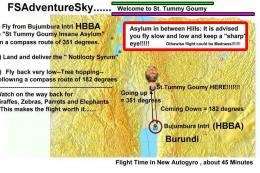
Adventure--Welcome to St Tummy Goumy
FSX Adventure--Welcome to St Tummy Goumy Asylum. You have come to Africa for …
Welcome To The Club delivers a short Arrow Flying Club orientation mission for Microsoft Flight Simulator X, pairing a 10-minute pattern flight with club founder Brett at Cascade Locks State. Expect a focused training-style scenario with clear pacing, a straightforward departure and traffic pattern, and a polished, self-contained mission structure built for quick learning.
 Rate
Rate
Welcome To The Club. Welcome to the Arrow Flying Club. This mission is somewhat of an orientation to the club. You will take off and fly a traffic pattern with club founder, Brett, at Cascade Locks State. This mission will only take about 10 minutes to fly. By Brett Lee.
ONLY! This is a mission designed for fsx, do not try to intall to fs9!
This mission was designed by Brett Lee.
This mission can in no way, shape, or form be modified, redistributed, or sold without my permission.
This mission has only been tested for Windows Vista, I do not accept any responsibilty for performance or harm to your system.
By installing, you agree to this agreement, the license agreement found at my website, and all parts of this document.
INSTALLATION:
1. Unzip.
2. place mission folder into your main FSX directory/missions/thegoodlife.
3. place rewards (.rwd) file into your main FSX directory/rewards folder.
Restart FSX.
Free for all simmers · 5.07 MB · Scanned clean Oct 2026
Download speed: Free tier is capped at 0.5 Mbps (this file takes approximately 1 min at the cap). PRO members download at full line speed.
FSX\Missions\ as a sub-folder. The folder must contain an XML file describing the mission.readme.txt or README file. It tells you exactly where files go, what dependencies are needed, and any quirks specific to this add-on.The archive welcome.zip has 26 files and directories contained within it.
This list displays the first 500 files in the package. If the package has more, you will need to download it to view them.
| Filename/Directory | File Date | File Size |
|---|---|---|
| Completed.bmp | 04.20.09 | 172.24 kB |
| sound | 04.20.09 | 0 B |
| IMPORTANT.txt | 04.20.09 | 133 B |
| _recorded_05d231a6-08db-4667-b010-5870eccc04ca.wav | 04.20.09 | 441.04 kB |
| _recorded_56974995-7d00-4582-b72d-9fa82516e578.wav | 04.20.09 | 606.85 kB |
| _recorded_638618d5-d597-46b7-90ce-ed3dcaf094c3.wav | 04.20.09 | 292.46 kB |
| _recorded_6be2442a-a825-4d40-9ba6-7a549dc00e82.wav | 04.20.09 | 934.15 kB |
| _recorded_6c09c1e4-1bde-405c-8af4-0796f7f9e912.wav | 04.20.09 | 268.78 kB |
| _recorded_7719a38c-1714-4658-904a-40c6ddfa578a.wav | 04.20.09 | 273.08 kB |
| _recorded_7aa9d0e0-7a24-4301-a5cb-7a76b30df3e8.wav | 04.20.09 | 393.67 kB |
| _recorded_7ec11f04-30db-47e6-8237-7a949b507b98.wav | 04.20.09 | 393.67 kB |
| _recorded_817239e4-904c-4a85-acba-756321c19f8f.wav | 04.20.09 | 385.06 kB |
| _recorded_d4d5271c-04dc-4493-84be-8bbc4b39b897.wav | 04.20.09 | 484.11 kB |
| _recorded_db8a0b42-4789-4c99-841e-1eba228a4088.wav | 04.20.09 | 206.33 kB |
| _recorded_e5673d1f-479d-40b2-84bb-e469611ffc0c.wav | 04.20.09 | 936.31 kB |
| _recorded_e8df80f6-6ee1-46a1-96aa-9247a507608c.wav | 04.20.09 | 570.24 kB |
| Uncompleted.bmp | 04.20.09 | 172.24 kB |
| Welcometotheclub.flt | 04.20.09 | 15.57 kB |
| Welcometotheclub.imm | 04.20.09 | 16.71 kB |
| Welcometotheclub.wx | 04.20.09 | 199.44 kB |
| Welcometotheclub.xml | 04.20.09 | 37.29 kB |
| Welcome to the club | 04.20.09 | 0 B |
| Welcometotheclub.RWD | 04.20.09 | 14.12 kB |
| readme.txt | 04.20.09 | 878 B |
| flyawaysimulation.txt | 10.29.13 | 959 B |
| Go to Fly Away Simulation.url | 01.22.16 | 52 B |
Only PRO members can place votes.
More FSX & P3D add-ons hand-picked based on this download.
FSX Missions
FSX Adventure--Welcome to St Tummy Goumy Asylum. You have come to Africa for …
 FSX Missions
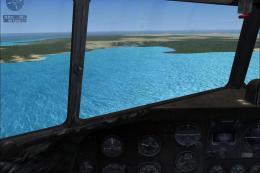
Madagascar Mission. The Madagascarian Military pays you for a transport fligh…
 FSX Missions
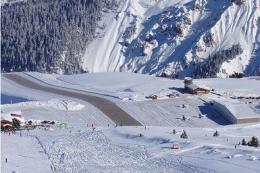
Experience a daring alpine approach with this immersive mission set amid the …
 FSX Missions
Discover a daring and immersive freeware add-on that challenges your landing …
 FSX Missions
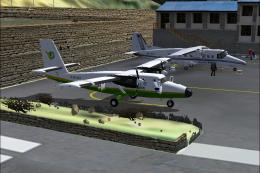
The Most Dangerous Airports: Lukla. The next in The Most Dangerous Airport Mi…
 FSX Missions
Hurricane Landing. Your task is to fly an Airbus A320 from Munich to Hamburg …
 FSX Missions
Welcome, Sir. In this mission you try to get from Gatwick to Dublin. It's ver…
 FSX Missions
Fly your Brussels Airlines 737-800 from Brussels National airport to Rome Fiu…
Be the first to leave a comment on this download.
Be the first to share your thoughts on this download.