


 Belize
  FSX Scenery
Johnson Creek Airport
(FAA ID: 3U2), a grass airstrip located in central Idaho (ID) three miles (5 …
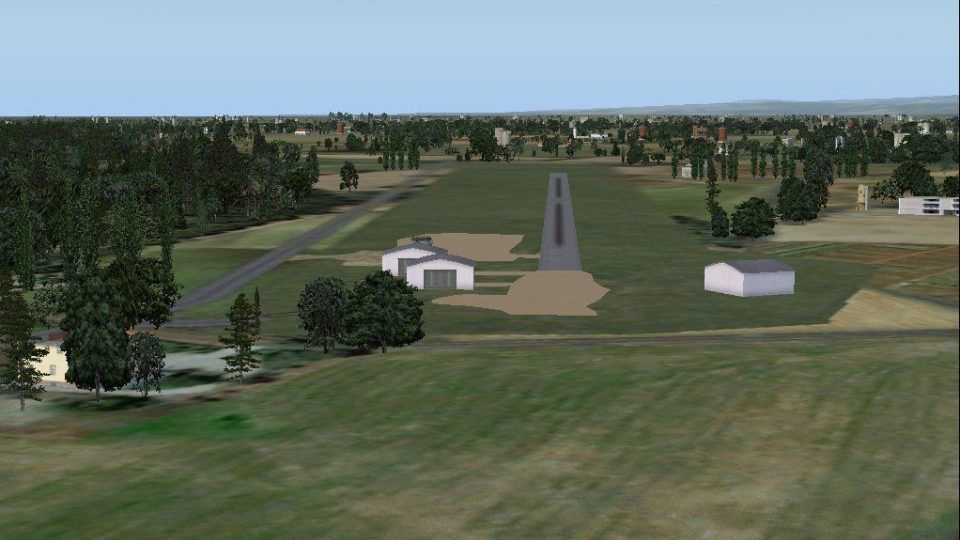
Big Creek Airport scenery recreates the Savannah, Belize airstrip serving Big Creek and nearby communities, with a clean runway environment and key on-field buildings for believable regional hops. Built for FSX, it uses the local BGK identity and a custom MZ63 designator to support authentic airline and GA operations in southern Belize.
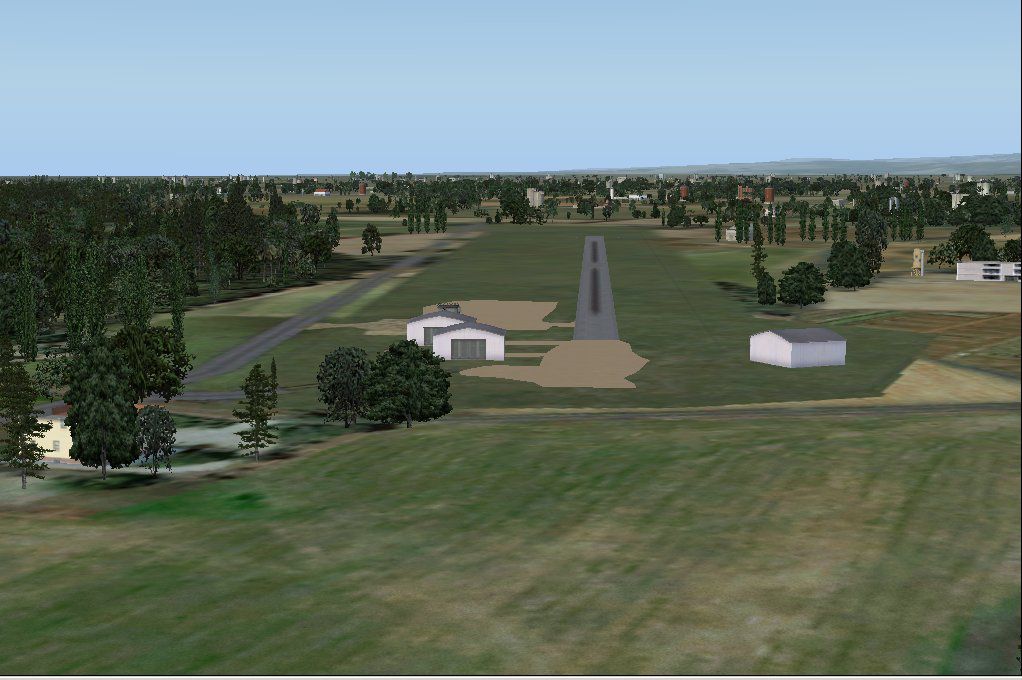
Big Creek Airport, Savannah, Belize. This airport, serviced by all Belize airlines, services the communities of Big Creek and Savannah. Except for some buildings near the beginning of the runway it should be the easiest small airport to depart and land from in Belize. By Alf B. Meier.
Big Creek Airport Scenery.
This airport, serviced by all Belize airlines, services the communities of Big Creek and Savannah in Belize. Except for some buildings near the beginning of the runway it should be the easiest small airport to depart and land from in Belize.
MZ63 is a designator I have given this airstrip, it has no official ICAO designator but an IATA designator (BGK).
Installation:
Simply unzip the *.bgl files into the Addon Scenery/scenery folder.
Uninstallation:
Remove the files from the Addon Scenery/scenery folder.
Acknowledgments:
These files have been partially generated by SbuilderX and Airport Design Editor and the coordinates are generated from Google Earth.
Have fun.
Alf B. Meier
Free for all simmers · 112.89 KB · Scanned clean Oct 2026
Download speed: Free tier is capped at 0.5 Mbps. PRO members download at full line speed.
FSX\Addon Scenery\ containing scenery and texture sub-folders.readme.txt or README file. It tells you exactly where files go, what dependencies are needed, and any quirks specific to this add-on.Use these coordinates to fly directly to this location once the mod is installed.
16.51700000,-88.42500000
Launch FSX or Prepar3D and use Flights → Load to open the downloaded .pln file. Your aircraft will be positioned at this location.
The archive fsxbgkam.zip has 8 files and directories contained within it.
This list displays the first 500 files in the package. If the package has more, you will need to download it to view them.
| Filename/Directory | File Date | File Size |
|---|---|---|
| CVX_Big_Creek.BGL | 01.05.08 | 902 B |
| Big_Creek_OBX.BGL | 01.05.08 | 412 B |
| MZ63_ADE_ABM.BGL | 01.05.08 | 3.06 kB |
| Big Creek.jpg | 01.05.08 | 112.05 kB |
| README.txt | 01.05.08 | 1.44 kB |
| File ID.DIZ.txt | 01.05.08 | 62 B |
| flyawaysimulation.txt | 10.29.13 | 959 B |
| Go to Fly Away Simulation.url | 01.22.16 | 52 B |
Only PRO members can place votes.
More FSX & P3D add-ons hand-picked based on this download.
FSX Scenery
(FAA ID: 3U2), a grass airstrip located in central Idaho (ID) three miles (5 …
 FSX Scenery
Scenery Big Bear Airport, California (CA). By Aaron Bennett. Screenshot of Bi…
 FSX Scenery
Thompson Field / Bear Creek Airport (L86), Murrieta, California (CA), USA. By…
 FSX Scenery
(7FL6), Florida (FL), USA. Touted as the world's most famous residential airp…
 FSX Scenery
Sulphur Creek Ranch AIrstrIp, Idaho (ID). MountaIn prIvate aIrstrIp In Idaho.…
 FSX Scenery
Hideaway Ranger Creek (21W), Washington State (WA). Intended to make the scen…
 FSX Scenery
This freeware package transforms Ryans Creek Airfield (NZRC) on Stewart Islan…
 FSX Scenery
47 Creek. As seen in episode 2 of "Flying Wild Alaska", made with custom mode…
Be the first to leave a comment on this download.
Be the first to share your thoughts on this download.