


 United States of America
  FSX Scenery
NAS Pensacola
NAS Pensacola (KNPA), Florida (FL). An improved version with added parking, r…
Naval Air Station Brunswick (KNHZ) scenery refreshes Maine’s former P-3 hub with a more authentic airfield layout in Microsoft Flight Simulator X. Expanded aprons, dedicated military cargo and combat parking, upgraded tower and perimeter buildings, plus a detailed fire station, vehicles, lighting, and native-object placement boost immersion without requiring external libraries.
This comprehensive freeware scenery package for Naval Air Station Brunswick (ICAO: KNHZ) in Maine greatly refines the default environment for more authentic military aviation activity. Created by Jim Cook, it introduces expanded aprons, special-purpose parking spots, and a range of additional facilities, all crafted to enhance immersion for fixed-wing patrol operations and rotary-wing duties in your simulation.
Based on real-world data from AirNav charts and imagery from Google Earth, this enhancement reshapes the base layout to better mirror the actual infrastructure. New parking positions designated for cargo and combat aircraft (described as Military_Cargo and Military_Combat) have been inserted, providing more accurate spaces for maritime patrol aircraft such as the P-3 Orion, historically flown at this station.
Additional buildings replace default structures throughout the airfield’s perimeter, creating a more realistic appearance. A meticulously modeled fire station and assigned fire trucks are included for emergency-response realism. Moreover, static vehicles now populate key service areas where personnel and ground crews operate, further highlighting the base’s operational character.
Original Microsoft Flight Simulator X objects have been carefully rearranged or swapped out to ensure an improved aesthetic. Light poles and cars appear in parking zones, while the tower structure has been upgraded for a more representative look. None of these additions require external object libraries, as all elements draw on native FSX assets.
NAS Brunswick Scenery.
Jim Cook tested this add-on with Just Flight’s Military Plus Packs to expand the variety of AI traffic operating from the base. While Ultimate Terrain and FSGenesis landclass provide enhanced geographical context, they are optional. The design process relied on Flight 1’s AFX and Instant Scenery to streamline object placement, ensuring proper alignment with terrain data.
Jim Cook anticipates modifying additional military facilities in the future, expanding the range of authentic bases for enthusiasts of naval air operations.
Free for all simmers · 13.14 KB · Scanned clean Oct 2026
Download speed: Free tier is capped at 0.5 Mbps. PRO members download at full line speed.
FSX\Addon Scenery\ containing scenery and texture sub-folders.readme.txt or README file. It tells you exactly where files go, what dependencies are needed, and any quirks specific to this add-on.Use these coordinates to fly directly to this location once the mod is installed.
43.89220000,-69.93860000
Launch FSX or Prepar3D and use Flights → Load to open the downloaded .pln file. Your aircraft will be positioned at this location.
The archive brnswick.zip has 6 files and directories contained within it.
This list displays the first 500 files in the package. If the package has more, you will need to download it to view them.
| Filename/Directory | File Date | File Size |
|---|---|---|
| AFX_KNHZ_JC.bgl | 07.09.08 | 23.28 kB |
| KNHZ_JC.bgl | 07.09.08 | 2.71 kB |
| brunswick_read_me.txt | 07.09.08 | 1.09 kB |
| FILE_ID.DIZ | 07.14.08 | 193 B |
| flyawaysimulation.txt | 10.29.13 | 959 B |
| Go to Fly Away Simulation.url | 01.22.16 | 52 B |
Only PRO members can place votes.
More FSX & P3D add-ons hand-picked based on this download.
FSX Scenery
NAS Pensacola (KNPA), Florida (FL). An improved version with added parking, r…
 FSX Scenery
NAS Fallon, Nevada (NV). Now where else in the world can someone do a vertica…
 FSX Scenery
NAS Corpus Christi, Texas (TX). Just as Whiting field serves both primary and…
 FSX Scenery
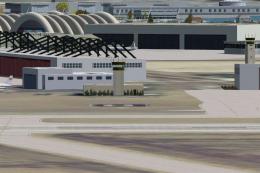
NAS North Island (KNZY), v1.01. After a hard day of trapping it's nice to hav…
 FSX Scenery
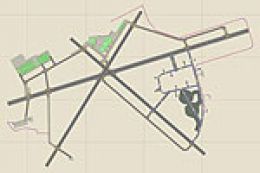
NAS Key West (KNQX), Key West, Florida (FL). Features removed and replaced st…
 FSX Scenery
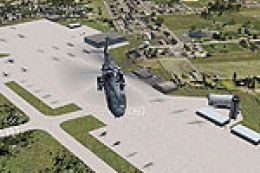
NAS Whidbey Island (KNUW), Oak Harbor, Washington (WA). An improved version w…
 FSX Scenery
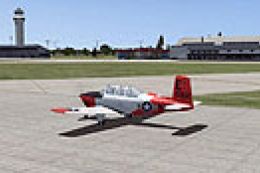
NAS Patuxent River (KNHK), Maryland (MD). An improved version with added park…
 FSX Scenery
NAS Jacksonville (KNIP), Florida (FL). This is the third rendition of NAS Jac…
Be the first to leave a comment on this download.
Be the first to share your thoughts on this download.