

 FSX Scenery
Edinburgh X
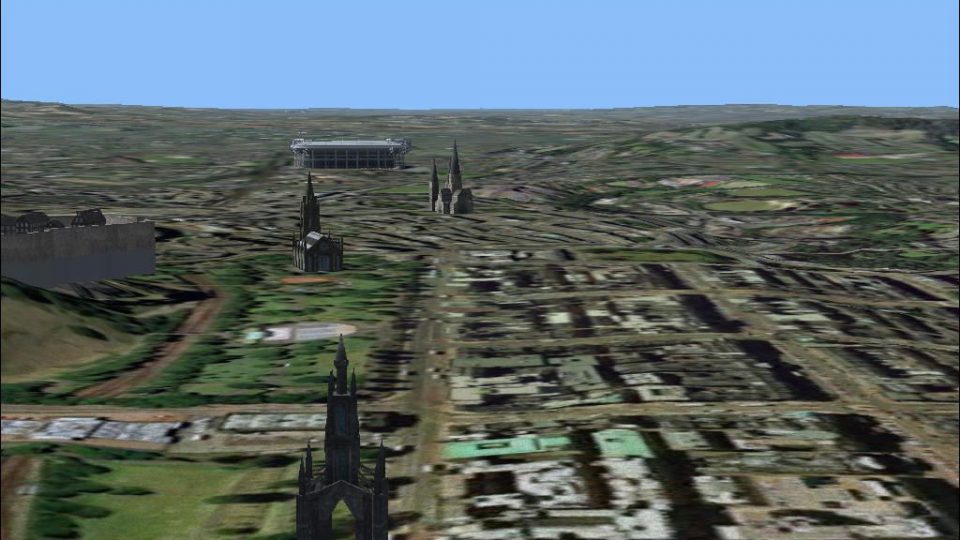
Edinburgh X. This scenery enhancement will add new buildings to the City of E…
Edinburgh comes alive with wide-area photo scenery that spans from the Pentland Hills to the Firth of Forth, stretching from near Musselburgh to the airport boundary, and includes night textures for after-dark flying. Built for Microsoft Flight Simulator X and tested with UTX Europe, it benefits from FSX Europe Mesh terrain for added depth.
 Rate
Rate
 United Kingdom
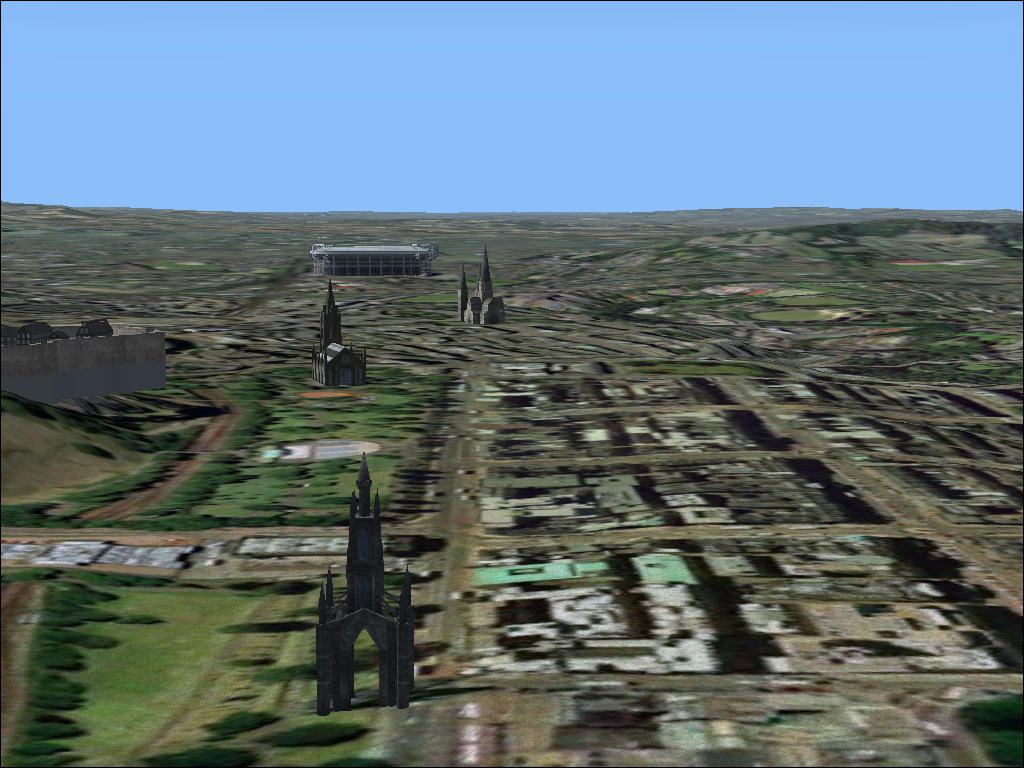
Edinburgh SceneryDESCRIPTION:Scotland Edinburgh version 1, Tested in FSX only including UTX Europe This is a photo scenery including all of Edinburgh I use this scenery with FSX Europe Mesh get it from flightsim.com, srt2eur.zip, srt2eur2.zip. Covers an area from The Pentland Hills at the South,all the way to the Sea at the North,from the East just outside Musselburgh and to the West just at the AirportBy Pips Perez.
Edinburgh Scenery.
Scotland Edinburgh version 1
Night texture included.
Install: put in to addon scenery folder,or make a new one and add in FSX settings.
Note: Freeware do what you like with it.
Tested in FSX only including UTX Europe.
1. This is a photo scenery including all of Edinburgh.
2. I use this scenery with FSX Europe Mesh:
srt2eur.zip
srt2eur2.zip
3.Covers an area from The Pentland Hills at the South, all the way to the Sea at the North,from the East just outside Musselburgh and to the West just at the Airport.
4. Built with SBuilderX build time 10 hours.
Free for all simmers · 65.32 MB · Scanned clean Oct 2026
Download speed: Free tier is capped at 0.5 Mbps (this file takes approximately 18 mins at the cap). PRO members download at full line speed.
FSX\Addon Scenery\ containing scenery and texture sub-folders.readme.txt or README file. It tells you exactly where files go, what dependencies are needed, and any quirks specific to this add-on.Use these coordinates to fly directly to this location once the mod is installed.
55.95330000,-3.18830000
Launch FSX or Prepar3D and use Flights → Load to open the downloaded .pln file. Your aircraft will be positioned at this location.
The archive edinburgh.zip has 5 files and directories contained within it.
This list displays the first 500 files in the package. If the package has more, you will need to download it to view them.
| Filename/Directory | File Date | File Size |
|---|---|---|
| edinburgh.jpg | 09.26.09 | 135.54 kB |
| edinburgh.bgl | 09.26.09 | 68.12 MB |
| readme.txt | 09.26.09 | 651 B |
| flyawaysimulation.txt | 10.29.13 | 959 B |
| Go to Fly Away Simulation.url | 01.22.16 | 52 B |
Only PRO members can place votes.
More FSX & P3D add-ons hand-picked based on this download.
FSX Scenery
Edinburgh X. This scenery enhancement will add new buildings to the City of E…
 FSX Scenery
Skara Scenery Bonaire X. Flamingo International Airport or Bonaire Internatio…
 FSX Scenery
Iwo Jima Scenery 1945 Update. This is a complete scenery with added effects a…
FSX Scenery
Kjeller Area Scenery X, Norway. Scenery around Kjeller airport with photoreal…
 FSX Scenery
FSX Loney's Alaska For FSX. This is a compilation of the author's Alaskan sce…
 FSX Scenery
For users of Flight Simulator X (and FSX: Steam Edition) and/or Prepar3D, ter…
 FSX Scenery
This freeware release by developer Aime Leclercq introduces revised highways …
 FSX Scenery
Team GEX Enhanced Autogen World. This package upgrades 522 world wide autogen…
Be the first to leave a comment on this download.
Be the first to share your thoughts on this download.