

 FSX Scenery
Ciudad Guayana Airport (SVPR)
Located in the southern reaches of Venezuela, Ciudad Guayana Airport (SVPR) s…
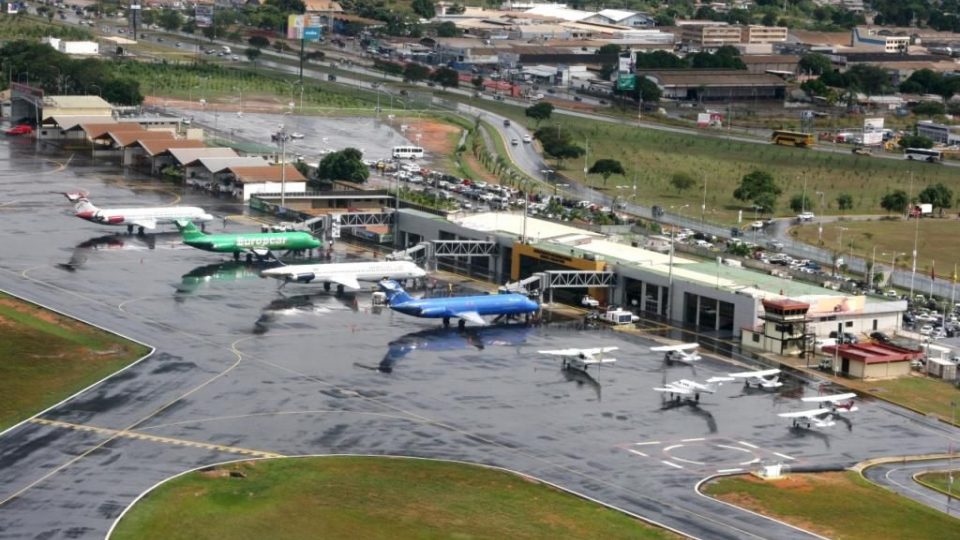
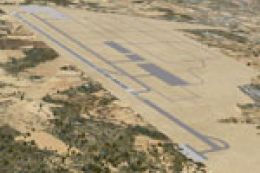
Ciudad Guayana Airport (SVPR) comes to life with a bespoke terminal, control tower, fire station, heliports, and sharp ground textures that match this riverside Venezuelan hub. Built for Microsoft Flight Simulator X, it adds realistic proportions, signage, and animated jetways controlled via NAV2 for smoother gate operations and immersion.
 Rate
Rate
 Venezuela (Bolivarian Republic of)
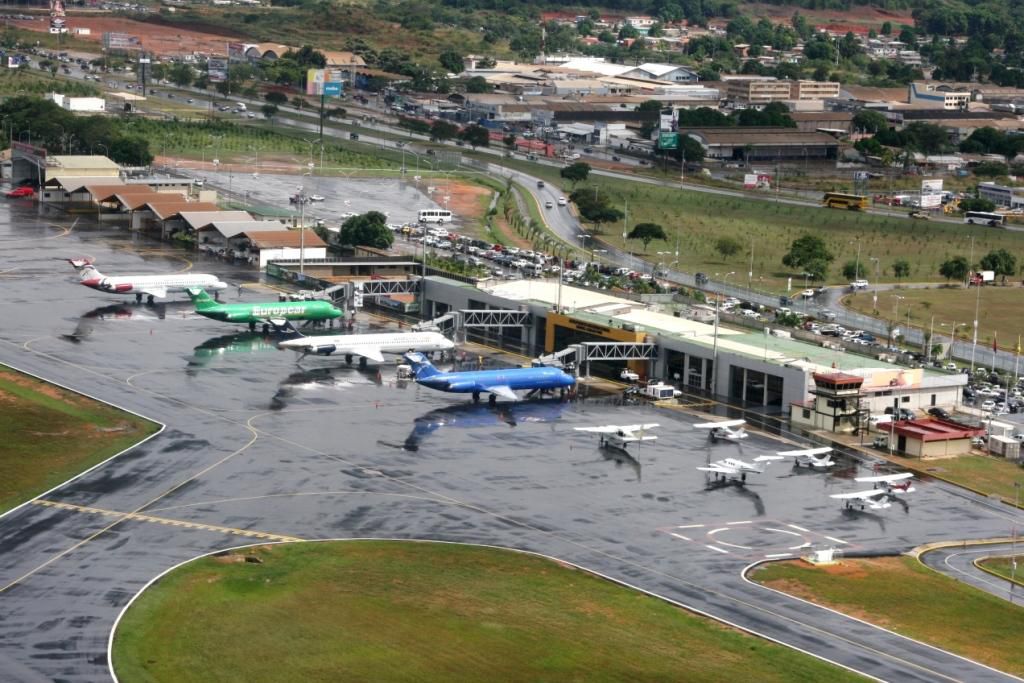
This free airport enhancement for Microsoft Flight Simulator X focuses on Ciudad Guayana Airport (ICAO: SVPR) in southern Venezuela, created by Jaime Ortega. It features a custom-rendered terminal, control tower, emergency facilities, and dedicated heliports with lifelike surface finishes. The scenery aims to capture the distinct character of this regional hub nestled by the Caroní and Orinoco Rivers, offering an immersive environment to those who frequently simulate flights in Venezuela.
Terminal Structure: The terminal is redesigned with advanced texturing that reflects the unique appearance of Ciudad Guayana’s main passenger facility. Each detail, such as windows and signage, helps simulate real-world proportions.
Airfield Installations: A specially modeled control tower, alongside a working fire station, adds to the realism of ground operations. In addition, there are multiple boarding zones and heliports, all designed with crisp textures.
In order to position the individual jetways, pilots can use the NAV2 frequency on their aircraft’s navigation systems. Tune your NAV2 to the specified frequency for each gate, and the jetway will move toward the aircraft. Disengaging that frequency causes it to return to its initial position, streamlining the boarding simulation.
It is recommended to place this scenery at a higher priority in your library so its custom elements load correctly over any default data.
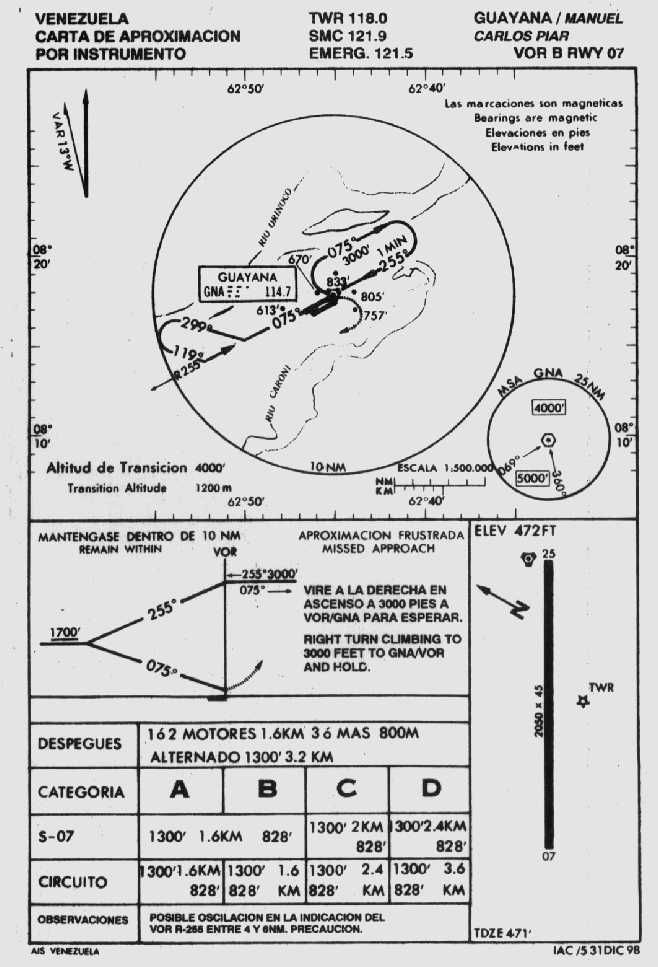
The airport serves the expansive industrial region of southeastern Venezuela, connecting local industries with the rest of the country. Its position by major waterways also makes it a convenient departure and arrival point for cargo traffic. Sim pilots flying in and out of Ciudad Guayana can appreciate the distinct runway approaches, as the city is surrounded by varied landscapes, ideal for those seeking challenging perspectives.
This scenery was exclusively developed for use with Microsoft Flight Simulator X. It integrates seamlessly with default mesh, adding authentic buildings and ground markings without adversely affecting simulator performance.
Incorporating this airport into your library upgrades the local topography and injects more realism into your Venezuelan flying adventures. This collaboration by Jaime Ortega showcases the care and precision integral to any high-quality scenery mod. Enjoy exploring the surrounds of the Caroní River while discovering the detailed infrastructure of Ciudad Guayana Airport.
Free for all simmers · 8.83 MB · Scanned clean Oct 2026
Download speed: Free tier is capped at 0.5 Mbps (this file takes approximately 2 mins at the cap). PRO members download at full line speed.
FSX\Addon Scenery\ containing scenery and texture sub-folders.readme.txt or README file. It tells you exactly where files go, what dependencies are needed, and any quirks specific to this add-on.Use these coordinates to fly directly to this location once the mod is installed.
8.28850000,-62.76040000
Launch FSX or Prepar3D and use Flights → Load to open the downloaded .pln file. Your aircraft will be positioned at this location.
The archive ciudadguayanasvpr.zip has 7 files and directories contained within it.
This list displays the first 500 files in the package. If the package has more, you will need to download it to view them.
| Filename/Directory | File Date | File Size |
|---|---|---|
| FILE_ID.diz | 03.12.10 | 321 B |
| PUERTO ORDAZ SVPR.exe | 03.12.10 | 8.75 MB |
| PUERTOORDAZ33.jpg | 09.13.09 | 139.70 kB |
| Readme.txt | 03.12.10 | 1.14 kB |
| SVPR RW07.jpg | 03.12.10 | 69.56 kB |
| flyawaysimulation.txt | 10.29.13 | 959 B |
| Go to Fly Away Simulation.url | 01.22.16 | 52 B |
Only PRO members can place votes.
More FSX & P3D add-ons hand-picked based on this download.
FSX Scenery
Located in the southern reaches of Venezuela, Ciudad Guayana Airport (SVPR) s…
 FSX Scenery
Ciudad Real Central Airport. By Jesus Ramirez de Arellano. Ciudad Real Centra…
 FSX Scenery
Princess Juliana International Airport (TNCM) in Saint Marteen, Netherlands A…
 FSX Scenery
Los Angeles Airport Scenery v3, California (CA). This photoreal scenery is a …
 FSX Scenery
Barbados International Airport (TBPB). Grantley Adams International Airport f…
 FSX Scenery
Paris Charles de Gaulle Airport (CDG, LFPG), France. The entire airport has b…
 FSX Scenery
John F. Kennedy Airport (KJFK), New York, NYU. This is a photoreal scenery re…
 FSX Scenery
Dubai International Airport (OMDB), Dubai. Includes a new passenger terminal …
Be the first to leave a comment on this download.
Be the first to share your thoughts on this download.