


 Bahamas
  FSX Scenery
Marsh Harbour Airport
Marsh Harbour, The Bahamas (MYAM). Marsh Harbour Airport serves Marsh Harbour…
Governors Harbour Airport (MYEM) on Eleuthera gets a sharper, satellite-referenced layout with corrected runway placement near the shoreline, upgraded ramps and signage, custom hangars, and realistic night lighting with ramp lamps. Includes static GA aircraft, local clutter and ground activity for a lived-in feel in Microsoft Flight Simulator X, and requires the FSX Acceleration Pack.
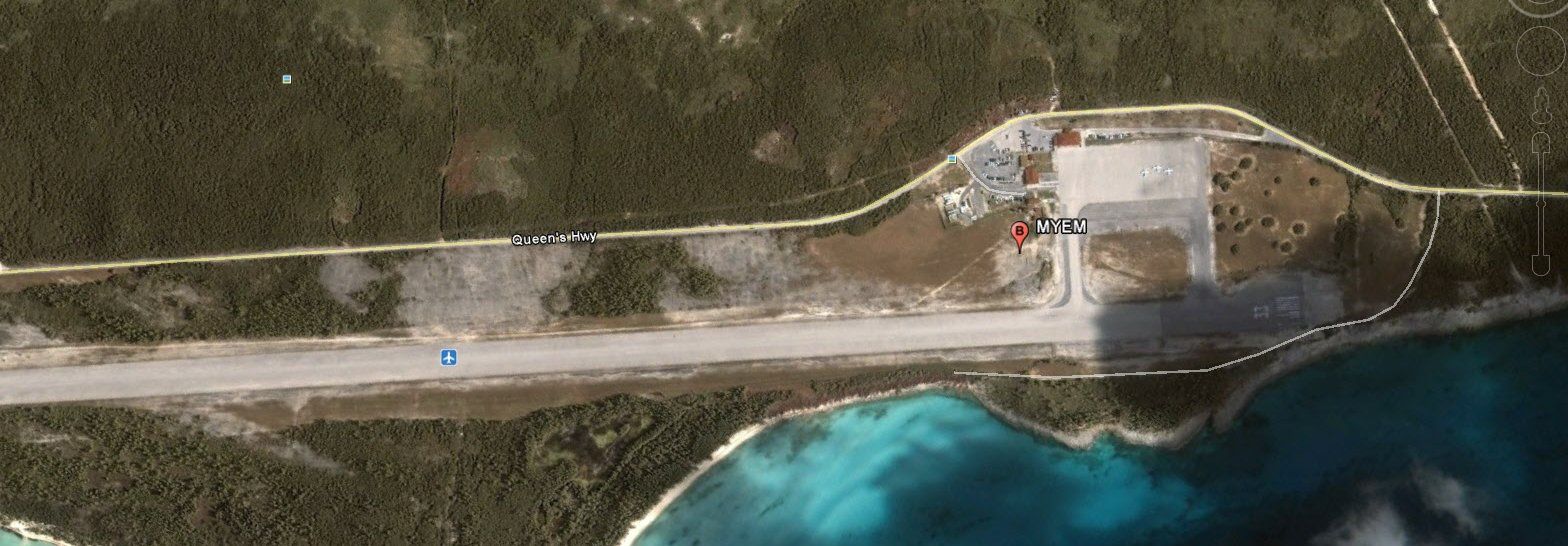
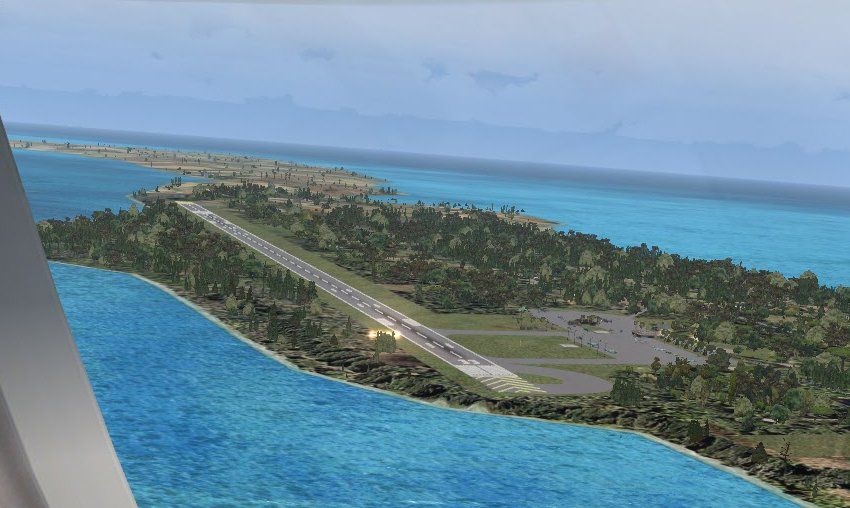
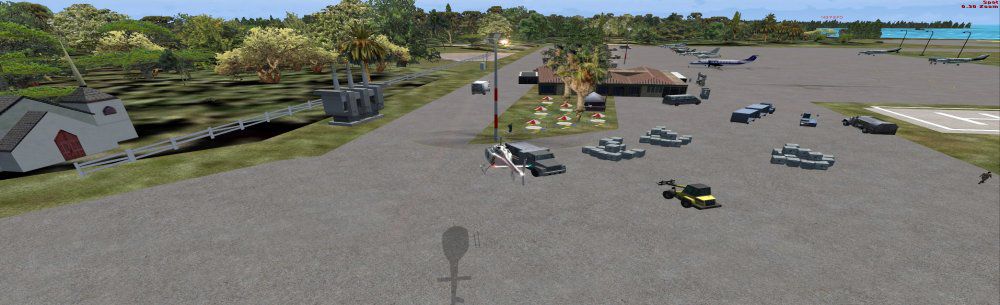
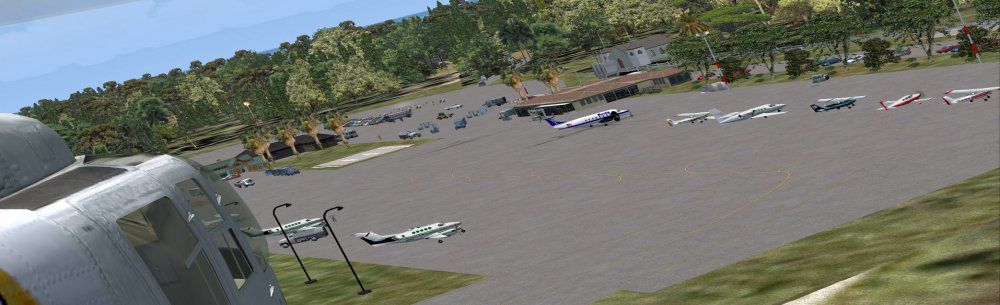
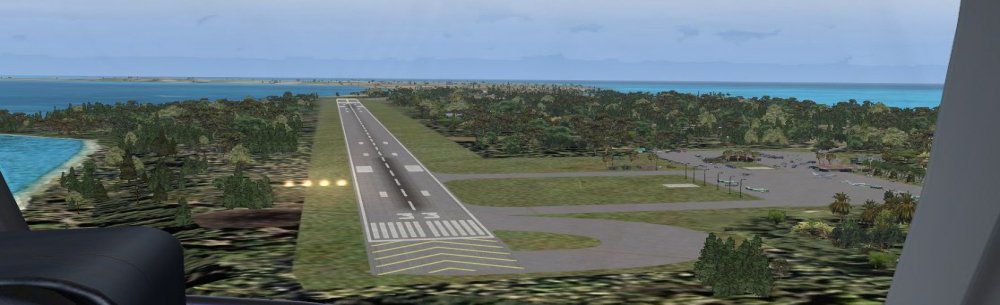
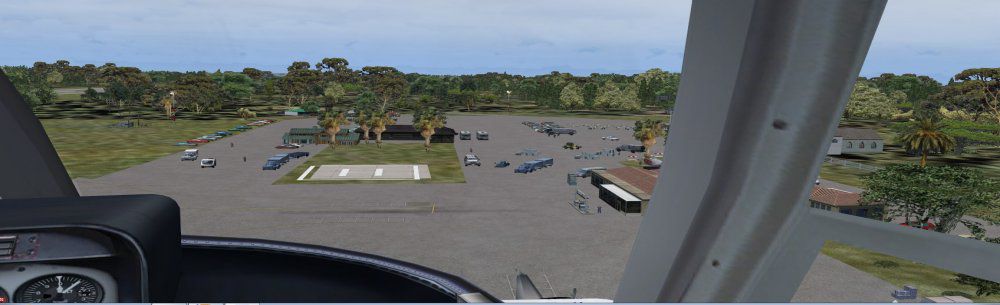
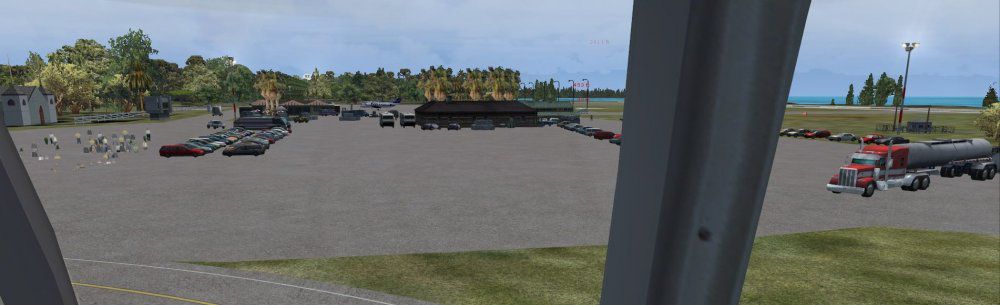
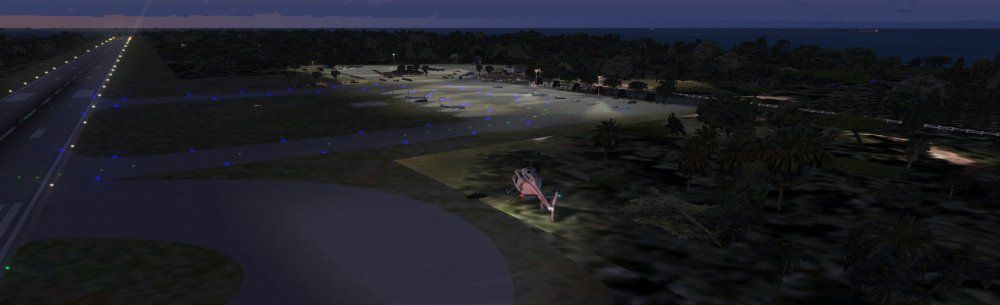
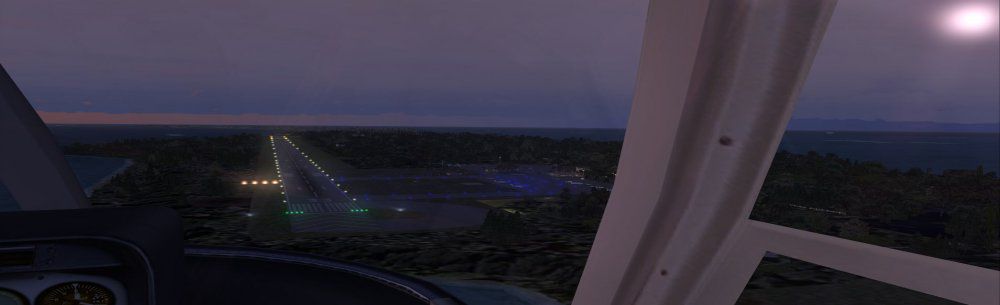
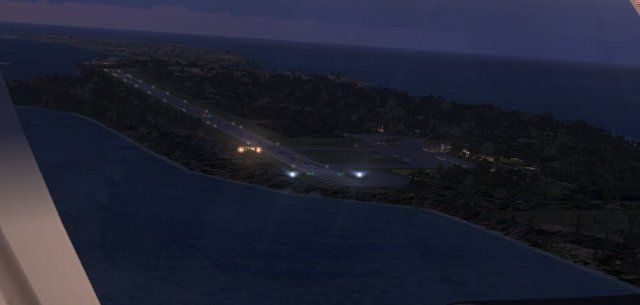
Experience a refined depiction of Governors Harbour Airport, located on Eleuthera in the Bahamas, through this freeware scenery package by Jimmy R. Martin. It requires the FSX Acceleration Pack and presents an immersive environment complete with precision runway positioning, detailed hangars, and realistic lighting. Designers used satellite data from Google Earth to replicate the airport’s true layout, resulting in an authentic coastal approach.
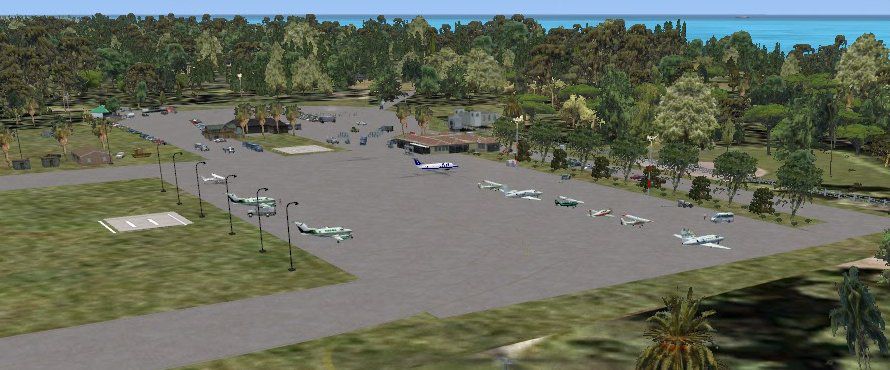
This custom scenery integrates static general aviation aircraft (provided by gaplane1.zip), airborne traffic, and meticulously placed structures. The package upgrades ramps, signage, and local ground traffic, creating a richer atmosphere for Microsoft Flight Simulator X enthusiasts who want a more authentic region to explore.
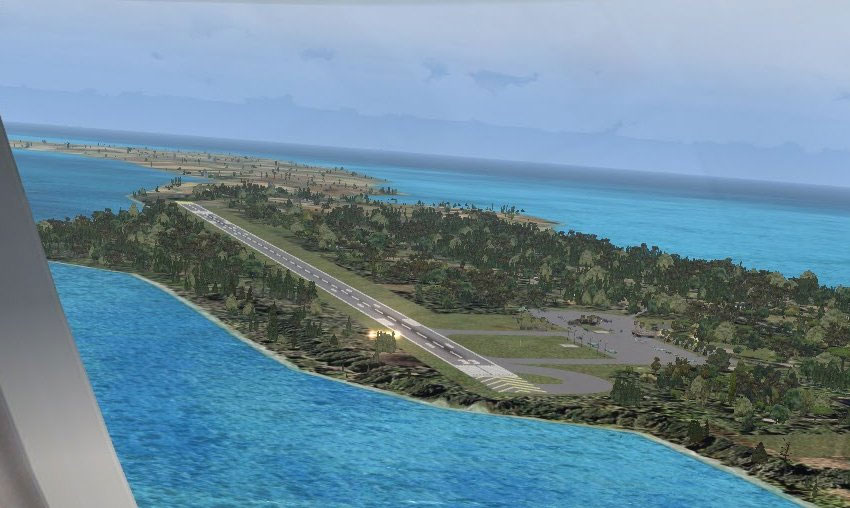
Above: Governors Harbour Airport with enhanced ground textures and static models.
The runway lighting system has been tailored for nighttime operations and features individual ramp lights to improve visibility. Because of real-world positioning, the entire airport was shifted slightly west, closer to the shoreline, improving approach realism and relevancy to the actual Bahamas environment.
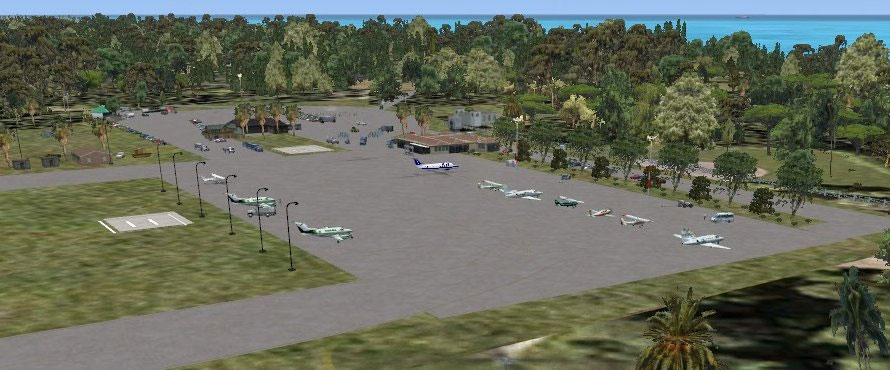
Above: Detailed ramp and shore-facing runway in the Governors Harbour area.
All these details combined deliver a faithful interpretation of Governors Harbour Airport while maintaining smooth performance in Microsoft Flight Simulator X. This scenery is presented by Jimmy R. Martin, whose goal was to recreate the airport’s unique charm and offer simmers an engaging Bahamian destination for GA flights and beyond.
Free for all simmers · 1.02 MB · Scanned clean Oct 2026
Download speed: Free tier is capped at 0.5 Mbps. PRO members download at full line speed.
FSX\Addon Scenery\ containing scenery and texture sub-folders.readme.txt or README file. It tells you exactly where files go, what dependencies are needed, and any quirks specific to this add-on.Use these coordinates to fly directly to this location once the mod is installed.
25.28470000,-76.33100000
Launch FSX or Prepar3D and use Flights → Load to open the downloaded .pln file. Your aircraft will be positioned at this location.
The archive myem.zip has 29 files and directories contained within it.
This list displays the first 500 files in the package. If the package has more, you will need to download it to view them.
| Filename/Directory | File Date | File Size |
|---|---|---|
| AirNav MYEM - Governors Harbour Airport.url | 03.29.11 | 180 B |
| fiel_id.diz | 03.29.11 | 216 B |
| PS0195.jpg | 03.28.11 | 178.12 kB |
| PS0196.jpg | 03.29.11 | 18.29 kB |
| PS0197.jpg | 03.29.11 | 83.74 kB |
| PS0198.jpg | 03.29.11 | 56.08 kB |
| PS0199.jpg | 03.29.11 | 27.71 kB |
| PS0200.jpg | 03.29.11 | 36.32 kB |
| PS0201.jpg | 03.29.11 | 86.78 kB |
| PS0202.jpg | 03.29.11 | 66.08 kB |
| PS0203.jpg | 03.29.11 | 52.27 kB |
| PS0204.jpg | 03.29.11 | 50.23 kB |
| PS0205.jpg | 03.29.11 | 69.12 kB |
| pspbrwse.jbf | 03.29.11 | 4.67 kB |
| ramp lights.txt | 01.25.11 | 458 B |
| README.txt | 03.29.11 | 1.08 kB |
| scenery | 03.29.11 | 0 B |
| MYEM_ADEX_JTM.ad2.ad2 | 03.29.11 | 146.13 kB |
| MYEM_ADEX_JTM.BGL | 03.29.11 | 6.87 kB |
| MYEM_ADEX_JTM_CVX.bgl | 03.29.11 | 814 B |
| MYEM_FSXP.bgl | 03.29.11 | 9.17 kB |
| RampLight_Library.bgl | 01.11.05 | 30.63 kB |
| Thumbs.db | 05.14.06 | 208.50 kB |
| texture | 03.29.11 | 0 B |
| ESDG_ramp.BMP | 01.09.05 | 32.07 kB |
| ESDG_ramp_lm.BMP | 01.09.05 | 32.07 kB |
| MYEM | 03.29.11 | 0 B |
| flyawaysimulation.txt | 10.29.13 | 959 B |
| Go to Fly Away Simulation.url | 01.22.16 | 52 B |
Only PRO members can place votes.
More FSX & P3D add-ons hand-picked based on this download.
FSX Scenery
Marsh Harbour, The Bahamas (MYAM). Marsh Harbour Airport serves Marsh Harbour…
 FSX Scenery
Coffs Harbour (YSCH), Australia. Completely reworked in XML to maximize frame…
 FSX Scenery
Ganges Harbour, British Columbia, Canada. Uses only default scenery objects t…
 FSX Scenery
Princess Juliana International Airport (TNCM) in Saint Marteen, Netherlands A…
 FSX Scenery
Los Angeles Airport Scenery v3, California (CA). This photoreal scenery is a …
 FSX Scenery
Barbados International Airport (TBPB). Grantley Adams International Airport f…
 FSX Scenery
Paris Charles de Gaulle Airport (CDG, LFPG), France. The entire airport has b…
 FSX Scenery
John F. Kennedy Airport (KJFK), New York, NYU. This is a photoreal scenery re…
Be the first to leave a comment on this download.
Be the first to share your thoughts on this download.