


 United States of America
  FSX Scenery
Reagan National Airport KDCA 2011
Reagan National Airport KDCA 2011. This is a complete revamp of the Reagan Na…
Houston George Bush Intercontinental (KIAH) gets a 2011-era scenery refresh for Microsoft Flight Simulator X, adding and correcting buildings, hangars, maintenance areas, taxiways, gates, and runway safety zones. Terminal A and B receive targeted structure and gate updates, while terminals C through E improve jetway and gate alignment using Google Earth references.
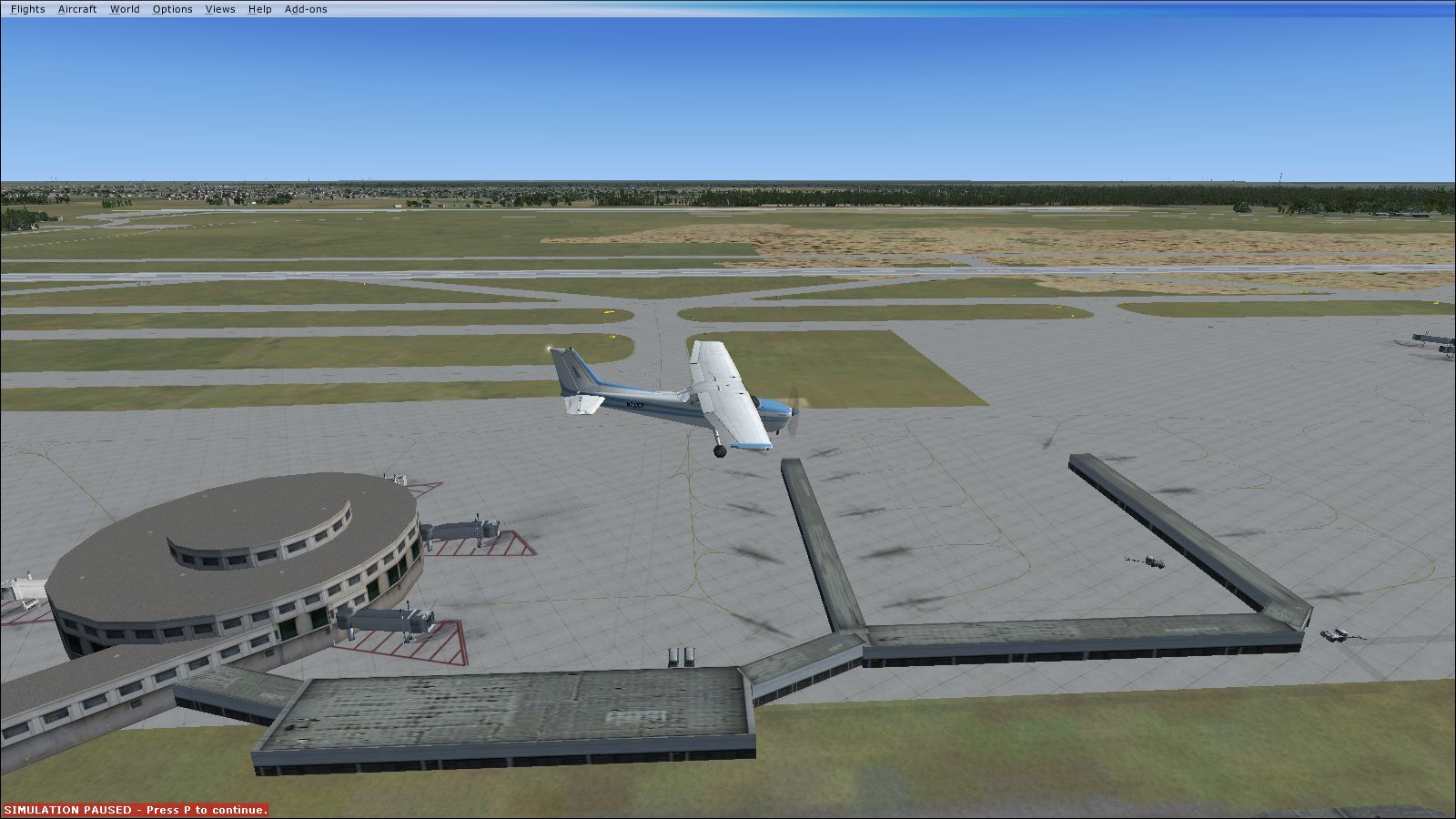
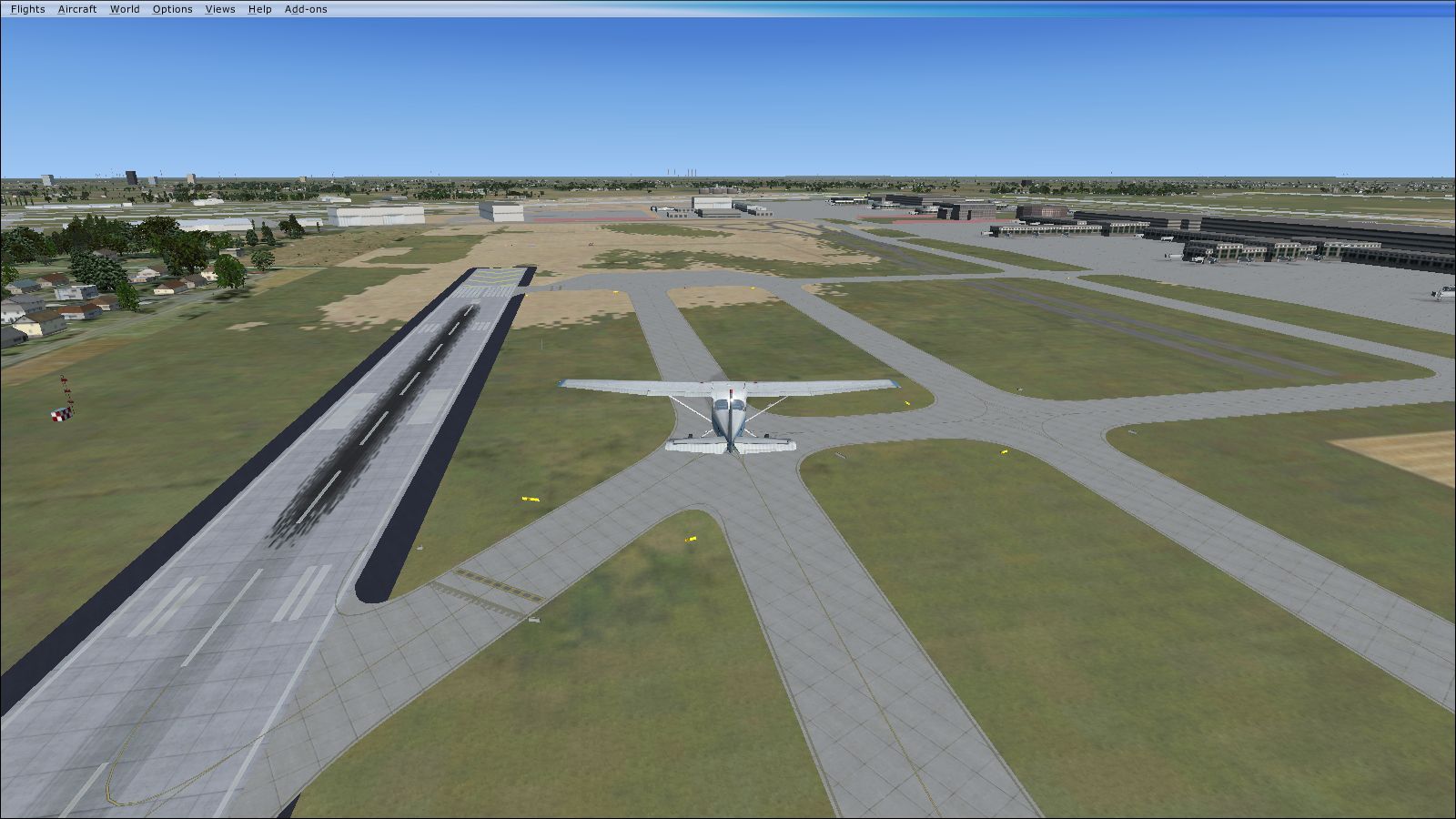
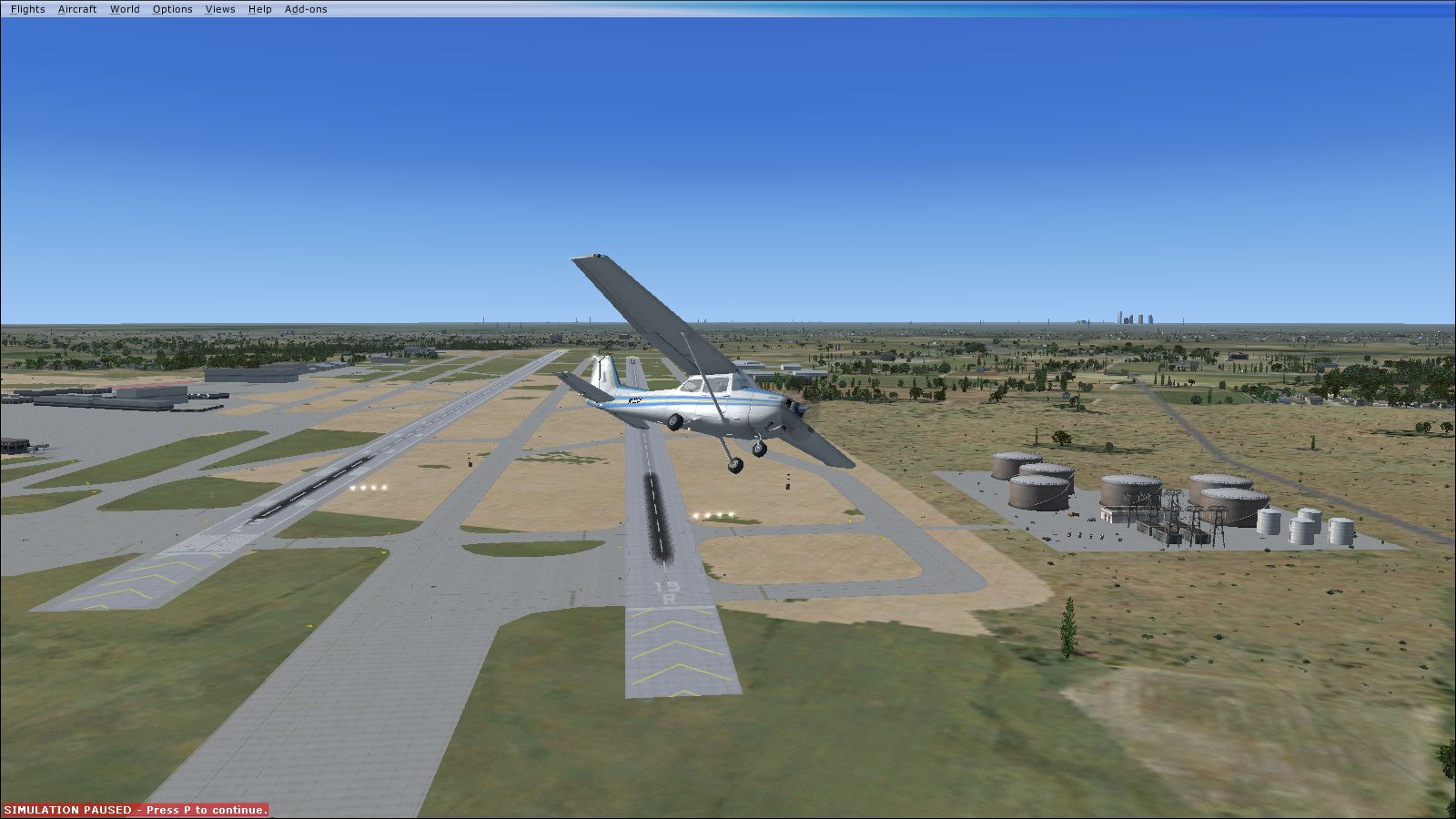
KIAH 2011 Texas (TX). This upgrade for Houston intercontinental airport will fix and add many buildings, taxiways and gates, including safety zones on all runways, A, B terminal fixes, and much more. Based on images from Google Earth. By Gabriel Guzman.
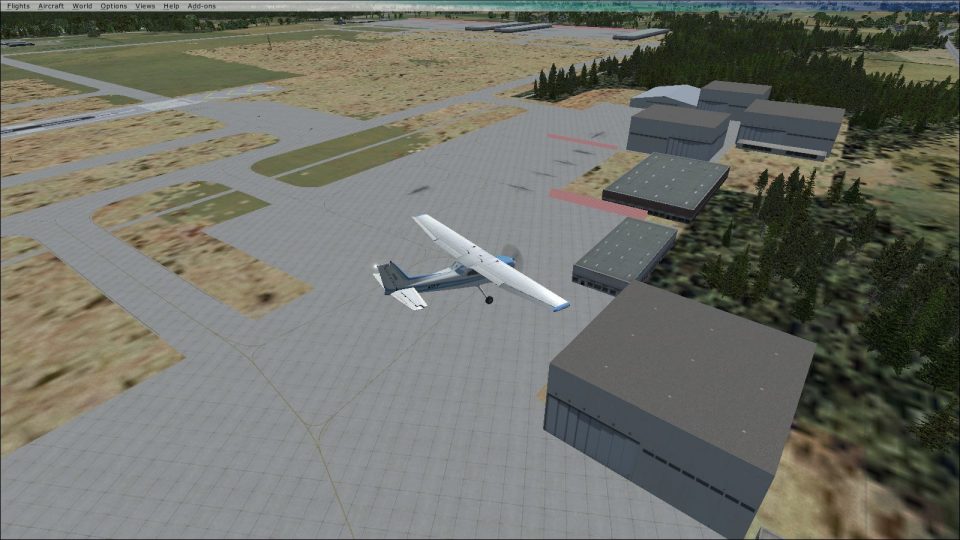
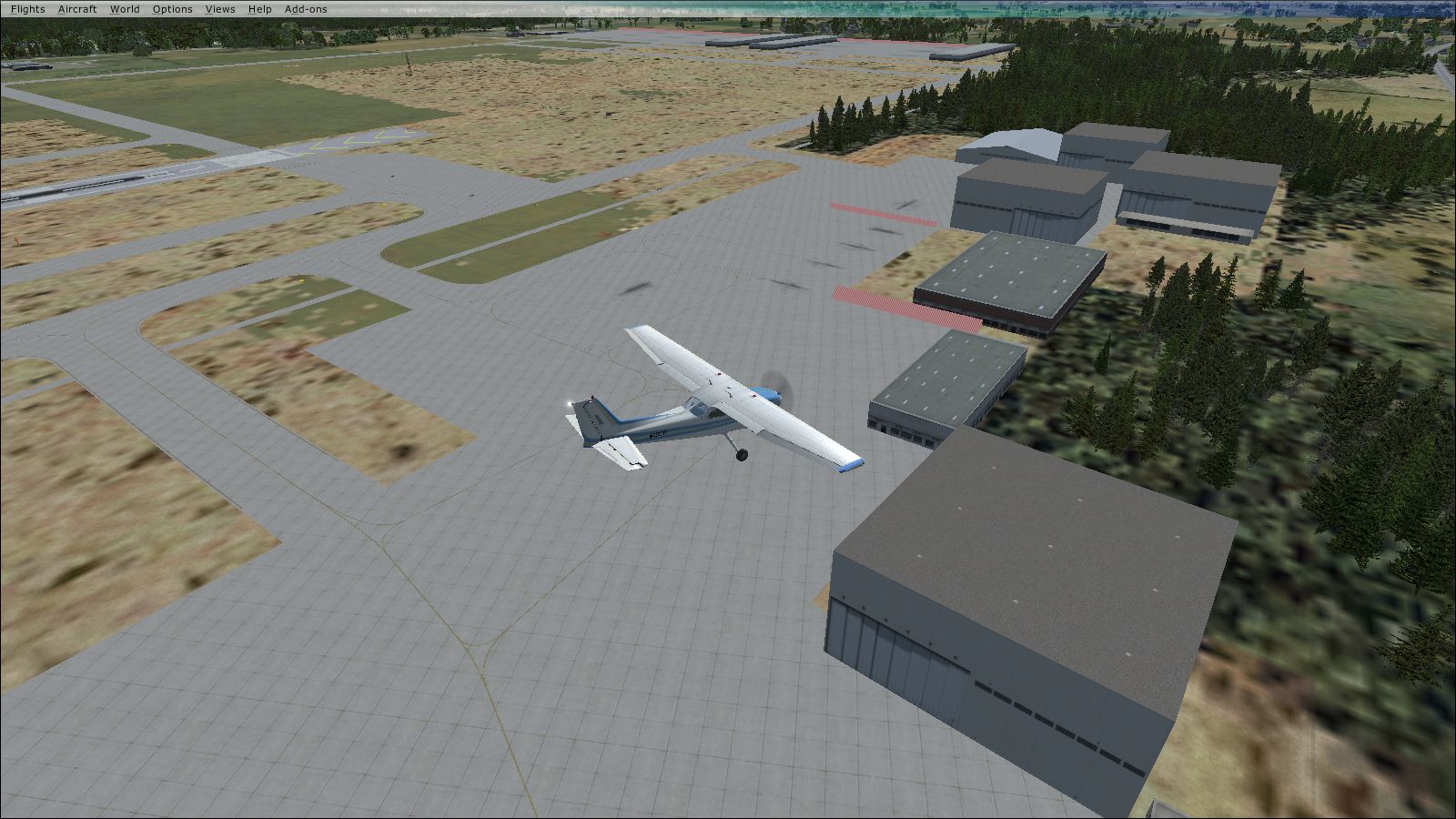
Screenshot of plane flying over KIAH 2011 Scenery.
Installation:
Simply place the "KIAH2011.bgl" file into the Flightsim scenery folder.
(C:\Program Files (x86)\Microsoft Games\Microsoft Flight Simulator X\Addon Scenery\scenery)
Restart FSX and there you go!
This file will update the following at KIAH:
Added fuel tank station off runway 15R (see pic 1)
Added new hangars and fixed maintenance area (See pic hangar)
Added runway safe area on all runways except 15R/33L (see pic safetyarea)
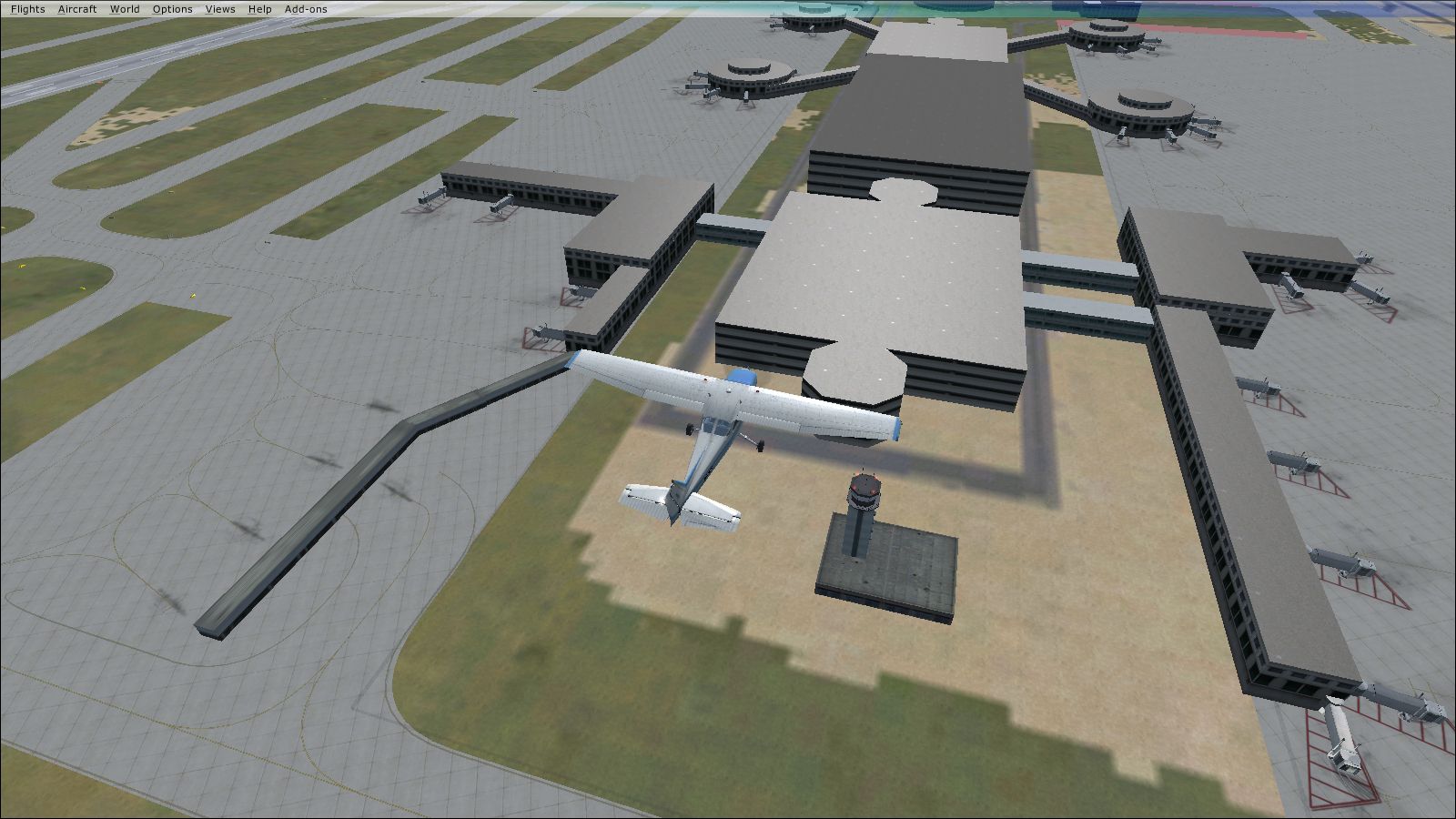
A terminal, added gates for CO/UA connection (see pic Aterm)
B terminal, added outside building for gates -86 (See pic Bterm)
C terminal, fixed gate/jetway locations.
D terminal, fixed gate/jetway locations.
E terminal, fixed gate/jetway locations.
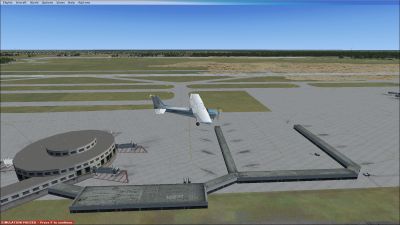
Screenshot of plane flying over KIAH 2011 Scenery.
Free for all simmers · 4.37 MB · Scanned clean Oct 2026
Download speed: Free tier is capped at 0.5 Mbps (this file takes approximately 1 min at the cap). PRO members download at full line speed.
FSX\Addon Scenery\ containing scenery and texture sub-folders.readme.txt or README file. It tells you exactly where files go, what dependencies are needed, and any quirks specific to this add-on.Use these coordinates to fly directly to this location once the mod is installed.
29.99020000,-95.33680000
Launch FSX or Prepar3D and use Flights → Load to open the downloaded .pln file. Your aircraft will be positioned at this location.
The archive kiah2011x.zip has 9 files and directories contained within it.
This list displays the first 500 files in the package. If the package has more, you will need to download it to view them.
| Filename/Directory | File Date | File Size |
|---|---|---|
| 1.jpg | 05.08.11 | 759.90 kB |
| Aterm.jpg | 05.08.11 | 967.84 kB |
| Bterm.jpg | 05.08.11 | 849.14 kB |
| hangar.jpg | 05.08.11 | 1.03 MB |
| KIAH2011.BGL | 05.07.11 | 120.93 kB |
| README!.txt | 05.08.11 | 1.09 kB |
| safetyarea.jpg | 05.08.11 | 861.12 kB |
| flyawaysimulation.txt | 10.29.13 | 959 B |
| Go to Fly Away Simulation.url | 01.22.16 | 52 B |
Only PRO members can place votes.
More FSX & P3D add-ons hand-picked based on this download.
FSX Scenery
Reagan National Airport KDCA 2011. This is a complete revamp of the Reagan Na…
 FSX Scenery
Senai International Airport 2011 (WMKJ), Malaysia. Latest upgrade for future …
 FSX Scenery
Fairbanks International Airport 2011. An update for Fairbanks International A…
 FSX Scenery
The default Flight Simulator database of VOR/NDB's is fast becoming out of da…
 FSX Scenery
Skara Scenery Bonaire X. Flamingo International Airport or Bonaire Internatio…
 FSX Scenery
Iwo Jima Scenery 1945 Update. This is a complete scenery with added effects a…
FSX Scenery
Kjeller Area Scenery X, Norway. Scenery around Kjeller airport with photoreal…
 FSX Scenery
FSX Loney's Alaska For FSX. This is a compilation of the author's Alaskan sce…
Be the first to leave a comment on this download.
Be the first to share your thoughts on this download.