

 FSX Scenery
Jastarnia Aerodrome
Jastarnia Aerodrome (EPJA), located on the Hel Peninsula, Poland. It is a sma…
Rangitata Island Aerodrome scenery restores NZRI with accurate placement and airfield details for low-level flying and local circuits in FSX. Designed to replace the missing stock location, it refreshes the strip and surroundings for more authentic operations; requires a non-VLC New Zealand setup for proper compatibility.
 Rate
Rate
 New Zealand
Rangitata Island Aerodrome. This file is to fix the non existent NZRI. This pack is not compatible with VLC New Zealand. By Jeremiah Healy and Alex Ingrosso.
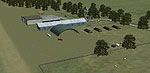
Screenshot of Rangitata Island Aerodrome Scenery.
Free for all simmers · 15.46 MB · Scanned clean Oct 2026
Download speed: Free tier is capped at 0.5 Mbps (this file takes approximately 4 mins at the cap). PRO members download at full line speed.
FSX\Addon Scenery\ containing scenery and texture sub-folders.readme.txt or README file. It tells you exactly where files go, what dependencies are needed, and any quirks specific to this add-on.Use these coordinates to fly directly to this location once the mod is installed.
-44.11780000,171.22890000
Launch FSX or Prepar3D and use Flights → Load to open the downloaded .pln file. Your aircraft will be positioned at this location.
The archive rangitata_island_aerodrome.zip has 15 files and directories contained within it.
This list displays the first 500 files in the package. If the package has more, you will need to download it to view them.
| Filename/Directory | File Date | File Size |
|---|---|---|
| read me.docx | 01.15.12 | 11.62 kB |
| screen shots | 01.15.12 | 0 B |
| 2012-1-15_14-4-1-836.BMP | 01.15.12 | 3.68 MB |
| 2012-1-15_14-4-19-884.BMP | 01.15.12 | 3.68 MB |
| 2012-1-15_14-4-25-284.BMP | 01.15.12 | 3.68 MB |
| 2012-1-15_14-4-44-500.BMP | 01.15.12 | 3.68 MB |
| 2012-1-15_14-5-34-686.BMP | 01.15.12 | 3.68 MB |
| 2012-1-15_14-5-47-784.BMP | 01.15.12 | 3.68 MB |
| 2012-1-15_14-5-48-890.BMP | 01.15.12 | 3.68 MB |
| 2012-1-3_20-24-22-304.BMP | 01.03.12 | 3.68 MB |
| thumbnail.BMP | 01.15.12 | 3.68 MB |
| NZRI_ADEX_NZRI.BGL | 01.15.12 | 73.74 kB |
| NZRI_ADEX_NZRI_CVX.bgl | 01.15.12 | 1.53 kB |
| flyawaysimulation.txt | 10.29.13 | 959 B |
| Go to Fly Away Simulation.url | 01.22.16 | 52 B |
Only PRO members can place votes.
More FSX & P3D add-ons hand-picked based on this download.
FSX Scenery
Jastarnia Aerodrome (EPJA), located on the Hel Peninsula, Poland. It is a sma…
 FSX Scenery
Ardmore Aerodrome (NZAR), New Zealand. Photoreal scenery featuring accurately…
 FSX Scenery
Wilkins Aerodrome (YWKS), Antarctica. Wilkins Airport is mainly for arrivals …
 FSX Scenery
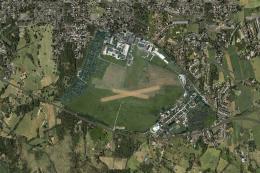
EPEL Elblag Aerodrome Scenery. Scenery of Elblag airport located in northern …
 FSX Scenery
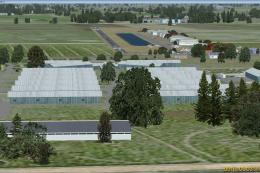
St-Hyacinthe Aerodrome, Canada. Located about 11 nm NE of St-Mathias. All new…
 FSX Scenery
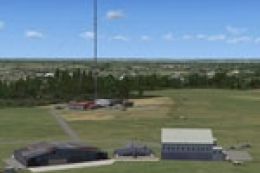
Aerodrome de Nancy-Malzeville (LFEZ), Malzeville, France. This scenery adds o…
 FSX Scenery
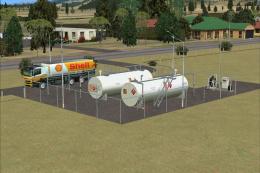
New Zealand (NZMK). Welcome to Motueka, a fairly busy general aviation aerodr…
 FSX Scenery
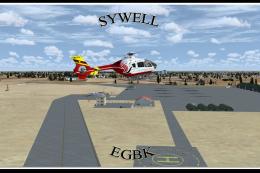
Sywell Aerodrome (IATA: ORM, ICAO: EGBK) is the local aerodrome serving North…
Be the first to leave a comment on this download.
Be the first to share your thoughts on this download.