


 Canada
  FSX Scenery
Victoria Falls Airport, Zimbabwe
Victoria Falls Airport, Zimbabwe (FVFA); improved ultimate edition. This is V…
Victoria International Airport (CYYJ) scenery refreshes the Victoria, British Columbia hub with improved building placement, a detailed main terminal with two jetways, and correctly positioned general aviation ramps featuring hangars and static aircraft. Western military helipads and the southeast aviation museum add local character, built for FSX using map-referenced layout data.
Victoria International Airport (CYYJ). This airport was made using Airport Design Editor. Victoria International Airport is an airport located in Victoria, British Columbia, Canada. It has scheduled airline flights for a few airlines. Includes all the default buildings and more accurate ones. Also includes the main terminal with two jetways, the general aviation and the terminal in the correct locations. At the general aviation there are static aircraft and aircraft hangars. If you choose to start at the DOCK gate, you will start off in the hangar. To the west are helipads that are used for military. Also includes the aviation museum that is located to the southeast. Google Earth and Bing maps were used for the airport. By Tyler Lawrence.
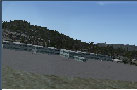
Screenshot of Victoria International Airport Scenery.
1) Cut and paste the two .bgl files onto your desktop.
2) Find the C:\Program Files (x86)\Microsoft Games\Microsoft Flight Simulator X\Addon Scenery\scenery folder.
3) Cut and paste the two .bgl files into C:\Program Files (x86)\Microsoft Games\Microsoft Flight Simulator X\Addon Scenery\scenery folder.
4) That is it. Enjoy.
If you decide you no longer want this, just delete the two .bgl files and the default one will be active.
Tyler Lawrence (age 12)
Free for all simmers · 6.8 MB · Scanned clean Oct 2026
Download speed: Free tier is capped at 0.5 Mbps (this file takes approximately 2 mins at the cap). PRO members download at full line speed.
FSX\Addon Scenery\ containing scenery and texture sub-folders.readme.txt or README file. It tells you exactly where files go, what dependencies are needed, and any quirks specific to this add-on.Use these coordinates to fly directly to this location once the mod is installed.
48.64694000,-123.42667000
Launch FSX or Prepar3D and use Flights → Load to open the downloaded .pln file. Your aircraft will be positioned at this location.
The archive cyyjtl.zip has 13 files and directories contained within it.
This list displays the first 500 files in the package. If the package has more, you will need to download it to view them.
| Filename/Directory | File Date | File Size |
|---|---|---|
| CYYJ_TL | 12.11.11 | 0 B |
| CYYJ_ADEX_TL.BGL | 12.11.11 | 26.87 kB |
| CYYJ_ADEX_TL_CVX.bgl | 12.11.11 | 509 B |
| CYYJ_pictures | 12.11.11 | 0 B |
| CYYJ.BMP | 12.11.11 | 3.73 MB |
| CYYJ_GA.BMP | 12.11.11 | 3.73 MB |
| CYYJ_Helipads.BMP | 12.11.11 | 3.73 MB |
| CYYJ_Main,.BMP | 12.11.11 | 3.73 MB |
| CYYJ_Main.png | 12.11.11 | 21.88 kB |
| CYYJ_main_terminal.BMP | 12.11.11 | 3.73 MB |
| readme!.txt | 02.05.12 | 1.57 kB |
| flyawaysimulation.txt | 10.29.13 | 959 B |
| Go to Fly Away Simulation.url | 01.22.16 | 52 B |
Only PRO members can place votes.
More FSX & P3D add-ons hand-picked based on this download.
FSX Scenery
Victoria Falls Airport, Zimbabwe (FVFA); improved ultimate edition. This is V…
 FSX Scenery
Victoria Inner Harbor Airport. This airport was made using Airport Facilitato…
 FSX Scenery
Victoria Falls Airport (FVFA), Zimbabwe. Victoria Falls Airport serves the to…
 FSX Scenery
Victoria, Canada Area, including the Southern Gulf Islands and the San Juan I…
 FSX Scenery
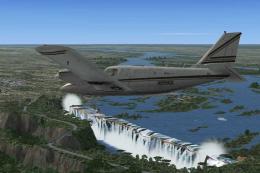
Victoria Falls, Lambert's Bay and Marromeu, Southern Africa. The scenery cons…
 FSX Scenery
Princess Juliana International Airport (TNCM) in Saint Marteen, Netherlands A…
 FSX Scenery
Barbados International Airport (TBPB). Grantley Adams International Airport f…
 FSX Scenery
Dubai International Airport (OMDB), Dubai. Includes a new passenger terminal …
Be the first to leave a comment on this download.
Be the first to share your thoughts on this download.