

 FSX Scenery
Oxenhope For Neil's Microlights
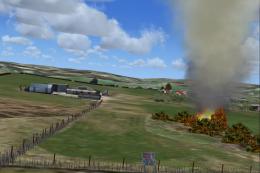
Oxenhope For Neil's Microlights UK. By Neil Birch. Screenshot of Oxenhope sce…
Falgunzeon is a remote Scottish microlight and gliding strip in Dumfries and Galloway, created as a companion location for Playsim’s Scottish Scenery and home to the Dumfries and District Gliding Club in FSX. It requires all four volumes of Neil’s Microlights, plus UKVFR and Acceleration.
 Rate
Rate
 United Kingdom
Falgunzeon For Neil's Microlights, Scotland, UK. This strip has been designed for use with Playsim's Scottish Scenery and is located in Dumfries and Galloway and really is out in the middle of nowhere, it is actually home to Dumfries and District Gliding Club. By Neil Birch.
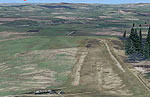
Screenshot of Falgunzeon Scenery.
Uses files from all 4 volumes of Neil's Microlights, plus UKVFR and Acceleration.
Free for all simmers · 4.75 MB · Scanned clean Oct 2026
Download speed: Free tier is capped at 0.5 Mbps (this file takes approximately 1 min at the cap). PRO members download at full line speed.
FSX\Addon Scenery\ containing scenery and texture sub-folders.readme.txt or README file. It tells you exactly where files go, what dependencies are needed, and any quirks specific to this add-on.Use these coordinates to fly directly to this location once the mod is installed.
54.99000000,-3.69000000
Launch FSX or Prepar3D and use Flights → Load to open the downloaded .pln file. Your aircraft will be positioned at this location.
The archive falgunzeon.zip has 13 files and directories contained within it.
This list displays the first 500 files in the package. If the package has more, you will need to download it to view them.
| Filename/Directory | File Date | File Size |
|---|---|---|
| SS1.bmp | 03.11.12 | 1.84 MB |
| Grassthorpe.DIZ | 03.12.12 | 341 B |
| READ-ME.rtf | 03.12.12 | 33.70 kB |
| Falgunzeon hanger.bgl | 03.11.12 | 7.21 kB |
| Falgunzeon hanger.txt | 03.11.12 | 84 B |
| Falgunzeon2004.BGL | 03.11.12 | 571 B |
| Falgunzeon-p.bgl | 03.11.12 | 760.64 kB |
| fal-hang.dds | 03.11.12 | 5.33 MB |
| grassthorpe-hang.dds | 03.10.12 | 5.33 MB |
| is-falgunzeon.bgl | 03.12.12 | 4.87 kB |
| sounds-Falgunzeon.BGL | 03.11.12 | 342 B |
| flyawaysimulation.txt | 10.29.13 | 959 B |
| Go to Fly Away Simulation.url | 01.22.16 | 52 B |
Only PRO members can place votes.
More FSX & P3D add-ons hand-picked based on this download.
FSX Scenery
Oxenhope For Neil's Microlights UK. By Neil Birch. Screenshot of Oxenhope sce…
 FSX Scenery
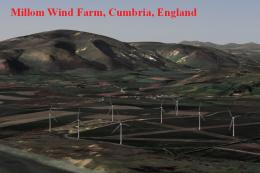
Millom Wind Farm for Neil's Microlights UK. This wind farm is located just no…
 FSX Scenery
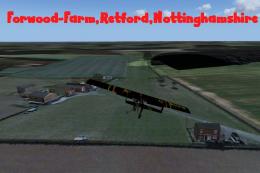
Forwood Farm For Neil's Microlights. Forwood Farm, Nottinghamshire, England, …
 FSX Scenery
Nether-Huntleywood For Neil's Microlights UK. Nether-Huntleywood grass strip …
 FSX Scenery
Scenery Grange Farm For Midland-Microlights. Grange Farm for users of Midland…
 FSX Scenery
Skara Scenery Bonaire X. Flamingo International Airport or Bonaire Internatio…
 FSX Scenery
Iwo Jima Scenery 1945 Update. This is a complete scenery with added effects a…
FSX Scenery
Kjeller Area Scenery X, Norway. Scenery around Kjeller airport with photoreal…
Be the first to leave a comment on this download.
Be the first to share your thoughts on this download.