


New Flight Simulator & Microsoft Flight Simulator X Coming to Steam
Dovetail Games, renowned for their rail simulation series, has successfully secured global rights to distribute Microsoft Flight Simulator…
 Ian Stephens
If you have been a fan of flight simulation for some time, then you’ll no doubt be aware of just how effective the Microsoft Flight Simulator series has been over the years. It’s become the absolute staple of flight simulation quality and realism for many years and is one of the flagship Microsoft gaming products. The most recent release, Flight Simulator X, was hugely received at the time and quickly established itself as the key player within the flight simulation industry.
Therefore, it’s interesting to see that Microsoft Flight Simulator X has finally been ported to Steam. As the premium online service that most people use for their gaming today, it makes sense for Flight Simulator X to finally make its way over to the platform. Re-released by Dovetail Games, the people behind the popular RailWorks series of train simulators, this has a lot of nice new features included that can make this a very worthwhile purchase.
As this is a lengthy review, you can jump to individual elements using the links below;
If you’ve never played a flight simulator then before then FSX: Steam Edition is just what you are looking for. However, if you’ve previously spent time using these simulators then you’ll be probably wondering just what the reason for buying this again would be. After all, if you’ve been building up a huge collection of add-ons and DLC for the original FSX, do you really need to install the new one?
We want to take a look at the new features and help users decide if the latest re-release of FSX is really worth your time and money. If you’ve already got the original edition then it might be worth reading on as you’ll be able to find out just what has actually changed from FSX and FSX: Steam Edition.
For anyone who has never taken on the joy of flight simulation before, though, you’ll find all the help that you need in deciding if this seems like the kind of experience that you would enjoy. Flight simulation is quite a niche entertainment subject so it’s not uncommon for people to find it a little bit too realistic or overly challenging – this review will let you see just how in-depth the process goes, and whether or not it’s going to be suitable for you.
Whatever you decide, though, there is no doubt that FSX is the main name out there in the flight simulation world – but is it enough?
Whilst many users might not be quite sure what to expect when they first fire up FSX, this should help you understand what has changed from the normal edition of the game to the Steam Edition;
Built using the VS2013 compiler instead of the old VS2005 library that was used when FSX was first released. This improves performance and overall quality of enjoyment, without removing the capacity to load up all of your old FSX add-ons and DLC that you owned for the original edition
The old GameSpy online mode that was frustrating at best has been removed entirely – it’s now replaced with a modern, easy-to-use Steam online mode. This makes matchmaking and finding other players to fly with easier than ever – this is one of the main new features and can really up your playability of the series, allowing you to take to the skies with your friends and fellow pilots with ease
Various changes to hotkeys to make the simulator easier to control with the keyboard, and make hotkey functions easier to memorize by having more distinct buttons linked
Huge improvement to the texture quality throughout – the number of textures that can be loaded, as well as their default quality, has been improved
New aircraft have been included to make your flight experience even more enjoyable and varied
A huge amount of bugs have been fixed that have been plaguing users for many years – this makes it so much easier to fly your aircraft without being bogged down by strange errors
Improved overall load times for everything from the map loading up to the textures that appear on-screen – less lag between textures loading is one of the most noticeable improvements to performance
Improved compatibility with more modern operating systems too – this will run perfectly fine within Windows 7-8.1
Overall, these changes and additions might seem quite minor in that it doesn’t really introduce any new features outside of the total working online mode, but it’s a huge improvement over the normal edition. Whilst some might see it as nothing more than a new service pack, it’s been re-released onto the Steam platform for ease of use and installation.
Add in the fact that you don’t need to install either the normal edition or the Steam edition (you can have both) and there’s no real need to start panicking about losing all of your old progress or invalidating all of that DLC you purchased in the past.
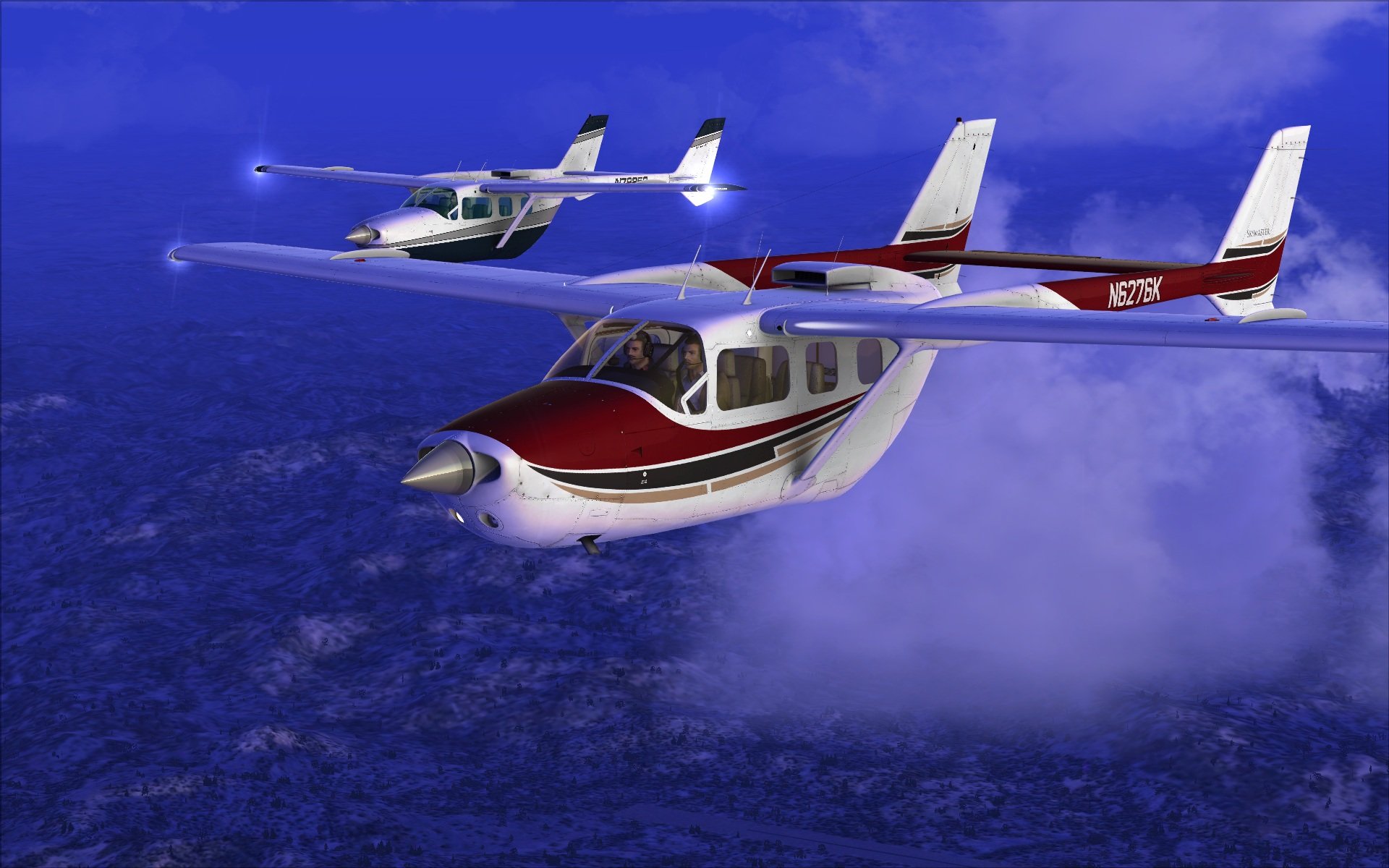
Arguably the most integrated flight simulation experience that there is – despite being released in 2006, this simulator still more than holds its own in 2015
High-end graphics and attention to detail ensure that you have a flight simulator that not only performs well and is hugely realistic, but looks absolutely fantastic whilst doing so
A huge amount of selections in terms of aircraft – covering all shapes and sizes, you’ll find a massive collection of aircraft to pick from that follow realistic planning and statistics so that you can fly the aircraft just as you would in the real world
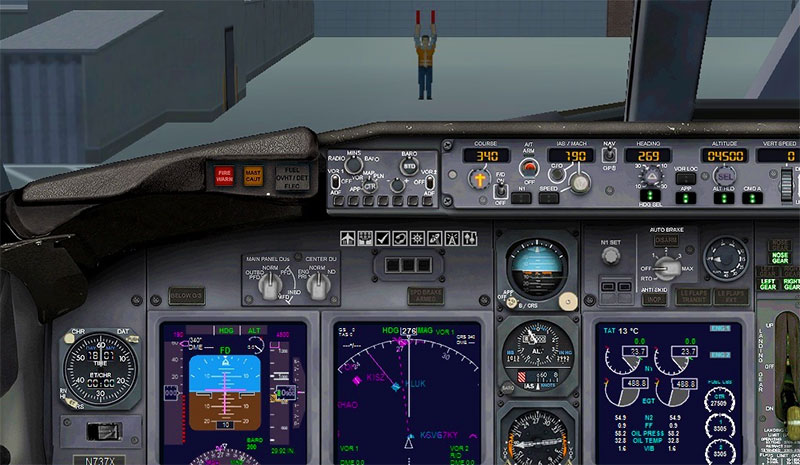
Hugely realistic in that it gives you as much control as it possibly can from within the cockpit for each aircraft. You’ll have control over just about everything that you could possibly need to make a safe and simple flight
Massive attention to detail for each and every aircraft in the game – no longer will you feel like you are flying an imitation, with every aircraft bringing its own personality to the table. Enhance your flight experience and your development as a pilot with this excellent flight simulator
A thriving community that has released thousands of high-end DLC and mods – you’ll be able to pick up just about any aircraft you can think of, and use it in stunning detail and intricate realism!
Made to improve your overall flight comprehension as well as enjoy yourself, FSX: Steam Edition comes with a wealth of extra modes that you can enjoy including a multiplayer section
Included in this mode is a 50-mission campaign mode that lets you do plenty of unique tasks and take on various roles from your aircraft – you can literally play these over and over again, for countless hours, and see a unique situation almost every time!
Based on the real-life flight, you’ll be learning the same kinds of tricks that a real pilot would. To balance this, the simulator is extremely punishing – if you are looking for a challenge to your flight credentials and to see if you are good enough to fly, this is it
A huge selection of editing tools so that you can make your own aircraft and edit the world as you see fit
Fully working online mode so that you can take on your friends in competitive flight, and prove who the best pilot is!
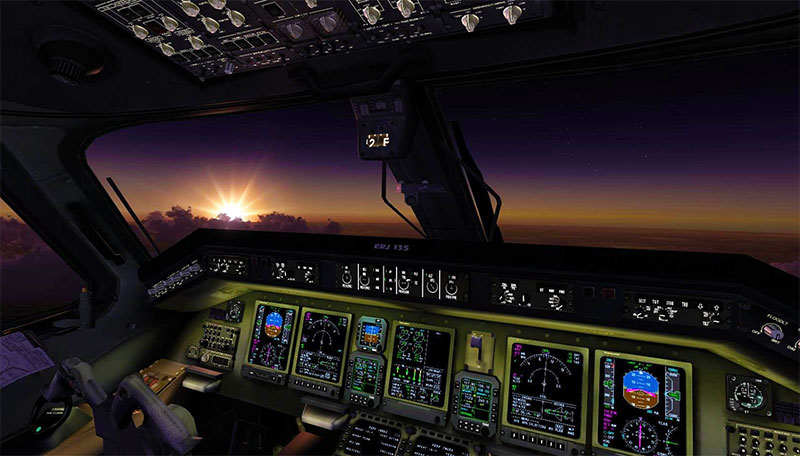
One of the main improvements in FSX: Steam Edition is that the game itself is so much easier to use. Running through the powerful Steam platform, you’ll be able to fire up the flight simulator and choose from more than 24,000 airports that will give you the springboard for an exciting flight. Taking away a lot of the difficulty that made even getting into the game hard for newbies, this is the easiest-to-use flight simulator release to date. Dovetail did a great job of making it accessible, similar to their own releases in the train simulation department.
Not only does this make the process so much easier to get involved in but it makes it easier to learn. The tutorials that you get will do an excellent job of teaching you the basics of flight within FSX and will make sure that you can take off and hit the skies with efficiency as soon as possible. In terms of installation, it’s just a matter of clicks as you simply download it directly from Steam, wait for it to install, and run the game from your Library.
It really is that simple! Steam makes it incredibly easy for people who have never played a flight simulation game before to just get stuck in. the ease of use drops off slightly when you start to try and do the advanced stuff, though. For all of its accessibility, you will find that doing the hard tricks in the air and actually flying the missions is far more challenging. You won’t get any kind of leeway in this simulator, so if you want to experience a high-end simulation that will really put you up against it you might want to check this out.
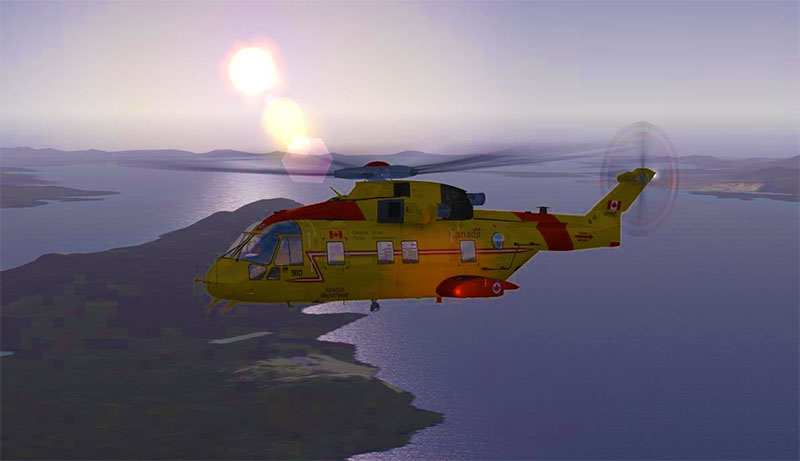
It makes up for being so difficult at times, by simply being incredibly rewarding. Finishing those campaign missions or even just beating your old flight records in a sandbox flight takes time, patience, and skill – and when you do succeed, it feels brilliant. This is what FSX: Steam Edition is so good at; it helps you get to the level of skill that you hoped for by making the entire flight so challenging!
There’s nothing easy about actually playing FSX – you can load it up in a matter of seconds and be in the air - the real challenges start when you are dealing with the actual aircraft!
As mentioned before, FSX came out nearly a decade ago. Therefore, it was important that there were some changes to the overall presentation within the Steam Edition. This has all the hallmarks of your traditional ‘HD Remaster’ in that it changed some settings to unleash the simulator's latent potential – it looks a bit more refined and sharper than the previous release, that’s for sure. Whilst the deal with Dovetail meant that no graphical changes could be made directly, some of the changes listed above indirectly make the simulator run and look smoother.
These small additions really help to sell the look and feel of FSX, making it easier to buy into than if you were to play the original (it looks a little rough now thanks to advancements in graphics, but changes to the config mean you get a higher overall standard with the Steam Edition).
The graphical quality is most prominently seen on the aircraft that you’ll be flying, though. They look incredibly like their real-life counterparts and give off that feeling of quality and real class – each aircraft looks and feels different on the inside and out.
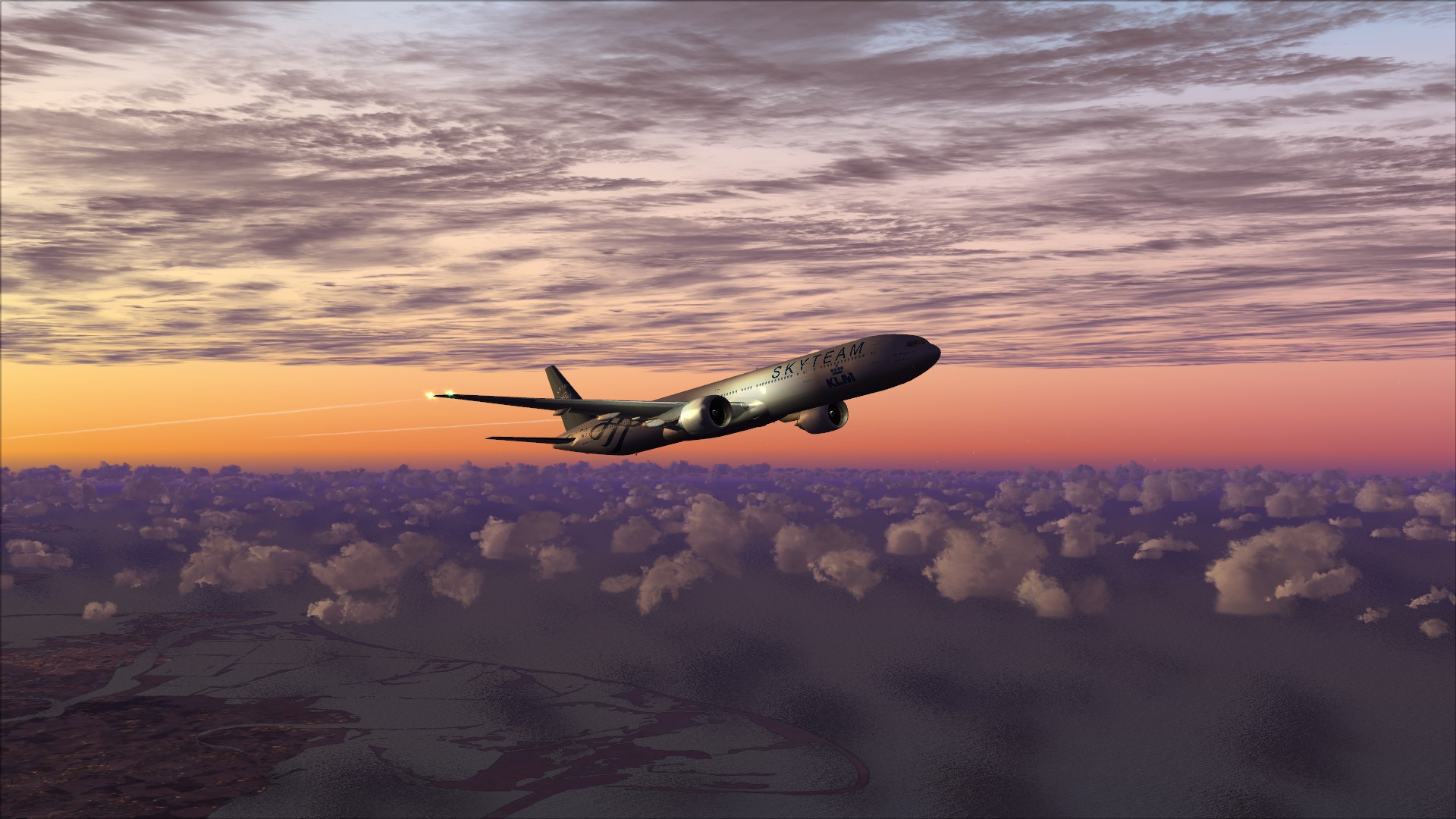
Therefore, buying into the philosophy that what you are flying is in fact some kind of representation of a real-life aircraft isn’t too hard to imagine. Whether it’s the small little spoilers within the military aircraft or the simplistic nature of the A&E Helicopters, you’ll find that each aircraft comes with its own neat little quirks.
The rest of the world isn’t quite as impressive, though. A lot of the world can feel a little generic at times and whilst there’s obviously a bit too much to ask of the developers to re-create the whole world, it can be hard to tell where you are at times. However, on the highest graphical settings and the right quality of the machine you can find yourself quite impressed with what lies underneath you when you use the top-down camera.
It’s not so much the quality of the designs that are the problem, just the lack of variety. Parts of the world that look nothing alike can feel far too similar, and this can kill the flight experience quite dramatically – remember, though, that is a simulator. It’s not a high-end game with an onus on graphics but on the realism and authenticity of the entire thing.
This means that whilst you might find yourself a little let down by the lack of structured change and variety to the world around you, the quality of the aircraft and the actual simulator itself should help make up for this.
The attention to detail in this game is absolutely spot on – it gives you a real sense of what you are flying, and makes it much easier to buy into than you might have imagined if you just based it on the graphics. Each aircraft feels, looks, and operates like the real thing and every feature that can be added has been added. The real quality of this simulator shines through in the cockpit, not in the world around you that is purely there as a supporting element. What was important in FSX, particularly with the Steam Edition, was to improve functionality with the aircraft – and it does this in spades.
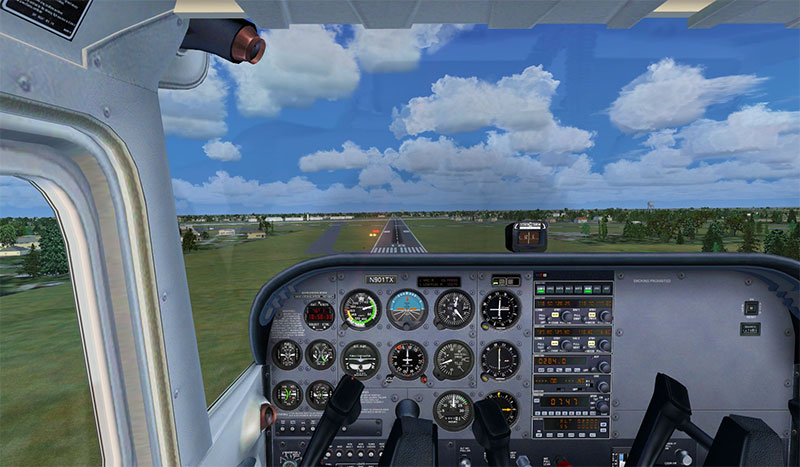
The attention to detail in aircraft performance is simply magnificent. You’ll really feel like you are making the decisions you wanted to, and every little decision you make about the flight will be felt – this makes it much easier for people to learn just how high-pressure the life of a pilot can be. Some of us might look at the job and think “it looks like a dream” but the Steam Edition can certainly change your mind on that quite quickly!
The difficulty of the simulator comes directly from the attention to detail. Whilst, as we touched on above, parts of the world can feel a bit generic when you are concentrating on the cockpit and all of these realistic gauges and buttons it becomes much simpler. If you are looking for a flight simulator that takes away a lot of your aids and makes sure that you really do need to pay attention for the whole flight and for every little alert that comes in, this is for you.
The graphical attention to detail is still very impressive – the small changes that you see happen in real time as the sun goes down and the stars come out are pretty damn impressive. The world starts to change around you and those overnight flights become far more enjoyable. If you want to find a way of enjoying a flight simulation experience without making it too difficult for yourself to get to grips with what is being asked, then this is a good place to start.
Make no mistake, though, there is very little room for punishment in FSX. The Steam Edition improves performance in all areas, so you’ll be getting a fluid if somewhat difficult to learn flight simulator that pays very close attention to the minor details.
Obviously, like any good simulator, realism is the aim of the game. Well, if that’s what you want then you’ll find it here in abundance. As mentioned above the attention to detail is absolutely spot on and this makes it really easy to start noticing the realistic little quirks and additions that make FSX, and its more modern brother, such an addictive part of the flight simulation world.
Realism is brought to life in the tutorials more than ever, which will help you get to grips with the system and the way that the game operates. These awesome tutorials show you how and what you need to do and in doing so really shine the torch on just how realistic the experience can be for you. If you aren’t sure of what to expect when you start playing this simulator, then the tutorials are an absolute must for you.
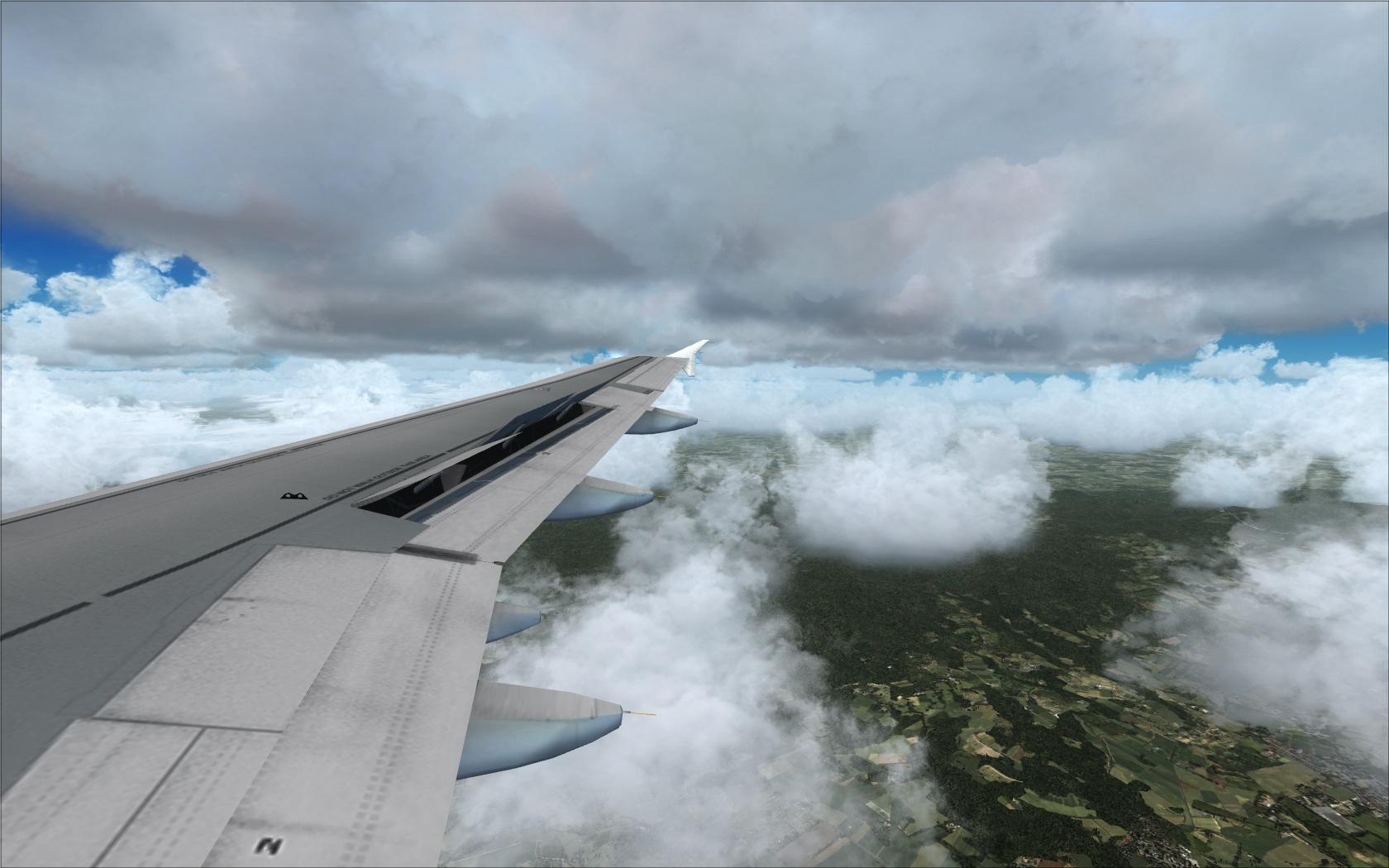
They’ll help you get to grips with the learning curve within the game, and ensure that you can start picking up the good habits that you need to be a successful pilot. What you might find is that you’ll spend a lot more time than you intended getting used to the physics and gravity of the engine, and this can hold you back at first – it can actually even put some people off continuing.
However, as it’s a pure simulator you can expect to have to deal with those tough assignments and struggle to get to grips with the realism of the simulator – this is what you would be facing in real-life, too. It’s supposed to give you an accurate representation of what being a pilot is all about, and this makes it much easier to start enjoying yourself from the off once you realize that nothing in this has been streamlined or made easy.
The realism can be off-putting if you’ve never played before but the improved performance of FSX: Steam Edition means that more users than ever before will be able to start picking up those little tricks and tips that make the simulator so popular in the first place. Whilst FSX is almost identical to the Steam Edition in terms of features and realism, the improved performance of the game can make those little strips of realism stand out even more than they did in 2006.
The in-game quality that you’ll find with the Steam Edition is the same as FSX, albeit made to run faster and work properly with modern operating systems. The in-game quality is improved by the fact that the airports feel very much alive – you’ll see baggage handlers scuttling from one side of the place to the other, baggage carts being filled up, and many other smaller additions that help the entire thing feel far more inclusive. It’s these small touches that the Steam Edition helps to blossom that make the in-game experience so much more enjoyable for everyone.
If you played FSX and felt it was too outdated then many of the improvements found within the Steam Edition will be enough to make it more exciting. It runs faster and, for software with so much going on in the background, runs very smoothly at all times.
The quality in-game is helped by an absolute army of realistic sounds that are absolutely brilliant to hear and will give you all the help that you need in really buying into the world around you and suitably enjoying it. Add in the fact that the controls are as responsive as they’ve been in any simulator, and you’ll find it incredibly simple to get to grips with.
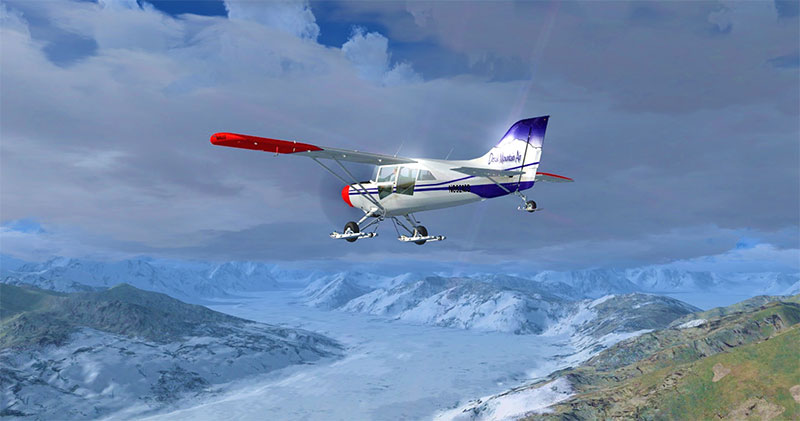
The in-game quality is hampered only slightly by the learning curve but for anyone who has simulation experience, you’ll be aware of what to expect. This makes it so much easier to start learning from and using properly, and whilst there aren’t many changes from FSX in terms of gameplay quality you’ll find that it’s just more refined.
The improved online makes this much easier though – you can enter into worlds with large swathes of players involved so that you can all take off together, have races, complete challenges, etc. This makes the online version a lot more fun than it used to be with the useless GameSpy MP client so this helps to change that up drastically and make the online section of the game far more enjoyable than it was in the past. If you want to experience FSX online then the Steam Edition is worth buying for that alone!
One of the best things about this latest release is the fact that it already has some official DLC released. They introduce new planes, airports, game modes, and other additions that can really make the product feel better. If you picked this up on one of the many sales they do for it then you’d be as well just picking up the extras while you are there – they improve the overall experience massively.
These add-ons are quite cheap, too, and give you a lot of extra hours’ worth of content to enjoy. They take in various timelines within the aviation and this can make it easier to have a far more balanced list of aircraft to fly down the line. Also, the Steam Edition comes with the popular Acceleration package which was very popular back in the day so if you want to improve your content listings you can add in the new DLC packages without having to shell out for Acceleration again.
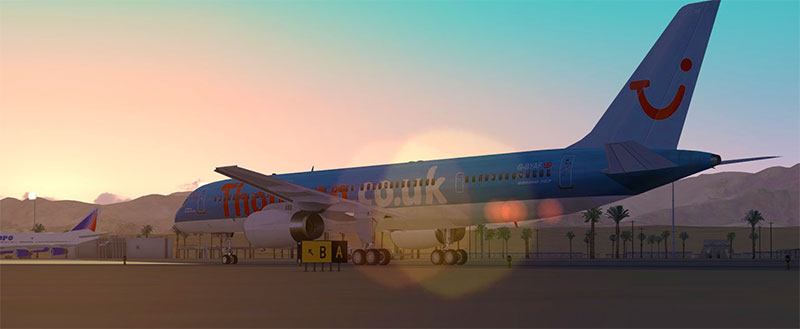
Add in the fact that the modding community for FSX is one of the most vibrant there has ever been, with thousands of amazing products out there to purchase and improve your simulator, and you’ll find that the extras for FSX dwarf the vast majority of software. You’ll get the chance to add in entire mods for the game that brings new modes to life, new aircraft, and new cities, and improve the overall performance, look and feel of the game. Dovetail may not have had the rights to make graphical changes to the engine but there are plenty of fans who have done so in the past and you can benefit from their hard work and expertise! All payware add-ons will also work with this version.
All mods for FSX original are totally compatible here, too, so this makes it much easier to get to grips with. if you’ve got a nice big library of mods installed you just need to point your Steam Edition to them within the settings and you can start using all of your previous purchases in the newer, fresher version of FSX. It’s virtually the same game so getting everything to work shouldn’t be an issue.
If you do run into any problems you’ll find that the developers of each mod are more than happy to help you troubleshoot and get the mod working, so look at the individual support forums if you ever need help installing any of the FSX mods out there. The official mods will install with a few clicks of the finger – simply buy them through Steam and they’ll automatically be added in for you – perfect!
You can view our FSX add-ons & mods library here (with thousands of files).
We have a selection of videos below that will provide a demonstration of the software in use. The first is the trailer video while the second demonstrates gameplay and what's possible.
Below is the official launch trailer video. This video was used for the original FSX release back in 2006 but has been modified slightly by Dovetail Games to reflect its current version (Steam Edition) but essentially it's the same.
Below is a video created by MatZeus from YouTube that demonstrates gameplay within FSX. From what we can see, it appears that this is a stock setup with no third-party add-ons or expansions used giving a true representation of what you'll get in terms of gameplay out-of-the-box.
The Sky Is Boundless, The World Is Alive. It’s As Real As It Gets.
This is the slogan on the outside of the Microsoft Flight Simulator X DVD packaging. It captures the love of flying that flight simulation fans have explored through this program for over two decades.
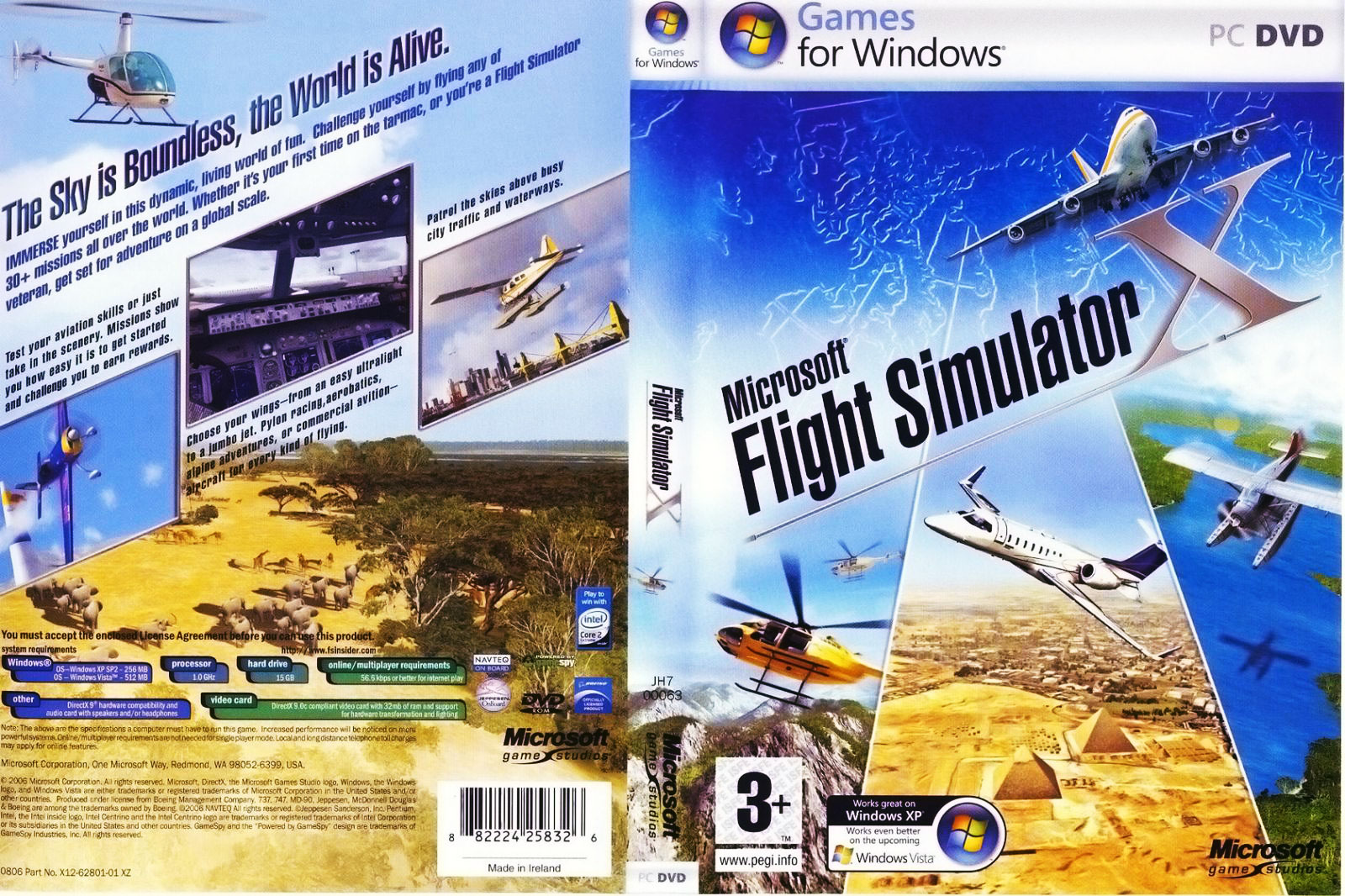
The image shows the original box artwork for Microsoft Flight Simulator X.
Microsoft Flight Simulator X, commonly known as FSX, is the follow-up to Microsoft Flight Simulator 2004. Released in 2006, it is the 10th major revision of the popular Microsoft Flight Simulator franchise. It features a brand-new graphics engine with much-improved imagery.
This is the first version released on DVD. It also features a new security system using license keys. After activation, users can play the game without using the DVD. It takes advantage of multi-threading and Intel Core architecture.
The graphic detail is significantly better than in the previous version. Waves on the surface of oceans, grasslands, 3-D animals, true star maps, and textures unique to specific locales all contribute to the realistic feeling.
FSX features accurate pictures of real life going on at the airport including trucks driving around, fuel trucks filling up airplanes with gas or fuel, luggage being carded everywhere, and jet-ways being maneuvered into position.
Even with all of the power and controls and the ability to set custom settings, Microsoft flight simulator X is easy to use with the default settings. If you just want to get in an airplane and fly somewhere you can do that easily.
You are King of the World because you don't even have to taxi to get in position to take off. You can just take off anytime you want. On the other hand, if you want to go through everything that a real pilot does you can do that as well: pre-flight checks, checking the weather, flight plans, etc.
You can choose to follow the instructions of the ATC both from your departure airport and the destination airport. Maybe you want some problems to deal with – you can set predetermined equipment failures (or let the computer do that for you randomly). You can also fly on visual flight rules or “instruments only.”
Microsoft Simulator had its genesis as a series of articles written by Bruce Artwick around 1976. He described the use of 3-D graphics in flight simulation. To create a program that fulfilled this vision, he created a company named subLOGIC Corporation in Los Angeles. In the beginning, they sold flight simulators using direct mail.
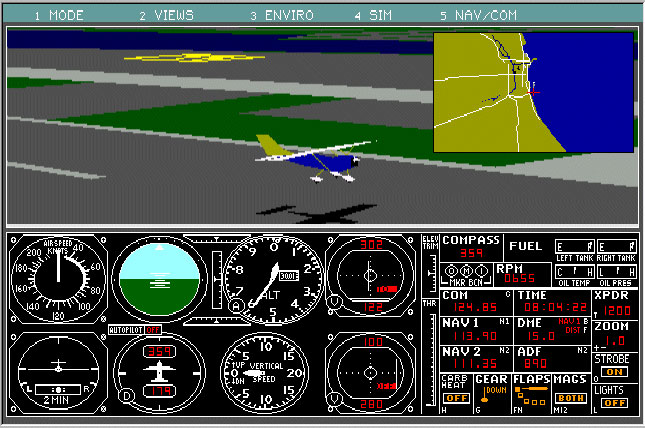
Screenshot from Microsoft Flight Simulator 3, released in 1988.
The very first version of Flight Simulator ran on an Apple II computer in 1980. The graphics were primitive black and white wireframes. In 1982 the first IBM PC version was released. The IBM PC version was a step up from the Apple release. It provided users with more gauges, 20 airports, and a better coordinate system. While it was an advancement, it still looked like the featured Cessna 182 was made of transparent Lego blocks and the airport was a single lonely strip in what looked to be an abandoned airfield.1
In a June 2010 interview with tech industry maven Robert Scoble, Mr. Artwick explained that the evolution of raster graphics in the late 1970s and early 1980s provided the foundation he needed to simulate dynamic movement on the screen.2
Flight Simulator 2000 (7.0), released in late 1999, was one of the major releases. It came in two flavors, a version for casual users and another “pro” edition that shipped with extra aircraft. FS 2000 was also the first revision to add GPS, making for a more realistic flight.
This was also the first time precipitation was added. Both rain and snow were introduced, along with the ability to download “real-time” weather.
Microsoft FSX is the first edition in franchise history that has a demo version. The demo is a cut-down version of the full package. However, it does a good job of giving users the feel of the regular version. You can select “Free Flight” or choose between two flight missions, “Flour Power” and “Caribbean Landing.”
The demo also lets you adjust various settings like Display, Sound, Controls, Realism, General, and Scenery library. You can view the Learning Center but most of the tutorials like the Step-by-Step guide, Multiplayer Flying, Weather, and Instant Replay are grayed out.
You can download the demo version from the Fly Away Simulation add-ons library here.
Despite the robust demo, the full version is a quantum leap in experience. There are Standard, Deluxe, and Gold Editions. Each edition ships with over 24,000 airports covering every continent. The Deluxe edition comes with a Software Development Kit and a special Garmin 1000 glass cockpit digital flight deck. There are:
Once you’ve installed the full version, you can choose “Free Flight.” Free flight mode provides tremendous flexibility and options. You can take off or land from any of the airports and use any of the planes. You can land on grass airstrips.
First, you select which aircraft you want. If you chose to show “all variants” you can also select an airline. From there you pick which city, state/province, and country you want. Once you’ve narrowed it down to an airport, you can even choose which runway to use.
Next, you can select what time of the year (and which calendar year) and the season you want. Then select the time of day: dawn, daytime, dusk, and or nighttime.
Next, pick the weather conditions you prefer: Clear- no clouds, Building Storms- thunderclouds, Cold Fronts- clouds and cold weather, Fair Weather- a few clouds, Building Storms, Cold Fronts, Fogged In- low visibility, Fair Weather, Rain and Rainy, Heavy Snows, Major Thunderstorm, Stormy Weather, Winter Wonderland- light snow.
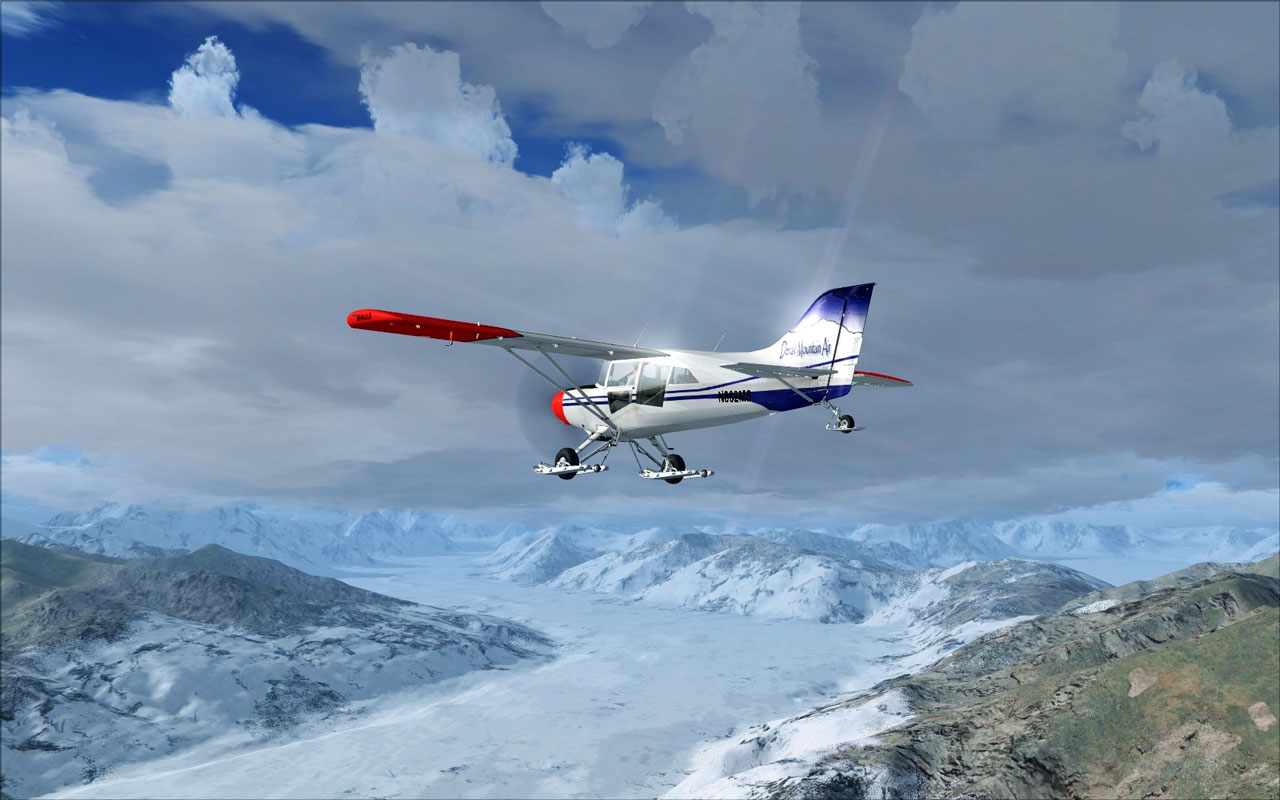
The image demonstrates the weather system in Microsoft Flight Simulator X; showing 3D clouds and snow on the ground.
Weather is reflected accurately so the same flight will be different depending on the time of year. Even the stars in the sky are accurate depending on the time of year and where you are in the world. You can test your skills in landing a plane during sleet conditions, for example. Or you can tell the computer to use the current weather that a city is experiencing right now in real life.
Other features include the ability to adjust include the ATC Window and “Fuel and Payload.” You can also load a previous flight or save the current flight. Then choose if you want to add in any “Failures” where certain portions of the plane will fail at predetermined times. Failure areas include Instruments, Systems, Radio, engines, and Controls.
Missions - you can choose from over 50 missions including tutorials, carrier missions, law enforcement missions, Red Bull Time Trials, dangerous oil rig rescues, and more. You can select different categories: tutorials, racing, etc. You can also choose skill level--beginner, advanced or expert.
Some of the goal-oriented missions have mid-flight surprises- for example, a stunt plane landing on a bus, flying helicopters into exploding oil rigs to rescue people, search and rescue missions to rescue people from capsized boats or lost in the mountains, flying into Area 51 on a secret mission, picking up a famous movie star, etc.
Multiplayer Mode - you can become an Air Traffic Controller (Gold version only) or race against friends. You have to create an account, then log in and choose from the current game lists. Then just join in and start playing.
Microsoft improved the Multiplayer mode by moving it to speedy servers in the cloud. They also added voice-over IP and other features. For example, “Shared Skies” lets a user have another player sit in the cockpit with them (assuming the plane design allows this)--useful for professional instructors helping students.
Pilot Records - these are a series of “markers” a pilot can accumulate that includes things like landings, Stunt Pilot of the Year, Gold Wings, Iron Wing (different rewards for missions), and more.
Logbook - this is a list of all your flights. Photos- you can capture screenshots. Learning Center- tutorials and guidebooks on all aspects of flight simulator X. You can choose between key topics, site maps, indexes, and lessons. The lessons are the same as in FS 2004.
Settings/Display - this is where you adjust all your graphics. Click “Customize” to adjust the target frame rate. You may need to adjust it a few times to find the right frame rate for your computer's capabilities. You can also choose global texture resolution. If you select a very high resolution the pictures will be sharp but your computer will be taxed and you could possibly lose frames.
You can also choose between a 2-D or 3-D cockpit. If you select the 2-D cockpit, you can adjust a slider for transparency. You can also change the exterior settings such as shadow casting and landing lights.
The cockpit simulations are upgraded tremendously from FS 2004. You can actually use most of the controls. In the past, some were just decorations with no ability to be changed by the pilot. The Deluxe Edition includes the Garmin G1000 cockpit in a few of the planes. This is an integrated setup with an advanced electronics display. It fully replaces the standard controls in the regular cockpit.
Settings/Scenery - choose the desired level of detail radius- small, medium, or large. Other adjustments include:
Settings/Weather- figure out the optimum Cloud Draw Distance. In other words, how far away do clouds become visible? You can also choose Cloud Details: check Simple Clouds or Detailed Clouds (low to high slider).
Settings/Traffic-choose airline traffic details like the number of airplanes on the ground, general aviation traffic, airport vehicle density, road vehicles (on highways, etc.), ships, ferries, and leisure boats.
The level of customization is extensive. Other Main Settings that can be tweaked include Sound, Controls, Realism, General (compass pointers, ATC voice types, etc), and Scenery Library (to help speed things up you can deselect scenery files if you never fly in those areas).
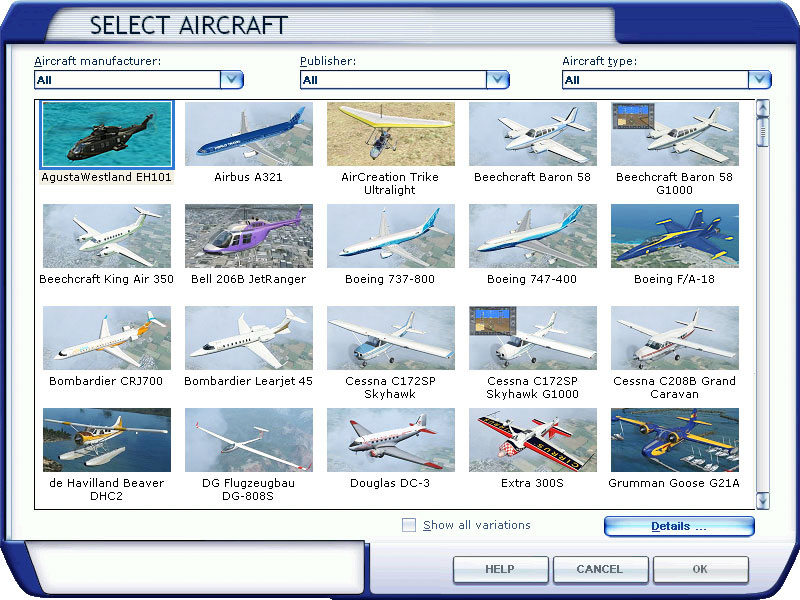
The image shows a screenshot of the aircraft selection menu in Microsoft Flight Simulator X.
There is a wide variety of aircraft available for every adventurer. Some of the aircraft available in the Deluxe Edition includes:
Microsoft Flight Simulator X brings unparalleled graphics to the desktop. You can look down from the cockpit and see cars and trucks moving on the highway below you. You'll see boats and ships moving when you fly over water. You can even see wildlife.
The graphics are one of the biggest improvements over FS2004. The land and sea look much clearer and more accurate. The terrain has more detail. The computer will create terrain on the fly when it does not have any preconfigured models to work from.
To get all the graphic richness out of the program, however, you need a computer with some firepower. Lifting a giant aircraft into the air and drawing entire cities, oceans, mountains, weather conditions, star maps and more puts a lot of demand on computer processors.
Most users will benefit from more RAM and computer speed than the minimums listed here. Each user should experiment with adjusting settings up and down to find the perfect balance of graphics vs. speed and performance.
The FSX frame rates are relatively low due to the high detail. FS 2004 would consistently operate at higher frame rates. The bottom line is you need a powerful computer to run FSX. That said, if you have the hardware, you can get an unparalleled flight simulator experience with FSX.
Microsoft Flight Simulator X continues the long history of sales success marked by previous versions. In 2006 and 2007, it made the Top 10 PC Game Titles (by Units sold)
according to Gamasutra (a popular gaming site) reports.4

The image shows the Aces Studio Complex in Redmond, Washington.
Despite this, in January of 2009, Microsoft announced that, as part of a series of company-wide cutbacks, the Flight Simulator team would be disbanded. It marked the official end of the world’s longest gaming franchise. At the time Microsoft indicated that more versions of Flight Simulator would be developed at a later date. However, in August of 2010, they announced a new product, Microsoft Flight, would be introduced into the marketplace instead.
Microsoft Flight employs advanced graphics designed to work with Windows Vista and Windows 7. It will feature extremely realistic imagery. It will also be “Microsoft Live-enabled” which provides users the opportunity to join in true multi-player sessions with Gamertags (universal names for player names on Microsoft’s X-box Live).
One of the best moves Microsoft made early on was allowing users to create add-ons to enhance their experience. Add-ons include everything from aircraft to scenery. You can change the game visuals, gameplay features, scenery, and more.
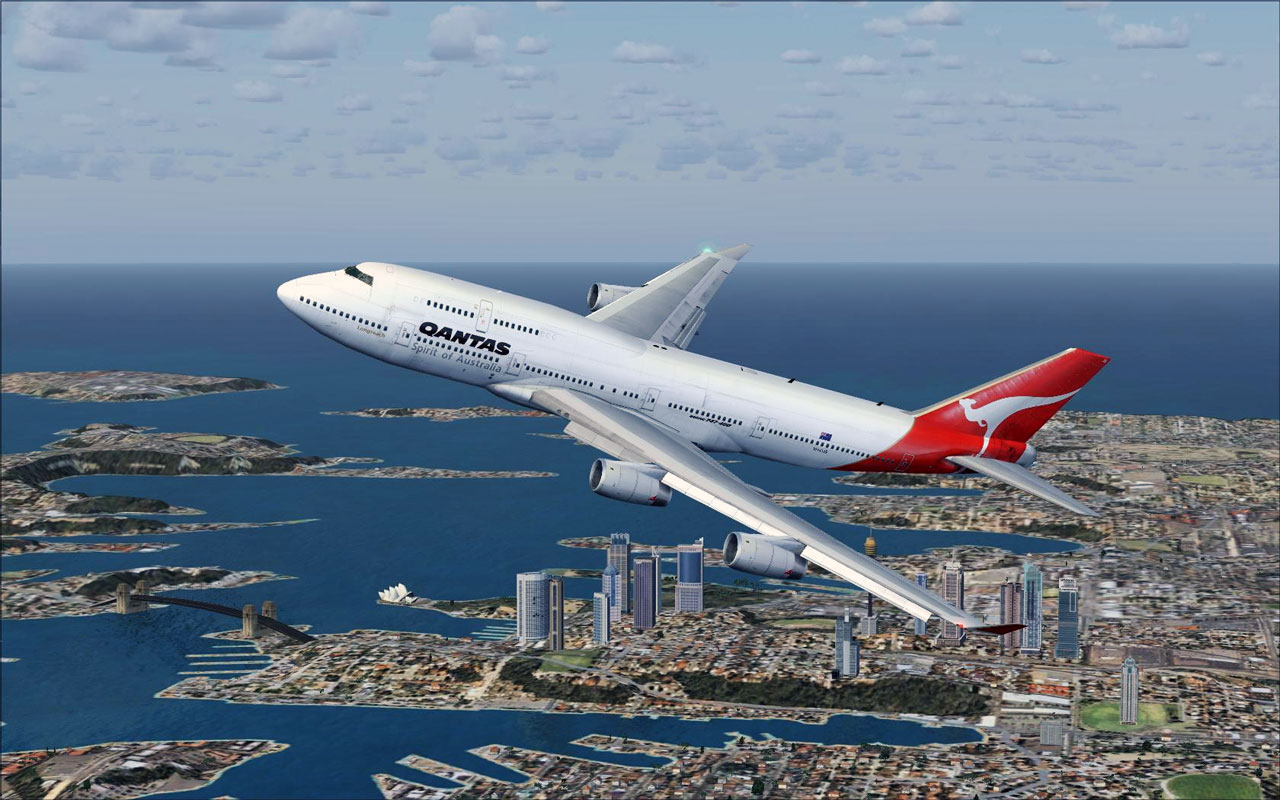
The image shows a Qantas Boeing 747-400 add-on being flown in Microsoft Flight Simulator X. This file is available from our jet downloads section.
Here are some example add-ons in the library
You can explore a number of free flight simulator add-ons for FSX in the Fly Away Simulation downloads section. There is a wide variety of different themes and missions. For example, you can fly in an Ozzie Air Show or search the jungles of Panama with the FSX Missions add-on.
You’ll find additional aircraft like the F-14 Tomcat and F/A-18 Hornet in FSX Military Aircraft. There are private planes such as a Learjet 45 and other jets in FSX Business Jets and the adventurous can try to fly the Space Shuttle Atlantis and other unique aircraft with the FSX Other Aircraft add-on.
Microsoft Flight Simulator X set a high bar when it came out on the market. Never before had consumers seen such vivid detail and action. While acknowledging its shortcomings, it cannot be denied that Microsoft FSX represents an exciting milestone in flight simulation.
The positive reaction of flight simulation fans everywhere is the final test. As one Amazon.com reviewer said simply, …the most fun I’ve had on my PC in as long as I can remember.
Microsoft Flight Simulator X was officially released on October 13, 2006. We have archived this announcement below.
Forget whatever rumors you might have heard, as today we have for you the first official word on the next generation Microsoft Flight Simulator: FSX. Though the actual release is still nearly a year away, this will put to rest any fears that there won't be the next version.
This article provides you with the last information on the new release including downloads, news, screenshots, links, forums, and more! Your reading and viewing start here.
The official Microsoft Flight Simulator X logo was created by Microsoft.
With Flight Simulator X, or as it's known in the industry, FSX, you can dive deep into the exciting and realistic world of aviation with dozens of different aircraft, hundreds of cities, and thousands of unique airports. Enjoy the ultimate freedom of Free Flight mode or engage in interactive Missions for a completely new and breathtaking gaming experience.
Flight Simulator X has hundreds of flight parameters and control options, which can be easily adjusted to fit all categories of players, from rookies to extreme aces.
Travel the globe solo or team up with other players over the Internet. Visit exotic places or check out your local airport. Feel what it’s like to be a real aviator.
Microsoft Flight Simulator X marks the new era of aviation simulators. Flight Simulator X is the culmination of nearly 25 years of the Flight Simulator franchise and is the most significant addition to date.
Flight Simulator X was officially released on October 17, 2006. The Standard Edition includes 18 planes, 28 detailed cities, and over 24,000 airports. The Deluxe Edition contains additional aircraft and locations, as well as new game modes.

The image shows a Cessna 182 flying in Microsoft Flight Simulator X. Image also demonstrates sun and lighting effects.
The terrain graphics are significantly improved over the previous versions. There are now higher-resolution landscape textures, more variable auto-generated trees, and building libraries, and improved water representation, so the surface below looks almost real. Not to mention the wildlife and traffic activity on the ground.
However, you will need to set all the graphic parameters to the maximum level in order to enjoy the view. The standard system configuration is clearly not able to sustain a satisfactory frame rate. The player will have to spend some time trying to find the perfect balance between performance and picture quality.
Additional graphics features included in Flight Simulator X include the following:
Other graphic improvements have been implemented to give you the most realistic gameplay available in a flight simulation game. Get ready to play Flight Simulator X and experience a flight simulation unlike any other flight simulator game on the market.
Flight Simulator X offers an incredible picture of a realistic flying environment. Here are the official system requirements:
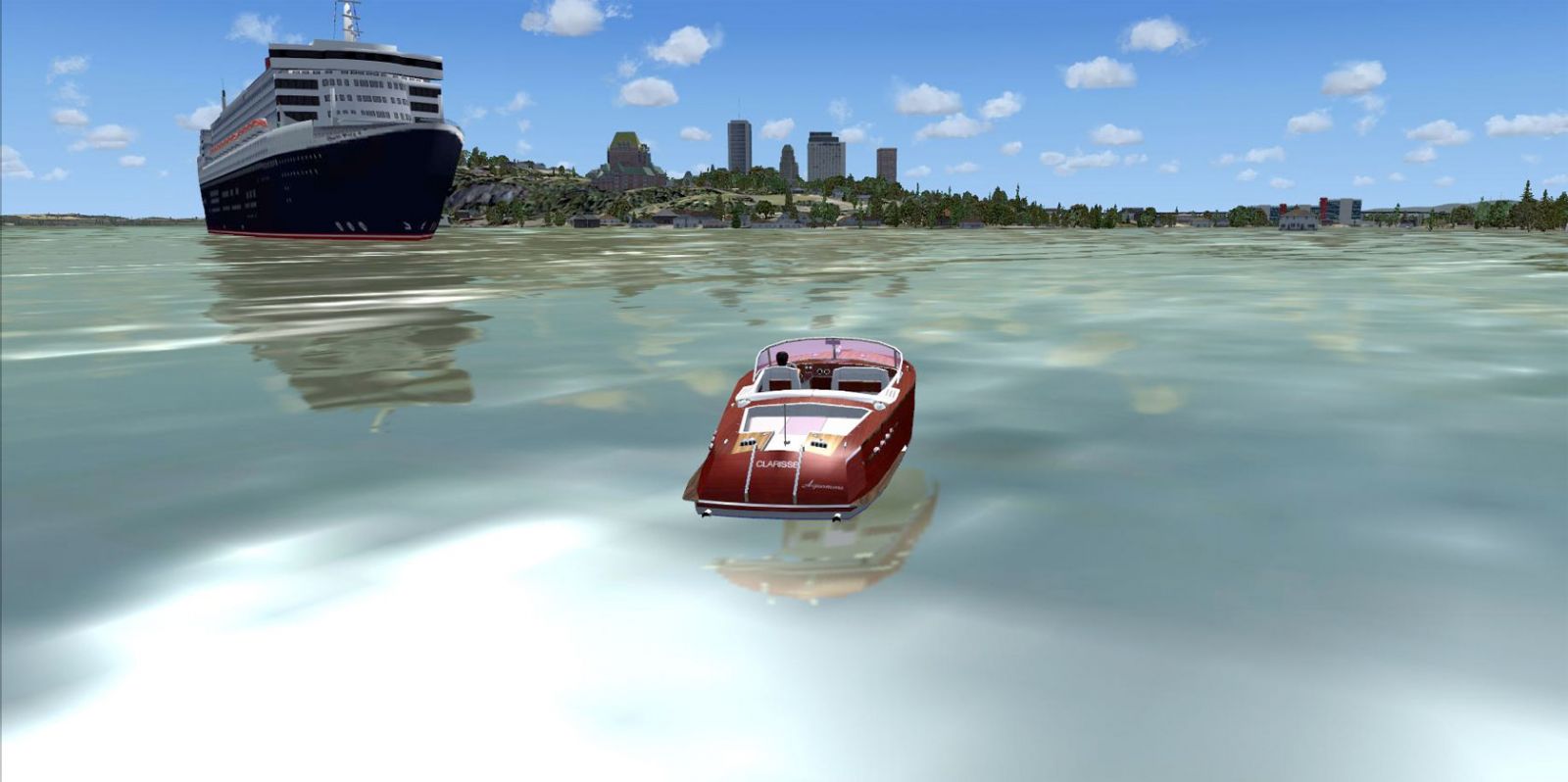
The image shows one of the many other aspects of FSX; piloting a speedboat on the water. The image demonstrates the water textures and effects in FSX.
In Flight Simulator X, the developers have decided to liven the gameplay, and along with Free Flight mode, introduced more than 50 different missions.
You can start by completing tutorials and continue with transportation and delivery missions. Gradually, Flight Simulator X gets tougher as missions start to include search and rescue operations. And from time to time you will be asked to look for crashed planes, lost ships, and even runaway elephants!
There are also some entertaining missions like the Red Bull Championship where you have to perform some aerobatics and even drag races. And you can win special medals and trophies for outstanding results.
To make it a little easier for the player, a “save game” option has been added. Now every mission has a list of saved games, which can be accessed at any time. So if your flight ended with a crash – there is no need to start from the beginning.
The Free Flight mode provides a wide range of options. You can select your plane and fly to or from any of the 24,000 airports around the world. And the new "living world" system will make them look more realistic by adding fuel trucks, luggage carts, jetways, and other airport equipment. This new active world extends beyond the airports as you can now see moving cars and trucks on the roads below, ships and liners cruising the waters, and wild animals running in the fields. All this creates a feeling of a real flight with Flight Simulator X.
There have been a few interesting changes to the multiplayer option. Players can now experience what it feels like to be an Air Traffic Controller in a new Tower controller module available exclusively in the Deluxe Edition. Another added feature is Shared Skies which enables players to share the same cockpit if allowed by the plane’s construction. With the Shared Skies features, professional instructors can use the game to teach their students how to behave during certain situations.
The weather conditions are a significant factor in the flying process and have a big influence on plane controllability. Flight Simulator X includes a sophisticated weather module that allows you to choose from a variety of weather conditions. You can adjust cloud types, turbulence levels, icing conditions, precipitation types, wind conditions, and much more. Create any kind of atmosphere to test your flying skills. For example, try to land a 747 in blinding snow on an ice-coated runway. You can even download actual weather conditions for your current location with real-time updates!
The list of available planes includes a diverse 24-model selection. All the most popular planes have been included from small propeller-driven Cessna C172 and Piper J-3 Cub to huge business jets and jumbo jets like Boeing 747-400. There are also two types of helicopters, a hang-glider, and a sail-plane. And Flight Simulator X includes several special missions dedicated to gliders. You can even take part in real gliding championships in Switzerland and Austria.

The new Boeing 747-8F is being flown in FSX. The aircraft is in the official Boeing "house colors".
Flight Simulator X fans are probably more interested in the flying process itself. Flight Simulator X has a flexible “realism” scale and many parameters can be adjusted for a particular flying skill to make gameplay easy or difficult, depending on your skills. For example, torque can be turned off and the player won’t have to think about compensating when flying the propeller-driven plane. Or the radio can be set on automatic tuning so the player doesn’t have to change frequencies in mid-air. With a little tweaking, just about everybody should find the perfect mix of realism vs. playability.
The cockpit is in full 3D and is completely interactive and animated. All switches and toggles are clickable and by pressing them you can do everything from raising the flaps to turning on the windshield defroster. There is also a ToolTip window to help you figure out the purpose of a particular button.
Another interesting game feature in Flight Simulator X is the variable set of different contingencies like engine malfunction or wing icing. They can occur during a mission or be set manually by a player to test his skills.
Even with all realism settings up to the max, it is possible to miss a runway and land a gigantic jet plane in the field. But you will not get any penalties as long as the field is within the airport area.
Flight Simulator X is one of the best and most realistic civil aviation simulators on the market.
Microsoft has provided us with an FAQ about FSX which we have reproduced verbatim below. Following the FAQ, we have added our own analysis and commentary about the official Microsoft report. Some of our analyses and insights may astound you.
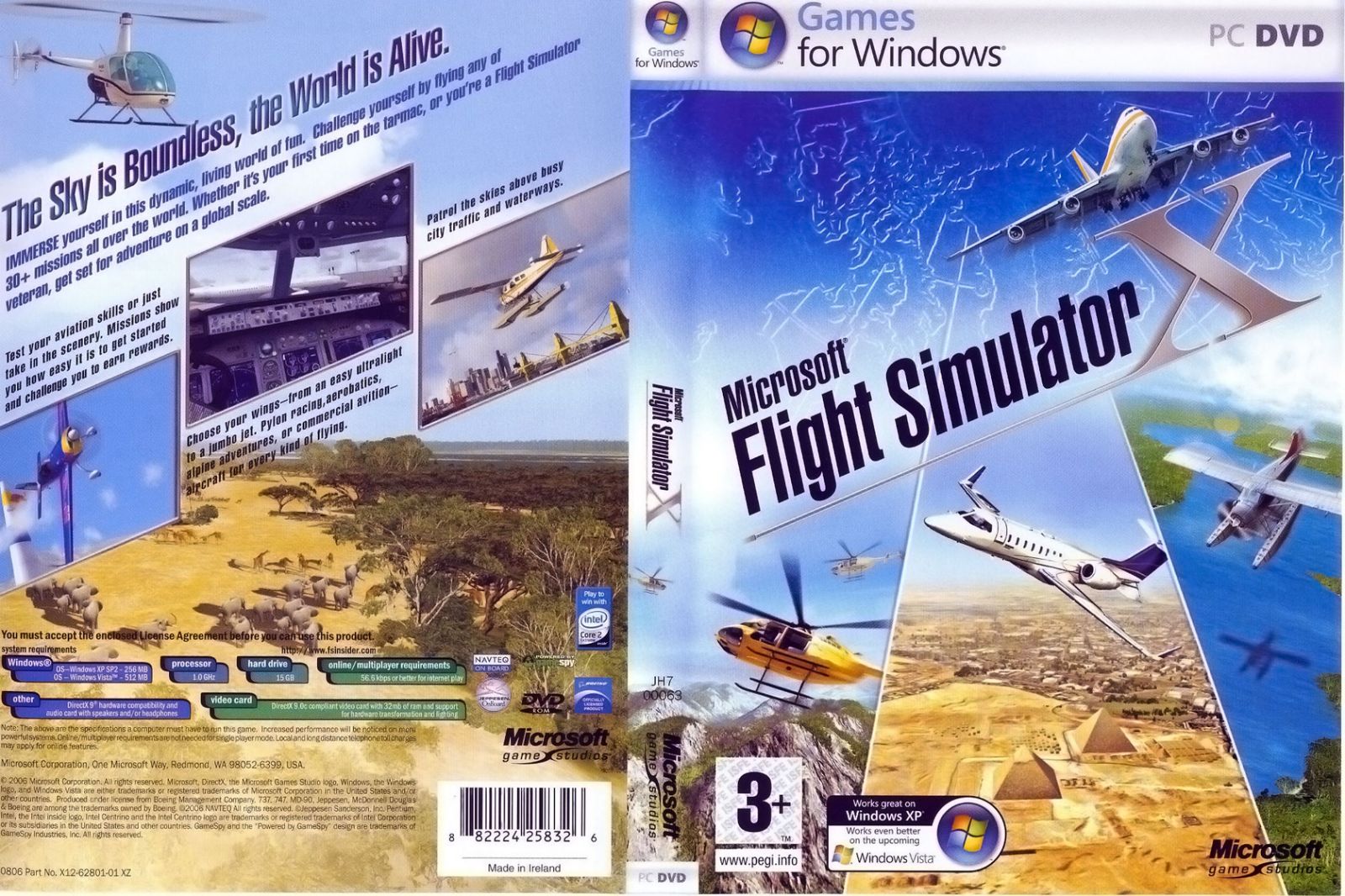
The box artwork from the Standard Edition of Microsoft Flight Simulator X.
Update November 2019
There is a new beta edition of FSX released by Microsoft on Steam that is enabling them to improve the new simulator due for release in 2020. The Simulator will simply be called, "Microsoft Flight Simulator" but it has become known within the community as "FS2020".
The new beta also adds many bug fixes for the Steam Edition of FSX. Read all of the details here. Unfortunately, it's only being released for the Steam Edition so boxed users won't be able to install the update (from what we are aware).
Update November 2020
We thought we'd update this review with a little information on how FSX compares with the brand new Microsoft Flight Simulator released in 2020 as our users were asking. They didn't want to make the shift over to the new platform without a decent comparison before their purchase.
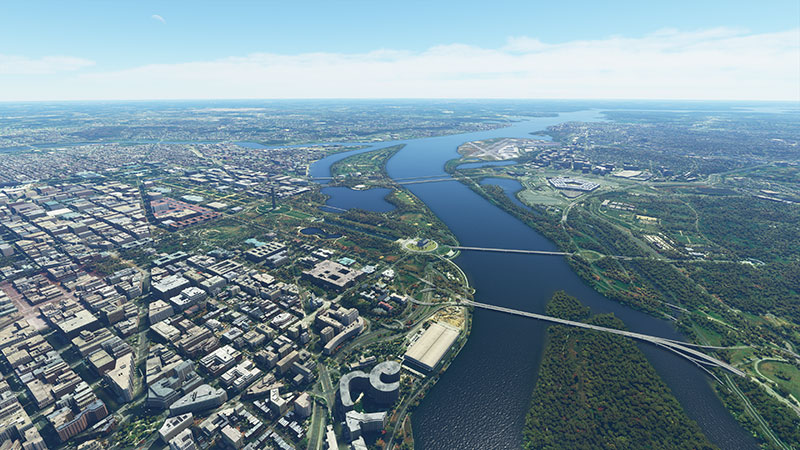
If you don't know already (which I'm sure you do) - Microsoft released a brand new, revamped version of their Flight Simulator package bringing it right up to date to support the latest hardware, a completely new graphics engine with a complete redesign of the base sim (although it does have some roots in FSX).
You can read the entire coverage of our FSX/MSFS comparison in our Microsoft Flight Simulator review article here.
You can also watch our airports comparison video below;
It's likely (even though you are reading about FSX) that you have moved over to the new MSFS platform already - or at least given it an install and play around. If so, you may be interested to know that we are now supporting this new simulator in our add-ons library. You can view all of the latest MSFS add-ons in our library here (just like FSX). Expect it to grow exponentially over the coming months.
Overall, FSX is a bit of a conundrum. It brings lots of positive features to the table and makes sure that you’ll be able to start becoming a better and more enjoyable pilot. It’s a big improvement over the original edition of the game and makes it much easier to get to grips with, and therefore actually enjoy.
However, does it actually change enough to warrant a full-price purchase if you already own FSX and its assorted mods? This is where perspective needs to come in, and you need to decide whether or not having better performance and online features are worth the cost.
The easiest way to make this decision is to weigh up two things;
Should that disk ever snap you’ll need to replace it, whereas buying the Steam Edition means you have it forever. It can be installed and uninstalled at your whim, and this gives you a lot more security over your FSX copy. Now you don’t need to worry about disks or anything of the sort – you just need to have Steam installed to get access to your Steam Edition.
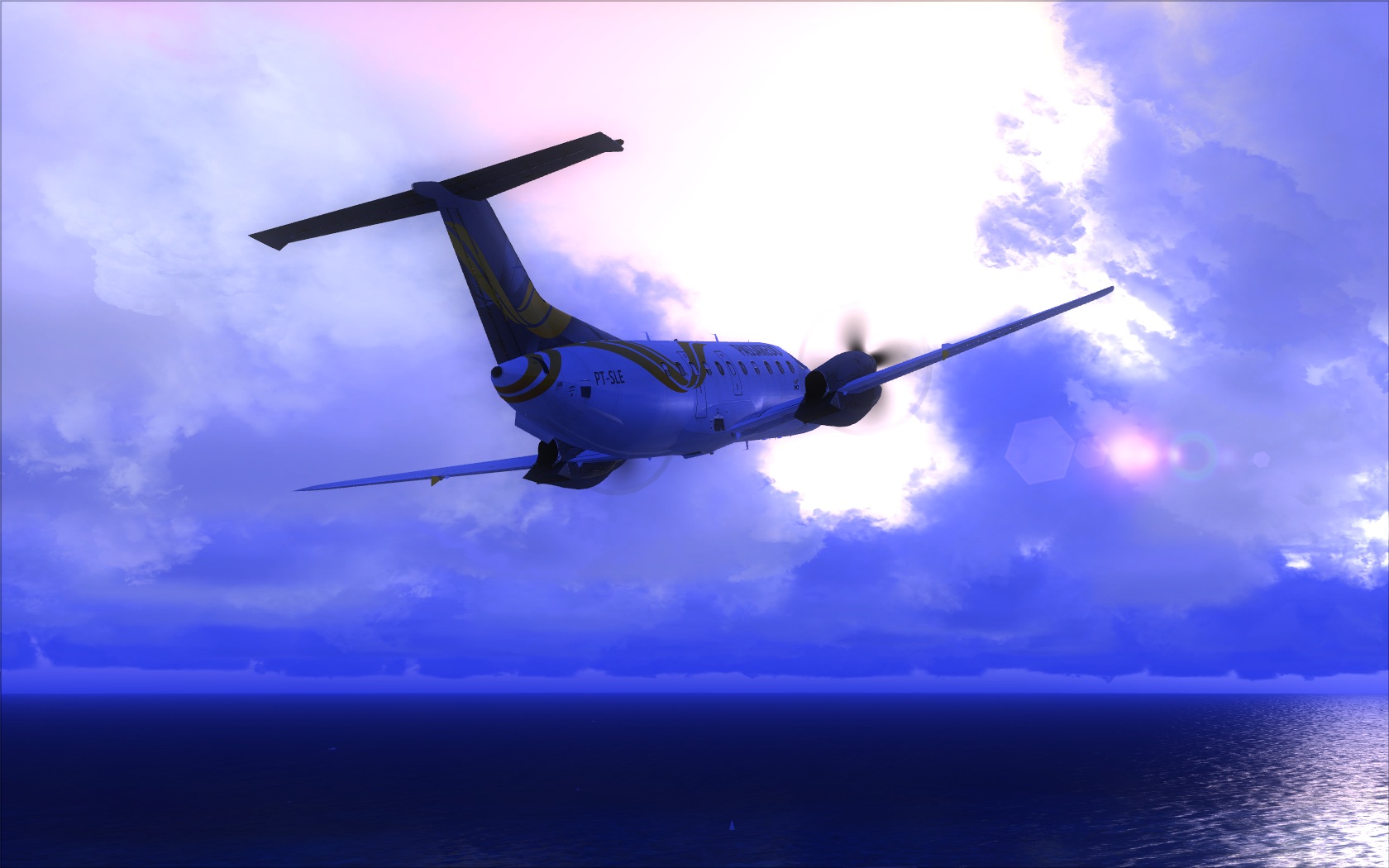
It helps to spice things up and modernizes a hugely popular flight simulator, but if you are tight on cash and already own everything you certainly don’t NEED it. It’s very much worth having if you’ve got some spare money and/or you see it on sale, though. For the fact it's permanently yours, you’ll be able to use it when and where you want.
The fact it improved performance so noticeably, gives you some minor new features and additions, and also makes sure that you have access to a safe and secure multiplayer platform probably makes it a worthwhile purchase for anyone who is really into their flight simulators. If you don’t play FSX much anymore or you want something to re-light your fire, this probably won’t be it.
However, if you are new to the flight simulation world then this will be the best choice out there on the market. It gives you every feature you could possibly need, and makes becoming a better pilot much easier than you might have imagined! You’ll learn authentic, tips and tricks about being a pilot through this simulator, and have barrels of fun along the way.
You can grab your copy of FSX Steam Edition over at Steam.

We give the Steam remake of this flight simulator a full 5 out of 5 stars.
We'd love to hear your comments regarding the Steam Edition of FSX, so please post them below!
Upgrade Microsoft Flight Simulator, FSX, P3D & X-Plane in minutes with our curated file library packed with aircraft, scenery, liveries, and utilities.
Ready to upgrade your hangar?
Browse the free file library
Ian Stephens is a flight simulation industry expert with over 20 years of experience and also has a keen interest in aviation and technology. Ian spends a lot of his time experimenting with various simulator packages but has a love for Microsoft Flight Simulator X because of the huge selection of add-ons available. However, Ian also has copies of Prepar3D and X-Plane installed.
Ian has been writing for Fly Away Simulation for over 9 years. Should you wish, you can contact Ian via email at ian.stephens@flyawaysimulation.com.
Dovetail Games, renowned for their rail simulation series, has successfully secured global rights to distribute Microsoft Flight Simulator…

Master the intricacies of installing custom aircraft in Microsoft Flight Simulator X: Steam Edition with these hands-on techniques,…
Microsoft Flight Simulator X: Steam Edition arrives with upgraded performance, updated netcode, and seamless mod support, uplifting the…

This FSX: Steam Edition refresh introduces improved performance, lively multiplayer enhancements, and an upgraded user interface, ensuring…

Delivering a robust patch from Dovetail Games, this FSX: Steam Edition update remedies enduring networking hurdles, enhances error…

Unearth a thorough critique from a seasoned flight-sim devotee, spotlighting Microsoft Flight Simulator 2020’s hyper-realistic scenery,…
Comments below are the opinions of the individuals posting them and do not always reflect the views of Fly Away Simulation. We moderate all comments manually before they are approved.

I bought flight simX back when it came out and thought it very cool. But eventually I got tired of all the crashes and errors. I have the game now with all kinds of add-on stuff. Planes, scenery, airports, and other enhancements. Can I use all the stuff I have now in steam and how hard is it to accomplish that. Also if I have a copy of the game now do I need to buy the new version to play in steam. I have very little experience with steam. Thanks

The million dollar question for me is wheather or not the OpenCockpits SIOC plugins and FSUIPC still work. I have invested quite a bit of time and money in my Sim setup and will happily upgrade to steam if I can keep all my plugins, external hardware and accessories. Thanks for the detailed analysis. Cheers Dave

Interesting about steam - I fly with a 42" passive 3D TV with a 27" monitor with all the instruments on below. The FSX icon is placed in TriDef 3D which produces a massive depth picture on the 42" - It feels as though you are really flying with joystick and controls. If I went through Steam can I still use TriDef 3D?

I bought the Steam version of FSX and I have to tell you that, as far as I can see, it's no better than the original! I've been "flying" FSX for nearly 4 years. I've added aircraft and scenery. What I have now is far better than this Steam version. I have not seen any enhancement, no faster speed, the "art" isn't any better. For me it was a waste of money.

I would like to know if you have correjido ensure that the big mistakes that had the old edition , that after all the years breaking our cvabeza to make it this good, I would like to know with much certainty , thanks

Having owned all of the MS flight simulators, since its inception, I say this is the best one yet. The main change is the vs2013 compiler.It is improving frame rates considerably. Having recently bought a new computer, with Windows 8.1 pre installed, there is no way I am going back to the disk version. The only drawback for me is no lan available for my Wideview cockpit. This consists of 3 computers and 5 screens. Also you have to connect via Steam.
Fsuipc works fine, after Peter Dawson modified it. Thank you Peter!
There is a lot of information on the Steam and add on suppliers forums regarding compatibility.
In all, this is a great step forward and I for one am looking forward to what comes next!

I enjoyed reading this article but my questions is that after having friends test it and getting reports back that certain current projects and Adonis such as the PMDG 777 which is an amazing products does not work with this new steam version, is this company going to make this flight simulator x product like there rail sim products? I guess what I would like to know is if they have improved all this stuff why is there nothing that I have seen or heard that implies they have the intention to allow people to use there current products on this new version, maybe I am looking in the wrong places for this sort of information but so far in my opinion all I see is them just trying to make it so you have to buy loads of dlc's they have been made by them, which leads me to the point why are they trying to compete with company's like Aerosoft and PMDG?

I have all of the FS since the 95,98,2002,2004 and the FSX, the last one is corrupted on my window xp but still work ok with some airplanes or add perhaps. I still use FS2002 this is the best one of all it still work good and reliable especially with my tracking system. Now I would by the steam edition if i would be certai that it would work with the XP version. I also love Xplane9 way better simulation up to now. I would get it if it is compatible with XP am an old aviation enthusiast and also have a real air plane a Bowers Fly Baby. Whish there would be some plane like this one to fly on a simm.

Hello, Mr. Ian Stephens,
Like most FSX enthusiasts I was very much looking forward to Steam coming on board with hopeful thoughts of the stalled Microsoft Flight Simulator X and as like you, they certainly made the industry a welcome improvement but their failure to continue with the outstanding flight sim industry and tremendous improvements that were needed, they entered a disappointed fatal slump.
I purchased with great anticipation, the newbys, Steam FSX hopeful that they would resemble the greatness of Microslft Flight Simulator Program, however, after downloading the newest FSX in December, 2014, my enthisiaism soon became somewhat depressing. I found unlike Microsoft, the ability to make a phone call and speak to a technician on line had now become a grim discouraging memory. Never the less, I still wanted to hang tough and give the new kids on the block every benefit the attempt to assist me with the now new FSX problems that I was entertaining. After attempting to understand their, Steams method of technical support I was very diisappointed. I hung tough for nearly two months and finally after writing many times and attempting to describe my concerns with the new version of FSX, I just decided to delete the latest download from Steam and to return with the latest Microsoft FSX, program...
I've been in the real world of Aviation since the mid 1960's and my love of flying which I had to abandant because I reached the age of manatory retirement. I now have reverted back to using my flight instructors certificate and my hopes were to volunteer teaching many under prevlidged children that just could not efford entering the field of aviation and hopefully see some smiling faces amonst the younger generation as I recall.
Thank You for your message and I wish everyone the best in the wonderful world of flight and practice more than necessary safety and spread the wonderful world of Aviation.......... Capt.(Bud) Williams

Ian I bought fsx se because i was having a lot of Blue screen crashes with FSX gold and lo and behold FSX se as soon as i fly jets blue screen failure and computer crash my setup is: MB asus msa99Xevo cpu 3,66GB 8core amd 16 mb cache Graphics AMD Radeon HD7880 series

Have they fixed the missing topographic details present in the original FSX. A large lake present in the Century of flight version is gone while smaller lakes still exist. and also the weird display during pitching motion whre for example you see only the runway and no instrument panel when you apply the breaks suddenly like when landing and taxiing.

I've had fsx since it was first released. I've spent a fortune on add ons and a few months ago finally built a monster pc to max it out. I liked the idea of a steam edition with less bugs so I bought it. Big mistake. My fsx and add ons are on a seperate ssd, the os and drivers on an ssd and the rest including steam on a 2tb hdd. Since installing steam ed my original fsx would not get passed the main menu without crashing. The only way I got it to work was a full os reinstall to clear the registry and complete reinstall of fsx after getting rid of the steam ed. also to add every add on isn't compatible as the article suggests so do your research first. More developers are releasing patches so their add ons are compatible but dovetail gave no details to any of them of the changes so they could only start redoing their products after it was released. Don't buy the steam dlc either most of it is re released fsx crap from 2006.

Hey Ian,
How long have you been working for Dovetail Games? Usually reviews have pros and cons. This seems like a bi-fold advertisement typed up by Dovetail's PR themselves. You make it sound like its the greatest thing ever. Protip: Its just a polished turd. A 7 year old turd. P3D blows FSX: SE out of the water. DX11 or DX9? Single core support or Multi-Core support? Volumetric clouds? Bathymetry? Monthly updates from a working studio of designers with new features and more performance? There's no comparison. Especially with 64-bit right around the corner.

I have FSX and FSX Gold and both have major problems, after flying for sometime they had a tendency to crash and the only way I could get them going again was to uninstall them and then remove registry entries otherwise they would not run when reinstalled. I have found this problem still exists in the steam version but at least it does not take that long to reinstall and I hope will be dealt with eventually.

Is there a version of this that can be played on Xbox 360 or Xbox One? If so I will go buy it today!!

do you have to have fsx to run steam?

I have heard great reviews on the steam version. However those who own sceneries from Aerosoft, FTX and others will have to wait for an update installer to use them. Aerosoft is working on some of their scenery now. With that being said, they still do not warrant that it will work correctly. So it may be a while before stuff is compatible!
I have seen a few videos of the steam version and to be honest, it does not look all that different in graphics and simulation purposes. It looks exactly the same to me. The only true difference is not having to worry about losing or destroying the install disk. That is probably the only flip side to having the steam version. So if you have hundreds of dollars spent on addon scenery, you may want to think about that before you make this purchase. Not all addon developers are on board with steam patch installers. So far I have only heard about Aerosoft working on their products.
As for all those who are having issues with their FSX crashing is mainly due to installing and removing game files. Once the game registry is botched, you need to go in and fix it. I have never experienced a game crash from the original FSX installed. I have been running it for a little over six years now. I also suggest using an SSD drive for FSX as it makes the game load and run way better!
So my overall on this steam version is a wait and see! I will give it a year to see where it pans out too and what DLC and addon scenery gets worked into this version of it.
tj Williams my fsx and its add ons has its own ssd with nothing else on it. I've got a second ssd with win7 and all the drivers on and a 2tb hdd for everything else. Steam is installed on the hdd. I don't get any random crashes normally it does go slightly white saying not responding but leave it alone and its find after a minute or two. My original fsx only crashed as soon as I installed the steam edition. On the free flight screen it crashes whenever I pressed any of the sub menus like aircraft selection etc. since a full reinstall of win and fsx ive had no problems and the steam edition will stay in my steam library until the day every add on is supported. I havnt taken a good look at prep3d yet but if it goes 64 but it will be worth a look. Only problem being ive already spent $90 on the pmdg 777 and I can't justify another $130 for the prep3d version. With active sky next, Rex 4 texture direct and sceneries I have it looks a lot nicer than out of the box prep3d. I'm running a i7 4790k @4.7ghz and 2 x gtx770 all watercooled so I am able to use nvidea dynamic super resolution 4k on my 1080p monitors and still get 25fps at heathrow on vatsim.

Hey, i have a little question... A few days ago my pc crashed, i played the normal version and everything worked perfectly! I downloaded a few planes, scenery and stuff like that. I did that just in the normal way by downloading a texture and then copy the text in to the airplanes.cfg note. But now i have fsx steam edition and i really dont know how to add textures ?

Do the Aircraft carriers work


For the questions above, I have been experiencing FSX Steam Edition for quite a time now. There are a lot of posıtıve features but the most important one is DirectX 10 support. This makes the graphics quality better and you get more fps. Second one is memory usage. I had a lot of crashes with FSX and now I have zero crash with FSX-SE exactly for the same conditions. Although FSX and FSX-SE can reside side by side, It needs a lot of back-office work. I decided to uninstall FSX and re-installed FSX-SE where now it is exactly same as FSX. So now I can use every addon I have with FSX-SE. I have PMDG 737-800, REX, Active Sky, a bunch of add-on aircrafts, as scenery all Europe of MegaSceneryEarth some US ones, special landmark ones. All work much better than they used to be in FSX before. All my Saitek (I have all Pro-Flight instruments) devices, FSUIPC, EZDOK .... all work perfect with FSX-SE. Short of long, I have no problems with any add-on I already have and better performance with better graphics.
And yes, you need steam installed and internet connection (at least at first run) to run FSX-SE.

I have been researching this game for some time now and I have not found the info I am searching for. The older flight simulator X has a kiosk mode. Does the newer steam edition have the same?

Can I play without connecting to the internet/steam ?

Webliya,
Hi, would like to ask a few questions if I may, Will FSX Steam run well on 8.1? I am starting completely over new as flightsim 2004 which I had for years ,is now done. Have not flown for over 4 years . What is a good graphics card to use with FSX-SE ? What do I need to have a good set up, room for lots of add ons etc. Thank you for your time. Regards, Andrew Straatsma.

Will my PC support FSX SE?? My configs are:- i3 3220 3.3 ghz, Radeon r7 240 , 4 gb ram

New pc with win. 8.1 My copy of fsx crashed repeatedly and unsalvagable so invested in Steam version. So far it jd performing faultlessly and has taken all my add ons - aircraft from Fly UK va and Just Flight etc. Scenary bundles also fully to high standard. I am well impressed and look forward to seeing it develop further.

I've been flying on Flt Sim since it's introduction. I've never had a true gaming computer and always did ok until FSX After I bought FSX, I had to buy a graphics card to get it to work. Since then I've enjoyed it even though I had to keep the settings lower than I'd like. After trying FSX-SE, I couldn't believe the difference. All of the sliders are maxed and the airports came to life. So much so, that I had to watch vehicle traffic closely on pushback to keep from crashing. I haven't tried Multi-player yet but looking forward to it. Thank you Steam for taking on, and vastly improving my favorite pastime!

FSX-SE is all round better than FSX. It's stable and the graphics are sharper. I've also not found any problems with compatibility issues of FSX titles so far.

My experience with Steam has not been positive. Just trying to install MegaScenery was off-putting enough to drive me right back to FSX. After many hours of fighting the problems I just gave up. If something changes I may go back but as of now I fail to see any advantage to Steam over FSX alone.

Hello
I have used Xplane 10 for 4 years. This year I also installed FSX on the same computer I am genneral satisfied with the program I have some problems with additional aircafts from just flight When I put in serial numbers I am not connected to there server I have Windows 8.1 and Norton Antivirus Even when disconnecting Anti virus and set Google security to medium I can not solve the problem This kind of problem I never had with X-plane 10 Additional Aircafts
Tommy Mortensen

Steams version of FSX known as FSX-SE has so far for me been a good experience, to me it is FSX on steroids or what FSX should have evolved to when being produced by Microsoft. Visual sim rate wise it works like a champ, I have mine set to 30 FPS and even when flying out of JFK or making an approach into Boston-Logan the frame rates are very acceptable and that is with Electronic Flight Bag, FSX-SE Next weather program, Traffic-360, and all while flying Aerosoft Airbus A320. FSX-SE for now cannot do what either P3D or X-Plane can do, and that is officially be considered a platform that you can log real world flight simulation time for your FAA requirements. As far as who has the better visuals for right now I have to give to P3D but with the latest changes to FSX-SE, I would have to say the short comings are not as vast. Price wise I have to give it to FSX-SE, very much easier on the pocket book. Updates, this I again I have to give it to FSX-SE, if Dovetail has a mod to the platform they change it automatically and to the program they make it very easy to fix and not make you have to do a complete reinstall. Another great thing I have seen is the ability to purchase and add on missions. I have both P3D ver 2.5 and the latest version of FSX-SE installed, my predicament from choosing just one sim is that of interchangeability, certain flight sims like Captain Sim work fine for FSX-SE where as for P3D, no. Unless I want to purchase that model that has been reworked to run on that platform. Slowly but surely the 3rd party software makers are incorporating FSX-SE into their software changes. Eventually just like when I deleted FSX from my hard drive for good I will have to weigh the choice of removing either FSX-SE or P3D and that will be based on a sim platform that has a future that is being supported, and is very stable. I look forward to the day when fellow simmers will talk about FSX-SE if it should happen as well as they do about FS9 or Microsoft Flight 2004. What will make FSX-SE a flight sim to recon with is when they can make an add-on that with a little work could transform FS9 panels and be able to create panels form scratch without having to know how to code. Then I think we will see and explosion of freeware that just like FS5 through FS10, made the ranks of fellow simmers swell and the 3rd party retailers come out with some quality sims add ons.

Steam made FSX available and simple to access.
I have been an avid flight simmer and
Have tried them all and still access FSX as a standalone as X-plane.
Keep up the good work and help others become aware of this great community.

I have truly enjoyed using FSX-S. I have P3d also but really like using steam better. I wish that REAL WORLD WEATHER was back working on P3d and FSX-S Both are great products but Steam just is easier for me as I don`t have such a learning curve at my age of 77.
Great work from dovetail games. I have been using FSX till 2006 and I faced a lot of problems especially memory crashes and now with Steam edition I faced no problems. Also it is very easy to move FSX:SE from one folder to another since it is wrapped by steam. Second is better fps because of directx 10 support. All addons (FSUIPC, EZDOK, Aerosoft Aircrafts, PMDG 738, Aerosoft Scenery and all other scenery (Megasceneryearth and others) works perfectly. Be sure to uninstall FSX first and then Install FSX:SE so it will create and use original FSX folders where you do not need to do background work. Best I only paid nothing with the very first day promo. And also all my devices (Saitek (I have all), Trackir5, , Plan-G etc. works.
I am exteremely happy with FSX:SE. ANd of course expect more development from dovetail games and of course a 64 edition.

When I first installed FSX Steam, the program loaded really quickly. Since installing Mega Earth and VFR scenery now it is taking as long as 15 minutes to get flying once I hit the FLY NOW button.

I tried Steam for about 2 months. I did not see any difference than FSX box. Also it would crash on long flights.
Would not recommend it.
Have gone to Pr3D, much better. Regards, Jerry

I am a "happy FSX Steam user" : works fine with high performance level on my W8.1 64 bits DX11 computer in DX10 mode. Very stable / no bugs / constant performances while the "classic" FSX DVD version did not work well on my computer (bugs, back to deskto, satbility performances issues etc).
After trying X-Plane V10, P3D V1.4 and V2.4 i am back to FSX thanks to FSX SE version with the highest performances between all these sims (in DX10 mode with DX10SceneryFixer).
No compatibility issues : all my addons work fine (Instant Scenery included now)
My computer is a MSI core i7 laptop with 8 Go 1600 MHz RAM and Nvidia 780 graphic card. with 7200 rpm hard drive (16 M cache).

Seems to be ok. I have not moved from the box version until all my addons are compatible with the steam version.

In my opinion fsx steam is very nice but there is room to improve. Don't get me wrong im grateful for steam picking up dead fsx and breathing life in to it but as I said there is room to improve. For example I would like fsx steam to add a channel when you are sharing a cockpit in Fsx multiplayer to talk with a headset instead of using skype because it does hurt my fps also I would like them to do a update on fsx to have the option to run it without steam so my pccan focus more on fsx when im offline.This last thing I would like them to have cheaper addons like planes and other things. But overall im pretty satisfied.

I have problems with installing reg FX scenery in steam like Texas Europe etc.

I'm very impressed with the idea of combining FSX with the acceleration package. FSX Steam Edition provides the best of both worlds offering the standard FSX missions and aircraft, and other acceleration features as well which include: the FA-18 Hornet, acceleration missions, nitrous injection, and lots of other things. All this was topped off for me when I upgraded from FSX Standard at half price. Great simulator.
I don't find FSX Steam Edition to be any better in any way than the original! It's a waste of money, no enhancement!

Have not been able to run the program. It displays an error and does not load the game. Also have thousands of dollars in adding which I can't install

I was not going to swap to steam untill i had a big crash(too many addons)i had to reistal lgold, so i thought give steam edition a go. I then uninstalled my Fsx gold (I was either going to be a hero or an idiot) I download steam edition. no troubles so far, and loaded Orbx global( cant fly without that) Everything worked as it should with everything cranked up as far as it would go.Amazing fps rates doubled in a lot of cases .I changed the new settings in Air Hauler no problems at all, Addit pro only required a minor change and chocks up wheels away. I have loaded some missions and thru addit pro some 20 rotary and fixed wing aircraft so far with no problems at all. I know that sooner or later i will strike one that will not work,but i am sure it will be an easy fix.I am running an intel i7-3770, GTX 660, 16 Mb ram. On the whole I would definately reccomend the swich Cheers Brian garbutt

I love Steam version, but none of my Saitek controllers (except yoke, throttles, and pedals) work. I have a fully installation of all Saitek hardware and they are useless with Steam. Is this ever going to be fixed? Until it is, I will still use old FSX software.

Have being using fs9 fsx and now steam fsx. The others are not stable and crash frequently. Enjoying steam as running it on an external hd which i can plug into my laptop while traveling if i want it

have installed FSX Steam but am having trouble with getting PMDG Planes and Level D767 installed

much more stable and less crashes. All extensions work well

I found it quite interesting reading the various comments to date. Here is my experience. I have been a flight sim user for many years. When FSX originally was released, I could not operate it with the computer I had at the time. Time marches on, and I upgraded to newer machine. While FSX did run with better frame rates etc., I would get the same crashes as mentioned by others.
I have since purchased the Steam version. I no longer have the crash issues, I did not have go tune the program to the degree I did with the original FSX, I have had no problem loading add on aircraft or scenery. It has transformed my flight sim experience. I am using the program now to study for my real world license.

To be honest, I cannot see any difference from the disk version - but then again, I am somewhat of a novice.

Hello I am planning to get FSX Steam edition soon, and i was wondering dose anyone know if FS9 FXS will work on windows 10 that will be release July 19 to the public? Microsoft is giving the windows 10 which will come with a new browser too for free to the public which will basically be a upgrade of window 7 and 8.1 . Thanks Randy

FSX is almost a decade old by now, but wait.....this is the "Steam" Edition !
- Not a RAM hog anymore - Better optimization - It runs very awesome on my machine [64 bit] - Multiplayer is here ! - Overall, it looks fantastic
So, what are you waiting for Pilot ? Grab this old Masterpiece and Take-Off with your friends or with some Real World Pilots out there :)
X/X Would Buy & Fly again :D

I am sorry but I could not instal the Steam bcause of an hardisc failure, I lost the Steamprogram,
best greetings Reinhard Pfaendler

I have used original FSx for some years and Steam version about a year. Biggest problem with Steam version is when I tried to add sceneries, Steam version doesn't recognize them.
I have both FSX and FSX Gold originally on Windows 7 32bit and both versions would crash causing me to uninstall them and go through the registry to remove everything as neither would reinstall until I had done this. I changed my Windows version to 7 64bit with still no difference. I bought the steam version to see if it was better, this also crashed after sometime and I had to go through the same routine to get it to run after being reinstalled. I do find it difficult to install aircraft to the steam version without an addon manager. I also find steam version not quite as smooth as my Gold version. Hopefully some of this will improve with time.

Get a lot of crashes with 64 windows 8.1. Frustrating when you have been playing for a while. FSX seems to freeze unexpectedly but randomly. I have reduced some of the graphics which helps the smoothness but not freezing. Train Sim 2015 is also victim of stuttering from time to time it doesn't seem to freeze as such but some simulations ECML for example, one of the scenarios just stays stuck ata red signal, for ever seemingly I lose patience after 15 minutes. Again same as Les it's very difficult to use 3rd party aircraft to upload, I'm surprised Steam don't have they're own uploader for this most people I believe would be happy to pay for it if reasonable as it would massively improve the Steam experience, therefore more sales. I like the sales they have, you get some great bargains, hopefully it will all keep improving. Good effort so far.

Hi, I have used FSX from it's launch date with out much problem at all. I then downloaded FSX Stream and computer has never been the same since. I have since deleted the Stream version because of so many problems and freezing the computer. Each time I updated Stream the computer would play up,go slow and freeze. From my point of view, the Stream version is a waste of time and too difficult to use.
Geoff Sutton

PROS:
Substantial improvement over FSX in terms of loading the game, the airplanes, the scenery, the weather, saved flighrs, etc,
And above all, substancial improvement in frame rates and smothness.
CONS:
Annoying adverts from Steam
Only the livery on top of list of liveries in the aircaft cfg file shows when selecting an aiecraft.
NOTE: PROS geopardized by the update, according to unfarouvable comments I have read. That is why I did not download the update.

This is a comment on the missions now sold by Steam for FSX-SE: The 20-pack of missions (Dangerous Approaches) now released by Steam are certainly fun and sometimes difficult to fly, but in reality they are not much more than Free Flights. They are, however, not just approaches, but incorporate the whole flight from an airport to another, sometimes as long as three hours. The mission maker has decided that you shouldn't use FSX ATC (with all its inherent problems), so you are free to navigate from airport to airport. A few of the missions include "ATC-like" comments at the beginning, but for most of them it's just "take off and fly". Default aircraft are used throughout, so you needn't download any extra planes. A note for those who have installed Aerosoft's LuklaX: the mission to Lukla uses the default airport, so you'll have to remove the LuklaX scenery before flying. In all, quite amusing, but not as much fun as I had hoped. There is another mission pack out (Cargo Crew), which promises at least one in-flight problem to handle. Maybe I'll fork out 20 Euro for that later...

I'm so glad someone took the best platform and made it better! I was in the process of looking for a better simulator and then along came steam! Well done, just love it.

I uploaded FSX-Steam shortly after it was released to market. I uninstalled it about a week later. There were compatibility issues with add-ons, both hardware and software. I think if I were new to FSX with no investment in add-ons, FSX-Steam would be a viable alternative.

There's really very little difference between the two, I have both installed on my pc; I also have prepar3d, to be honest none are really that different from each other. the really annoying thing is that dam steam app, drives me mad.

I would like to see FSX on a 64 bit format this would improve the operating system

I've flown more than 200 hours since purchasing it 1/2 price and find the graphics better and the speed better than my boxed version. Steam accepts most freeware planes and scenery; the rates are fairly decent (and I have an old NVIDIA Gforce 200 game card.
I am very satisfined with my purchase to date.
Tom Tobin Kirkland, WA

At last a version of the flight simulator I never thought woul be produced. I'd all but given up with FSXfollowing years of frustrating play-time with a simulator that promised so much but, in reality, simply disappointed. Full of little bugs that when added together meant you could never be sure that you would actually complete a session without those dreaded error messages.
So, what has Steam Edition done for me? First, it has restored my faith in FSX. Second, it has produced a smooth simulator experience for me with lots of gems not advertised but which make flying fun again.
Let's start with setting it up. Easy and how good is it to be able to download additional planes and scenery? Simply buy and they're there, so easy. They have brought old favourites to life and they seem to work so much better.
Using the free flight mode, I'm amazed at how realistic the atmosphere appears..haze makes flying a real experience. The whole weather engine has performed so much better.
I'm not experiencing any issues over whether or not I have a super fast system...the beauty of FSX steam appears to be that it works well on any medium end system; so it's actually saved me money not having to upgrade my system.
What would I like to see? In the world of simulation, not every wants super realistic processes. Those of us with less time want to strap up and take off. I'd like to see the simple map and auto pilot present in Fs2000 . I want to be able to put a start and end airports and the program should do the rest...an easy version please. Those who want detail have it.
I'd like authentic background chatter depending on your region you are in for Atc without having to be in flight planning mode. That would add realism.
A great simulator which will enable me to keep flying whenever I want her years and no extra system costs. Keep providing planes, scenery and extras like scenery makers, more traffic and some utilities that can be automatically installed. I girl one will continue to buy more and can truthfully say I love FSX again!
Thanks

Amazing....no comment...very good

How big is the download?

I would like to see FSX on a 64 bit format this would improve the operating system and please improve the software with new aircrafts and scenery in one pack

I have not got a top of the range computer .so for me i thought it would not be any good ;but it is , It does not slow my computer down like old fsx does ,so chears to all you at steam;so before everyone else complains ; have a serious thought about what you say,because trust me it is.

really enjoy it...want to do more of it.

Not recommended, keep the regional, wait for the new one or hit up Lockheed version Prepar3d

I like FSX-SE but the advertisement with steam is a bit annoying.
I can see much difference in performance/quality with FSX boxed or p3d, only FSX-SE in 64 bit will make a difference. I had many problems installing ORBX products and I wish I could have the option to choose and install it in my selected drive such as c:FSX-SE or D:FSX-SE and not in c:progammes files(x86)etc............
Anyway, still a good product and hope it will be in a 64 bit format, ...one day !

Hello, When I will reinstall FSX on my computer that's OK , the good password OK... but the game will not run : It request to contact someone but I have not an adress...

If You want to SIMUTATE civil Jet Airliners - or simulating being a pilot, then in my mind the clear winner is MS Flight Simulator -2004 Acentury of flight. On the other hand just wants to play with a fimulator, then FLX presumably is the winner. Follow the aircraft from stange extern and intern angles with no actual knowledge of different system (DC, AC, hydraulics, APU, APU generator, de-ice and abti-ice, auto breaks (connected to the spoilers, by the way) pneumatics, yaw damper, anti skid difference between pitch trim and stab trim etc etc - then stll FL 2004 remains as the winner. In FLX is it not even possible to change the pilots eye levels, but by raising oneself - in reality - only 10-12 cm gives a notably better view in real flying. But not so in FLX. Further also during landing is it next to impossible to land manually in FLX, as the only possibility to see the runway is at very steep divings.
There is far better panels and aircrafts for FS 2004 - all from HJG for instance (search for "Historical Jet Group") - Let's retire FSX, and keep updating FS 2004 instead !
I have though "flewn" a D-10 simulator (given to Västerås Flygmuseum, Sweden) - there it works fine through filmprojectors - and has been adjusted by former Scandinavian SAS DC-10 pilots. (price is fair - around 50 GBP / hrs including instructor + around 15 GBP to the museum. (if 1 GBP = 12.50 SEK) I flw around 10 flights during 4 hrs. I hope more people will become interested in flight simulation in real simulators, which are outdated by the airlines. A Boeing 707/720 would be popoular, I imagine. Commercial simulators are 5 to 10 times as expensive

I luv it! Much better than FSX and it is being updated as needed. As with any new releases there are growing pains being that some software developed for FSX is not fully functional yet but both DoveTail and the majority of software vendors seem to be working on solutions at a rapid pace. If I had to choose again if I would switch to FSX:SE the answer most definitely would be yes. I have been using MS FS since '95.

Maybe fsx steam will also crash sometimes. Maybe the library of add ons is not so vast. BUT, if I only knew the steam vs before,some years ago, I would probably save tons of money and tons of hours trying to figure out damn crashes,bugs,inexplicable errors,to mention some. Steam for me was like the rainbow after the storm. I can install any airport and any add ons ,I still have full control but no hassle anymore. It just work. I started to believe that maybe was better for me to go the fs9 edition because was STABLE. The x+Acceleration crashed dramatically almost every day. Steam has it already all in one. NOW I am ready to fly

Sorry I am not that impressed - Overpriced - Only acceptable when on offer. I will stick to basic FSX plus all my add ons

I bought Fax SE Cargo Crew, but I do not see the Cargo Crew application at any part. Please let me know what I could do. Besides, I think, you could have your pages access more friendly user, it is very difficult for me to access the support page.

I wouldn't touch FSX Steam with a barge pole. I had the Train Simulator Steam Edition, but got sick of watching several minutes of,Steam advertising their train adware etc,. before I was able to even drive a train or Locomotive - hence I have not used Steam's Train Simulator for months.The trouble is that Steam wont allow you to bypass the never ending advertising, so that you can get on with your game. Therefore I am going to stick with My FSX Gold Edition - rather than having to put up with more of Steam's unwanted advertising - which would be the case, if I replaced my FSX Gold Edition with FSX Steam Edition.

I am running windows 10 on an Alienware 18 with 64GB SSD and 16GB memory, i7-4700MQ at 2.4GHz with the Twin NVIDIA Graphics Boards. I had to go back from FSX Deluxe Edition on Windows 8.1 to the Standard Edition from the Microsoft Store on Windows 10. Everything is back to slick as grease. I have 90 Aircraft from Freeware, 2 A2A Simulations, 2 Carenado Simulation and have modified most panel gauges, Configuration files and Textures. I even turned a Bell 47GMax on Floats to be Turbo Shaft with the proper 420 SHP Performance, and proper engine gauges in both 2D and VC cockpits. I am at the limit of 95 Aircraft on FSX Standard Edition. I am an old retired guy that was a Multi-Engine FAA Rating Pilot but to old to fly now. I have accumulated 600 hours on FSX. The list of Steam Aircraft is pretty wimpy even with the Steam Pay Aircraft. From what everyone above is saying, I will lose stuff if I go to Steam? I am hopping I am wrong?

Sounds good...but....will it run on Windows 10?
I can run FSX no probs on XP & Vista... just bought the new Windows 10. Did I waste my money?

Problem with missions e.g. Exec tour unable to complete the mission and another example is when I have taken off I hear "That was close" then the message reads "mission failed" what am I doing wrong?
Thanks, David

I'm having trouble loading the Cessna 340 into Steam FSX. I,m using windows 10. Is this an issue? The file downloads but the airplane does not appear. I downloaded the program into a FS downloads folder in FSX. I then had two folders, Custom Cessna 340 and Pictures Ceessna 340. I unziped these files and copied them to the Sim Objects,Aircraft file. When I try to trouble shoot I'm told to check the aircraft in the .cfg file. When I try this I cannot open the cfg file. I don't know what to try next. I am really irritated. I have put in so much time on this that I am ready to-----.

I purchased the steam edition but the product description did not say you have to join an on-line service then install the software from their web site. I wanted a physical DVD that I could install and play independent of outside sites and the product description suggested that was the case. I did sign up for the service but when I went to install it there was no permanent download I could back up onto a DVD or USB flash drive. All I can say is NO SALE and it has been returned.

Installation of Scenery has been a nightmare & I have tried several Download managers. I use Internet Download Manager & Win-Zip. On my INSTANT download products, Something different happens EVERYTIME. E.g. I am told to insert Disk # 9 & I have not inserted ANY disk. Steps 1 through 8 "installed" ??? without any disks being inserted. When I cannot insert a disk, the only choice I have is to "try again, or, abort". All I can do IS abort & start over. THEN after hours of downloading & "installing", I am advised of, invalid file, or, unhandled exception, or something else. Now, in trying to install the Orbix Air Traffic freeware, I am advised during the process that it is an INVALID FILE!!

I bought flight X steam edition and the install code will not work. Spent four days trying to get an answer but no one replys!

I'm a long time flight simmer FS98 to FSX. My issue is that although I love playing the FSX Acceleration, lately the game started to freeze up on me despite low settings. Both my PCs with the boxed FSX were doing fine until a couple of weeks ago when it started to freeze especially during cruising. I've consulted with several forums and no one seem to come up with a viable solution. My video card and CPU seemed to be fairly good. I don't want to invested in upgrades if I'm not sure if they will work or not. I knew from the beginning that FSX is a very demanding game. My challenge now is perhaps I should shift to the Steam edition and from reviews it looked promising. However no one was able to answer my question whether the Steam Edition is as demanding as the box FSX in which case I'm back to the same problem. My processor is 3.5GHz, my GPU is a Radeon HD 7700 and I've got 32 Gig of RAM. Help.

Whilst I agree that the scenery and aircraft are better, there are serious problems with the way it operates. The most irritating thing is that you can start a flight and all is fine. If you wish to go back to change anything the system freezes up and you have to go to shutdown. Trying to find a solution is ridiculous. They have done a magnificent job of hiding the behaviour parts of config. The actual CFG file itself is invisible. I would be most grateful if you could tell me how to get out of this.
Thank you very much

My only problem is that my FSX boxed version runs flawlessly and NEVER crashes, but the FSX Steam version gets TDR crashes constantly. And they both have the same tweaks in the fsx.cfg. Not sure why one would crash and one doesn't when they are set up indentically in every aspect. I tested both with NO addons and get the same results.

I bought FSX about 9 months ago, it worked well after I figured out ho to use it. The one day I could not access it...eventually I did get into it, but then a month later I was having problems., I sent emails to the steam site no response now after 8 months of no FSX..I have gone back to MSFS 2004 and i will never get FSx again..it is junk and a rip off!!!!

Memphis: No runway approach lights.
unable to operate nose gear upon landing.

Can u please recommend a gaming monitor under $ 200 to use with FSx Steam Edition?
thanks and greetings from Costa Rica!
Alvaro

Was looking at my pilots logbook and was wondering why there are flight dates I couldn't have flown. My flight time and awards are correct, but there are a lot of dates that are over ten years old.

About a month ago I cleaned up my computer, so I had to reinstall fsx again. To make the story short the program never downloaded; citing an error which lead me to support. Support sent me to Steam, Steam sent m to Valve. Nobody gives me a specific answer. I asked if they could reinstall it for me, they say no. So i have no game, lost my money and no reinstallation.

fsx steam. My ISSUE IS WITH STEAM. FSX: WHEN YOU FLY CLOSE TO THE GROUND STARTING AT 7,000FT THE GROUND TEXTURES BECOME BURRY. MAKING A POSSIBLE GOOD SIM LOOK LIKE JUNK. USEING FSX BOX YOU DO NOT HAVE THIS ISSUE. NOT SMOOTH WITH FSX STEAM

If who is a FSXSE designers must know how after texture required "dds image files" do not follow .bmp

Send price for flt sim stem edition. Thanks

Hi, I had recently purchased the steam version of the older FSX software and first of all, I was happy that it loaded smoothly and without any nagging problems.
I believe only a few users actually know about the newly refurbished steam FSX software; so there must be a means of letting more people know about this new version which I believe is flexible enough for use even on older computers. It’s much more advisable to have the sliders in the settings menu turned on a middle setting and there should not be any problems with the ground textures as long as these are reduced in detail, after all, you want to land in a fluent fashion without framerate issues. I also use the x16 color setting, it doesn’t always have to be x 32 - all this to be found in the settings menu. Computer and graphics card are nearly 9 years old and with proper settings, a very satisfactory result can be achieved.
There is no point in expecting high-level settings to work - less is more in this case. The settings menu is most important to achieving a good result and a viable frame rate on most computer models. What is, however, a problem has nothing to do with the new version but there are some serious bugs in some of the missions which are impossible to finish due to technical problems E.G. Landing at Telluride. It was not possible to reduce the speed to the required 145 nm but remained more or less stuck at 210 nm, therefore one can use Telluride as a starting point and land back there whilst setting up a free flight in this case.
Furthermore, there was a 747 landing in Quito which also had speed-related problems. Missions can be good fun and practice as long as they are working correctly and not erroneously programmed.
Finally, the add-on menu from steam is a good one and I bought airport detail plus night textures all in one bundle along with the primary installation. I do not shut down the rig every time I am finished so I have attached the flight sim to the taskbar and can start from there without having to update every time.
The FSX resides in the taskbar to be able to start it without any new internet connection every time which does make it easier and faster to use. The computer remains in hibernation or sleep mode so do not shut it down completely otherwise you have to restart every time. Synchronizing and shutting down is necessary of course but once a week or ten days is quite enough.
Therefore, I was quite pleasantly surprised at the new features and good overall performance but the missions must be programmed so they can be used, some work without problems but others do not, these are generally old missions that came out with the first FSX.
The software bundles are welcome. Do not, however, overload the computer, choose carefully. I have learned the use of instruments over the years and get places with bad visibility, I also use pmdg add-ons on my older fs9 version and will see how they do on the new software presently.

I´m the newest (by now) in Steam. Only a week ago. There is another third thing to have pleasure in Steam? RAM. I have 4 GB in MB and 2GB with nVidia and believe, sometimes planes look like "flying backward" maybe is because my old Core2Quad is "already tired" ("she" is tired and I'm broken).
Besides, there are wonderful planes but others are really deceiving & disappointing. I started using MSFS long ago, the first with the Cessna, the first I saw moving flaps and recovering gear, flying with Win 95.

I purchased Steam and deleted after a week, I didn't like it at all. The directory, the limitations of adds on, not for me. You have to have a steam account which seats in many directories of the computer. I found my old disks of original FSX and I'm happy.

When do I start to fly an aircraft?

HELLO, A SIMPLE QUESTION, WHERE CAN I FIND FREE FS2004 OR FS X AIRCRAFT PANELS TO INSTALL ON FS2020 AND HOW WILL THEY BE INSTALLED ON A PC? THANK YOU VERY MUCH, I HOPE ANSWER THANK YOU SALVA MEDINA.

I have tried Microsoft. flight simulator x on Steam years ago and notes there was a problem with the sim speed. I would like to know if that problem has been fixed. I purchased MSFS 2020 and just decided to call it quits. I would like to go back to my old game.

MSFS is a bit of a scam. Bought the premium deluxe edition, and only got the standard. This is a running theme with them, all the DLC should be considered BS. You probably won't get the DLC just like I didn't.

How can I download Microsoft Flight Simulator X: Steam Edition with an A320 add-on?

I want to play now. I have been trying for hours or days; I can't keep track of it.
I want to play now. I have been trying for hours or days; I can't keep track of it.

Why wasn't FSX made playable on newer versions of Windows? If FSX had been developed further while keeping its simplicity, it could still sell well today.
A suggestion from an older player.