

 FS2004 Civil Jet Aircraft
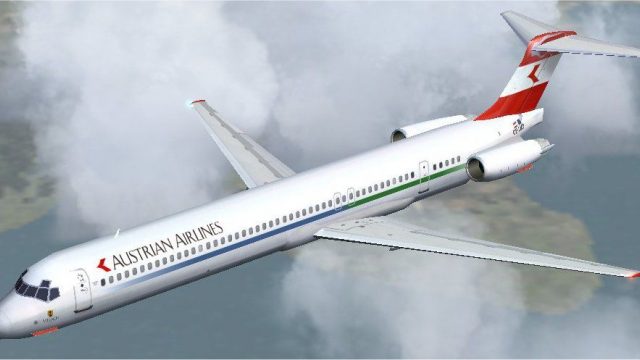
Austrian Airlines MD-82
Austrian Airlines MD-82, registration OE-LMA, "Linz". The McDonnell Douglas M…
Austrian Airlines McDonnell Douglas MD-83 brings authentic AI traffic to FS2004 with FSPainter’s v2 model, refined AI flight dynamics, and a crisp repaint supported by a detailed paint kit. Includes both clean and dirty texture sets plus an optional high-resolution night texture for more believable ramp and en-route visuals.
 Rate
Rate
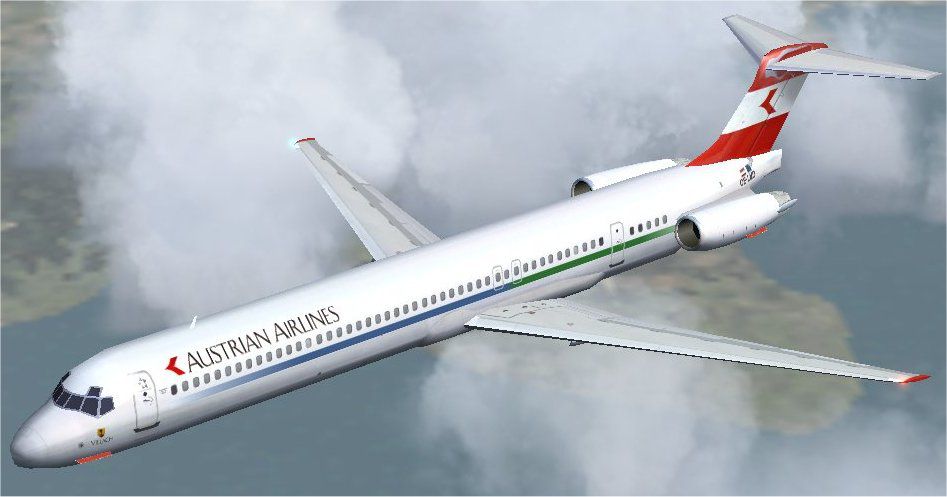
A McDonnell-Douglas MD83 from FSPainter designed primarily for AI traffic. The package includes the v2 model and both "clean" and "dirty" textures, based on detailed and precise paint kit from Antti Salo. Original model by FSPainter, AI flight dynamics by Hiro. Repaint by Imre Kiss.
The McDonnell Douglas MD–83, part of the MD–80 series, is a twin engine, short to medium range, commercial jet airliner. First released in January of 1983, the MD–83 features more powerful engines than its predecessors, as well as a somewhat increased range. Also now standard equipment is increased fuel tank capacity, with a total of 6,970 US gallons, split into two separate tanks. Newer, better landing gear has been added as well to cope with the new standard equipment. The MD–83 continues the McDonnell Douglas line of dependable commercial airliners with some much appreciated added performance to help get there a little faster.
Screenshot of Austrian Airlines MD-83 in flight.
Installation:
Simply unzip "FSP MD-83 Austrian" folder into your FS2004\aircraft directory, or unzip the file into temporary folder and then drag and drop the "FSP MD-83 Austrian" folder into your FS2004\Aircraft folder. The folder contains everything you need to get started.
If you prefer the high resolution night texture, replace "fsp_md81_l.bmp" in appropriate texture folder with the file provided in "High Res Night texture" folder. This texture is customized to Austrian Airlines paint, and slightly differs from the origin provided by Antti Salo in his paint kit.
If you already have FSP MD-81-82-83-88 aircraft, you can manually install this repaint by dropping the 'texture.aua' or 'texture.aua dirty' folder in the appropriate FSP MD 80 folder and copying and pasting the following into your aircraft.cfg:
[fltsim.X]

	title=FSP MD83 Austrian Airlines

	sim=fsp_md81

	model=

	panel=

	sound=

	texture=aua

	atc_id=OE-LMD

	atc_airline=Austrian

	atc_flight_number=83

	ui_manufacturer=AI_Plane

	ui_type="MD-83"

	ui_variation=Austrian Airlines

	description=REPAINT:Imre Kiss FD:hiro
[fltsim.X]

	title=FSP MD83 Austrian Airlines dirty

	sim=fsp_md81

	model=

	panel=

	sound=

	texture=aua dirty

	atc_id=OE-LMD

	atc_airline=Austrian

	atc_flight_number=83

	ui_manufacturer=AI_Plane

	ui_type="MD-83"

	ui_variation=Austrian Airlines (dirty)

	description=REPAINT:Imre Kiss FD:hiro
Remember to change the fltsim.x to the next available number in your aircraft.cfg.
Free for all simmers · 809.04 KB · Scanned clean Oct 2026
Download speed: Free tier is capped at 0.5 Mbps. PRO members download at full line speed.
FS9\Aircraft\, FS9\Addon Scenery\, FS9\Gauges\, or FS9\Effects\.readme.txt or README file. It tells you exactly where files go, what dependencies are needed, and any quirks specific to this add-on.The archive fsp83aua.zip has 23 files and directories contained within it.
This list displays the first 500 files in the package. If the package has more, you will need to download it to view them.
| Filename/Directory | File Date | File Size |
|---|---|---|
| FILE_ID.DIZ | 08.02.04 | 319 B |
| FSP MD-83 Austrian | 08.02.04 | 0 B |
| aircraft.cfg | 08.02.04 | 13.48 kB |
| fsp_md81.air | 11.02.03 | 8.94 kB |
| model | 08.02.04 | 0 B |
| fsp_md81v2.mdl | 11.01.03 | 352.68 kB |
| model.cfg | 04.18.03 | 29 B |
| sound | 08.02.04 | 0 B |
| sound.cfg | 04.18.01 | 53 B |
| texture.aua | 08.02.04 | 0 B |
| fsp_md81_l.bmp | 08.02.04 | 256.07 kB |
| fsp_md81_t.bmp | 07.31.04 | 1.00 MB |
| texture.aua dirty | 08.02.04 | 0 B |
| fsp_md81_l.bmp | 08.02.04 | 256.07 kB |
| fsp_md81_t.bmp | 07.31.04 | 1.00 MB |
| High Res Night texture | 08.02.04 | 0 B |
| fsp_md81_l.bmp | 08.02.04 | 1.00 MB |
| README.txt | 08.02.04 | 2.52 kB |
| screenshot.jpg | 07.31.04 | 54.54 kB |
| thumbnail.gif | 07.31.04 | 9.43 kB |
| fsp83aua | 08.02.04 | 0 B |
| flyawaysimulation.txt | 10.29.13 | 959 B |
| Go to Fly Away Simulation.url | 01.22.16 | 52 B |
Only PRO members can place votes.
More FS2004 add-ons hand-picked based on this download.
FS2004 Civil Jet Aircraft
Austrian Airlines MD-82, registration OE-LMA, "Linz". The McDonnell Douglas M…
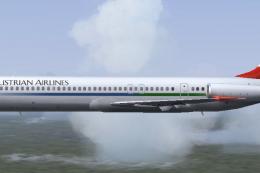 FS2004 Civil Jet Aircraft
A McDonnell-Douglas MD-87 from FSPainter designed primarily for AI traffic. T…
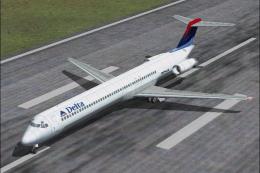 FS2004 Civil Jet Aircraft
This is a repaint of the default MD-83 in Delta Airlines new colours livery. …
 FS2004 Civil Jet Aircraft
N862GA The DC-9-83 (MD83) is a development of the earlier DC-9 series with ne…
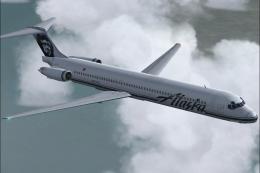 FS2004 Civil Jet Aircraft
A McDonnell Douglas MD83 from FSPainter designed primarily for AI traffic. Th…
 FS2004 Civil Jet Aircraft
A repaint of the Stewart Global Aircraft MD83 in the current American Airline…
 FS2004 Civil Jet Aircraft
Allegro is only the second Mexican airline to use this type of aircraft. Its …
 FS2004 Civil Jet Aircraft
A repaint of the McDonnell Douglas MD83 by SGA/FFX. Includes full aircraft, n…
Be the first to leave a comment on this download.
Be the first to share your thoughts on this download.