

 FS2004 Propeller Aircraft
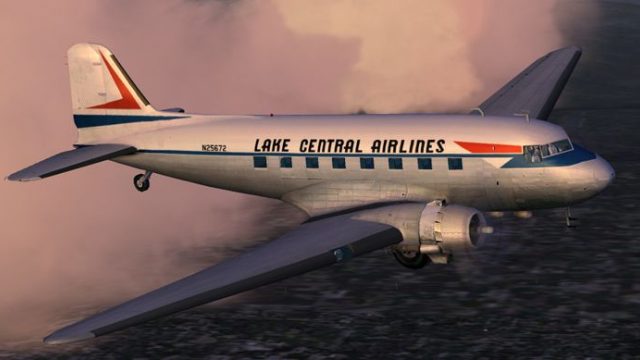
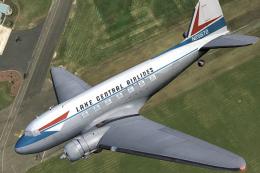
Lake Central Airlines DC-3 N25672
Based on repaint templates by Mark Beaumont and original textures by Jan Viss…
Lake Central Airlines colors bring classic Midwest regional character to the stock Douglas DC-3 in Microsoft Flight Simulator 2004, with carefully matched stripes, wing markings, and tail branding tuned to the model’s texture mapping. The repaint emphasizes period-correct details for convincing historic routes and requires the default DC-3 base aircraft.
 Rate
Rate

This specialized repaint adds a Lake Central Airlines color scheme to the stock Douglas DC-3 in Microsoft Flight Simulator 2004. It is designed by Ed Knapp and maintains a close alignment of stripes and accents despite texture mapping constraints. Enthusiasts seeking to recreate this historic Midwest airline’s aesthetic will find this livery both practical and detailed.
Lake Central Airlines served various regional routes in the United States for years, and by the mid-twentieth century had established a dependable reputation among local flyers. This reinterpretation of its livery showcases the carrier’s original paint layout, adapted as accurately as possible to the DC-3’s fuselage. Despite the inherent complexities of painting across multiple texture sheets, every effort has been made to capture the airline’s classic feel.
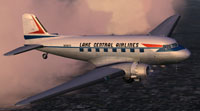
Lake Central Airlines DC-3 showcasing wing markings and tail branding in flight.
Texture Challenges: Aligning paint elements on both sides of the fuselage proves technically demanding due to how the default DC-3’s textures are mapped. This repaint minimizes visible seams and distortion, though slight offsets may still be observed up close.
Historic DC-3 Legacy: The Douglas DC-3—first flown in the 1930s—redefined air travel by introducing practical range, speed, and commercial profitability. It also provided early passenger conveniences such as onboard heating and running water. This classic model remains beloved among flight enthusiasts and collectors worldwide.
C:\Program Files\Microsoft Games\Flight Simulator 9\Aircraft\Douglas_DC3.
[fltsim.x]
title=Douglas DC-3 Lake Central
sim=Douglas_DC3
model=
panel=
sound=
texture=lake
kb_checklists=Douglas_DC3_check
kb_reference=Douglas_DC3_ref
atc_id_color=
ui_manufacturer=Douglas
ui_type="DC-3
ui_variation="Lake Central Airlines"
description="The Douglas DC-3 revolutionized air transportation and airline service during the 1930s and 1940s. It was a luxury airliner that boasted cabin heat and running water in its on-board lavatory. With the right balance of efficiency, range, speed, and payload, the DC-3 was the first aircraft to earn a profit for its owners just by carrying passengers. The hero of early airlines, a handful of DC-3s are still at work today."
[fltsim.x] with the next sequential number in your aircraft.cfg series.This repaint is provided as a standalone texture set intended for the default DC-3. However, it requires the freeware base model, which should be accessible in the Fly Away Simulation library. Ensure you have the appropriate files installed before flying in this distinctive midcentury livery.
The creator of this Lake Central Airlines repaint, Ed Knapp, meticulously adapted the design to fit the DC-3’s contours. His attention to detail helps flight simulation enthusiasts enjoy a piece of American regional aviation history within their virtual cockpit experiences.
Free for all simmers · 1.83 MB · Scanned clean Oct 2026
Download speed: Free tier is capped at 0.5 Mbps. PRO members download at full line speed.
FS9\Aircraft\, FS9\Addon Scenery\, FS9\Gauges\, or FS9\Effects\.readme.txt or README file. It tells you exactly where files go, what dependencies are needed, and any quirks specific to this add-on.The archive lake_dc3.zip has 15 files and directories contained within it.
This list displays the first 500 files in the package. If the package has more, you will need to download it to view them.
| Filename/Directory | File Date | File Size |
|---|---|---|
| read me.txt | 10.02.03 | 2.00 kB |
| Douglas_DC3_1_C.bmp | 04.29.03 | 682.74 kB |
| Douglas_DC3_1_D.bmp | 04.12.03 | 682.74 kB |
| Douglas_DC3_1_T.bmp | 10.01.03 | 1.00 MB |
| Douglas_DC3_2_C.bmp | 04.29.03 | 170.74 kB |
| Douglas_DC3_2_T.bmp | 04.28.03 | 341.40 kB |
| Douglas_DC3_3_C.bmp | 04.29.03 | 42.74 kB |
| Prop_DC3.bmp | 03.09.03 | 341.40 kB |
| Thumbs.db | 09.24.03 | 5.00 kB |
| texture.lake | 10.02.03 | 0 B |
| File_id.diz | 10.02.03 | 142 B |
| lca.gif | 10.02.03 | 6.15 kB |
| lca.jpg | 10.02.03 | 149.97 kB |
| flyawaysimulation.txt | 10.29.13 | 959 B |
| Go to Fly Away Simulation.url | 01.22.16 | 52 B |
Only PRO members can place votes.
More FS2004 add-ons hand-picked based on this download.
FS2004 Propeller Aircraft
Based on repaint templates by Mark Beaumont and original textures by Jan Viss…
 FS2004 Propeller Aircraft
These textures depict N73151 about 1962. Textures for Tom Gibson / Greg Peppe…
 FS2004 Propeller Aircraft
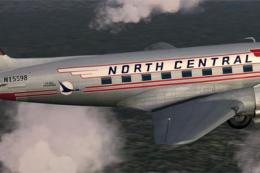
Enhance your collection in Microsoft Flight Simulator 2004 with this freeware…
 FS2004 Propeller Aircraft
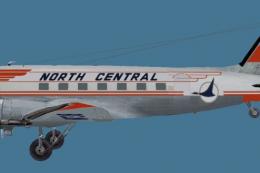
This repaint offers a faithful representation of the classic North Central Ai…
 FS2004 Propeller Aircraft
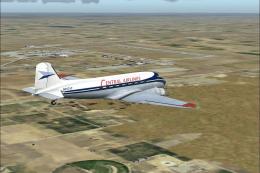
This unique package brings a meticulously crafted Central Airlines Douglas DC…
 FS2004 Propeller Aircraft
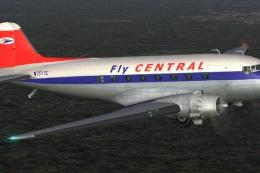
A repaint of the default DC3 in Central Airlines livery. Textures only. By Mi…
 FS2004 Propeller Aircraft
This freeware package provides a high-fidelity repaint of the Douglas DC-3A i…
 FS2004 Propeller Aircraft
This freeware repaint showcases a vintage Central Airlines livery from the 19…
Be the first to leave a comment on this download.
Be the first to share your thoughts on this download.