

 FS2004 Propeller Aircraft
North Central Airlines Douglas DC-3
This repaint offers a faithful representation of the classic North Central Ai…
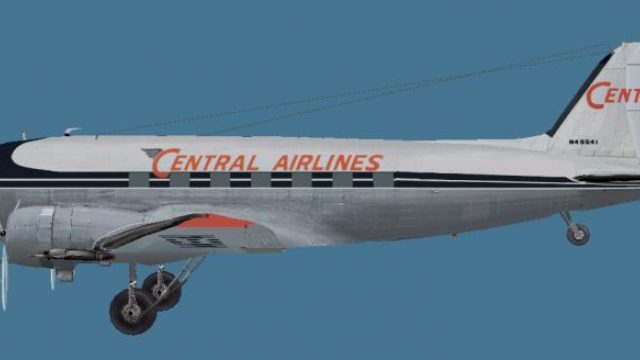
Central Airlines’ classic Douglas DC-3A livery brings a period-correct U.S. regional look to Microsoft Flight Simulator 2004, with carefully matched markings, crisp panel lines, and subtle rivet and weathering detail for an authentic vintage finish. It requires the MAAM-SIM DC-3 base model to fly in-sim.
 Rate
Rate
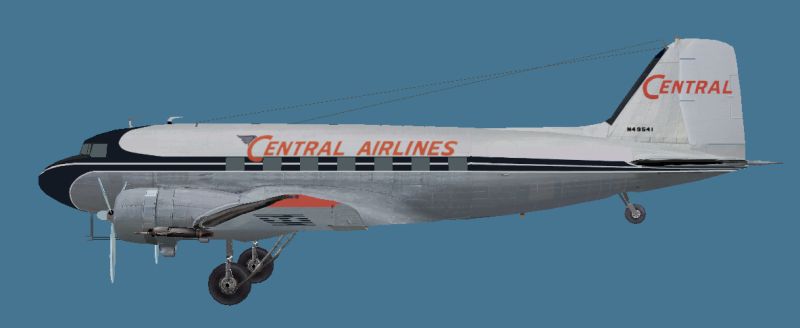
This freeware package provides a high-fidelity repaint of the Douglas DC-3A in Central Airlines colors for use with Microsoft Flight Simulator 2004. Originally designed by the team at Mid Atlantic Air Museum Simulations and brought to life by Dave McQueen, this livery calls back to a historical U.S. regional carrier that operated from the 1940s and later became part of a larger network. This repaint does not include the payware MAAM-SIM DC-3 base model itself, which must be obtained separately from the appropriate vendor (e.g., SimShack).
The iconic DC-3 airframe played a significant role in shaping commercial aviation, and Central Airlines was one of many carriers that operated this dependable workhorse. The DC-3 was heralded for its versatile design and was equally adept at transporting passengers and cargo. With this particular repaint, the vintage charm of Central Airlines is recreated for avid flight simulation enthusiasts seeking an immersive retro experience.

Side profile view of Central Airlines Douglas DC-3.
Before installing the repaint, ensure that the payware Mid Atlantic Air Museum Simulations DC-3 is properly set up (often referred to as the MAAM-SIM DC-3). The core folder structure and model file name can vary depending on how it was installed. In many cases, the model folder uses “maam” as its reference, but you may need to update certain parameters if you see something different in your setup.
[fltsim.XX]

title=Douglas DC-3A Central

sim=MaamSim_DC3

model=maam

panel=

sound=

texture=cen

kb_checklists=checkloader

kb_reference=DC-3_ref

atc_id=

ui_manufacturer=Douglas

ui_type=MAAM-SIM DC-3 - Passenger

ui_variation=Central

atc_heavy=0

atc_airline=Central

atc_flight_number=47

description=To operate this aircraft, refer to the User's Manual with instructional videos on the MAAM-SIM R4D/DC-3 CD as well as the detailed kneeboard reference pages and checklists.
The “model=maam” entry may differ within your file structure, so check your existing model folder name if this setting does not work correctly. By adhering to these steps, your new Central Airlines DC-3 repaint will be ready to go within Microsoft Flight Simulator 2004.
Free for all simmers · 837.63 KB · Scanned clean Oct 2026
Download speed: Free tier is capped at 0.5 Mbps. PRO members download at full line speed.
FS9\Aircraft\, FS9\Addon Scenery\, FS9\Gauges\, or FS9\Effects\.readme.txt or README file. It tells you exactly where files go, what dependencies are needed, and any quirks specific to this add-on.The archive central.zip has 8 files and directories contained within it.
This list displays the first 500 files in the package. If the package has more, you will need to download it to view them.
| Filename/Directory | File Date | File Size |
|---|---|---|
| Central.jpg | 02.23.11 | 21.06 kB |
| bm_fuse_1_t.bmp | 02.15.11 | 1.00 MB |
| bm_fuse_2_t.bmp | 02.01.11 | 1.00 MB |
| glas_t.bmp | 02.18.11 | 16.07 kB |
| hsurf_t.bmp | 02.01.11 | 1.00 MB |
| README.txt | 02.24.11 | 4.27 kB |
| flyawaysimulation.txt | 10.29.13 | 959 B |
| Go to Fly Away Simulation.url | 01.22.16 | 52 B |
Only PRO members can place votes.
More FS2004 add-ons hand-picked based on this download.
FS2004 Propeller Aircraft
This repaint offers a faithful representation of the classic North Central Ai…
 FS2004 Propeller Aircraft
This unique package brings a meticulously crafted Central Airlines Douglas DC…
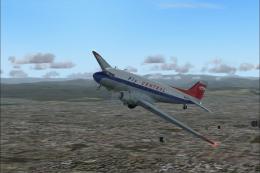 FS2004 Propeller Aircraft
This freeware repaint showcases a vintage Central Airlines livery from the 19…
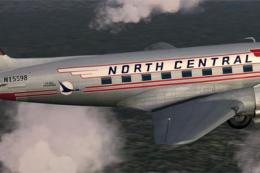 FS2004 Propeller Aircraft
Enhance your collection in Microsoft Flight Simulator 2004 with this freeware…
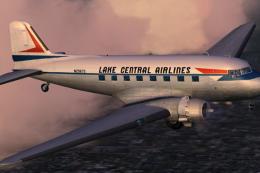 FS2004 Propeller Aircraft
This specialized repaint adds a Lake Central Airlines color scheme to the sto…
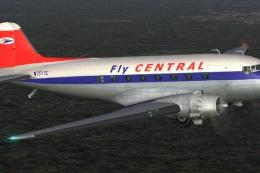 FS2004 Propeller Aircraft
A repaint of the default DC3 in Central Airlines livery. Textures only. By Mi…
 FS2004 Propeller Aircraft
Based on repaint templates by Mark Beaumont and original textures by Jan Viss…
 FS2004 Propeller Aircraft
This freeware repaint showcases the Central Airlines Convair CV-240 (VBF CA-1…
Be the first to leave a comment on this download.
Be the first to share your thoughts on this download.