

 FS2004 Propeller Aircraft
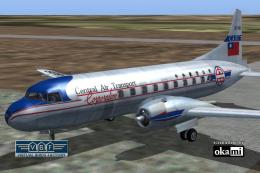
Central Airlines Convair CV-240 VBF CA-18
This freeware repaint showcases the Central Airlines Convair CV-240 (VBF CA-1…
Pakistan International Airlines Convair CV-240 livery brings a classic 1950s look to the Greg Pepper and Tom Gibson airliner, with authentic markings for regional and domestic operations and a detailed finish for the virtual cockpit view. Designed for FS2004, textures only, requires the original CV-240 base aircraft.
 Rate
Rate
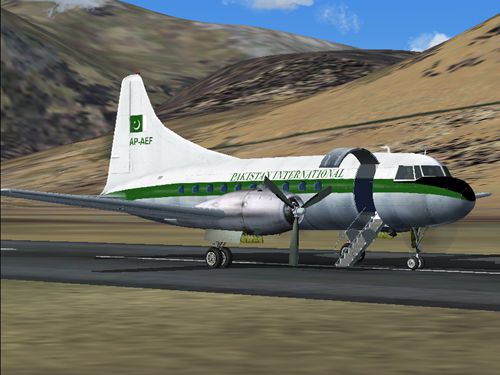
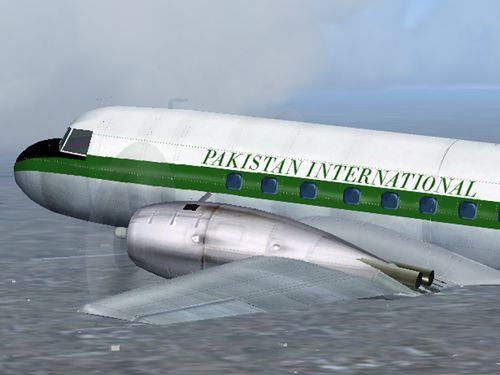
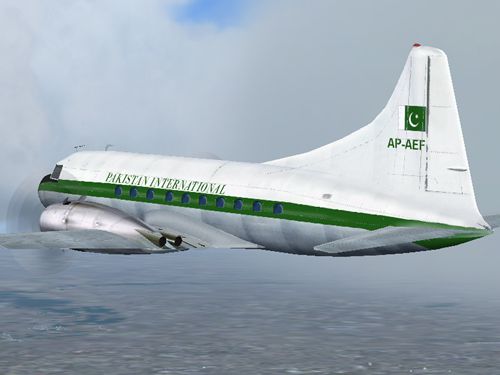
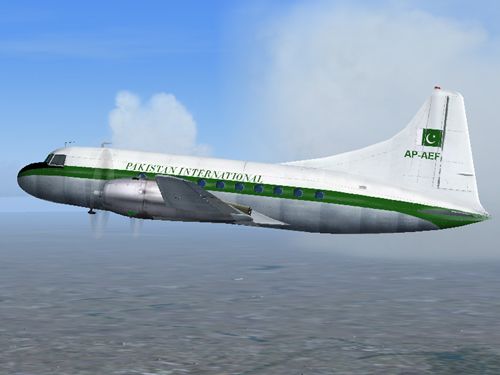
A repaint of Greg Pepper and Tom Gibson's Convair CV240 in Pakistan International Airlines livery. Textures only. Repaint by Azhar Munir.
Screenshot of PIA Convair CV 240 in flight.
ORIENT AIRWAYS was formed on 23 October 1946 for charter services. The airline was owned by Mohammedans and so. With partition with India Orient Airways found much work moving people between West & East Pakistan now known as Bangladaish. Orient introduced Convair 240 twins in May 1949 but it's operations gradually tailed off giving the need for the new Pakistan carrier Pakistan International Airlines Corporation which was founded in 1951.
PIA merged with Orient Airways on 1st Oct 1953, where PIA took over Orient's assets from 11th March 1955. PIA operated the fleet of Convair 240s and DC-3s on regional and domestic routes.
Installation:
Unzip this file in to your FS aircraft/cv240/ folder, first you need the original aircraft.
Copy this in aircraft.cfg, have fun.
[fltsim.xx]

	title=CV-240 Pakistan International

	sim=cv240

	model=

	panel=

	sound=

	texture=pia

	kb_checklists=CV240_check

	kb_reference=CV240_ref

	atc_id=

	atc_airline=Pakistani

	atc_flight_number=AP-AEF

	ui_manufacturer=Convair

	ui_type=CV-240

	ui_variation=PIA 50s

	description=Notes: The Convair Liner series was begun by American Air Lines, transforming the prototype CV-110 into the CV-240. This created the first pressurized twin airliner, and began the very successful Convair-Liner series. Repainted by Azhar Munir.

	prop_anim_ratio=0.9

	atc_parking_types=RAMP

	atc_parking_codes=PIA
Free for all simmers · 2.05 MB · Scanned clean Oct 2026
Download speed: Free tier is capped at 0.5 Mbps. PRO members download at full line speed.
FS9\Aircraft\, FS9\Addon Scenery\, FS9\Gauges\, or FS9\Effects\.readme.txt or README file. It tells you exactly where files go, what dependencies are needed, and any quirks specific to this add-on.The archive piacv240.zip has 24 files and directories contained within it.
This list displays the first 500 files in the package. If the package has more, you will need to download it to view them.
| Filename/Directory | File Date | File Size |
|---|---|---|
| cv240.gif | 06.09.04 | 9.60 kB |
| cv240_1.jpg | 06.09.04 | 120.23 kB |
| cv240_2.jpg | 06.09.04 | 117.99 kB |
| cv240_3.jpg | 06.09.04 | 169.86 kB |
| cv240_4.jpg | 06.09.04 | 139.10 kB |
| FILE_ID.diz | 06.09.04 | 184 B |
| read_me.txt | 06.09.04 | 1.79 kB |
| texture.pia | 06.09.04 | 0 B |
| cv240-3.bmp | 02.09.03 | 170.75 kB |
| cv240-4.bmp | 12.15.02 | 341.43 kB |
| cv240cowl_L.bmp | 10.13.02 | 85.43 kB |
| cv240cowl_t.bmp | 06.07.04 | 341.40 kB |
| cv240leftaft_L.bmp | 06.09.04 | 1.00 MB |
| cv240leftaft_t.bmp | 06.07.04 | 1.00 MB |
| cv240leftfwd_L.bmp | 06.09.04 | 1.00 MB |
| cv240leftfwd_t.bmp | 06.07.04 | 1.00 MB |
| cv240rightaft_L.bmp | 06.09.04 | 1.00 MB |
| cv240rightaft_t.bmp | 06.07.04 | 1.00 MB |
| cv240rightfwd_L.bmp | 06.09.04 | 1.00 MB |
| cv240rightfwd_t.bmp | 06.07.04 | 1.00 MB |
| spin_prop.bmp | 09.25.02 | 64.07 kB |
| VClightmap_L.bmp | 09.08.02 | 64.07 kB |
| flyawaysimulation.txt | 10.29.13 | 959 B |
| Go to Fly Away Simulation.url | 01.22.16 | 52 B |
Only PRO members can place votes.
More FS2004 add-ons hand-picked based on this download.
FS2004 Propeller Aircraft
This freeware repaint showcases the Central Airlines Convair CV-240 (VBF CA-1…
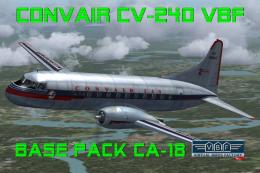 FS2004 Propeller Aircraft
This free package features a meticulously re-created early twin-prop airliner…
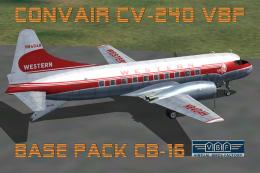 FS2004 Propeller Aircraft
Immerse yourself in the realm of classic aviation with this freeware package …
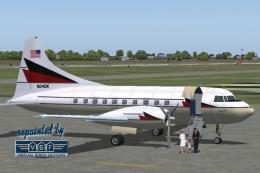 FS2004 Propeller Aircraft
Built in 1948 for American Airlines with Msn 89. In 1959 purchased by Welsch …
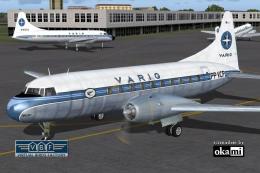 FS2004 Propeller Aircraft
This repaint package offers a historically significant VARIG Convair CV-240 f…
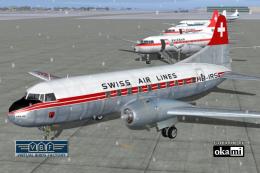 FS2004 Propeller Aircraft
This repaint showcases Swiss Air Lines’ Convair CV-240-11, originally bearing…
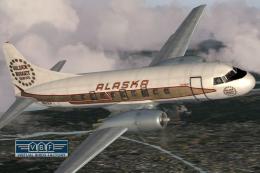 FS2004 Propeller Aircraft
This repaint showcases the Convair CV-240 VBF (registration N51331) sporting …
 FS2004 Propeller Aircraft
Convair CV-240-14, cn 129, completed on January 1, 1949. Delivered to CATC on…
Be the first to leave a comment on this download.
Be the first to share your thoughts on this download.