

 FS2004 Propeller Aircraft
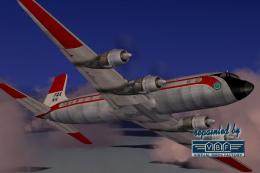
FAA Douglas DC-6B N115
Registration N115, cn 45174. One of two DC-6Bs for research/development, inte…
Federal Aviation Administration livery textures recreate Douglas DC-3/C-47 registration N74 with period-correct markings and subtle operational wear for authentic early-1960s ramp presence in Microsoft Flight Simulator 2004. Designed for the default DC-3, it requires the base aircraft model and brings historically inspired color placement and insignia to the fuselage and tail.
 Rate
Rate
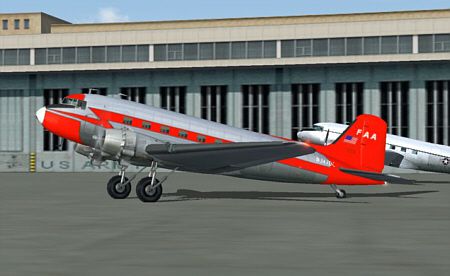
Immerse yourself in a carefully detailed Federal Aviation Administration repaint for the Douglas DC-3/C-47, crafted by Dale Deluca for Microsoft Flight Simulator 2004. This add-on offers an approximation of the FAA livery once seen on aircraft registration N74, which served flights to Berlin-Tempelhof around 1963. Although certain default texture limitations in the simulator prevent the display of correct registration graphics on both wing surfaces and ensure a mirror reversal on the rudder, the repaint otherwise adheres closely to the historic scheme.
FAA Douglas DC-3/C-47 depicted in realistic weathering on tarmac.
The venerable DC-3, recognized by many as the C-47 in military service, revolutionized air transport in the mid-20th century. It combined reliable performance with passenger comforts, including climate control and functional amenities. Over the decades, this robust design remained active in various operations, including those under the Federal Aviation Administration’s oversight. While the default simulator model imposes some symmetry restrictions, the repaint incorporates historically inspired markings in all other respects.
Technical Constraint: Since the original DC-3 model in FS2004 offers only single-sided map files, this repaint inherits reversed markings on one rudder side and lacks distinct wing lettering. These limitations are inherent to the simulator’s default texture mapping and do not reflect any oversight by the developer.
Despite that, the fuselage features accurate color placement and registration details, making it a visually compelling addition to any DC-3 collection.
Flight Simulator 9/Aircraft/Douglas_DC3 and duplicate the entire texture folder. Rename this copy to texture.faa.Douglas_DC3_1_T.bmp. Move it into texture.faa, overwriting the existing file.AIRCRAFT.CFG file in Douglas_DC3.AIRCRAFT.CFG and scroll to the bottom of your existing [flightsim.xxx] entries.
[fltsim.xxx]
title=Douglas DC-3 FAA
sim=Douglas_DC3
model=
panel=
sound=
texture=faa
kb_checklists=Douglas_DC3_check
kb_reference=Douglas_DC3_ref
atc_id=N90908
atc_id_color=0xffffffff
ui_manufacturer=Douglas
ui_type="DC-3"
ui_variation=Federal Administration Aviation (FAA)
description="The Douglas DC-3 revolutionized air transportation and airline service during the 1930s and 1940s. It was a luxury airliner that boasted cabin heat and running water in its on-board lavatory. With the right balance of efficiency, range, speed, and payload, the DC-3 was the first aircraft to earn a profit for its owners just by carrying passengers. The hero of early airlines, a handful of DC-3s are still at work today."
This freeware repaint package only provides revised textures for the default Douglas DC-3 in Microsoft Flight Simulator 2004. You will need to download and have the base model in your library prior to installing these files. Although the visual details cannot perfectly replicate markings on the wings due to single-sided bitmaps, the essence of the FAA operator’s design remains represented throughout the fuselage. Enjoy taking this historical aircraft into the virtual skies.
Free for all simmers · 617.09 KB · Scanned clean Oct 2026
Download speed: Free tier is capped at 0.5 Mbps. PRO members download at full line speed.
FS9\Aircraft\, FS9\Addon Scenery\, FS9\Gauges\, or FS9\Effects\.readme.txt or README file. It tells you exactly where files go, what dependencies are needed, and any quirks specific to this add-on.The archive dc3faa.zip has 7 files and directories contained within it.
This list displays the first 500 files in the package. If the package has more, you will need to download it to view them.
| Filename/Directory | File Date | File Size |
|---|---|---|
| Douglas_DC3_1_T.bmp | 01.03.04 | 1.33 MB |
| file_id.diz | 01.03.04 | 165 B |
| README.txt | 01.03.04 | 5.11 kB |
| dc3faa.gif | 01.03.04 | 9.76 kB |
| dc3faa.jpg | 01.03.04 | 67.58 kB |
| flyawaysimulation.txt | 10.29.13 | 959 B |
| Go to Fly Away Simulation.url | 01.22.16 | 52 B |
Only PRO members can place votes.
More FS2004 add-ons hand-picked based on this download.
FS2004 Propeller Aircraft
Registration N115, cn 45174. One of two DC-6Bs for research/development, inte…
 FS2004 Propeller Aircraft
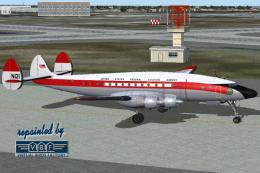
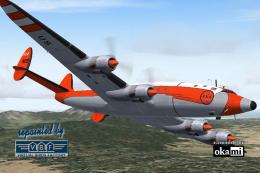
Lockheed L-749, registration N121, c/n 2654, named "Pacific Queen". Delivered…
 FS2004 Propeller Aircraft
Lockheed L-749 c/n 2612 built as one of two PO-1WL (WV-1), essentially protot…
 FS2004 Propeller Aircraft
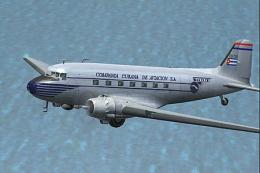
Compania Nacional Cubana de Aviacion, registration CU-T38. Cubana had three D…
 FS2004 Propeller Aircraft
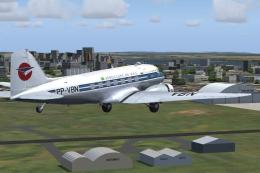
This repaint offers a meticulously detailed exterior for the Douglas C-47/DC-…
 FS2004 Propeller Aircraft
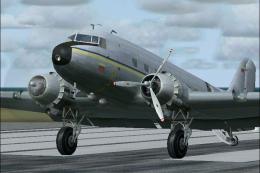
Originally delivered to the USAF in 1943, this C47 YV-500C was the airplane t…
 FS2004 Propeller Aircraft
A Repaint by Luiz Foernges over C-47 originals from MAAM and Jan Visser. Need…
 FS2004 Propeller Aircraft
This repaint package introduces a fresh livery (v2.0) for the enduring Dougla…
Be the first to leave a comment on this download.
Be the first to share your thoughts on this download.