

 FS2004 Propeller Aircraft
Canadian Pacific Airlines Curtiss C-46
Canadian Pacific Airlines Curtiss C-46. By Wayne Tudor. Screenshot of Canadia…
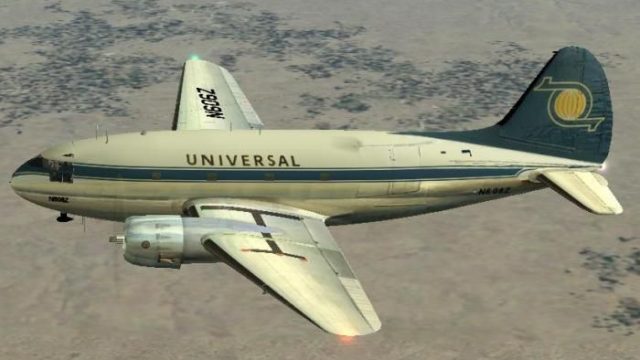
Universal Airlines livery for the Curtiss C-46 Commando brings a mid-1960s cargo and charter look with period-correct markings and crisp exterior textures. Built for Microsoft Flight Simulator 2004 and also compatible with Microsoft Flight Simulator X, it requires the c46ga.zip base aircraft and adds an authentic historic variation to the classic piston transport.
 Rate
Rate
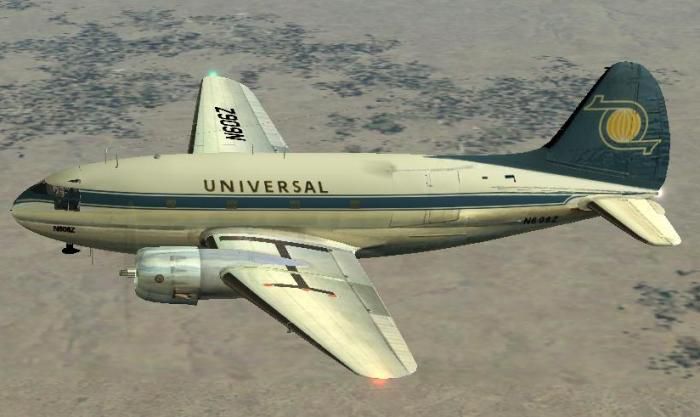
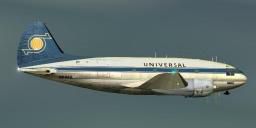
This freeware repaint showcases a Universal Airlines livery for the classic Curtiss C-46 Commando, bringing a 1960s-era cargo and passenger operator scheme to your virtual hangar. Designed for Microsoft Flight Simulator 2004 (FS2004) but also known to work with Microsoft Flight Simulator X, it requires the base package (c46ga.zip) by Libardo Guzman, Greg Pepper, and Tom Gibson. The repaint itself is contributed by Dave McQueen, reflecting the airline’s short-lived but noteworthy presence in aviation history.
The Curtiss C-46 Commando first emerged as a pressurized high-altitude transport concept. Early variants proved invaluable during wartime service, particularly over treacherous routes in Asia. After World War II, it found civil applications under various carriers, including some cargo-focused operators. Universal Airlines, as depicted here, functioned in the mid-1960s, typically flying freight and irregular passenger charters using durable piston-engine transports like the C-46. This new texture pack replicates one such design, showcasing a distinctive fuselage marking and period-correct details.
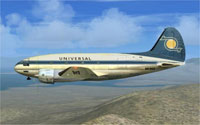
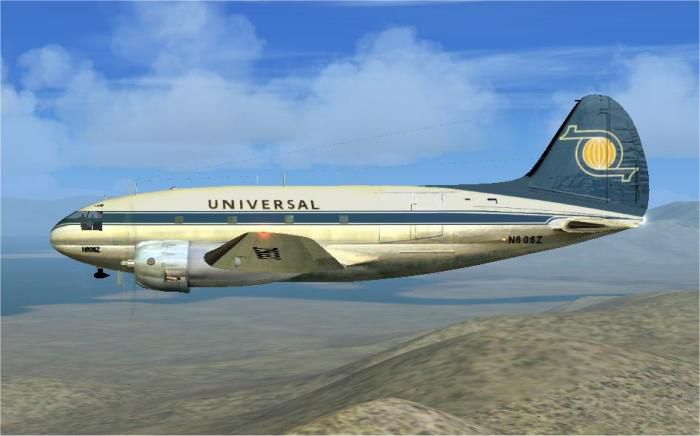
Side profile of the Universal Airlines Curtiss C-46 in cruise.
[fltsim.13]

title=C46A Universal

sim=C46A

model=

panel=

sound=

texture=zantop

kb_checklists=

kb_reference=c46_ref

atc_id=N606Z

atc_id_color=0x00000000

atc_id_font=Verdana, -11, 1, 600, 0

ui_manufacturer=Curtiss

ui_type=C-46A Commando

ui_variation=Universal

atc_airline=Universal

atc_flight_number=06Z

atc_heavy=0

description=Curtiss C-46A\Universal circa 1966\Repaint by Dave McQueen\Thanks to Tom Gibson and the team at California Classic for sharing this wonderful airplane with us.
This repaint serves only as an additional texture. You will require the complete aircraft model from c46ga.zip to operate it correctly in your simulator. With the steps completed, you should see a Universal Airlines variation among your C-46 liveries in-game.
Free for all simmers · 2.49 MB · Scanned clean Oct 2026
Download speed: Free tier is capped at 0.5 Mbps. PRO members download at full line speed.
This file is a repaint — the package below is the base model it paints onto. Install it first, or the textures will have nothing to load onto.
FS9\Aircraft\, FS9\Addon Scenery\, FS9\Gauges\, or FS9\Effects\.readme.txt or README file. It tells you exactly where files go, what dependencies are needed, and any quirks specific to this add-on.The archive unic46.zip has 28 files and directories contained within it.
This list displays the first 500 files in the package. If the package has more, you will need to download it to view them.
| Filename/Directory | File Date | File Size |
|---|---|---|
| uni.gif | 04.11.07 | 10.98 kB |
| uni2.jpg | 04.11.07 | 39.69 kB |
| uni1.jpg | 04.11.07 | 34.78 kB |
| $vc_panel01.bmp | 02.06.07 | 3.00 MB |
| c46_cockpit.bmp | 12.27.05 | 1.00 MB |
| c46_cockpit_L.bmp | 02.09.07 | 1.00 MB |
| c46_cockpit_t.bmp | 02.12.04 | 1.00 MB |
| c46_fuselage_L.bmp | 03.16.07 | 512.07 kB |
| c46_fuselage_t.bmp | 04.10.07 | 1.00 MB |
| c46_L_cowl_L.bmp | 12.03.05 | 256.07 kB |
| c46_L_cowl_t.bmp | 11.22.05 | 256.07 kB |
| c46_R_cowl_L.bmp | 12.03.05 | 256.07 kB |
| c46_R_cowl_t.bmp | 11.22.05 | 256.07 kB |
| c46_wing2_L.bmp | 12.02.05 | 1.00 MB |
| c46_wing2_t.bmp | 04.10.07 | 1.00 MB |
| c46_wing_L.bmp | 12.03.05 | 256.07 kB |
| c46_wing_t.bmp | 04.10.07 | 1.00 MB |
| faces_L.bmp | 02.08.07 | 256.07 kB |
| faces_t.bmp | 02.08.07 | 256.07 kB |
| panel_L.bmp | 02.15.07 | 1.00 MB |
| panel_t.bmp | 02.15.07 | 1.00 MB |
| spin_prop.bmp | 12.29.01 | 65.07 kB |
| thumbnail.jpg | 04.11.07 | 3.97 kB |
| vc_panel01_L.bmp | 03.04.07 | 1.00 MB |
| texture.zantop | 04.11.07 | 0 B |
| Readme.txt | 04.11.07 | 3.28 kB |
| flyawaysimulation.txt | 10.29.13 | 959 B |
| Go to Fly Away Simulation.url | 01.22.16 | 52 B |
Only PRO members can place votes.
More FS2004 add-ons hand-picked based on this download.
FS2004 Propeller Aircraft
Canadian Pacific Airlines Curtiss C-46. By Wayne Tudor. Screenshot of Canadia…
 FS2004 Propeller Aircraft
Texture files for Transportes Aereos Nacionales of Honduras in the mid 1950's…
 FS2004 Propeller Aircraft
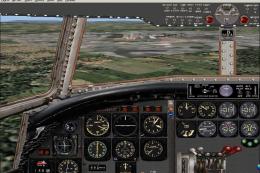
This is a modification of Libardo Guzman's C-46 version 1. Gmax modifications…
 FS2004 Propeller Aircraft
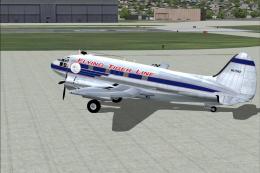
Features reflective textures, full animation, rolling wheels, opening cargo a…
 FS2004 Propeller Aircraft
This is a repaint (and complete package) of J.R. Lucariny's Curtiss C-46 Comm…
 FS2004 Propeller Aircraft
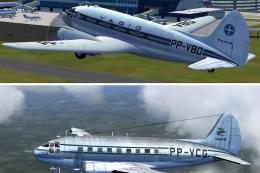
Two Varig textures by Luiz Foernges. Model and panel by J.R. Lucariny. Screen…
 FS2004 Propeller Aircraft
Features reflective textures, full animation, rolling wheels, opening cargo a…
 FS2004 Propeller Aircraft
For use with C46.ZIP. This will fix the problems with the panel. By Paulo Afo…
Be the first to leave a comment on this download.
Be the first to share your thoughts on this download.