

 FSX Misc
Flight Plan For OB-9 Bayshore Michigan
Experience a carefully planned IFR high-speed, low-level military training fl…
OB-18 La Junta, Colorado delivers a fast, low-level IFR military training route across Colorado, New Mexico, Texas, and Oklahoma, built for high-performance jets and heavy bombers alike in Microsoft Flight Simulator X. It includes Terrain Following Radar and Pave Tack gauges, plus an optional v2.1 mini panel that streamlines both systems for realistic navigation, reconnaissance, and targeting.
 Rate
Rate
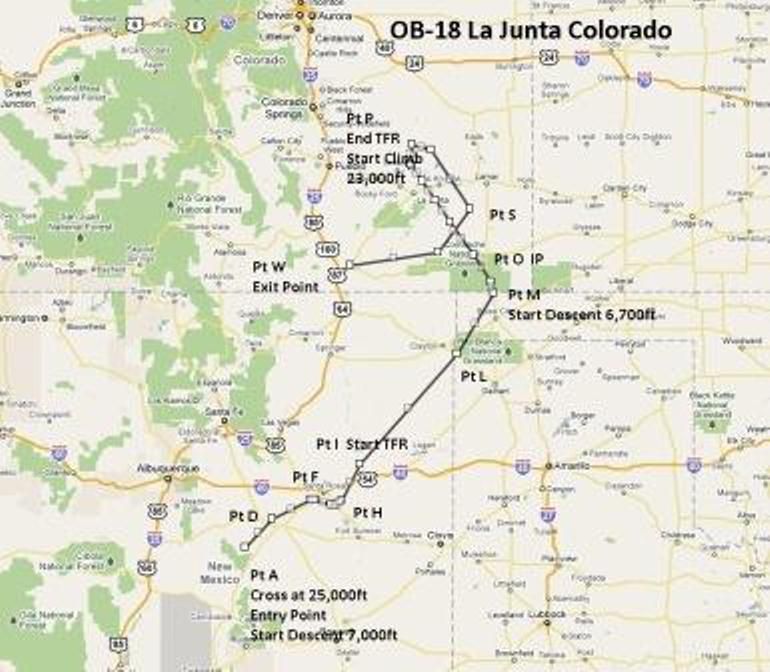
This comprehensive package offers a meticulously designed IFR high-speed, low-altitude military training route that begins near La Junta in Colorado and weaves through mixed landscapes in New Mexico, Texas, Oklahoma, and Colorado. Created by Bill McClellan, it is intended for Microsoft Flight Simulator X and provides a clear, structured flight path that enthusiasts of high-performance military aircraft will find invaluable. In particular, it is tailored for challenging operations with bombers and fighters such as the B-52, F-111, B-1B, B-2, A6, A4, or even the Vulcan. Still, it remains equally suited for any aircraft you might prefer to fly.
When planning your approach, take into account the flight plan’s low-altitude contours and high-velocity requirements. This route encourages you to exercise an aircraft’s full performance envelope, especially if you use strategic bombers with extensive operational ranges, such as the B-52 or B-1B. Likewise, advanced jets like the F-111 or Vulcan can benefit from this realistic terrain-following challenge.
Thanks to the TFR and the Pave Tack gauges, managing altitude and target spotting is straightforward. Pilots who appreciate immersion will enjoy the complexity of maintaining IFR conditions while swiftly traversing valleys and plateaus.
During each phase of the flight, you will experience transitions between the arid sections in New Mexico and the more temperate zones in Colorado, creating a varied backdrop for instrument practice. This complexity adds multiple layers of engagement and encourages close attention to changing weather patterns across state lines.
Visual depiction of the planned route system.
Although this flight plan is already extensive, flight simulation fans seeking advanced instrumentation can fly with expanded cockpit tools. By adding the v2.1 mini panel, you integrate both TFR and Pave Tack gauges for a more convenient experience, making low-level bombing runs, reconnaissance, and regional transitions smoother.
Bill McClellan is the primary developer of this flight plan, and Karol Chlebowski provided the key gauges that transform the experience into an immersive training environment. Their collaboration delivers a top-tier freeware package that emphasizes realistic mission execution and navigational complexity in Microsoft Flight Simulator X.
Free for all simmers · 661.6 KB · Scanned clean Sep 2026
Download speed: Free tier is capped at 0.5 Mbps. PRO members download at full line speed.
FSX\Missions\ as a sub-folder. The folder must contain an XML file describing the mission.readme.txt or README file. It tells you exactly where files go, what dependencies are needed, and any quirks specific to this add-on.The archive ob-18_lajunta_co.zip has 15 files and directories contained within it.
This list displays the first 500 files in the package. If the package has more, you will need to download it to view them.
| Filename/Directory | File Date | File Size |
|---|---|---|
| Approaching IP OB-18 La Junta Colorado.FSSAVE | 07.09.11 | 112.09 kB |
| Approaching IP OB-18 La Junta Colorado.WX | 07.09.11 | 325.89 kB |
| Entering OB-18 La Junta Colorado.FLT | 07.09.11 | 18.50 kB |
| Entering OB-18 La Junta Colorado.FSSAVE | 07.09.11 | 85.99 kB |
| Entering OB-18 La Junta Colorado.WX | 07.09.11 | 341.45 kB |
| OB-18 La Junta CO.jpg | 07.09.11 | 74.54 kB |
| OB-18 Lajunta CO.pln | 07.09.11 | 2.93 kB |
| Pave Tack Notes.doc | 06.16.11 | 327.50 kB |
| Pave Tack.cab | 07.05.11 | 633.89 kB |
| Read Me.txt | 07.09.11 | 12.30 kB |
| Targets OB-18 LaJunta.bgl | 07.01.11 | 3.05 kB |
| TFR.cab | 07.02.11 | 9.88 kB |
| Approaching IP OB-18 La Junta Colorado.FLT | 07.09.11 | 18.59 kB |
| flyawaysimulation.txt | 10.29.13 | 959 B |
| Go to Fly Away Simulation.url | 01.22.16 | 52 B |
Only PRO members can place votes.
More FSX & P3D add-ons hand-picked based on this download.
FSX Misc
Experience a carefully planned IFR high-speed, low-level military training fl…
 FSX Misc
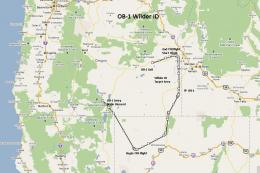
This freeware release introduces a detailed IFR high-speed, low-level militar…
 FSX Misc
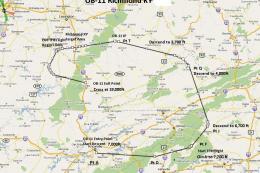
This freeware add-on delivers a meticulously crafted IFR, high-speed, low-lev…
 FSX Misc
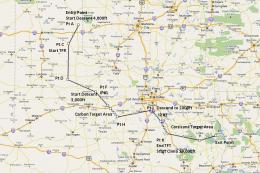
This new freeware package provides a carefully crafted IFR (Instrument Flight…
 FSX Misc
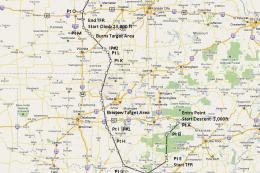
This carefully designed flight plan offers an immersive low-level, high-speed…
 FSX Misc
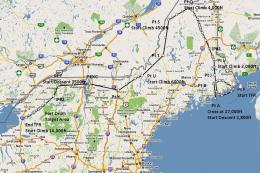
Flight plan for OB-27 Ashland ME and Fort Drum NY IFR high speed low altitude…
 FSX Misc
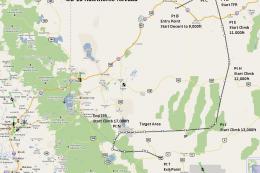
This freeware add-on introduces a demanding IFR route designed for high-speed…
 FSX Misc
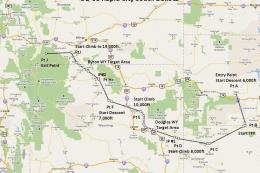
Experience an extensive high-speed IFR training circuit that spans dramatic e…
Be the first to leave a comment on this download.
Be the first to share your thoughts on this download.