


FSX Aircraft Fuel Dump Effects
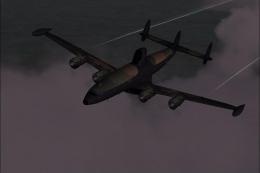
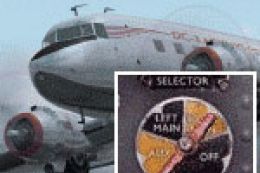
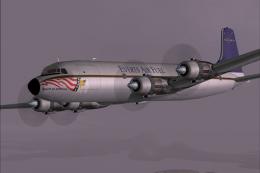
Aircraft fuel dumping becomes fully functional in FSX with a convincing vapor trail effect that appears behind the airframe during release. A cockpit warning tone adds extra realism and shifts character as the dump valves close, making the system easy to monitor while remaining compatible with a wide range of aircraft.
 Prepar3D
- File: fsx_aircraft_fueldump_effect.zip
- Size:188.79 KB
- Scan:
Clean (22d)
- Access:Freeware
- Content:Everyone
 Description
 Comments
This allows you to dump fuel from your aircraft. It should work with any aircraft. It gives you the standard FSX fuel vapor trail behind the aircraft and adds a warning sound in the cockpit. Warning sound changes as the valves close. By Carl Vokes.

The archive fsx_aircraft_fueldump_effect.zip has 6 files and directories contained within it.
File Contents
This list displays the first 500 files in the package. If the package has more, you will need to download it to view them.
| Filename/Directory | File Date | File Size |
|---|---|---|
| description.txt | 12.15.12 | 280 B |
| fueldumpwarn.wav | 05.12.06 | 239.59 kB |
| fx_fueldump.fx | 12.15.12 | 1.38 kB |
| INSTALL READ ME.txt | 12.15.12 | 1.04 kB |
| flyawaysimulation.txt | 10.29.13 | 959 B |
| Go to Fly Away Simulation.url | 01.22.16 | 52 B |

Installation Instructions
Most of the freeware add-on aircraft and scenery packages in our file library come with easy installation instructions which you can read above in the file description. For further installation help, please see our Flight School for our full range of tutorials or view the README file contained within the download. If in doubt, you may also ask a question or view existing answers in our dedicated Q&A forum.


0 comments
Leave a Response