

 FS2004 AFCAD Files
EDDF, AFCAD2 File
Frankfurt/Main Airport, Germany, for use with AMEDDF11.ZIP. Should solve most…
Denver International Airport (KDEN) gets a smarter, more realistic ground layout with this AFCAD2 update for Microsoft Flight Simulator 2004, improving airline parking accuracy and taxi flow for busy hub operations. It defines 100 parking positions with carrier, overflow, and light general aviation spots, supporting credible AI traffic and smoother arrivals and departures.
 Rate
Rate
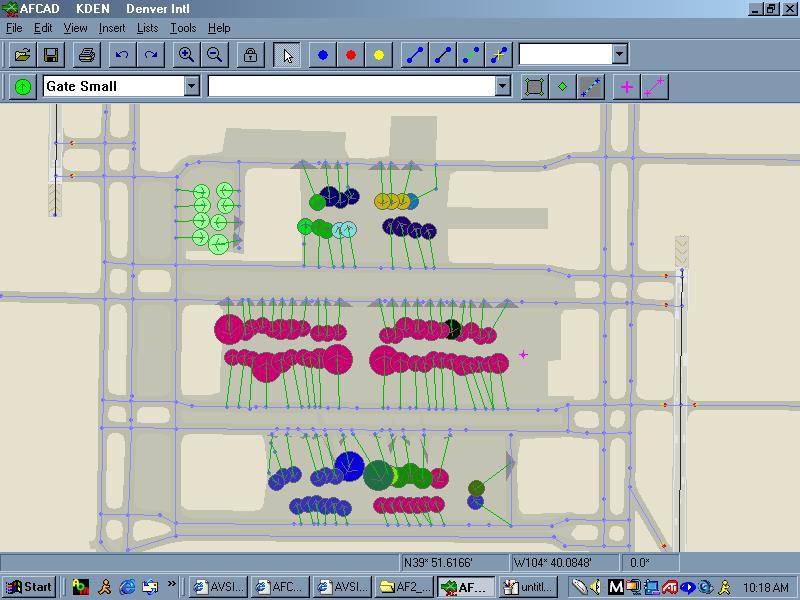
This custom configuration refines the gate layout at Denver International Airport (KDEN) for Microsoft Flight Simulator 2004, ensuring accurate airline placements and streamlined traffic flow. It is developed by Joey Collura, AFCAD World and offers a reliable approach to managing aircraft operations without compromising realism.
Denver International Airport is known for its expansive grounds and high-volume movements. This AFCAD2 file adds precise gate data reflecting the real-world distribution of airlines. In total, 100 positions are provided, including 88 spots designated for scheduled carriers, 8 unoccupied areas reserved for overflow, and 4 locations assigned to lighter general aviation vehicles. The configuration helps pilots practice realistic arrivals and departures at one of the country’s busiest hubs.
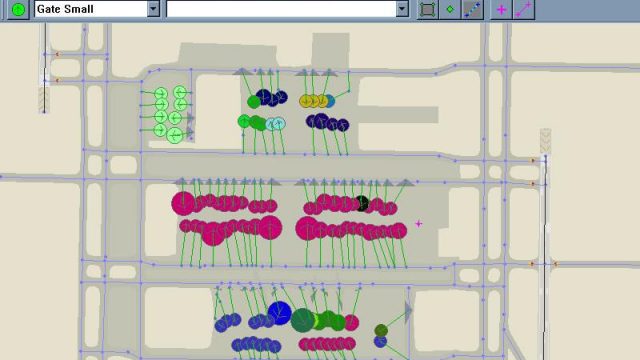
A glance at the enhanced configuration for Denver International Airport.
Air carriers that frequent this major western hub, such as United Airlines and Frontier Airlines, benefit from carefully designated positions that reflect real-world patterns. This approach accommodates the region’s busy schedule and ensures that AI traffic or user flights follow credible parking routines. Users seeking immersion and airport complexity will find this file indispensible for maintaining authentic ground operations.
Placing this AFCAD2 detail into your setup is straightforward. Transfer the new file into the Flight Simulator 9\Addon Scenery\Scenery folder within your Microsoft Flight Simulator 2004 directory. Once the updated AFCAD is in place, the simulator references the new gate and path data automatically. This ensures a seamless experience, allowing immediate access to the revised airport layout.
Distributing AFCAD World products is allowed, as long as full recognition goes to Joey Collura and the AFCAD World team. Please avoid misrepresenting credit for these files. AFCAD World is not liable for any possible issues associated with installing or executing these enhancements on your system.
Free for all simmers · 83.69 KB · Scanned clean Oct 2026
Download speed: Free tier is capped at 0.5 Mbps. PRO members download at full line speed.
FS9\Aircraft\, FS9\Addon Scenery\, FS9\Gauges\, or FS9\Effects\.readme.txt or README file. It tells you exactly where files go, what dependencies are needed, and any quirks specific to this add-on.The archive af2_kden.zip has 5 files and directories contained within it.
This list displays the first 500 files in the package. If the package has more, you will need to download it to view them.
| Filename/Directory | File Date | File Size |
|---|---|---|
| AF2_KDEN.bgl | 11.02.03 | 38.85 kB |
| Readme.txt | 12.26.03 | 639 B |
| KDEN AFCAD.jpg | 01.24.04 | 76.05 kB |
| flyawaysimulation.txt | 10.29.13 | 959 B |
| Go to Fly Away Simulation.url | 01.22.16 | 52 B |
Only PRO members can place votes.
More FS2004 add-ons hand-picked based on this download.
FS2004 AFCAD Files
Frankfurt/Main Airport, Germany, for use with AMEDDF11.ZIP. Should solve most…
 FS2004 AFCAD Files
FS2004 AFCAD2 File For RCKH and RCSS, Taipei Sungshan Airport and Kaohsiung A…
 FS2004 AFCAD Files
Tokyo Narita Airport (RJAA), Japan (not for the default FS2004 airport; detai…
 FS2004 AFCAD Files
Updated gates and taxiways for Amsterdam Schiphol Int'l Airport, The Netherla…
 FS2004 AFCAD Files
WSSS for Samsoft's Singapore Changi scenery (not for the default FS2004 airpo…
 FS2004 AFCAD Files
An AFCAD2 file for Soekarno-Hatta Airport, Jakarta, Indonesia (WIII) for use …
 FS2004 AFCAD Files
An AFCAD2 file for Ngurah Rai Int'l Airport, Denpasar Bali, Indonesia (WRRR),…
FS2004 AFCAD Files
Dubai Int'l Airport, United Arab Emirates. Upgrades the stock airport to prov…
Be the first to leave a comment on this download.
Be the first to share your thoughts on this download.