

 FSX Civil Aircraft
Concorde
This add-on for Microsoft Flight Simulator X and Prepar3D (v4/5) brings the l…
Concorde Collection Patch 2 refines the CONCALL2012 Concorde package for FSX with Acceleration-ready files that preserve authentic Mach climb behavior, continued Deluxe support, and an added anti-skid switch on the main panel. It requires CONCALL2012.ZIP and includes shared updates intended to work smoothly with common weather engines.
 Rate
Rate
Concorde Collection Patch 2, for use with CONCALL2012.ZIP. This patch adds these features to the CONCALL2012 Concorde Collection: provides special files for Acceleration compatibility; deluxe version still supported; tested in Active Sky Next hotpatch 2, January 2014; added anti-skid switch to main panel. By Paul R. Varn.

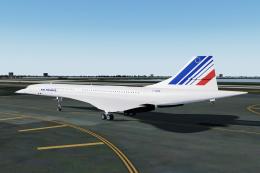
Screenshot of Concorde in flight.
This update does NOT require any previous patch, but it DOES require the original "CONCALL2012.ZIP" files installed first.
Changes for this patch:
The previous files did not support Acceleration version of FSX. Those who tried to use the previous files in Acceleration did not have the ability to follow correct Mach Climb procedures due to differences in the Afterburner between Deluxe and Acceleration.
Note:
If you installed the GOLD version of FSX, you have Acceleration and must use the files located in the ACC folder. If you installed Deluxe and upgraded it to Acceleration, you have Acceleration and must use the files in the ACC folder. If you have Deluxe or Standard and have updated them to SP2, you must use the files in the DLX folder.
The files outside the ACC and DLX folders are used for both versions.
Free for all simmers · 46.79 KB · Scanned clean Oct 2026
Download speed: Free tier is capped at 0.5 Mbps. PRO members download at full line speed.
This add-on may require the following files to function properly. If this is a repaint, the dependency below is likely the base aircraft package.
SimObjects\Airplanes\, Addon Scenery\, Effects\, or Gauges\.readme.txt or README file. It tells you exactly where files go, what dependencies are needed, and any quirks specific to this add-on.The archive concall2012_patch2.zip has 14 files and directories contained within it.
This list displays the first 500 files in the package. If the package has more, you will need to download it to view them.
| Filename/Directory | File Date | File Size |
|---|---|---|
| ACC | 12.21.13 | 0 B |
| aircraft.cfg | 01.07.14 | 23.90 kB |
| CONCORDE.AIR | 01.06.14 | 8.29 kB |
| Concorde_check_htm.htm | 12.25.13 | 17.87 kB |
| Concorde_ref_htm.htm | 12.25.13 | 18.60 kB |
| DLX | 12.21.13 | 0 B |
| aircraft.cfg | 01.06.14 | 24.31 kB |
| CONCORDE.AIR | 12.14.13 | 8.29 kB |
| FILE_ID.DIZ | 01.07.14 | 591 B |
| panel.cfg | 12.21.13 | 17.90 kB |
| README.txt | 01.07.14 | 12.45 kB |
| SOUND.CFG | 04.02.11 | 37 B |
| flyawaysimulation.txt | 10.29.13 | 959 B |
| Go to Fly Away Simulation.url | 01.22.16 | 52 B |
Only PRO members can place votes.
More FSX & P3D add-ons hand-picked based on this download.
FSX Civil Aircraft
This add-on for Microsoft Flight Simulator X and Prepar3D (v4/5) brings the l…
 FSX Civil Aircraft
Aerospatiale Concorde BA, AF, SA. The Concorde was the first and the only sup…
 FSX Civil Aircraft
Concorde Dynamics, panel, sounds, more for FSX supporting CONCALL "Concorde C…
 FSX Civil Aircraft
Aerospatiale Concorde BA, AF, SA Fix. This package contains the fix for XCONC…
 FSX Civil Aircraft
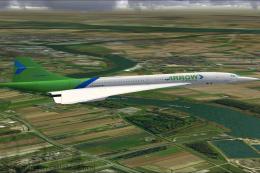
This is a Concorde of Arrow Cargo VA, registration N219AC. Repaint by Mathieu…
 FSX Civil Aircraft
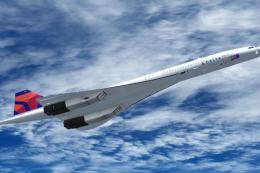
Delta Airlines BAe Concorde X. Repaint for the FSLabs ConcordeX in a fictiona…
 FSX Civil Aircraft
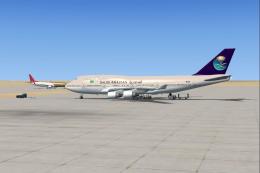
FSX Saudi Airlines Collection. Includes 13 different repaints of default FSX …
 FSX Civil Aircraft
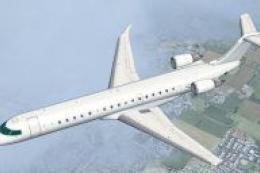
A repaint for the default Boeing 737-800, Airbus A321 and CRJ-700 in the colo…
Be the first to leave a comment on this download.
Be the first to share your thoughts on this download.