

 FSX Civil Aircraft
Swissfly Virtual Airways Airbus A320 HB-JIP
This freeware package brings a highly detailed Airbus A320, sporting Swissfly…
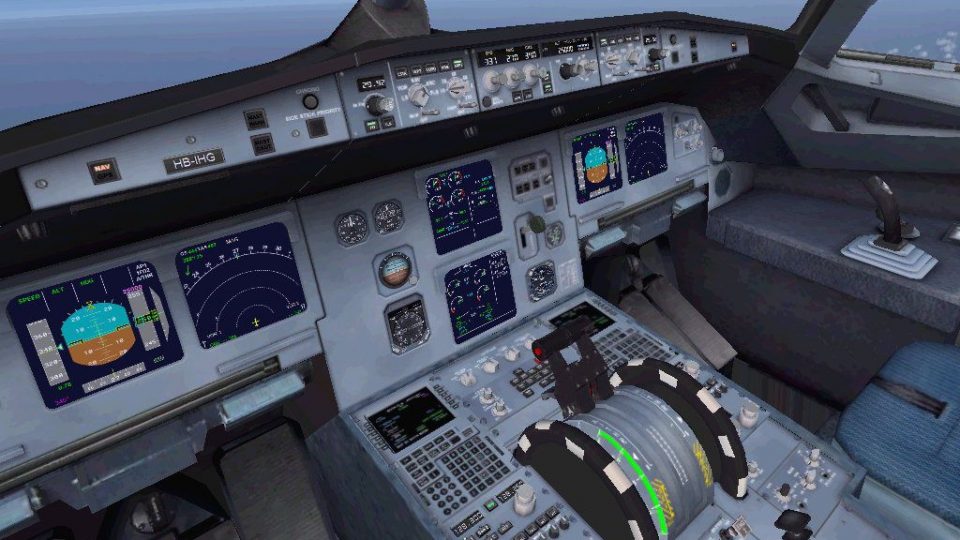
Swissfly Virtual Airways’ Airbus A320-200 HB-IHG delivers a polished narrow-body airliner experience in Microsoft Flight Simulator X, combining the Project Airbus external model with Jim Fly’s upgraded virtual cockpit. A dedicated A320 sound set, crisp Swissfly textures, and refined gauges support realistic short-to-medium-range airline operations with strong visual presence.
 Rate
Rate



This freeware release of the Swissfly Virtual Airways Airbus A320-200 (registration HB-IHG) brings an enhanced package designed for Microsoft Flight Simulator X. The aircraft model, originally crafted by Project Airbus and Jan Henning, is paired with an upgraded virtual cockpit by Jim Fly and a bespoke A320 audio set. It provides a refined simulation for virtual pilots who wish to immerse themselves in realistic short-to-medium-range airline operations.
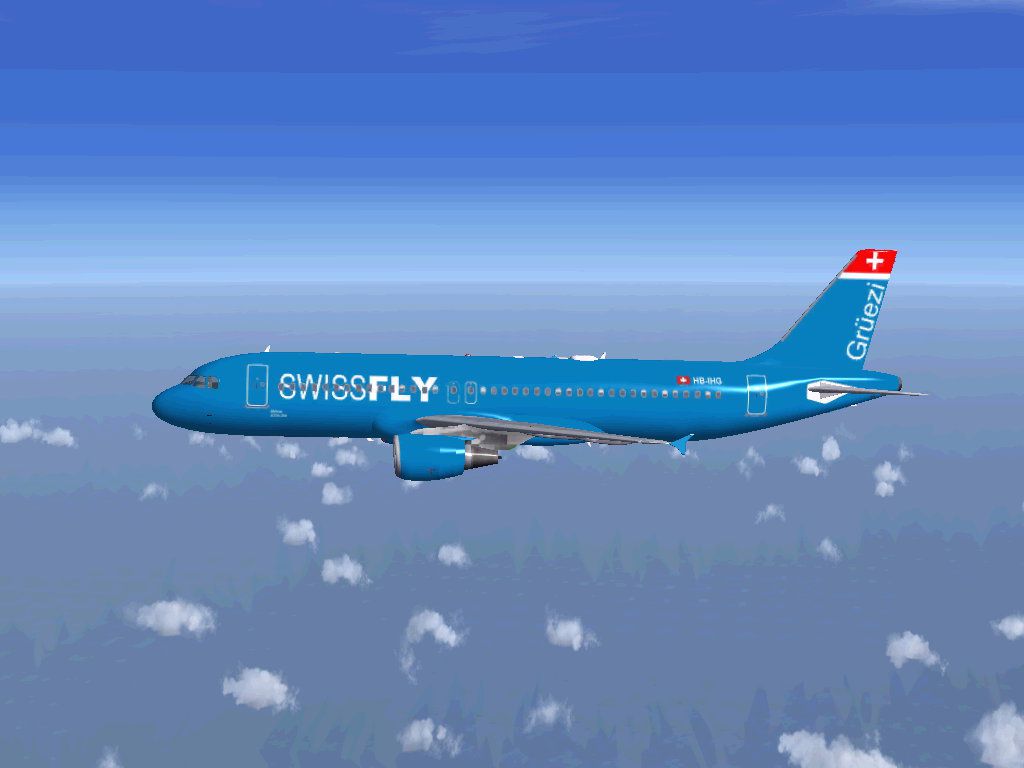
Swissfly Virtual Airways’ livery highlights a crisp paint scheme that accentuates the aircraft’s classic Airbus lines. Textures display realistic wear patterns, fuselage details, and airline branding. Throughout, reflections and shine effects are balanced for a true-to-life appearance within various lighting conditions.
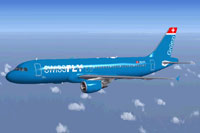
Screenshot of Swissfly Virtual Airways Airbus A320-200 in cruise.
The following procedure applies when installing to Microsoft Flight Simulator X:
The Airbus A320-200 represents a distinct category of short-to-medium-range airliners, widely recognized for its two-crew flight deck design and fly-by-wire flight control system. In real-world operations, this model has proven popular among global carriers for its balanced fuel efficiency and passenger comfort. The HB-IHG variant here pays tribute to a Swiss-based virtual airline, offering simmers a fictional, yet immersive, experience of Swiss-inspired airline operations.
Jan Henning, Jim Fly, and the entire Project Airbus team have collectively shaped this freeware release to meet the needs of flight simulation enthusiasts. Enjoy a precise aeronautical environment with this Swissfly Virtual Airways repaint and experience refined A320 handling characteristics in your sim. The entire package is offered as a complete freeware product on Fly Away Simulation.
Free for all simmers · 50.86 MB · Scanned clean Oct 2026
Download speed: Free tier is capped at 0.5 Mbps (this file takes approximately 14 mins at the cap). PRO members download at full line speed.
FSX\SimObjects\Airplanes\. The folder must contain an aircraft.cfg file. Effects go into FSX\Effects\; gauges go into FSX\Gauges\.readme.txt or README file. It tells you exactly where files go, what dependencies are needed, and any quirks specific to this add-on.The archive a320swissflyhbihg.zip has 115 files and directories contained within it.
This list displays the first 500 files in the package. If the package has more, you will need to download it to view them.
| Filename/Directory | File Date | File Size |
|---|---|---|
| INSTALL README.txt | 04.27.13 | 423 B |
| Airbus A320-200 Swissfly HBIHG | 04.27.13 | 0 B |
| aircraft.cfg | 04.27.13 | 16.78 kB |
| Effects | 04.27.13 | 0 B |
| fx_beacon3202pa.fx | 07.24.02 | 3.03 kB |
| fx_beacon320pa.fx | 07.24.02 | 3.01 kB |
| fx_contrail_320.fx | 07.24.02 | 1.17 kB |
| fx_navgre320pa.fx | 07.24.02 | 4.56 kB |
| fx_navred320pa.fx | 07.24.02 | 4.56 kB |
| fx_navwhi320pa.fx | 07.24.02 | 3.03 kB |
| fx_PAland.fx | 11.20.08 | 1.15 kB |
| fx_strobe2320pa.fx | 07.24.02 | 2.44 kB |
| fx_strobe320pa.fx | 07.24.02 | 4.80 kB |
| fx_tchdwn320.fx | 07.24.02 | 4.54 kB |
| File ID.diz | 09.26.10 | 81 B |
| intelliscene.cfg | 11.07.09 | 142 B |
| model.CFM | 04.27.13 | 0 B |
| A320_200_CFM_NoVC.mdl | 09.05.09 | 2.04 MB |
| Airbus_A321_interior.mdl | 08.22.07 | 1.06 MB |
| Model.cfg | 09.30.10 | 67 B |
| pa320-cfm56-2.air | 06.18.07 | 8.76 kB |
| pa320-v2527.air | 06.13.07 | 8.80 kB |
| panel | 04.27.13 | 0 B |
| Airbus_A321.CAB | 07.19.09 | 2.71 MB |
| airbus_a321_panel_background.bmp | 05.12.06 | 769.05 kB |
| airbus_a321_panel_background_night.bmp | 05.12.06 | 769.05 kB |
| panel.cfg | 02.24.12 | 5.58 kB |
| PAPA320_W.CAB | 02.23.08 | 1.32 MB |
| sound.CFM | 04.27.13 | 0 B |
| A320_APU.wav | 12.22.09 | 305.03 kB |
| A320_BELLY.wav | 09.27.05 | 102.65 kB |
| A320_Cavalry_Charge.wav | 09.27.05 | 223.08 kB |
| A320_CFM56_Fan.wav | 12.22.09 | 1.72 MB |
| A320_CFM56_Fan_2.wav | 12.22.09 | 1.72 MB |
| A320_CFM56_Idle.wav | 12.22.09 | 1.26 MB |
| A320_CFM56_Idle_2.wav | 12.22.09 | 1.26 MB |
| A320_CFM56_Ignition.wav | 12.22.09 | 1.30 MB |
| A320_CFM56_Ignition_PTU.wav | 12.22.09 | 1.30 MB |
| A320_CFM56_Reverse.wav | 04.17.01 | 114.81 kB |
| A320_CFM56_Reverse_2.wav | 04.17.01 | 119.31 kB |
| A320_CFM56_Shut.wav | 10.10.04 | 1.79 MB |
| A320_CFM56_Shut_2.wav | 10.10.04 | 1.79 MB |
| A320_CFM56_Spool.wav | 12.22.09 | 1.23 MB |
| A320_CFM56_Spool_2.wav | 12.22.09 | 1.23 MB |
| A320_CFM56_Start.WAV | 09.27.05 | 1.81 MB |
| A320_Combustion.wav | 04.17.01 | 54.19 kB |
| A320_Combustion_2.wav | 04.17.01 | 54.19 kB |
| A320_door_close.wav | 09.27.05 | 131.81 kB |
| A320_door_open.wav | 09.27.05 | 116.30 kB |
| A320_Flap_Lever.wav | 09.27.05 | 1.69 MB |
| a320_overspeed.wav | 12.08.05 | 99.19 kB |
| A320_Stall.wav | 09.27.05 | 117.74 kB |
| A320_wingscrape.wav | 09.27.05 | 102.65 kB |
| baglide.wav | 04.17.01 | 7.19 kB |
| bmgeardn.wav | 04.17.01 | 119.19 kB |
| bmgearup.wav | 12.24.09 | 1.01 MB |
| CF5_COCKPIT.wav | 02.04.07 | 586.98 kB |
| Roll.wav | 04.26.06 | 1.40 MB |
| Sound.cfg | 12.24.09 | 12.94 kB |
| Touch-Main.wav | 04.26.06 | 108.21 kB |
| Touch-Nose.wav | 04.26.06 | 66.29 kB |
| WARN_BUZZER.wav | 11.07.05 | 45.86 kB |
| Wind2.wav | 03.11.06 | 249.90 kB |
| xA320_CFM56_Fan.wav | 12.22.09 | 1.31 MB |
| xA320_CFM56_Fan_2.wav | 12.22.09 | 1.31 MB |
| xA320_CFM56_Fan_2_alternative.wav | 12.22.09 | 413.00 kB |
| xA320_CFM56_Fan_alternative.wav | 12.22.09 | 413.00 kB |
| xA320_CFM56_HighIdle.wav | 12.22.09 | 2.55 MB |
| xA320_CFM56_HighIdle_2.wav | 12.22.09 | 2.55 MB |
| xA320_CFM56_Idle.wav | 12.22.09 | 2.70 MB |
| xA320_CFM56_Idle_2.wav | 12.22.09 | 2.70 MB |
| xA320_CFM56_Ignition.WAV | 10.10.04 | 549.88 kB |
| xA320_CFM56_Ignition_2.WAV | 10.10.04 | 549.88 kB |
| xA320_CFM56_Reverse.wav | 04.17.01 | 108.81 kB |
| xA320_CFM56_Reverse_2.wav | 04.17.01 | 119.31 kB |
| xA320_CFM56_Shut.wav | 10.10.04 | 1.07 MB |
| xA320_CFM56_Shut_2.wav | 10.10.04 | 1.07 MB |
| xA320_CFM56_Spool.wav | 08.04.09 | 231.36 kB |
| xA320_CFM56_Spool_2.wav | 08.04.09 | 231.36 kB |
| xA320_CFM56_Start.WAV | 10.10.04 | 2.18 MB |
| XAPU.wav | 10.10.04 | 2.37 MB |
| texture.SW | 04.27.13 | 0 B |
| A320_1_CFM_l.bmp | 04.26.13 | 682.75 kB |
| A320_1_t.bmp | 04.26.13 | 682.75 kB |
| A320_2_CFM_l.bmp | 04.26.13 | 170.75 kB |
| A320_2_t.bmp | 04.26.13 | 682.75 kB |
| A320_fuse_1_l.bmp | 04.26.13 | 682.75 kB |
| A320_fuse_1_t.bmp | 04.27.13 | 682.75 kB |
| A320_fuse_2_l.bmp | 04.26.13 | 682.75 kB |
| A320_fuse_2_t.bmp | 04.27.13 | 682.75 kB |
| A320_fuse_3_l.bmp | 04.26.13 | 682.75 kB |
| A320_fuse_3_t.bmp | 04.27.13 | 682.75 kB |
| A320_misc_1.bmp | 04.26.13 | 170.75 kB |
| A320_misc_2.bmp | 04.26.13 | 682.75 kB |
| A320_wing_1_l.bmp | 04.26.13 | 170.75 kB |
| A320_wing_1_t.bmp | 04.27.13 | 682.75 kB |
| A320_wing_2_l.bmp | 04.26.13 | 170.75 kB |
| A320_wing_2_t.bmp | 04.27.13 | 682.75 kB |
| Airbus_A321_1_C.dds | 02.21.12 | 682.79 kB |
| Airbus_A321_1_night_C.dds | 02.21.12 | 682.79 kB |
| Airbus_A321_2_C.dds | 03.21.12 | 682.80 kB |
| Airbus_A321_2_night_C.dds | 03.21.12 | 682.80 kB |
| Airbus_A321_3_C.dds | 03.21.12 | 682.80 kB |
| Airbus_A321_3_night_C.dds | 03.21.12 | 682.80 kB |
| Airbus_A321_4_C.dds | 02.21.12 | 682.79 kB |
| Airbus_A321_4_night_C.dds | 02.21.12 | 682.79 kB |
| texture.cfg | 08.14.06 | 137 B |
| thumbnail.jpg | 04.27.13 | 7.06 kB |
| Thumbs.db | 04.27.13 | 55.50 kB |
| thumbnail.png | 04.27.13 | 10.57 kB |
| Swissfly01.jpg | 04.27.13 | 62.44 kB |
| Swissfly02.jpg | 04.27.13 | 63.85 kB |
| VC_upgrated.jpg | 04.27.13 | 171.65 kB |
| flyawaysimulation.txt | 10.29.13 | 959 B |
| Go to Fly Away Simulation.url | 01.22.16 | 52 B |
Only PRO members can place votes.
More FSX & P3D add-ons hand-picked based on this download.
FSX Civil Aircraft
This freeware package brings a highly detailed Airbus A320, sporting Swissfly…
 FSX Civil Aircraft
Repaint of Tom Ruth's Airbus A330-300 in Swissfly Virtual Airways livery, reg…
 FSX Civil Aircraft
This freeware package for Microsoft Flight Simulator X showcases a Swissfly V…
 FSX Civil Aircraft
Swissfly Virtual Airways Boeing 777-200ER, registration HB-JMP, with 3D VC. M…
 FSX Civil Aircraft
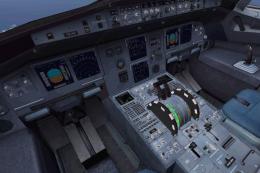
This complete freeware package delivers a Swiss-registered twin-engine narrow…
 FSX Civil Aircraft
Includes model by Project Airbus, fully working 3D VC and great sounds. Repai…
 FSX Civil Aircraft
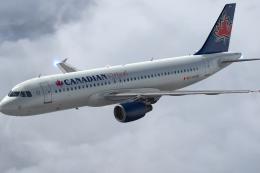
Repaint of the payware Aerosoft Airbus X Extended in the colors of Canadian V…
 FSX Civil Aircraft
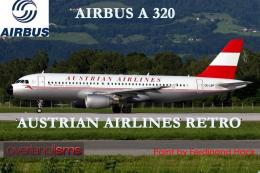
FSX Austrian Airbus A320-200, registration OE-LBP, retro livery. Textures onl…
Be the first to leave a comment on this download.
Be the first to share your thoughts on this download.