

 FSX Civil Aircraft
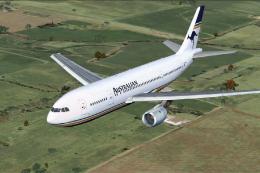
Australian Airlines Airbus A300B4-200
Australian Airlines Airbus A300B4-200. Repaint of Tom Ruth's A300B4-200 in Au…
China Airlines Airbus A300B4-200 livery for registration B-1816 brings crisp high-definition DDS DXT3 textures and accurate markings for authentic era flying in FSX. Designed for the SimCheck Software Airbus A300B4-200, it enhances external visuals and aircraft identity while matching airline details such as callsign and tail number.
 Rate
Rate
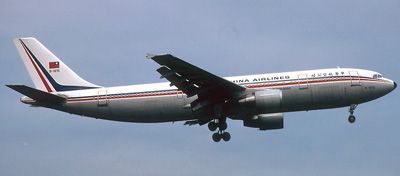
Very accurate livery of the A300 B-1816 in DDS DXT3 high definition. One of the biggest A300 crash in history. Texture only for the payware Simcheck Airbus A300B4-200. By Richard Monnin.
Image of China Airlines Airbus A300 with the registration B-1816.
[fltsim.XX]

title=SimCheck A300B4-203 5

sim=a300B4-200

model=pax

panel=pax

sound=

texture=CAL

kb_checklists=A300B4_check

kb_reference=A300B4_ref

atc_airline=China

atc_flight_number=140

atc_id=B-1816

atc_heavy=1

ui_manufacturer=Airbus

ui_type=A300B4-200

ui_variation=China Airlines

ui_createdby="SimCheck Software"

description=SimCheck A300B4-203

visual_damage=1
Free for all simmers · 1.85 MB · Scanned clean Oct 2026
Download speed: Free tier is capped at 0.5 Mbps. PRO members download at full line speed.
texture.{airline}) inside FSX\SimObjects\Airplanes\{base-aircraft}\.aircraft.cfg in Notepad. Add a new [fltsim.X] section per the readme.readme.txt or README file. It tells you exactly where files go, what dependencies are needed, and any quirks specific to this add-on.The archive simcheck_b-1816.zip has 16 files and directories contained within it.
This list displays the first 500 files in the package. If the package has more, you will need to download it to view them.
| Filename/Directory | File Date | File Size |
|---|---|---|
| add_to_aircraft_cfg.txt | 03.21.12 | 379 B |
| include.file | 03.21.12 | 385 B |
| texture.CAL | 03.21.12 | 0 B |
| A300_fuselage_3.dds | 03.21.12 | 1.33 MB |
| A300_fuselage_4096_1.dds | 03.21.12 | 5.33 MB |
| A300_fuselage_4096_1_l.dds | 03.21.12 | 5.33 MB |
| A300_fuselage_4096_2.dds | 03.21.12 | 5.33 MB |
| A300_fuselage_4096_2_l.dds | 03.21.12 | 5.33 MB |
| engine1.dds | 03.21.12 | 1.33 MB |
| engine1_l.dds | 03.21.12 | 1.33 MB |
| engine2.dds | 03.21.12 | 1.33 MB |
| engine2_l.dds | 03.21.12 | 1.33 MB |
| texture.cfg | 08.14.06 | 137 B |
| thumbnail.jpg | 03.21.12 | 32.04 kB |
| flyawaysimulation.txt | 10.29.13 | 959 B |
| Go to Fly Away Simulation.url | 01.22.16 | 52 B |
Only PRO members can place votes.
More FSX & P3D add-ons hand-picked based on this download.
FSX Civil Aircraft
Australian Airlines Airbus A300B4-200. Repaint of Tom Ruth's A300B4-200 in Au…
 FSX Civil Aircraft
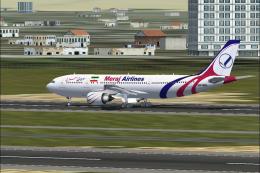
Textures only, requires base model (TOM306R.ZIP). Model by Thomas Ruth. Repai…
 FSX Civil Aircraft
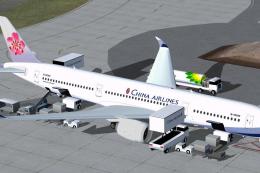
Explore a modern representation of the Airbus A350-900 XWB adorned in China A…
 FSX Civil Aircraft
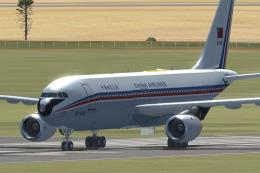
China Airlines Airbus A300, registration B-1816. Crashed near Nagoya 26 April…
 FSX Civil Aircraft
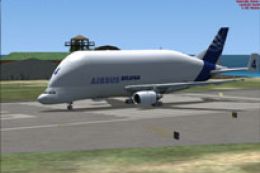
FSX Airbus A300B4-600ST Beluga. This is the UKFlightsim Airbus A300B4-600ST B…
 FSX Civil Aircraft
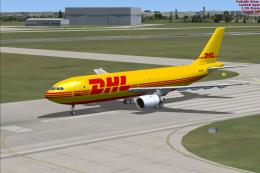
This enhanced freeware package provides a dedicated cargo interpretation of t…
 FSX Civil Aircraft
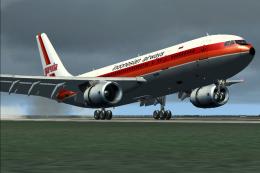
Garuda Indonesian Airways Airbus A300B4-200FFCC, registration PK-GAJ. Repaint…
 FSX Civil Aircraft
Experience a faithful recreation of the pioneering wide-body, twin-engined Ai…
Read what other simmers think, or add your own.
