

 FSX Civil Aircraft
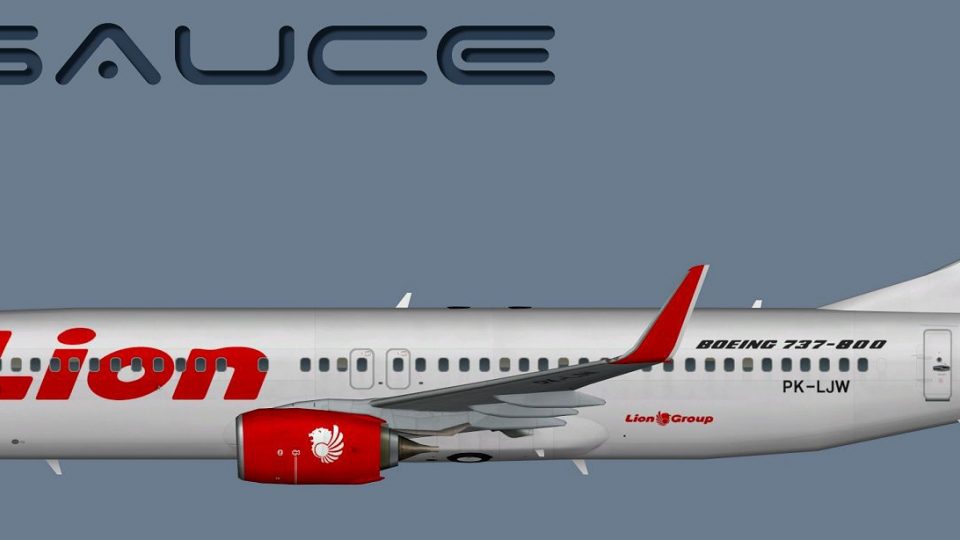
Lion Air Boeing 737-800W PK-LKP
This package offers a carefully crafted Lion Air Boeing 737-800W repaint (reg…
Lion Air Boeing 737-800W livery for AI traffic brings crisp Lion Group branding, accurate tail and winglet markings, and optimized textures that stay sharp across distance. Built for Microsoft Flight Simulator X with alternate files for Microsoft Flight Simulator 2004, it requires the FAIB 737-800 base model and includes matching callsign and parking codes.
 Rate
Rate
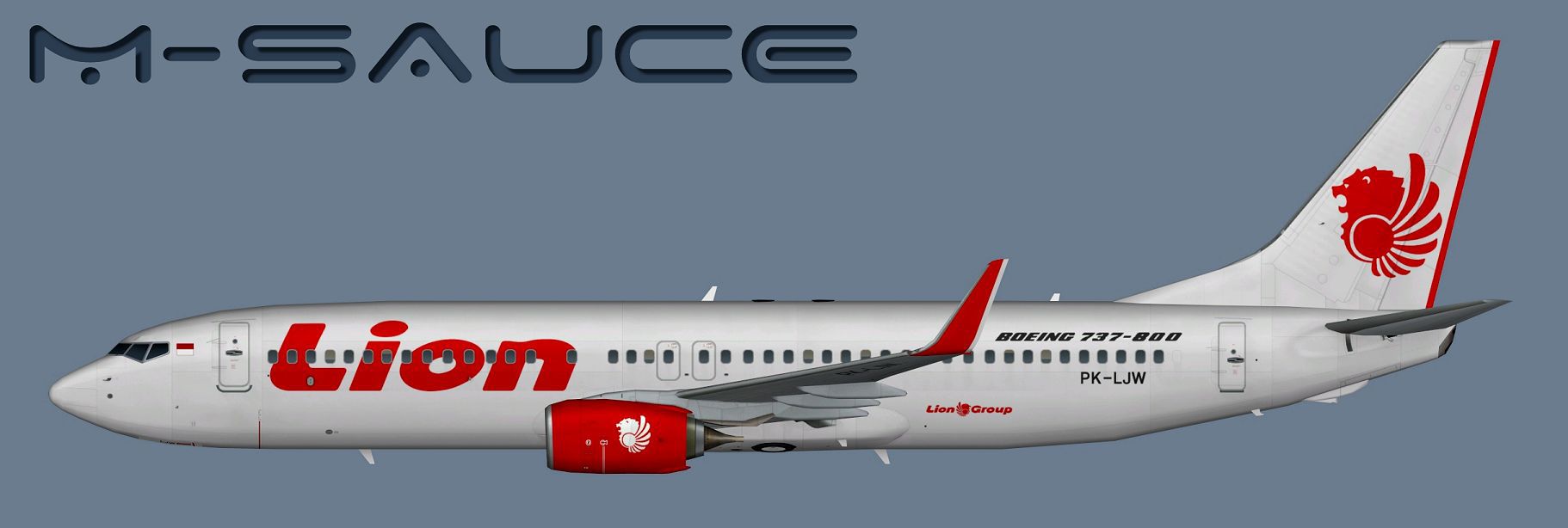
This repaint showcases a high-fidelity interpretation of a Lion Air Boeing 737-800W configured for AI traffic. Created by the FSX AI Bureau (faib7378v13.zip) and further refined by Mariano Bonaccorso, version 2 adds the Lion Group branding along with other subtle visual tweaks. It is designed for Microsoft Flight Simulator X and also accommodates Microsoft Flight Simulator 2004 with an alternative set of texture files. The repaint does not include the base FAIB model, which you can find in Fly Away Simulation’s freeware library. Even so, this package provides everything needed to integrate the textures into your existing installation with minimal effort.
Originating from the Boeing 737 Next Generation series, the 737-800 features improved fuel efficiency and higher passenger capacity. Lion Air, based in Indonesia, employs an extensive fleet of these single-aisle aircraft for regional and domestic service. This repaint captures the real-world Lion Air branding, including the updated Lion Group emblem. The winglets (often abbreviated as W in various model filenames) improve performance and help the model mirror the actual aircraft’s aerodynamic profile. The texture fidelity is maximized for AI traffic, ensuring accurate liveries are rendered at multiple levels of detail with minimal performance impact.
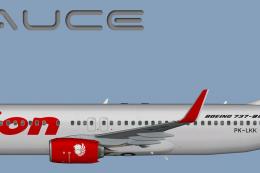
Profile view of the Lion Air B737-800W in the default AI configuration.
The repaint incorporates:
First, ensure you have the freeware FAIB 737-800 base model in your aircraft directory. Then, place the “texture.LNI” folder (or your chosen texture folder name) into that specific model’s folder. Update your aircraft’s configuration file with the following example—remember to replace the “X” in “[fltsim.X]” with the correct sequence number, and adjust any entries for your simulator version of choice:
[fltsim.X]
title=AI B738W LNI
sim=FAIB_7378
model=winglets_SN
texture=LNI
atc_airline=LION INTER
atc_parking_codes=LNI
atc_parking_types=GATE
ui_manufacturer=Boeing
ui_type=B737-800W
ui_variation=Lion Air
description=AI Aircraft from FAIB
The included texture set is available in DDS (for Microsoft Flight Simulator X) and BMP (for Microsoft Flight Simulator 2004) formats, matching recommended guidelines from each simulator’s SDK. An additional folder contains TGA files for those who want to convert the material into alternative formats without losing clarity or color depth.
Authored by FSX AI Bureau and updated by Mariano Bonaccorso, this freeware repaint offers a polished and true-to-life representation of the Lion Air Boeing 737-800W, integrating seamlessly into modern and older simulators alike.
Free for all simmers · 7.53 MB · Scanned clean Oct 2026
Download speed: Free tier is capped at 0.5 Mbps (this file takes approximately 2 mins at the cap). PRO members download at full line speed.
This file is a repaint — the package below is the base model it paints onto. Install it first, or the textures will have nothing to load onto.
texture.{airline}) inside FSX\SimObjects\Airplanes\{base-aircraft}\.aircraft.cfg in Notepad. Add a new [fltsim.X] section per the readme.readme.txt or README file. It tells you exactly where files go, what dependencies are needed, and any quirks specific to this add-on.The archive faib_b738w_lni.zip has 12 files and directories contained within it.
This list displays the first 500 files in the package. If the package has more, you will need to download it to view them.
| Filename/Directory | File Date | File Size |
|---|---|---|
| FAIB_737_800_T.dds | 08.16.14 | 5.33 MB |
| FS9 | 08.16.14 | 0 B |
| FAIB_737_800_L.bmp | 03.14.14 | 1.33 MB |
| FAIB_737_800_T.bmp | 08.16.14 | 682.74 kB |
| Targas | 08.16.14 | 0 B |
| FS9_LNI.tga | 08.16.14 | 4.00 MB |
| LNI.tga | 08.16.14 | 16.00 MB |
| Installation.txt | 08.16.14 | 1.89 kB |
| Preview.jpg | 08.16.14 | 85.58 kB |
| Thumbnail.png | 08.16.14 | 5.29 kB |
| flyawaysimulation.txt | 10.29.13 | 959 B |
| Go to Fly Away Simulation.url | 01.22.16 | 52 B |
Only PRO members can place votes.
More FSX & P3D add-ons hand-picked based on this download.
FSX Civil Aircraft
This package offers a carefully crafted Lion Air Boeing 737-800W repaint (reg…
 FSX Civil Aircraft
This repaint captures the Lion Air Boeing 737-800W, meticulously adapted for …
 FSX Civil Aircraft
This repaint offers a current Lion Air scheme for the PMDG Boeing 737-800 Nex…
 FSX Civil Aircraft
Lion Air Boeing 737-800, registration PK-LJQ (the first Boeing 737-800 in Lio…
 FSX Civil Aircraft
This repaint showcases a detailed Thai Lion Air Boeing 737-900ER (registratio…
 FSX Civil Aircraft
Thai Lion Air current livery for the payware PMDG B737-900 NGX WL, registrati…
 FSX Civil Aircraft
Lion Air Boeing 737-800NGX (90th Boeing Next-Generation 737), registration PK…
 FSX Civil Aircraft
This freeware repaint provides a meticulously detailed Lion Air Boeing 737-30…
Be the first to leave a comment on this download.
Be the first to share your thoughts on this download.