

 FSX Civil Aircraft
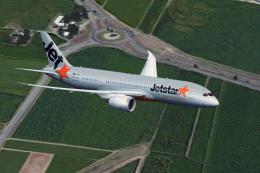
Jetstar Airways Boeing 787-8 VH-VKA
This refined repaint package offers a faithful Jetstar Airways Boeing 787-8 V…
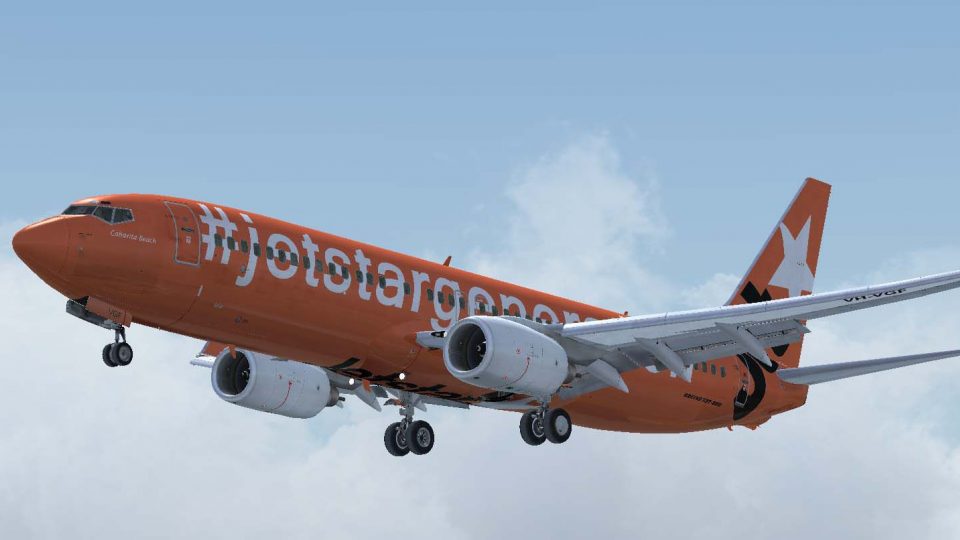
Jetstar Australia’s Boeing 737-800 VH-EWA wears a celebratory 10th anniversary scheme, bringing crisp airline branding and a clean, period-inspired finish to the ramp and virtual cockpit. Designed as texture-only repaint for the PMDG 737NGX in FSX, it requires the PMDG base aircraft.
 Rate
Rate

Jetstar Australia Boeing 737 in 10th anniversary livery. Jetstar Australia, a low cost Domestic carrier, has released a special scheme to celebrate their 10 years in service. This fictitious type is for the PMDG 737NGX. Textures only. Livery installed via livery manager. By Steve Southey.
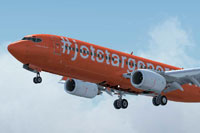
Screenshot of Jetstar Australia Boeing 737 in flight.
Installation:
[fltsim.xx]

title=Boeing 737-8FE NGX Eastwest Cargo 80's Winglets

sim=B737-800WL

model=

panel=

sound=

texture=ewa

kb_checklists=Boeing737-800_check

kb_reference=Boeing737-800_ref

atc_airline=EastWest

atc_id=VH-EWA

atc_flight_number=410

atc_model=737-800

atc_parking_types=GATE,RAMP

atc_parking_codes=QFA,AAA

atc_type=BOEING

ui_createdby=PMDG

ui_manufacturer=Boeing

ui_type=737-800NGX

ui_typerole=737-800

ui_variation=Eastwest 80 Winglets

airline_name=Ansett

description=Boeing 737-800 powered by CFM engines v 1.0\nPMDG Simulations\n\nProduced under license from Boeing Management Company.\n\nBoeing 737, 737-800, 737-900 & Boeing are among the trademarks owned by Boeing.

visual_damage=0
Free for all simmers · 15.4 MB · Scanned clean Oct 2026
Download speed: Free tier is capped at 0.5 Mbps (this file takes approximately 4 mins at the cap). PRO members download at full line speed.
texture.{airline}) inside FSX\SimObjects\Airplanes\{base-aircraft}\.aircraft.cfg in Notepad. Add a new [fltsim.X] section per the readme.readme.txt or README file. It tells you exactly where files go, what dependencies are needed, and any quirks specific to this add-on.The archive pmdg_737ngx_jst10th_anniversary.zip has 6 files and directories contained within it.
This list displays the first 500 files in the package. If the package has more, you will need to download it to view them.
| Filename/Directory | File Date | File Size |
|---|---|---|
| PMDG_737NGX_800WL_Jst_Orange.ptp | 10.06.14 | 15.16 MB |
| installation.txt | 06.29.12 | 1.09 kB |
| JST 10th.jpg | 10.06.14 | 76.97 kB |
| JST10th.bmp | 10.07.14 | 1.03 MB |
| flyawaysimulation.txt | 10.29.13 | 959 B |
| Go to Fly Away Simulation.url | 01.22.16 | 52 B |
Only PRO members can place votes.
More FSX & P3D add-ons hand-picked based on this download.
FSX Civil Aircraft
This refined repaint package offers a faithful Jetstar Airways Boeing 787-8 V…
 FSX Civil Aircraft
A repaint of the payware Captain Sim B737-200 ADV in livery of Ansett Austral…
 FSX Civil Aircraft
Sydney 2000 livery. Textures only for the payware PMDG B747-400 model. Repain…
 FSX Civil Aircraft
The newly rebranded A320 of Tigerair Australia (previously Tiger Airways). Re…
 FSX Civil Aircraft
Jetstar Pacific Boeing 737-800, registration VN-A191. Jetstar Pacific offers …
 FSX Civil Aircraft
Jetstar Airways Airbus A320 with sharklets, registration VH-VFN, 'Celebrating…
 FSX Civil Aircraft
A repaint of the default Airbus A321 in JetStar livery. Textures include diff…
 FSX Civil Aircraft
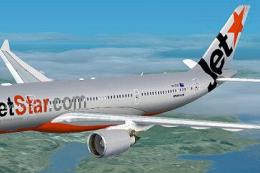
Experience a refined Jetstar Airbus A330-200 repaint in a metallic silver mot…
Be the first to leave a comment on this download.
Be the first to share your thoughts on this download.