

 FSX Civil Aircraft
Jetstar Airbus A330-200
Enhance your Microsoft Flight Simulator X experience with this meticulously c…
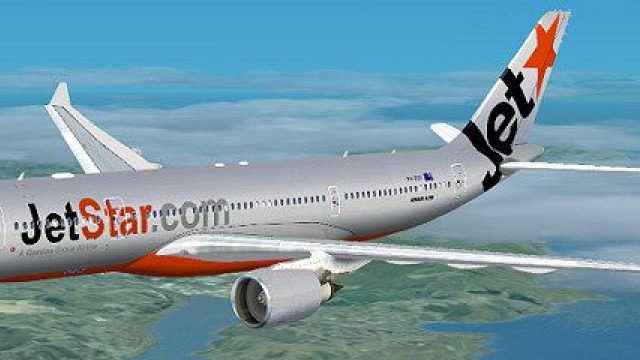
Jetstar’s Airbus A330-200 gains a sleek metallic silver look with crisp logo placement and lighting-responsive shading that adds depth to the fuselage. Built for FSX, these external textures require the freeware Thomas Ruth A330-200 GE base model, delivering a polished long-haul airliner repaint for virtual airline fleets.
 Rate
Rate
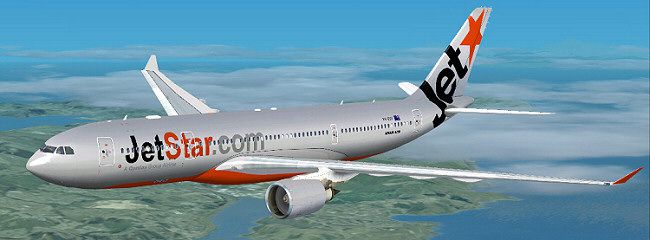

Experience a refined Jetstar Airbus A330-200 repaint in a metallic silver motif, optimized for Microsoft Flight Simulator X, rendered by Jon Murchison. This download supplies external textures exclusively and calls for the freeware base package created by Thomas Ruth. The model itself is not part of this package and can be obtained separately from the Fly Away Simulation library.
This repaint showcases a specialized silver exterior aligned with Jetstar’s distinctive branding, giving the twin-engine Airbus A330-200 a sleek, modern presence. The A330-200 series is well-known for its robust performance on medium to long-range routes. In real-world operations, Jetstar employs these aircraft on diverse international and domestic flights, which makes this repaint a compelling addition to any virtual airline collection.
Since these are textures only, you must own (or install) the freeware model by Thomas Ruth. Be sure to confirm the exact folder structure and correct aircraft variant (GE-model) within your “SimObjects” directory. You can locate the required “TOM330.ZIP” in the Fly Away Simulation library.
aircraft.cfg file found within the same Tom_A330-200 folder.[fltsim.X] by replacing “X” with the subsequent number in the sequence (e.g., [fltsim.9] if it follows [fltsim.8]).[fltsim.X] title=Jetstar A330-200 sim=TomA332 model=GE panel= sound= texture=JETSTAR_S kb_checklists= kb_reference= atc_id= atc_airline=Jetstar atc_flight_number=1124 atc_heavy=1 ui_manufacturer=Airbus ui_type="A330-200" ui_variation="Jetstar" description=
Developed by Thomas Ruth (model) and repainted by Jon Murchison, this package offers an enhanced visual experience for anyone seeking a sharper Jetstar livery within Microsoft Flight Simulator X. Place the files correctly, update your aircraft.cfg, and enjoy this vivid aircraft repaint in your sim environment.
Free for all simmers · 2.01 MB · Scanned clean Oct 2026
Download speed: Free tier is capped at 0.5 Mbps. PRO members download at full line speed.
This file is a repaint — the package below is the base model it paints onto. Install it first, or the textures will have nothing to load onto.
texture.{airline}) inside FSX\SimObjects\Airplanes\{base-aircraft}\.aircraft.cfg in Notepad. Add a new [fltsim.X] section per the readme.readme.txt or README file. It tells you exactly where files go, what dependencies are needed, and any quirks specific to this add-on.The archive jetstars.zip has 26 files and directories contained within it.
This list displays the first 500 files in the package. If the package has more, you will need to download it to view them.
| Filename/Directory | File Date | File Size |
|---|---|---|
| JETSTAR_S.jpg | 03.17.09 | 51.16 kB |
| README _INSTALL.txt | 03.17.09 | 1.34 kB |
| A321_1_L.dds | 03.12.09 | 1.00 MB |
| A321_2_L.dds | 03.12.09 | 256.12 kB |
| A330_VC01.dds | 03.12.09 | 1.00 MB |
| A330_VC01L.dds | 03.12.09 | 1.00 MB |
| Airbus_A321_1_L.dds | 03.12.09 | 1.00 MB |
| Airbus_A321_2_L.dds | 03.12.09 | 1.00 MB |
| Airbus_A321_3_L.dds | 03.12.09 | 4.12 kB |
| Airbus_A321_4_L.dds | 03.12.09 | 1.00 MB |
| glass.dds | 03.12.09 | 64.12 kB |
| glass_spec.dds | 03.12.09 | 4.12 kB |
| main.dds | 03.14.09 | 4.00 MB |
| main_bump.dds | 03.12.09 | 4.00 MB |
| main_light.dds | 03.12.09 | 1.00 MB |
| main_spec.dds | 03.12.09 | 64.12 kB |
| texture.cfg | 03.12.09 | 165 B |
| thumbnail.jpg | 03.14.09 | 8.52 kB |
| Thumbs.db | 03.12.09 | 7.00 kB |
| VCblend.dds | 03.12.09 | 1.12 kB |
| wing_bump.dds | 03.12.09 | 1.00 MB |
| wing_l.dds | 03.14.09 | 1.00 MB |
| wing_r.dds | 03.14.09 | 1.00 MB |
| wing_spec.dds | 03.12.09 | 64.12 kB |
| flyawaysimulation.txt | 10.29.13 | 959 B |
| Go to Fly Away Simulation.url | 01.22.16 | 52 B |
Only PRO members can place votes.
More FSX & P3D add-ons hand-picked based on this download.
FSX Civil Aircraft
Enhance your Microsoft Flight Simulator X experience with this meticulously c…
 FSX Civil Aircraft
Airbus NEO livery for the payware Blackbox Simulations A330 Prologue. This is…
 FSX Civil Aircraft
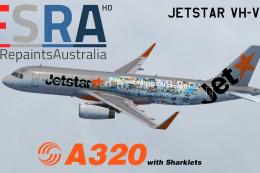
Jetstar Airways Airbus A320 with sharklets, registration VH-VFN, 'Celebrating…
 FSX Civil Aircraft
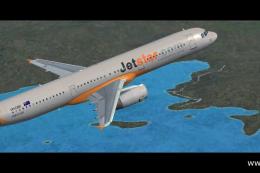
A repaint of the default Airbus A321 in JetStar livery. Textures include diff…
 FSX Civil Aircraft
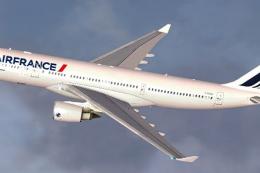
Air France Airbus A330-200 (new livery). Textures only for Thomas Ruth's A330…
 FSX Civil Aircraft
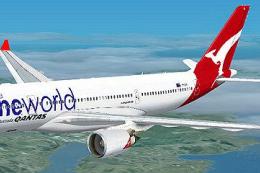
Qantas Airbus A330-200 in "OneWorld" livery. Textures only; requires TOM330.Z…
 FSX Civil Aircraft
Emirates Airbus A330-200 "Dubai Summer Surprises 2008". Textures only for Tho…
 FSX Civil Aircraft
This repaint provides a customized Emirates Airbus A330-200 "World Cup 2006" …
Be the first to leave a comment on this download.
Be the first to share your thoughts on this download.