

 FSX Military Aircraft
Northrop Grumman B-2A Stealth Bomber
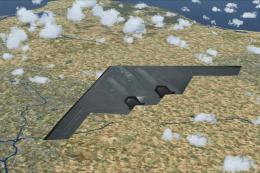
FSX Northrop Grumman B-2A Stealth Bomber for FSX SP2/Acceleration. The B-2A S…
Northrop Grumman’s B-2A Spirit stealth bomber gets a refined flight model for FSX, tuned for convincing low-level penetration and efficient high-altitude, long-range cruising using real-world engine and aerodynamics logic. Computer-controlled slats support stable flying-wing handling and a polished virtual cockpit experience; requires B-2A.ZIP.
 Rate
Rate
The B-2A stealth bomber is one of the most sophisticated aircraft ever developed. She is eccentrically a remade version of the B-49 Flying Wing Bomber, with jets instead of props. She incorporates wing slats via computer control in order to compensate for the lack of a vertical tail. Because of this fact alone, most modelers have been unable to recreate this aircraft in a flyable version. This version of the aircraft contains all necessary for low-level and high altitude (long distance) flight, based on real world aero/engine dynamics. She flies like the real thing. Requires B-2A.ZIP for completion. Original B2A design by B. Atrakio. Sounds by Ruggero Osto. B2 real world engine/aerodynamics by Douglas E. Trapp.
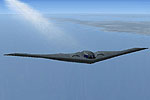
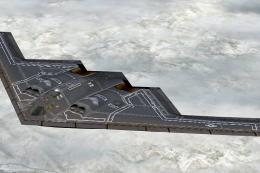
Screenshot of B-2A Spirit Bomber in flight.
Installation:
Free for all simmers · 12.14 KB · Scanned clean Oct 2026
Download speed: Free tier is capped at 0.5 Mbps. PRO members download at full line speed.
This add-on may require the following files to function properly. If this is a repaint, the dependency below is likely the base aircraft package.
SimObjects\Airplanes\, Addon Scenery\, Effects\, or Gauges\.readme.txt or README file. It tells you exactly where files go, what dependencies are needed, and any quirks specific to this add-on.The archive b-2aup-1.zip has 8 files and directories contained within it.
This list displays the first 500 files in the package. If the package has more, you will need to download it to view them.
| Filename/Directory | File Date | File Size |
|---|---|---|
| B-2AUp | 02.10.13 | 0 B |
| aircraft.cfg | 02.10.13 | 11.48 kB |
| B2.air | 10.27.12 | 8.21 kB |
| B2intro.txt | 02.10.13 | 1.68 kB |
| Install.txt | 02.10.13 | 179 B |
| Readme.txt | 02.10.13 | 4.72 kB |
| flyawaysimulation.txt | 10.29.13 | 959 B |
| Go to Fly Away Simulation.url | 01.22.16 | 52 B |
Only PRO members can place votes.
More FSX & P3D add-ons hand-picked based on this download.
FSX Military Aircraft
FSX Northrop Grumman B-2A Stealth Bomber for FSX SP2/Acceleration. The B-2A S…
 FSX Military Aircraft
Northrop Grumman B-2A Block 30 Spirit stealth bomber. The B-2 maintains stabi…
 FSX Military Aircraft
This is an update for FSX of the E2C Hawkeye by Rick Sasala. The flight dynam…
 FSX Military Aircraft
This is an example for anyone who wants to put VRS TacPack on a third party a…
 FSX Military Aircraft
Here is the corrected version of the default B-2A texture from Area 51, plus …
 FSX Military Aircraft
FSX Northrop YB-49 Flying Wing. The YB49 was an XB-35 prototype that had the …
 FSX Military Aircraft
This is the superb F-20 A and B package released as freeware for FS2004 by Ir…
 FSX Military Aircraft
This version of the RQ4B includes all of the real world aero/engine dynamics …
Be the first to leave a comment on this download.
Be the first to share your thoughts on this download.