

 FSX Other Aircraft & Vehicles
Aircraft Carrier USS Nimitz
A fully-featured, freeware aircraft carrier add-on for all versions of Micros…
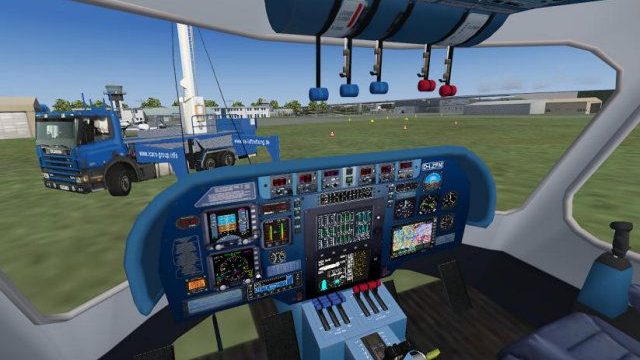
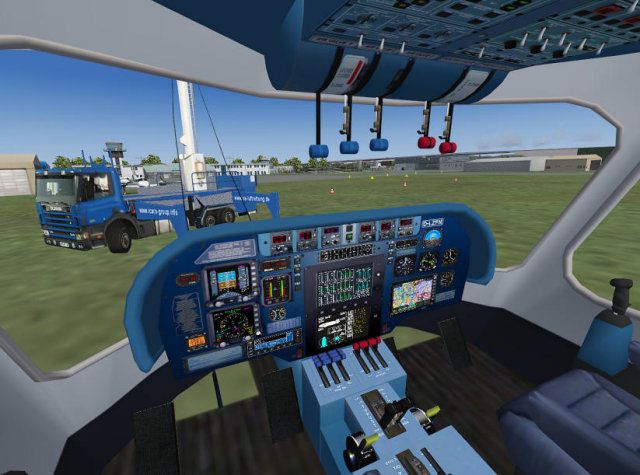
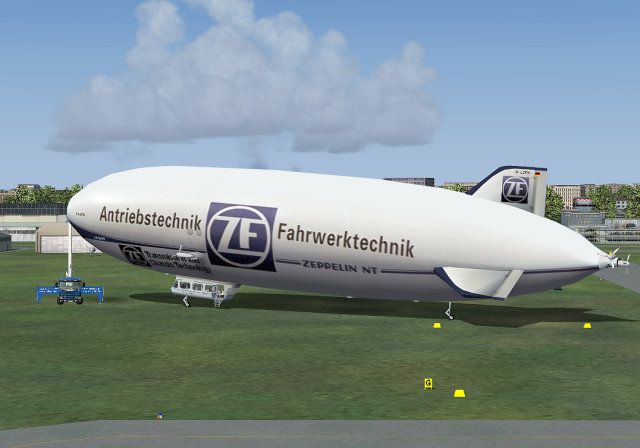
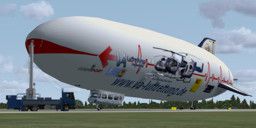
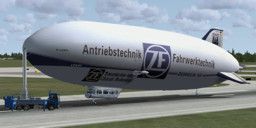
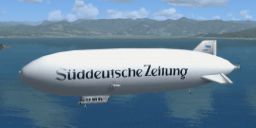
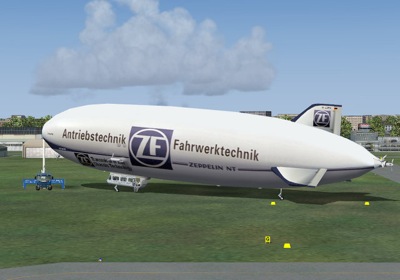
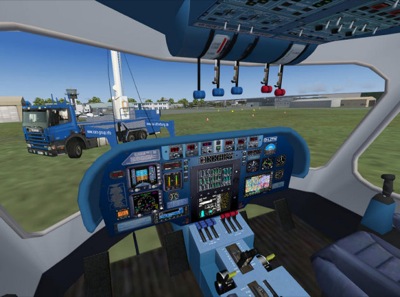
FlightPort’s Zeppelin NT brings smooth, animated airship flying to FSX with a multi-LOD model, detailed lighting and effects, and a fully operable virtual cockpit for hands-on control. It also includes a complete repaint set plus four extra liveries, rounding out a polished package for sightseeing, touring, and unique operations.
 Rate
Rate



Free for all simmers · 42.4 MB · Scanned clean Oct 2026
Download speed: Free tier is capped at 0.5 Mbps (this file takes approximately 12 mins at the cap). PRO members download at full line speed.
SimObjects\Airplanes\, Addon Scenery\, Effects\, or Gauges\.readme.txt or README file. It tells you exactly where files go, what dependencies are needed, and any quirks specific to this add-on.The archive zepntfsx10.zip has 85 files and directories contained within it.
This list displays the first 500 files in the package. If the package has more, you will need to download it to view them.
| Filename/Directory | File Date | File Size |
|---|---|---|
| FILE_ID.DIZ | 07.15.09 | 332 B |
| thumbnail.GIF | 07.15.09 | 10.77 kB |
| thumbnail1.GIF | 07.15.09 | 11.71 kB |
| Zeppelin NT_FSX | 07.15.09 | 0 B |
| Aircraft.cfg | 07.13.09 | 18.85 kB |
| Manual | 07.15.09 | 0 B |
| Manual_X_e.pdf | 07.12.09 | 2.51 MB |
| model | 07.13.09 | 0 B |
| Model.cfg | 10.25.08 | 30 B |
| Zeppelin NT.mdl | 06.14.09 | 2.07 MB |
| panel | 07.13.09 | 0 B |
| gkCirrus.gau | 02.13.05 | 996.00 kB |
| Main.bmp | 03.14.09 | 1.00 MB |
| Panel.cfg | 06.16.09 | 5.78 kB |
| ZeppelinX.cab | 06.25.09 | 883.29 kB |
| ZeppelinX_PFD_MFD.cab | 06.16.09 | 155.65 kB |
| readme.txt | 07.15.09 | 1.93 kB |
| Repaintset | 07.15.09 | 0 B |
| zepfuse.bmp | 06.15.09 | 4.00 MB |
| zepmisc.bmp | 06.28.09 | 4.00 MB |
| zepmisc1.bmp | 02.11.09 | 4.00 MB |
| zepmisc2.bmp | 02.01.09 | 4.00 MB |
| zeppanel.bmp | 02.23.09 | 4.00 MB |
| zeppanmain.bmp | 06.12.09 | 4.00 MB |
| sound | 07.13.09 | 0 B |
| Sound.cfg | 07.25.04 | 38 B |
| texture.23andMe | 07.13.09 | 0 B |
| thumbnail.jpg | 06.29.09 | 41.25 kB |
| zepfuse.bmp | 06.28.09 | 4.00 MB |
| zepmisc.bmp | 06.29.09 | 4.00 MB |
| zepmisc1.bmp | 02.11.09 | 4.00 MB |
| zepmisc2.bmp | 02.01.09 | 4.00 MB |
| zeppanel.bmp | 02.23.09 | 4.00 MB |
| zeppanmain.bmp | 06.12.09 | 4.00 MB |
| zepprop1.bmp | 05.08.09 | 256.07 kB |
| texture.blanc | 07.13.09 | 0 B |
| thumbnail.jpg | 06.29.09 | 33.45 kB |
| zepfuse.bmp | 06.15.09 | 4.00 MB |
| zepmisc.bmp | 06.28.09 | 4.00 MB |
| zepmisc1.bmp | 02.11.09 | 4.00 MB |
| zepmisc2.bmp | 02.01.09 | 4.00 MB |
| zeppanel.bmp | 02.23.09 | 4.00 MB |
| zeppanmain.bmp | 06.12.09 | 4.00 MB |
| zepprop1.bmp | 05.08.09 | 256.07 kB |
| texture.flightport | 07.13.09 | 0 B |
| thumbnail.jpg | 06.16.09 | 10.22 kB |
| zepfuse.bmp | 06.15.09 | 4.00 MB |
| zepmisc.bmp | 04.04.09 | 4.00 MB |
| zepmisc1.bmp | 02.11.09 | 4.00 MB |
| zepmisc2.bmp | 02.01.09 | 4.00 MB |
| zeppanel.bmp | 02.23.09 | 4.00 MB |
| zeppanmain.bmp | 06.12.09 | 4.00 MB |
| zepprop1.bmp | 05.08.09 | 256.07 kB |
| texture.icaro | 07.13.09 | 0 B |
| thumbnail.jpg | 06.16.09 | 11.43 kB |
| zepfuse.bmp | 06.15.09 | 4.00 MB |
| zepmisc.bmp | 04.04.09 | 4.00 MB |
| zepmisc1.bmp | 02.11.09 | 4.00 MB |
| zepmisc2.bmp | 02.01.09 | 4.00 MB |
| zeppanel.bmp | 02.23.09 | 4.00 MB |
| zeppanmain.bmp | 06.12.09 | 4.00 MB |
| zepprop1.bmp | 05.08.09 | 256.07 kB |
| texture.SZ | 07.13.09 | 0 B |
| thumbnail.jpg | 06.29.09 | 35.83 kB |
| zepfuse.bmp | 06.28.09 | 4.00 MB |
| zepmisc.bmp | 04.04.09 | 4.00 MB |
| zepmisc1.bmp | 02.11.09 | 4.00 MB |
| zepmisc2.bmp | 02.01.09 | 4.00 MB |
| zeppanel.bmp | 02.23.09 | 4.00 MB |
| zeppanmain.bmp | 06.12.09 | 4.00 MB |
| zepprop1.bmp | 05.08.09 | 256.07 kB |
| texture.ZF | 07.13.09 | 0 B |
| thumbnail.jpg | 06.16.09 | 10.79 kB |
| zepfuse.bmp | 06.15.09 | 4.00 MB |
| zepmisc.bmp | 04.04.09 | 4.00 MB |
| zepmisc1.bmp | 02.11.09 | 4.00 MB |
| zepmisc2.bmp | 02.01.09 | 4.00 MB |
| zeppanel.bmp | 02.23.09 | 4.00 MB |
| zeppanmain.bmp | 06.12.09 | 4.00 MB |
| zepprop1.bmp | 05.08.09 | 256.07 kB |
| Zeppelin NT Ship2.air | 04.08.09 | 8.19 kB |
| zeppi_vc.jpg | 07.15.09 | 77.90 kB |
| Zeppi1.jpg | 07.15.09 | 46.83 kB |
| flyawaysimulation.txt | 10.29.13 | 959 B |
| Go to Fly Away Simulation.url | 01.22.16 | 52 B |
Only PRO members can place votes.
More FSX & P3D add-ons hand-picked based on this download.
FSX Other Aircraft & Vehicles
A fully-featured, freeware aircraft carrier add-on for all versions of Micros…
 FSX Other Aircraft & Vehicles
Completely re-worked model and textures . New flight dynamics optimized for S…
 FSX Other Aircraft & Vehicles
FSX NASA Space Shuttle. The shuttle has been modified so that it takes off an…
 FSX Other Aircraft & Vehicles
FSX Star Wars Incom T-65 X-Wing. This model features a reasonable Mach 1.8 Vm…
 FSX Other Aircraft & Vehicles
This freeware package contains over 800 AI ships, boats, traffic FSX, and P3D…
 FSX Other Aircraft & Vehicles
This unique Star Wars-themed add-on, developed by Bruce Fitzgerald, brings th…
 FSX Other Aircraft & Vehicles
REPTILIAN FS9 / FSX FLYABLE UFO. This file provides a fictitious UFO, remindi…
 FSX Other Aircraft & Vehicles
BMW 760i. The bmwmods by Mike Teller put together in a file, to make a comple…
Read what other simmers think, or add your own.

Does not work in P3D v4.2 The simulator hangs and closes without errors. Sincerely, Victor.

Hello, i am not able to see any of the glass cockpit displays! Any reason as to why this is? Solutions? Thanks

I'm not this model works good on P3Dv3!!! The general Model can be seen and it's Flyable but several click spots to turn displays on and navigation dialing, don't seem to work!!! I know that any model that is a port from FS9 will not work on p3dv3 due to LM dropping backward compatibility on FS9!!! If some one knows a way to get the clickspots working on p3dv3 let me know!!! Thanks!!!

@Caleb To initiate the mooring truck, press the speedbrakes key, whichever key you have it set on.

Hello, im wondering how to initalize the mooring truck for the zeppelin flightport nt. Ive got the zeppelins already downloaded and into fsx but just want the mooring truck. So do i have to download the truck or has it been downloaded already and i have to program it in.