

 FSX Civil Aircraft
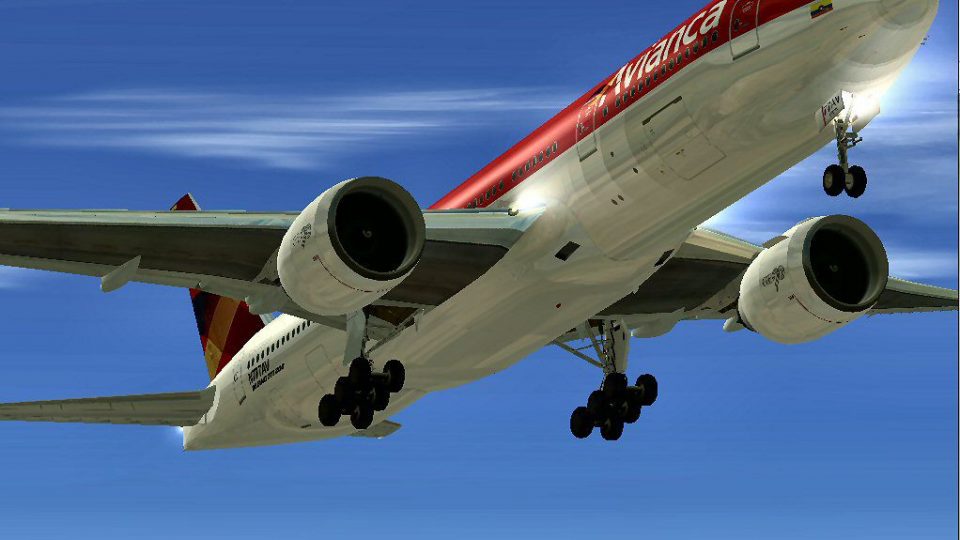
Avianca Boeing 777-200ER N777AV
This add-on provides a carefully refined Avianca Boeing 777-200ER (registrati…
Avianca’s updated Boeing 777-200ER (N777AV) brings a complete GE-powered widebody to FSX with refined flight dynamics, crisp high-resolution textures, animated engine cowlings, and smooth ground interaction including jetway support. External lighting can be enhanced when installed, and the model integrates cleanly for an authentic virtual cockpit-to-ramp experience.
 Rate
Rate
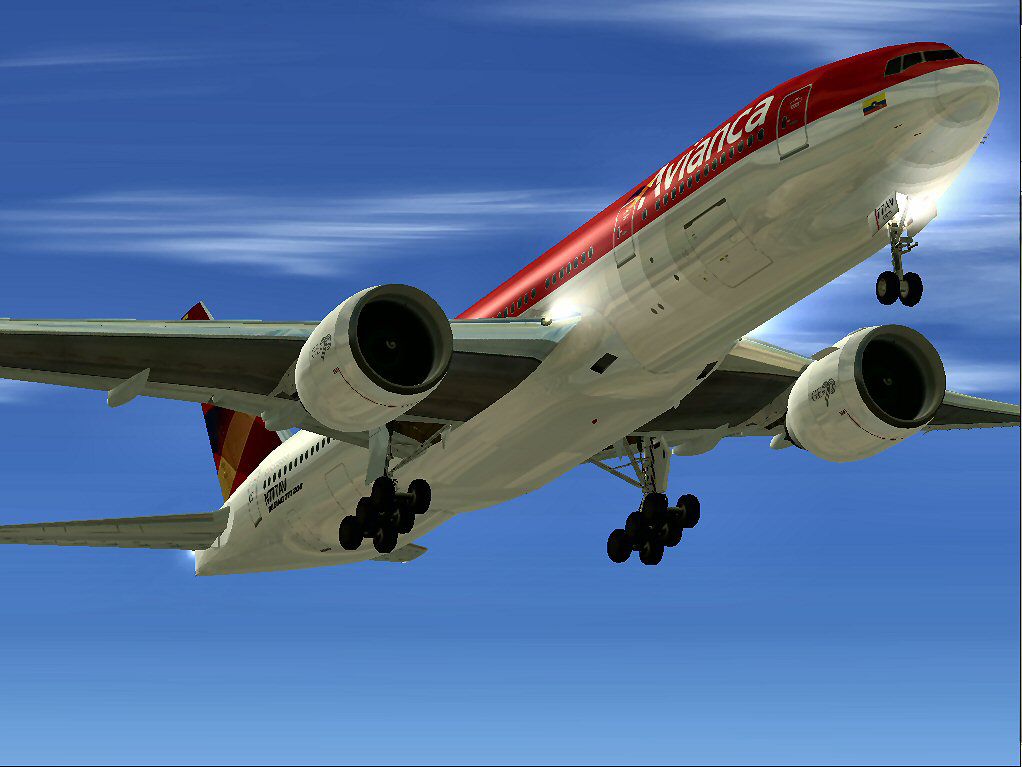
This freeware release features a complete Boeing 777-200ER package in Avianca’s updated color scheme, created by the original designer Melvin Rafi and carefully adapted for FSX by David Grindele. It includes custom flight dynamics, animated engine cowlings, and compatibility with external visual enhancements. Users can expect authentic details, a visually appealing livery, and a model that integrates seamlessly into the simulator environment.
This download provides a standalone Boeing 777-200ER (registration N777AV) with General Electric engines. Developed first by Melvin Rafi under the “MelJet” label, it was further optimized for FSX by David Grindele. The authors designed it to offer a fluid flying experience in FSX without sacrificing realism or fidelity, and its geometry allows for detailed inspections of the jet engine area.
MelJet’s aircraft originally targeted earlier simulators such as FS2000 and FS2002. Many were later modified for FS2004, yet they sometimes required further refinement for stability. To address these needs in FSX, the .air and aircraft.cfg files were tweaked, ensuring the 777-200ER exhibits well-balanced handling and performance. Additionally, the developers integrated A2A 3D Lights and Redux (if installed on your system) to enhance the visual quality of external lighting.
This variant represents Avianca’s newer color design. The textures retain high-resolution clarity to match the airline’s contemporary look, and the registration N777AV has been preserved for increased authenticity. This specific layout highlights the crisp logos and branding, ensuring the aircraft stands out on the tarmac and in the sky.
To open the engine cowlings, press Shift + E, which allows a closer look at the GE powerplant. The jetway animation triggers via Ctrl + J, ensuring smoother ground operations. This package has been tested on Windows Vista 32-bit and Windows XP setups, but it remains tailored specifically for FSX.
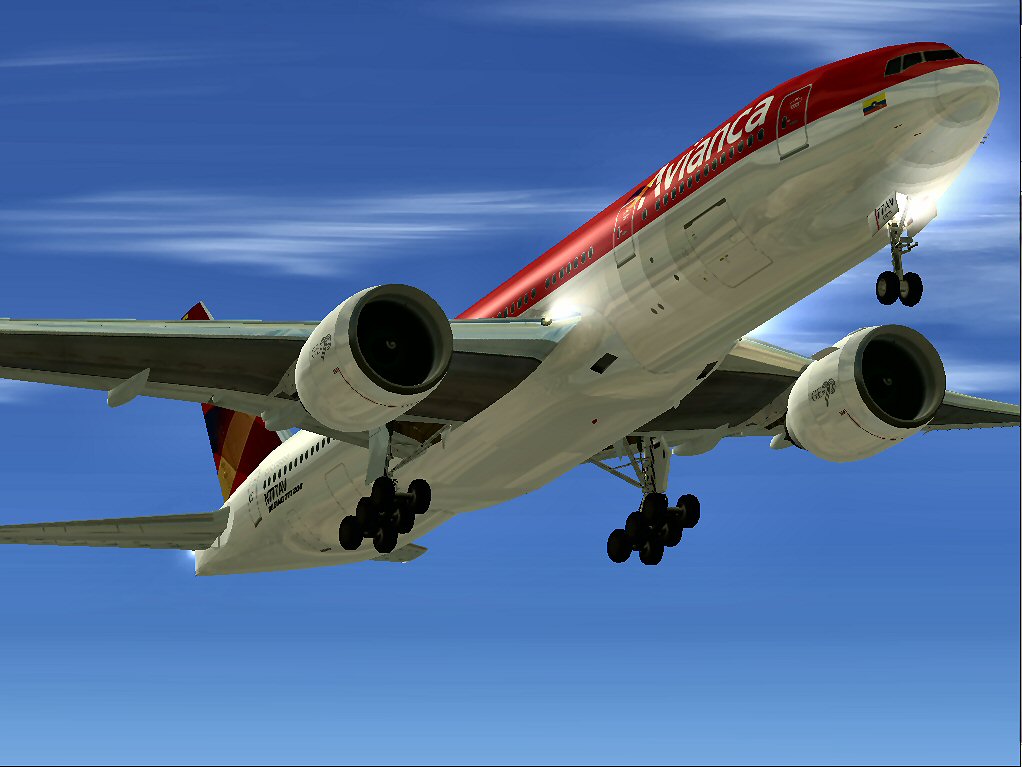
Avianca Boeing 777-200ER taking off.
Free for all simmers · 54.14 MB · Scanned clean Oct 2026
Download speed: Free tier is capped at 0.5 Mbps (this file takes approximately 15 mins at the cap). PRO members download at full line speed.
FSX\SimObjects\Airplanes\. The folder must contain an aircraft.cfg file. Effects go into FSX\Effects\; gauges go into FSX\Gauges\.readme.txt or README file. It tells you exactly where files go, what dependencies are needed, and any quirks specific to this add-on.The archive av77fsx.zip has 142 files and directories contained within it.
This list displays the first 500 files in the package. If the package has more, you will need to download it to view them.
| Filename/Directory | File Date | File Size |
|---|---|---|
| Avianca 777-200ER.jpg | 12.09.09 | 93.44 kB |
| Boeing 777-200ER Avianca | 12.10.09 | 0 B |
| aircraft.cfg | 12.10.09 | 17.92 kB |
| Boeing777-200-MR-MKIII.air | 07.08.03 | 8.66 kB |
| boeing777-200_check.htm | 05.21.03 | 49.99 kB |
| boeing777-200_ref.htm | 05.21.03 | 9.48 kB |
| model.ge | 12.10.09 | 0 B |
| Boeing777-200-MR-MKIII.mdl | 07.13.03 | 3.54 MB |
| Model.cfg | 11.09.02 | 41 B |
| panel | 12.10.09 | 0 B |
| 777KM.cab | 09.17.04 | 1.25 MB |
| forward_1024.bmp | 07.06.01 | 769.05 kB |
| forward_640.bmp | 07.06.01 | 301.05 kB |
| FORWARD_LEFT.bmp | 08.05.00 | 335.36 kB |
| forward_right.bmp | 08.11.00 | 769.05 kB |
| LEFT.bmp | 08.11.00 | 140.55 kB |
| MAIN.bmp | 09.17.04 | 5.49 MB |
| OVERHEAD.bmp | 09.16.04 | 2.70 MB |
| panel.cfg | 11.17.09 | 8.12 kB |
| PEDESTAL.bmp | 09.16.04 | 1.09 MB |
| REAR.bmp | 07.25.00 | 733.47 kB |
| REAR_LEFT.bmp | 07.27.00 | 582.27 kB |
| REAR_RIGHT.bmp | 07.24.00 | 680.04 kB |
| right2.bmp | 08.10.00 | 606.57 kB |
| Thumbs.db | 12.10.09 | 27.00 kB |
| sound | 12.10.09 | 0 B |
| A_COMB_1.wav | 12.12.04 | 728.63 kB |
| A_COMB_2.wav | 12.12.04 | 728.63 kB |
| A_COMB_3.wav | 12.12.04 | 728.63 kB |
| A_COMB_4.wav | 05.07.05 | 691.51 kB |
| A_EFSC.wav | 09.27.05 | 325.45 kB |
| A_JT8D_0.wav | 06.04.04 | 209.46 kB |
| A_JT8D_1.wav | 05.01.05 | 1.69 MB |
| A_JT8D_2.wav | 01.19.06 | 605.39 kB |
| A_JT8D_3.wav | 02.11.06 | 418.02 kB |
| b_COMB_1.wav | 12.12.04 | 728.63 kB |
| B_COMB_2.wav | 12.12.04 | 728.63 kB |
| B_COMB_3.wav | 12.12.04 | 728.63 kB |
| B_COMB_4.wav | 05.07.05 | 691.51 kB |
| B_EFSC.wav | 09.27.05 | 325.45 kB |
| b_JT8D_0.wav | 06.04.04 | 209.46 kB |
| b_JT8D_1.wav | 05.01.05 | 1.69 MB |
| b_JT8D_2.wav | 01.19.06 | 605.39 kB |
| B_JT8D_3.wav | 02.11.06 | 418.02 kB |
| FLAPS.wav | 08.22.03 | 210.75 kB |
| GEARDOWN.wav | 02.17.06 | 1.96 MB |
| gearup.wav | 02.17.06 | 1.98 MB |
| NEWWIND.WAV | 03.29.04 | 858.65 kB |
| reverser,BBN2T.wav | 01.19.06 | 1.79 MB |
| reverser.wav | 12.27.05 | 1.81 MB |
| Sound.cfg | 02.17.06 | 14.99 kB |
| touchc.wav | 01.06.99 | 286.01 kB |
| touchl.wav | 09.10.98 | 14.22 kB |
| touchr.wav | 07.01.97 | 10.85 kB |
| T_COMB_SHUT.WAV | 04.01.04 | 2.32 MB |
| T_COMB_START.wav | 06.30.01 | 107.55 kB |
| T_JT8D_START.wav | 12.12.04 | 3.63 MB |
| wind.wav | 03.29.04 | 858.65 kB |
| XBAN2T.wav | 12.21.05 | 1.81 MB |
| XBBN2T.wav | 12.21.05 | 1.81 MB |
| X_A_COMB_1.wav | 05.07.05 | 693.93 kB |
| X_A_COMB_2.wav | 05.07.05 | 693.93 kB |
| X_A_COMB_3.wav | 05.07.05 | 693.93 kB |
| X_A_COMB_4.wav | 02.04.06 | 325.45 kB |
| X_a_EFSC.wav | 01.16.06 | 648.45 kB |
| X_A_JT8D_0.wav | 02.04.06 | 325.45 kB |
| X_a_JT8D_1.wav | 02.04.06 | 325.45 kB |
| X_A_JT8D_2.wav | 02.04.06 | 669.99 kB |
| X_a_JT8D_3.wav | 02.04.06 | 669.99 kB |
| X_A_REVRS.wav | 09.16.99 | 108.81 kB |
| X_b_COMB_1.wav | 05.07.05 | 693.93 kB |
| X_b_COMB_2.wav | 05.07.05 | 693.93 kB |
| X_b_COMB_3.wav | 05.07.05 | 693.93 kB |
| X_B_COMB_4.wav | 02.04.06 | 325.45 kB |
| X_B_EFSC.wav | 12.21.05 | 1.81 MB |
| X_b_JT8D_0.wav | 02.04.06 | 325.45 kB |
| X_b_JT8D_1.wav | 02.04.06 | 325.45 kB |
| X_b_JT8D_2.wav | 02.04.06 | 669.99 kB |
| X_b_JT8D_3.wav | 02.04.06 | 669.99 kB |
| X_B_REVRS.wav | 09.16.99 | 119.31 kB |
| X_T_COMB_START.wav | 03.17.05 | 693.93 kB |
| X_T_JT8D_SHUT.WAV | 09.19.04 | 3.98 MB |
| X_T_JT8D_START.wav | 03.31.04 | 3.58 MB |
| soundai | 12.10.09 | 0 B |
| soundai.cfg | 05.12.06 | 34 B |
| texture.avianca_nc | 12.10.09 | 0 B |
| 777Cargohold_L.bmp | 12.30.02 | 256.07 kB |
| 777Cargohold_T.bmp | 12.30.02 | 256.07 kB |
| 777cockpitwindows.bmp | 12.29.02 | 257.05 kB |
| 777FuselagePort1_L.bmp | 01.08.06 | 1.00 MB |
| 777FuselagePort1_T.bmp | 01.30.06 | 4.00 MB |
| 777FuselageStar1_L.bmp | 01.08.06 | 1.00 MB |
| 777FuselageStar1_T.bmp | 01.30.06 | 4.00 MB |
| 777gear2_L.bmp | 12.30.02 | 16.07 kB |
| 777gear2_T.bmp | 01.29.06 | 1.00 MB |
| 777interior10_L.bmp | 07.11.03 | 256.07 kB |
| 777interior10_T.bmp | 01.28.06 | 256.07 kB |
| 777interior11_L.bmp | 07.11.03 | 256.07 kB |
| 777interior11_T.bmp | 01.28.06 | 256.07 kB |
| 777interior1_L.bmp | 12.30.02 | 256.07 kB |
| 777interior1_T.bmp | 01.28.06 | 256.07 kB |
| 777interior2_L.bmp | 01.01.03 | 256.07 kB |
| 777interior2_T.bmp | 01.07.06 | 256.07 kB |
| 777interior3_L.bmp | 07.11.03 | 1.00 MB |
| 777interior3_T.bmp | 01.28.06 | 1.00 MB |
| 777interior4_L.bmp | 07.11.03 | 1.00 MB |
| 777interior4_T.bmp | 01.28.06 | 1.00 MB |
| 777interior5_L.bmp | 07.11.03 | 1.00 MB |
| 777interior5_T.bmp | 01.28.06 | 1.00 MB |
| 777interior6_L.bmp | 07.11.03 | 1.00 MB |
| 777interior6_T.bmp | 01.28.06 | 1.00 MB |
| 777interior7_L.bmp | 07.11.03 | 1.00 MB |
| 777interior7_T.bmp | 01.28.06 | 1.00 MB |
| 777interior8_L.bmp | 07.11.03 | 256.07 kB |
| 777interior8_T.bmp | 01.28.06 | 256.07 kB |
| 777interior9_L.bmp | 07.11.03 | 256.07 kB |
| 777interior9_T.bmp | 01.28.06 | 256.07 kB |
| 777LandingGear01.bmp | 12.30.02 | 257.05 kB |
| 777Tail_L.bmp | 12.30.02 | 1.00 MB |
| 777Tail_T.bmp | 01.28.06 | 1.00 MB |
| 777Wing1_L.bmp | 12.30.02 | 16.07 kB |
| 777Wing1_T.bmp | 01.29.06 | 1.00 MB |
| 777Wing2_L.bmp | 12.30.02 | 16.07 kB |
| 777Wing2_T.bmp | 01.30.06 | 1.00 MB |
| Powerplant-GE90-Exterior_L.bmp | 12.30.02 | 16.07 kB |
| Powerplant-GE90-Exterior_T.bmp | 01.23.06 | 1.00 MB |
| Powerplant-GE90-Fan.bmp | 12.31.02 | 65.05 kB |
| Powerplant-GE90-FanShaft.bmp | 01.01.03 | 65.05 kB |
| Powerplant-GE90-FanShaftMotion.bmp | 01.03.03 | 65.05 kB |
| Powerplant-GE90-Interior_L.bmp | 12.30.02 | 16.07 kB |
| Powerplant-GE90-Interior_T.bmp | 07.13.03 | 1.00 MB |
| Thumbnail.jpg | 12.09.09 | 7.48 kB |
| Thumbs.db | 12.10.09 | 89.50 kB |
| Thumbs.db | 12.09.09 | 13.00 kB |
| file_id.diz | 12.08.09 | 1.83 kB |
| Install.txt | 12.10.09 | 1.33 kB |
| WallPaper | 12.10.09 | 0 B |
| Avianca 777-200ER.bmp | 12.09.09 | 2.24 MB |
| Thumbs.db | 12.10.09 | 6.00 kB |
| AV77FSX | 12.10.09 | 0 B |
| flyawaysimulation.txt | 10.29.13 | 959 B |
| Go to Fly Away Simulation.url | 01.22.16 | 52 B |
Only PRO members can place votes.
More FSX & P3D add-ons hand-picked based on this download.
FSX Civil Aircraft
This add-on provides a carefully refined Avianca Boeing 777-200ER (registrati…
 FSX Civil Aircraft
American Airlines Boeing 777-200ER (real chrome v2). Original model by Melvin…
 FSX Civil Aircraft
This freeware package faithfully represents a wide-body twinjet featuring Gar…
 FSX Civil Aircraft
This freeware release features a meticulously updated Malaysia Boeing 777-200…
 FSX Civil Aircraft
This is a repaint of the payware PMDG B777-200ER in the livery of Air France.…
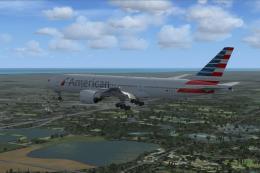 FSX Civil Aircraft
Photorealistic repaint of American Airlines B777-200ER GE N781AN for the payw…
 FSX Civil Aircraft
Textures for the default B777-200. The panel background was created entirely …
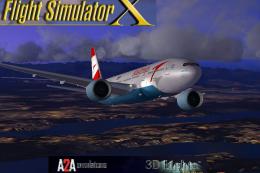 FSX Civil Aircraft
Explore a finely tuned freeware simulation of Austrian Airlines’ Boeing 777-2…
Read what other simmers think, or add your own.

I don’t have the original program to add what I am receiving. I am 94 and enjoy your addons. What is the chance and getting it so I can enjoy flyaway simulation. ljmjim@oh.rr.com
Thank you
Jim
