

 FSX Civil Aircraft
Qatar Airbus A350-800 XWB V2
This updated package offers a newly refined Qatar-themed Airbus A350-800 XWB …
Qatar Airways’ Airbus A350-800 XWB brings a polished wide-body experience to long-haul flying in FSX, with a reworked nose and cockpit windows, upgraded wings and winglets, and a modern virtual cockpit layout. Animated ground servicing adds lifelike door, cargo, and turnaround activity for richer ramp operations.
 Rate
Rate
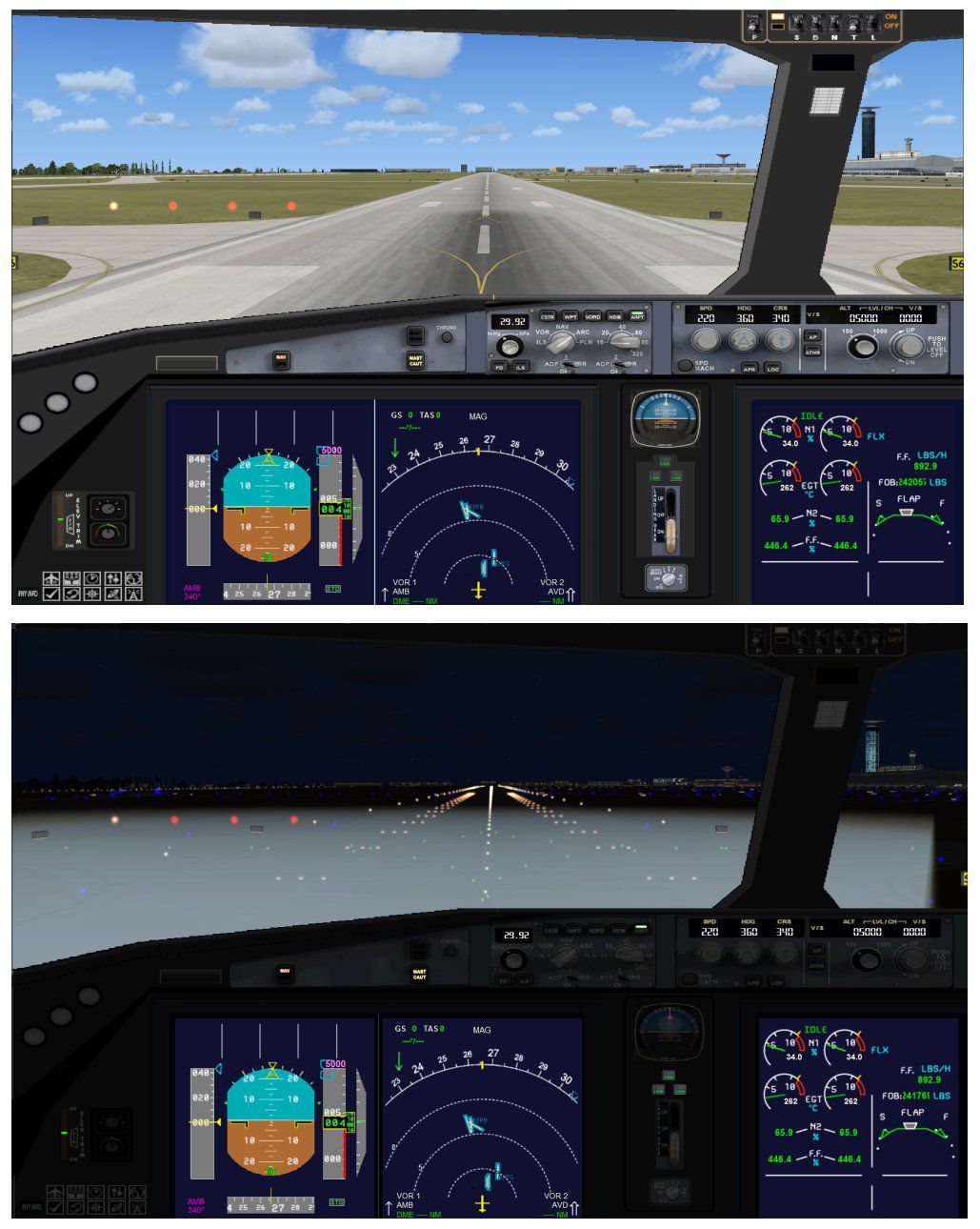
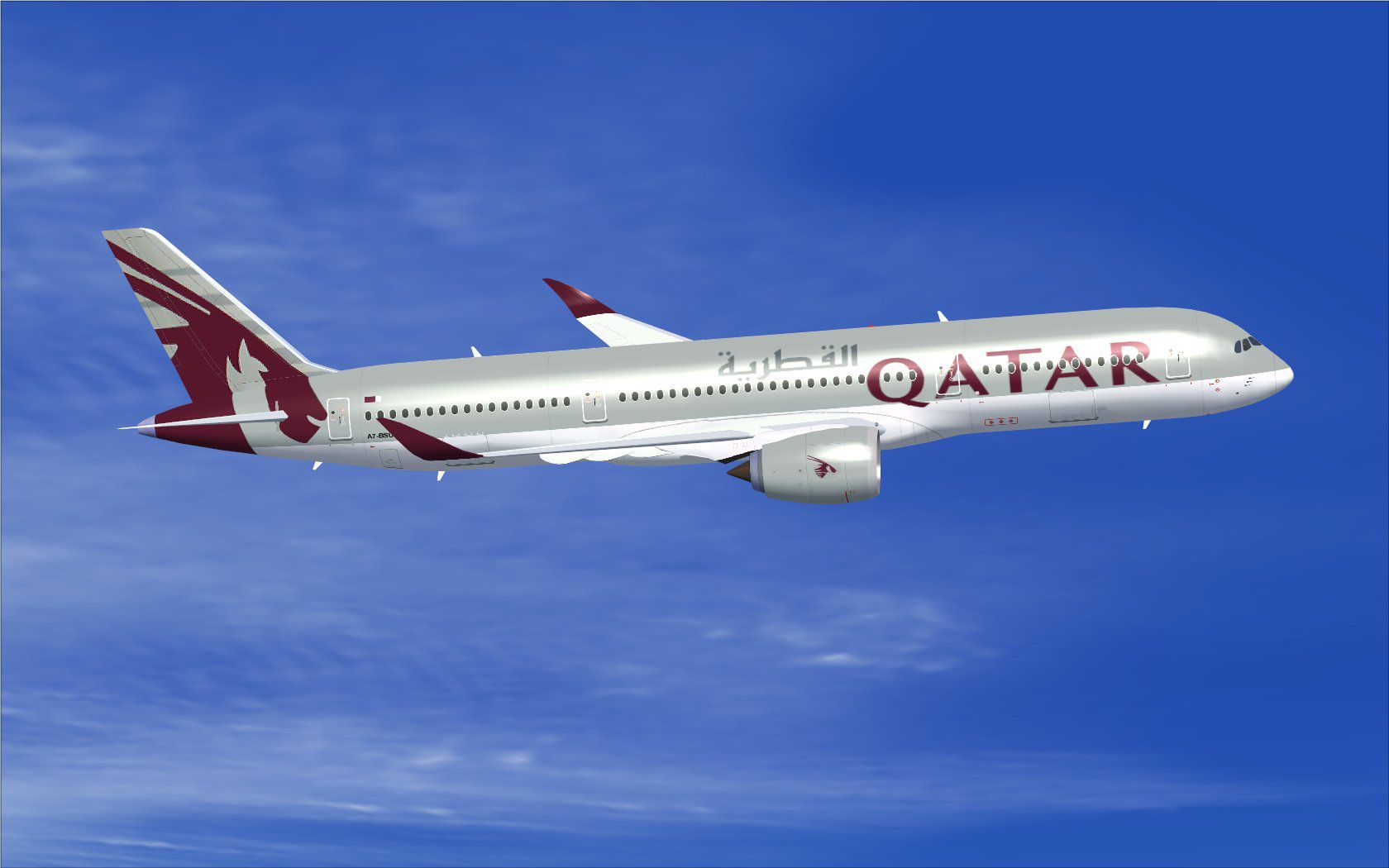
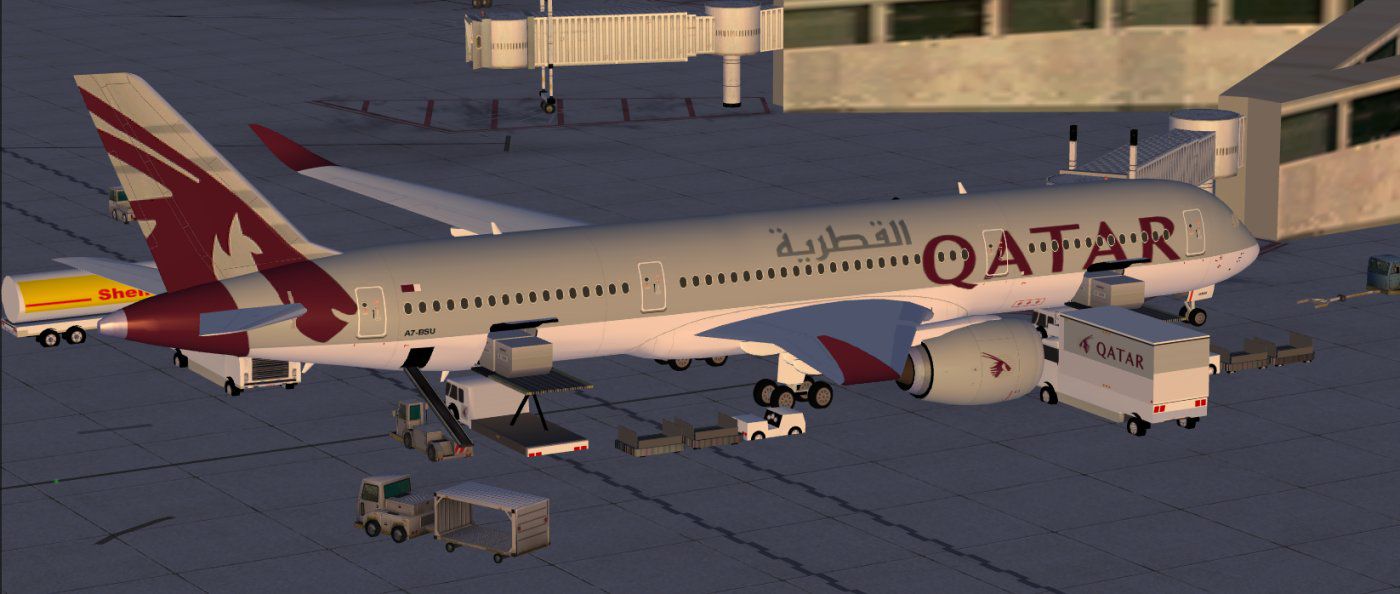
This latest rendition of the Qatar Airbus A350-800 XWB incorporates refined exterior details, optimized aerodynamics, and advanced ground servicing animations. As a free package designed for FSX, it offers a complete model of this wide-body jet. Developed by Camil Valiquette in collaboration with CAMSIM Aviation Simulation, it features a newly modeled nose, modern cockpit windows, upgraded wings, and revised winglets for enhanced in-sim realism. Enthusiasts of long-haul operations will appreciate the sophisticated flight deck layout and aerodynamic profile, which mimic the performance and handling of the actual Airbus A350 family. Qatar Airways, recognized for its extensive use of next-generation Airbus fleets, serves as the livery basis for this package.
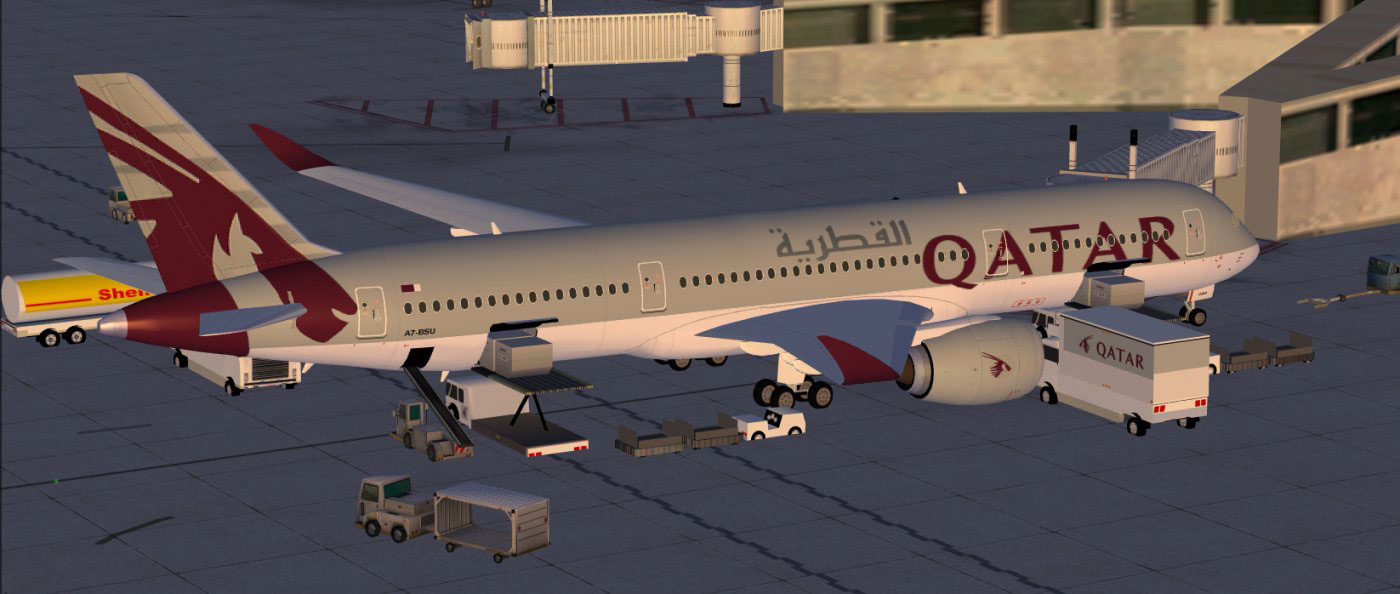
Qatar Airbus A350-800 XWB.
This aircraft integrates AGS features that activate various servicing animations while on the ground. To ensure full functionality, verify that your keyboard or controller assignments match the following commands in the FSX “Options” menu:
For full access to these animations, bind the “Wing fold/unfold” command to SHIFT + C and “Tail hook up/down” to SHIFT + D.
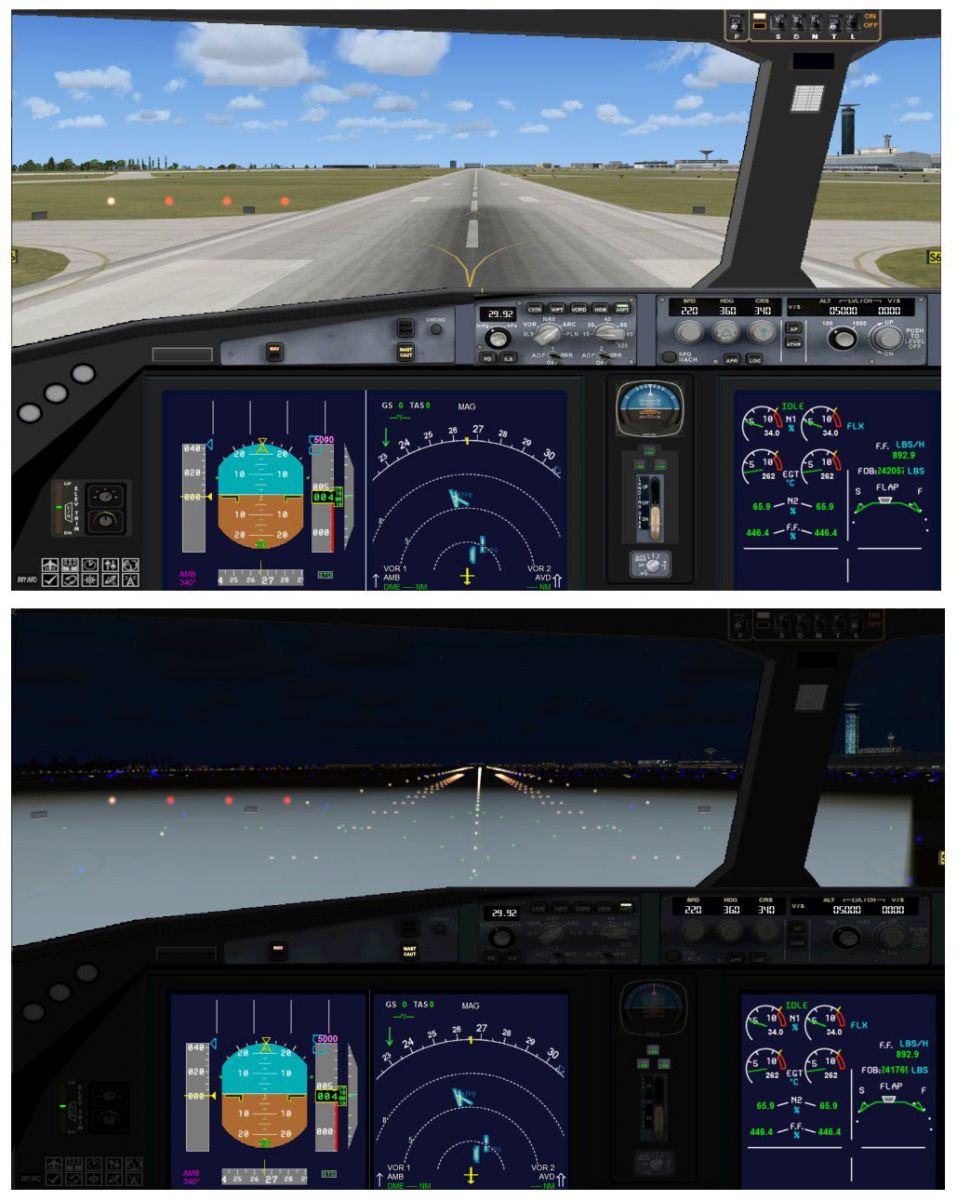
Cockpit view of Qatar Airbus A350-800 XWB.
Overall, this updated version merges authentic visuals, functional ground servicing, and precise attention to detail. The end result is a reliable representation of the Qatar Airbus A350-800 XWB, created by Camil Valiquette, that serves as a robust addition to any FSX installation.
Free for all simmers · 5.2 MB · Scanned clean Oct 2026
Download speed: Free tier is capped at 0.5 Mbps (this file takes approximately 1 min at the cap). PRO members download at full line speed.
This add-on may require the following files to function properly. If this is a repaint, the dependency below is likely the base aircraft package.
FSX\SimObjects\Airplanes\. The folder must contain an aircraft.cfg file. Effects go into FSX\Effects\; gauges go into FSX\Gauges\.readme.txt or README file. It tells you exactly where files go, what dependencies are needed, and any quirks specific to this add-on.The archive 358v2qrx.zip has 37 files and directories contained within it.
This list displays the first 500 files in the package. If the package has more, you will need to download it to view them.
| Filename/Directory | File Date | File Size |
|---|---|---|
| CamSim Airbus 350-800 V2 Qatar | 07.28.10 | 0 B |
| 358.air | 02.25.10 | 12.75 kB |
| 358v2qr_.jpg | 06.29.10 | 102.31 kB |
| 358v2qr_ags_fsx.jpg | 07.28.10 | 109.13 kB |
| aircraft.cfg | 07.28.10 | 15.31 kB |
| Effects.zip | 03.25.06 | 1.80 kB |
| file_id.diz | 07.23.10 | 274 B |
| model.350-800 ags | 07.28.10 | 0 B |
| 350-800 ags.mdl | 11.23.09 | 2.53 MB |
| Model.cfg | 08.09.07 | 30 B |
| PANEL | 07.28.10 | 0 B |
| 787_350_panel_background.bmp | 02.25.10 | 2.25 MB |
| 787_350_panel_background_night.bmp | 02.25.10 | 2.25 MB |
| Airbus_A321.cab | 09.04.06 | 2.72 MB |
| panel.cfg | 02.25.10 | 5.48 kB |
| panel camsim 787-350 afx_2.jpg | 04.09.10 | 182.86 kB |
| Read Me_FSX.txt | 07.23.10 | 2.07 kB |
| SOUND | 07.28.10 | 0 B |
| Sound.cfg | 11.04.09 | 35 B |
| soundai | 07.28.10 | 0 B |
| soundai.cfg | 05.12.06 | 34 B |
| texture.qr | 07.28.10 | 0 B |
| 359fuse_t.bmp | 06.29.10 | 1.00 MB |
| 35eng_t.bmp | 06.28.10 | 1.00 MB |
| 35int_L.bmp | 08.06.09 | 4.00 MB |
| 35int_t.bmp | 07.28.10 | 1.00 MB |
| 35tail_t.bmp | 06.28.10 | 1.00 MB |
| 35wings_t.bmp | 08.04.09 | 1.00 MB |
| 787ext_L.bmp | 08.06.09 | 4.00 MB |
| 787ext_t.bmp | 07.28.10 | 1.00 MB |
| gris_t.bmp | 03.17.06 | 16.07 kB |
| pilot1.bmp | 02.12.09 | 257.05 kB |
| pilot1_l.bmp | 12.06.06 | 1.00 MB |
| thumbnail.jpg | 07.28.10 | 5.85 kB |
| w_t.bmp | 12.06.08 | 16.07 kB |
| flyawaysimulation.txt | 10.29.13 | 959 B |
| Go to Fly Away Simulation.url | 01.22.16 | 52 B |
Only PRO members can place votes.
More FSX & P3D add-ons hand-picked based on this download.
FSX Civil Aircraft
This updated package offers a newly refined Qatar-themed Airbus A350-800 XWB …
 FSX Civil Aircraft
This update introduces a refined release of the Airbus A350-1000 for FSX, fea…
 FSX Civil Aircraft
This comprehensive freeware release showcases a fully functional model of an …
 FSX Civil Aircraft
Experience an updated rendition of Qatar’s acclaimed Airbus A350-900 XWB, met…
 FSX Civil Aircraft
This package introduces a newly refined rendition of the popular twin-engine,…
 FSX Civil Aircraft
This fully featured freeware package revisits the Air France Airbus A350-800 …
 FSX Civil Aircraft
FSX Hawaiian Airlines Airbus A350-800 XWB, including a new Animated Ground Se…
 FSX Civil Aircraft
The updated Aeroflot A350-800 package introduces new geometry for the nose se…
Be the first to leave a comment on this download.
Be the first to share your thoughts on this download.