

 FSX Civil Aircraft
Delta Airlines Lockheed L1011 Tristar
Upgrade your FSX environment with this detailed Delta Airlines repaint of the…
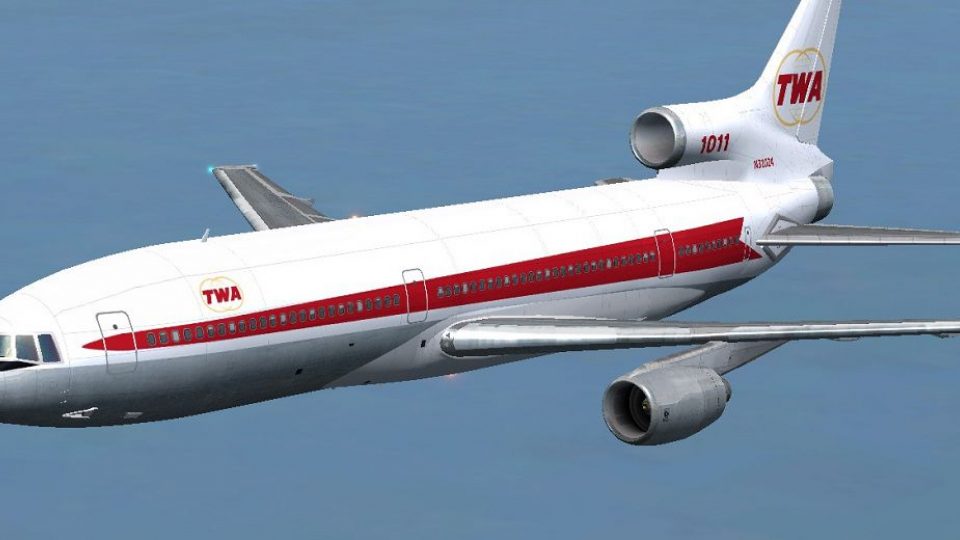
TWA’s Lockheed L-1011 TriStar N31024 comes to life with a faithful freeware repaint featuring crisp striping, accurate markings, and period-correct airline styling for classic wide-body operations in FSX. The textures are tailored for the Thomas Ruth and Erick Cantu L1011-100 base model and require TOML1011.ZIP.
 Rate
Rate


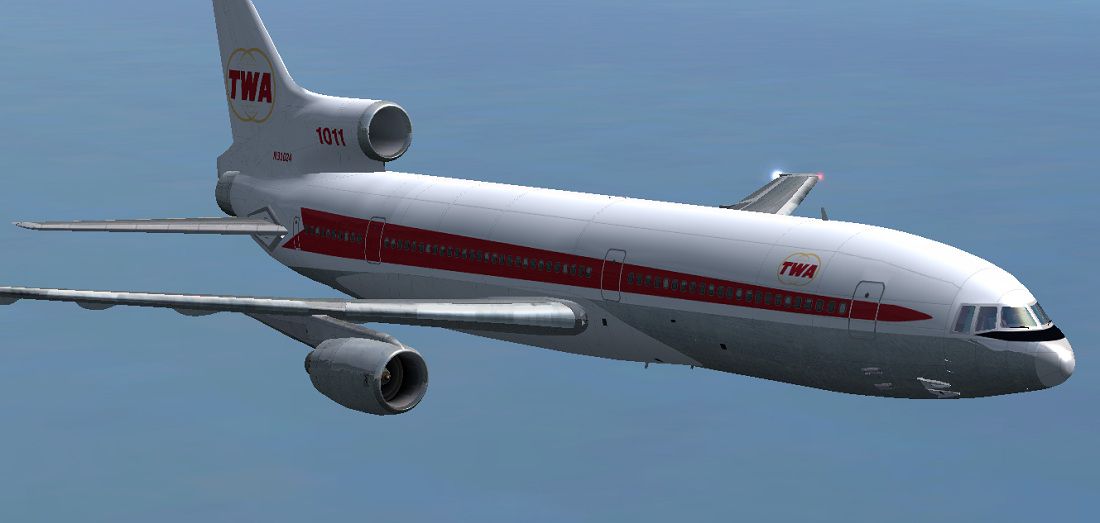
This freeware repaint showcases the iconic Lockheed L-1011 TriStar sporting Trans World Airlines (TWA) registration N31024 (manufacturer serial number 1091). It has been carefully crafted by Paul Craig to complement the base model developed by Thomas Ruth and Erick Cantu. Enthusiasts looking to replicate the historic TWA visual appearance of this wide-body tri-engined airliner in their simulator will find the texture set both faithful and detailed. Please note that this package only includes the repaint textures; the base model (TOML1011.ZIP) must be obtained separately and is available in the Fly Away Simulation file library.
The Lockheed L-1011 TriStar is instantly recognizable by its trio of Rolls-Royce RB211 turbofans, offering high thrust and a distinctive silhouette. This particular livery honors TWA's legacy as a well-established international carrier that operated the L-1011 extensively. The TriStar’s advanced systems included an automatic landing feature, which was notably ahead of its time. As a result, pilots enjoyed excellent reliability, and flight simmers can replicate that realism in FSX with this repaint.
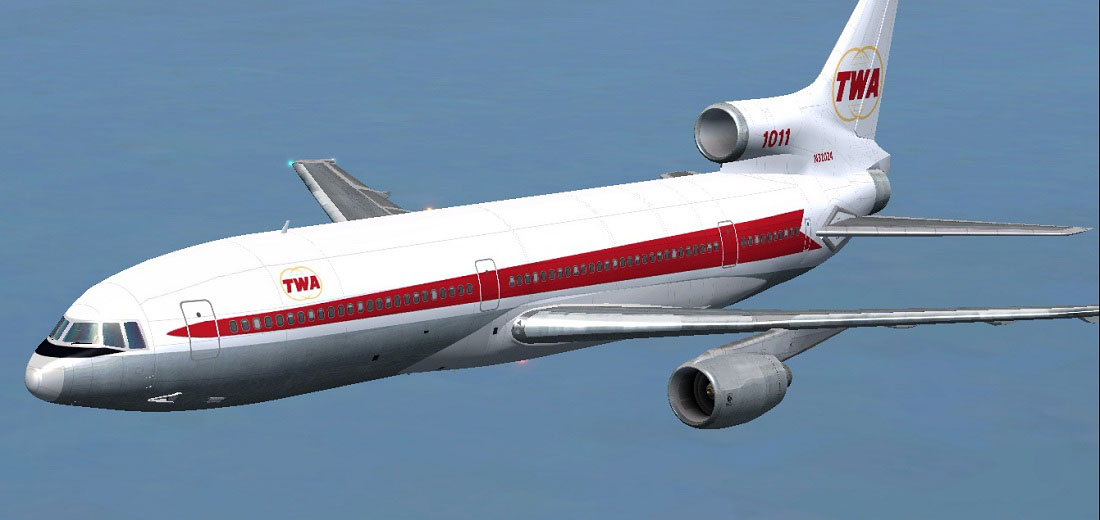
TWA Lockheed L1011 TriStar soaring above the simulated skies.
The texture layout reflects TWA’s classic paint scheme, complete with the signature red and white stripes. Historically, the real aircraft (N31024) was part of a prolific fleet that carried passengers across transcontinental and international routes. Lockheed produced a total of 250 TriStars, with manufacturing ceasing in 1982, ensuring each aircraft became a treasured piece of aviation history.
Tom_L1011-100 aircraft folder under:Tom_L1011-100 folder.Tom_L1011-100 directory.[fltsim.X] to the next available number:[fltsim.X]
title=L1011-100 TWA
sim=tom1011
model=
panel=
sound=
texture=TWA
kb_checklists=Boeing747-400_check
kb_reference=Boeing747-400_ref
atc_id=N31024
atc_airline=TWA
atc_flight_number=1123
atc_heavy=1
ui_manufacturer=Lockheed
ui_type=L1011-100
ui_variation=TWA (Trans World Airlines)
ui_typerole=Commercial Airliner
ui_createdby=Thomas Ruth + Eric Cantu
description= First Flight on November 16, 1969 at Palmdale, California’s entry into service with Eastern on April 26, 1972. Total Production: 250 units. Production end: 1982.
Save your updated file, then start FSX to confirm that the repaint has been loaded correctly. If an issue occurs, try editing the configuration file in a separate text editor before reinserting it into the folder.
All files are provided for use at your own responsibility. The repaint author, Paul Craig, and any associated developers cannot be held liable for any potential conflicts, errors, or damages that may arise from installing this repaint package.
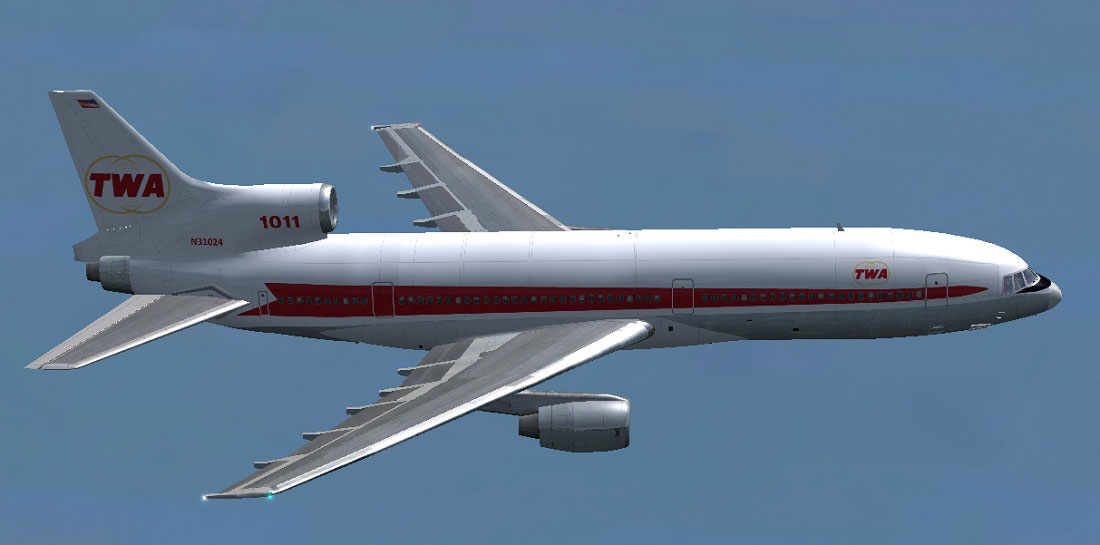
TWA Lockheed L1011 TriStar during a simulated journey.
Primary credit goes to Thomas Ruth and Erick Cantu for the original L1011 model, which brings an authentic representation of Lockheed’s tri-jet into the simulator. Paul Craig deserves recognition for crafting this TWA repaint and enabling flight sim fans to fly a piece of aviation history.
Free for all simmers · 2.68 MB · Scanned clean Oct 2026
Download speed: Free tier is capped at 0.5 Mbps. PRO members download at full line speed.
This file is a repaint — the package below is the base model it paints onto. Install it first, or the textures will have nothing to load onto.
texture.{airline}) inside FSX\SimObjects\Airplanes\{base-aircraft}\.aircraft.cfg in Notepad. Add a new [fltsim.X] section per the readme.readme.txt or README file. It tells you exactly where files go, what dependencies are needed, and any quirks specific to this add-on.The archive transworldtoml1011.zip has 19 files and directories contained within it.
This list displays the first 500 files in the package. If the package has more, you will need to download it to view them.
| Filename/Directory | File Date | File Size |
|---|---|---|
| FILE_ID.DIZ | 07.17.11 | 211 B |
| Readme.txt | 07.17.11 | 1.74 kB |
| texture.TWA | 07.17.11 | 0 B |
| glass.dds | 11.18.10 | 64.12 kB |
| main.dds | 07.17.11 | 4.00 MB |
| main_bump.dds | 05.20.11 | 4.00 MB |
| main_light.dds | 12.23.10 | 4.00 MB |
| main_spec.dds | 07.17.11 | 1.00 MB |
| sec.dds | 05.17.11 | 4.00 MB |
| sec_bump.dds | 05.20.11 | 4.00 MB |
| sec_spec.dds | 12.23.10 | 1.00 MB |
| thumbnail.jpg | 07.17.11 | 26.17 kB |
| thumbnail.jpg | 07.17.11 | 26.17 kB |
| thumbnail.png | 07.17.11 | 57.09 kB |
| TWA Lockheed L1011 Tristar Screenshot (1).jpg | 07.17.11 | 106.16 kB |
| TWA Lockheed L1011 Tristar Screenshot (2).jpg | 07.17.11 | 84.84 kB |
| TWA Lockheed L1011 Tristar Screenshot (3).jpg | 07.17.11 | 87.99 kB |
| flyawaysimulation.txt | 10.29.13 | 959 B |
| Go to Fly Away Simulation.url | 01.22.16 | 52 B |
Only PRO members can place votes.
More FSX & P3D add-ons hand-picked based on this download.
FSX Civil Aircraft
Upgrade your FSX environment with this detailed Delta Airlines repaint of the…
 FSX Civil Aircraft
This freeware package brings a faithful Lockheed L-1011 rendition tailored fo…
 FSX Civil Aircraft
An update for FSX of the Lockheed L-1011-500 by Mike Stone (SL10115.ZIP). Inc…
 FSX Civil Aircraft
This repaint delivers a vivid depiction of Iberia’s Lockheed L1011 TriStar, o…
 FSX Civil Aircraft
This freeware add-on introduces a meticulously rendered British Airways (Land…
 FSX Civil Aircraft
Designed to enrich your simulation hangar, this high-fidelity repaint package…
 FSX Civil Aircraft
Experience a distinctive rendition of the classic Lockheed L1011 TriStar, fea…
 FSX Civil Aircraft
This repaint set showcases the iconic Lockheed L1011 TriStar in a Hawaiian Ai…
Read what other simmers think, or add your own.

Can someone send the link to the "toml1011.zip" file? Or is the file already within the L1011 file?