

 FSX General Aviation Aircraft
Red/Black Mooney Acclaim Turbo Prop 2
This modified package highlights a red-and-black Mooney Acclaim turbine aircr…
Howard 500 prop textures correct the blurred, incorrect prop disc display when the classic HW5VC4 aircraft runs in Microsoft Flight Simulator X SP2, delivering a cleaner in-flight look and more convincing motion. Designed for the Howard 500 with virtual cockpit by Milton Shupe, Scott Thomas, and Joáo Paz, this set replaces key texture files and includes a selection thumbnail.
 Rate
Rate
Howard 500 Prop Textures. Replacement prop texture for an FSX installation of the Howard 500 with VC for FS2004 by Milton Shupe, Scott Thomas, and Joao Paz (HW5VC4.ZIP). By Chuck Lawsen.
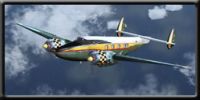
Howard 500 in flight.
Replacement prop texture for an FSX installation of the excellent Howard 500 with VC for FS2004 by Milton Shupe, Scott Thomas, and Joáo Paz.
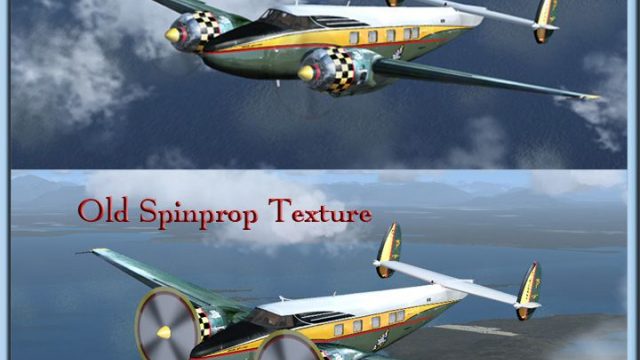
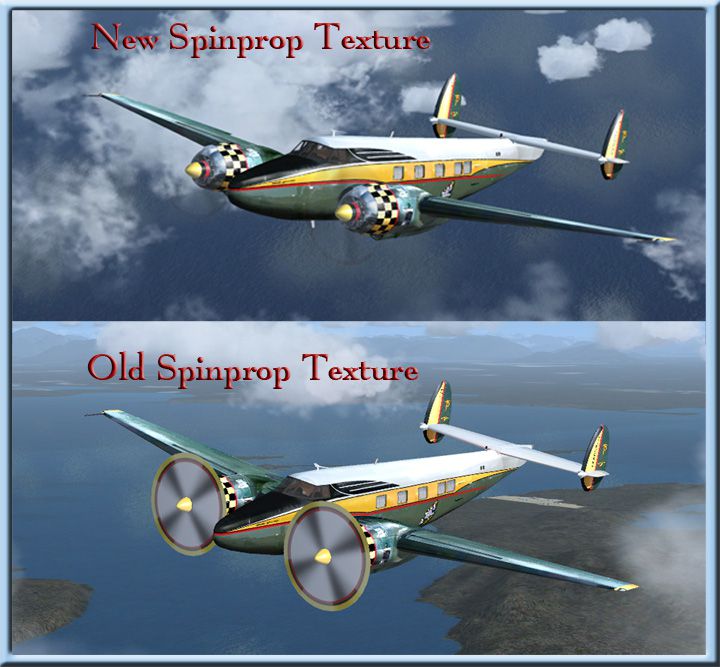
The FS2004 original file can be found at various sites as “hw5vc4.zip”. It operates well in FSX SP2, but the prop texture doesn’t appear correctly in FSX (see screenshot).
Installation:
Extract the “hw5vc4” files to a temporary folder, install the Effects folder in the FSX main folder, then open the Aircraft folder and install “hw5vc4” folder into SimObjects>Airplanes. Now extract/install my two texture files into the texture folder of “hw5vc4”, when asked do you want to overwrite click yes. I’ve included a thumbnail so it will show when selecting this aircraft to fly.
Note: I've tested this texture set using the entry above and all displayed and operated normally on my PC. Use at your own risk. I take no responsibility for any harm to your PC or files claimed due to their use.
That’s it, you’re good to go!
Regards,
Chuck Lawsen
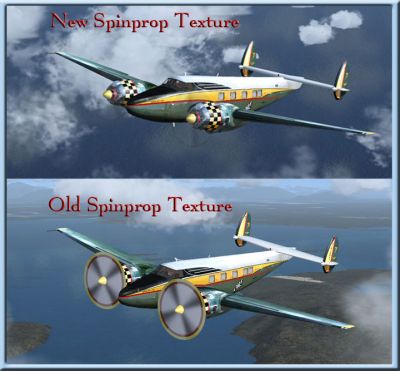
Before/after image of new textures.
Free for all simmers · 268.28 KB · Scanned clean Oct 2026
Download speed: Free tier is capped at 0.5 Mbps. PRO members download at full line speed.
This file is a repaint — the package below is the base model it paints onto. Install it first, or the textures will have nothing to load onto.
texture.{airline}) inside FSX\SimObjects\Airplanes\{base-aircraft}\.aircraft.cfg in Notepad. Add a new [fltsim.X] section per the readme.readme.txt or README file. It tells you exactly where files go, what dependencies are needed, and any quirks specific to this add-on.The archive howard_fsx.zip has 8 files and directories contained within it.
This list displays the first 500 files in the package. If the package has more, you will need to download it to view them.
| Filename/Directory | File Date | File Size |
|---|---|---|
| BeforeAfter.jpg | 11.25.09 | 185.22 kB |
| readme.txt | 11.26.09 | 1.00 kB |
| texture | 11.26.09 | 0 B |
| spinprop.bmp | 11.19.09 | 256.07 kB |
| thumbnail.jpg | 11.19.09 | 53.93 kB |
| howard_fsx | 11.26.09 | 0 B |
| flyawaysimulation.txt | 10.29.13 | 959 B |
| Go to Fly Away Simulation.url | 01.22.16 | 52 B |
Only PRO members can place votes.
More FSX & P3D add-ons hand-picked based on this download.
FSX General Aviation Aircraft
This modified package highlights a red-and-black Mooney Acclaim turbine aircr…
 FSX General Aviation Aircraft
The Mooney Acclaim has always been synonymous with swift cruise speeds and sl…
 FSX General Aviation Aircraft
Extra 300 Prop. An alternative propeller texture for the default Extra 300S. …
 FSX General Aviation Aircraft
Air Force Black Prop Colors For J-3 Cub from A2A Simulations. Black and yello…
 FSX General Aviation Aircraft
J3 Cub Prop. An alternative prop texture for the default Piper J-3 Cub. Teste…
 FSX General Aviation Aircraft
This repaint package features a distinctive metallic finish for the Beechcraf…
 FSX General Aviation Aircraft
Cessna 152 flyable blank white textures for the Just Flight/FS Insider freewa…
 FSX General Aviation Aircraft
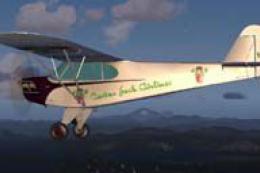
Repainted textures for the default J3 Cub for FSX.
Read what other simmers think, or add your own.

unfortunately couldn't get it work successfully , in the texture folder only 1 texture and jpg file was expecting 2 texture files, lovely aircraft though, using FSX steam edition with windows Vista