

 FSX Missions
Hurricane Landing Mission
Hurricane Landing. Your task is to fly an Airbus A320 from Munich to Hamburg …
Hairy Landing at PAKP delivers an advanced Civil Air Patrol bush mission across Alaska in FSX, flying the Maule M7 from Crevice Creek (1AK1) to Anaktuvuk Pass (PAKP). Detailed briefings, Garmin flight plan guidance, audio cues, and a two-goal reward structure keep the 45-minute backcountry run focused and immersive.
 Rate
Rate
Hairy Landing At PAKP. Fly a Civil Air Patrol mission in Alaska. Aircraft: Maule Orion (Civil Air Patrol) Estimated time: 45 minutes. Includes: briefings, Garmin FP, audio and reward with two goals to complete. Open the zip file and double-click on the Windows installer. Find the mission under Backcountry/Advanced. By Ed Neuhauser.
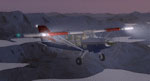
Hairy Landing At PAKP Mission.
Aircraft: Maule M7 (Civil Air Patrol)
Location: Alaska
Goals: Fly from Crevice Creek (1AK1) to the Civil Air Patrol Base at Anaktuvuk Pass (PAKP)
Estimated Completion Time: 45 minutes
Category: Backcountry
Skill Level: Advanced
Follow the flight plan in the Garmin map and the waypoint markers to navigate this mission.
Turn on captions in the FSX general settings for best results.
Enjoy!
Compatible with all versions of FSX.
To install the mission, double click on the MSIicon in the zip file and follow the on screen prompts.
Mission created by Ed Neuhauser using the FSX Mission Editor by Jim Keir.
Free for all simmers · 13.07 MB · Scanned clean Oct 2026
Download speed: Free tier is capped at 0.5 Mbps (this file takes approximately 4 mins at the cap). PRO members download at full line speed.
FSX\Missions\ as a sub-folder. The folder must contain an XML file describing the mission.readme.txt or README file. It tells you exactly where files go, what dependencies are needed, and any quirks specific to this add-on.The archive hairy_landing10.zip has 6 files and directories contained within it.
This list displays the first 500 files in the package. If the package has more, you will need to download it to view them.
| Filename/Directory | File Date | File Size |
|---|---|---|
| FILE_ID.DIZ | 09.19.09 | 349 B |
| Hairy Landing at PAKP.msi | 09.19.09 | 13.27 MB |
| Hairy_Landing10.gif | 09.19.09 | 9.12 kB |
| ReadMe.txt | 05.13.09 | 1.23 kB |
| flyawaysimulation.txt | 10.29.13 | 959 B |
| Go to Fly Away Simulation.url | 01.22.16 | 52 B |
Only PRO members can place votes.
More FSX & P3D add-ons hand-picked based on this download.
FSX Missions
Hurricane Landing. Your task is to fly an Airbus A320 from Munich to Hamburg …
 FSX Missions
Space Shuttle Landing. Requires Captain Sim Space Shuttle. By Dennny Puka.
 FSX Missions
Foggy Landing at KLPR. A flight file for FSX: A recreation of the final 20 mi…
 FSX Missions
Madagascar Mission. The Madagascarian Military pays you for a transport fligh…
 FSX Missions
Experience a daring alpine approach with this immersive mission set amid the …
 FSX Missions
Discover a daring and immersive freeware add-on that challenges your landing …
 FSX Missions
The Most Dangerous Airports: Lukla. The next in The Most Dangerous Airport Mi…
 FSX Missions
Welcome, Sir. In this mission you try to get from Gatwick to Dublin. It's ver…
Be the first to leave a comment on this download.
Be the first to share your thoughts on this download.