


 Germany
  FSX Scenery
Princess Juliana International Airport
Princess Juliana International Airport (TNCM) in Saint Marteen, Netherlands A…
Düsseldorf International Airport EDDL for FSX updates the default layout with dozens of new airline gates, two GA parking spots, and a police helipad at Building 10. It refines taxiway naming and signage, adds the Terminal B apron tower, improves tower viewpoint, and sets distinct landing and departure runways for smoother traffic flow.
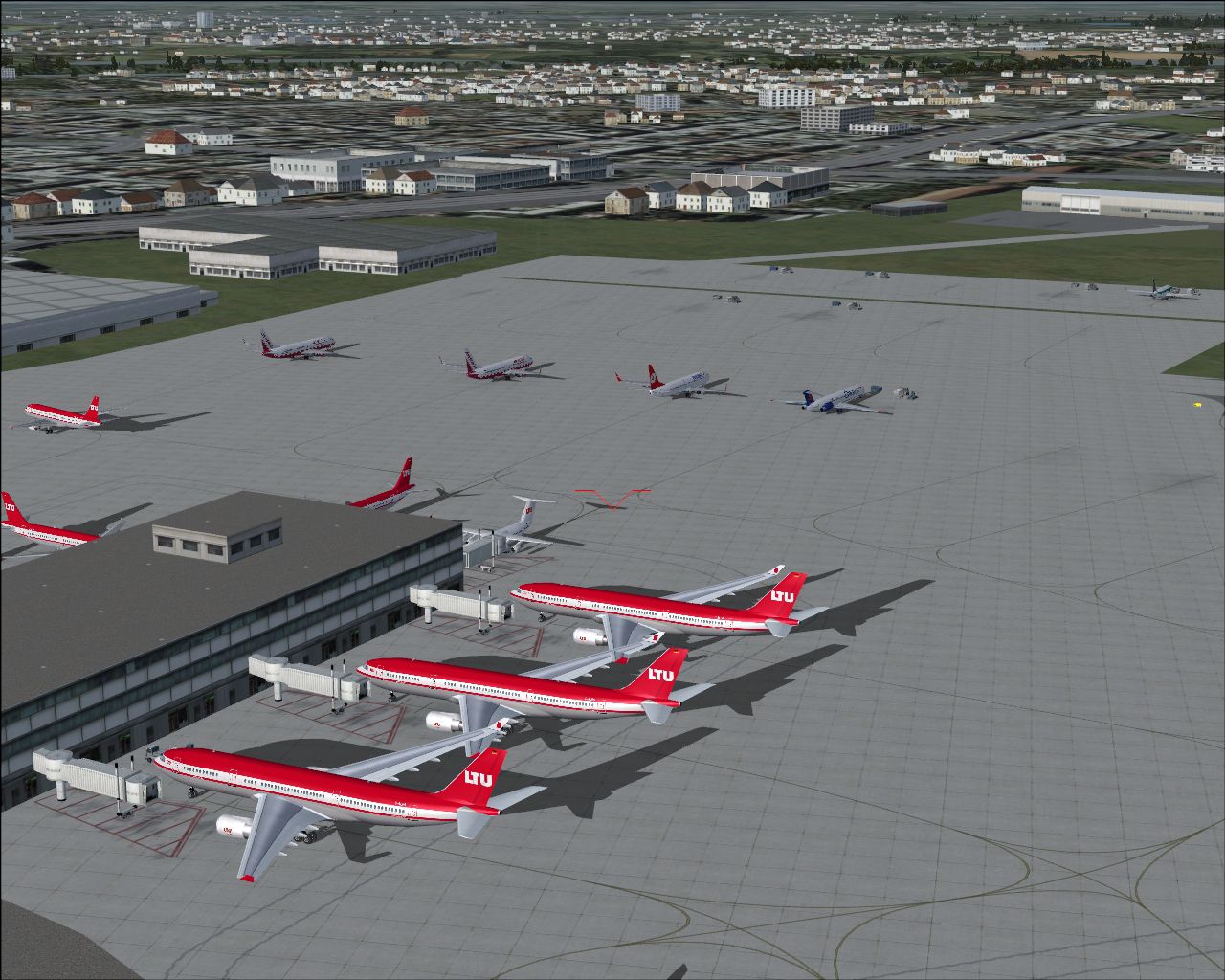
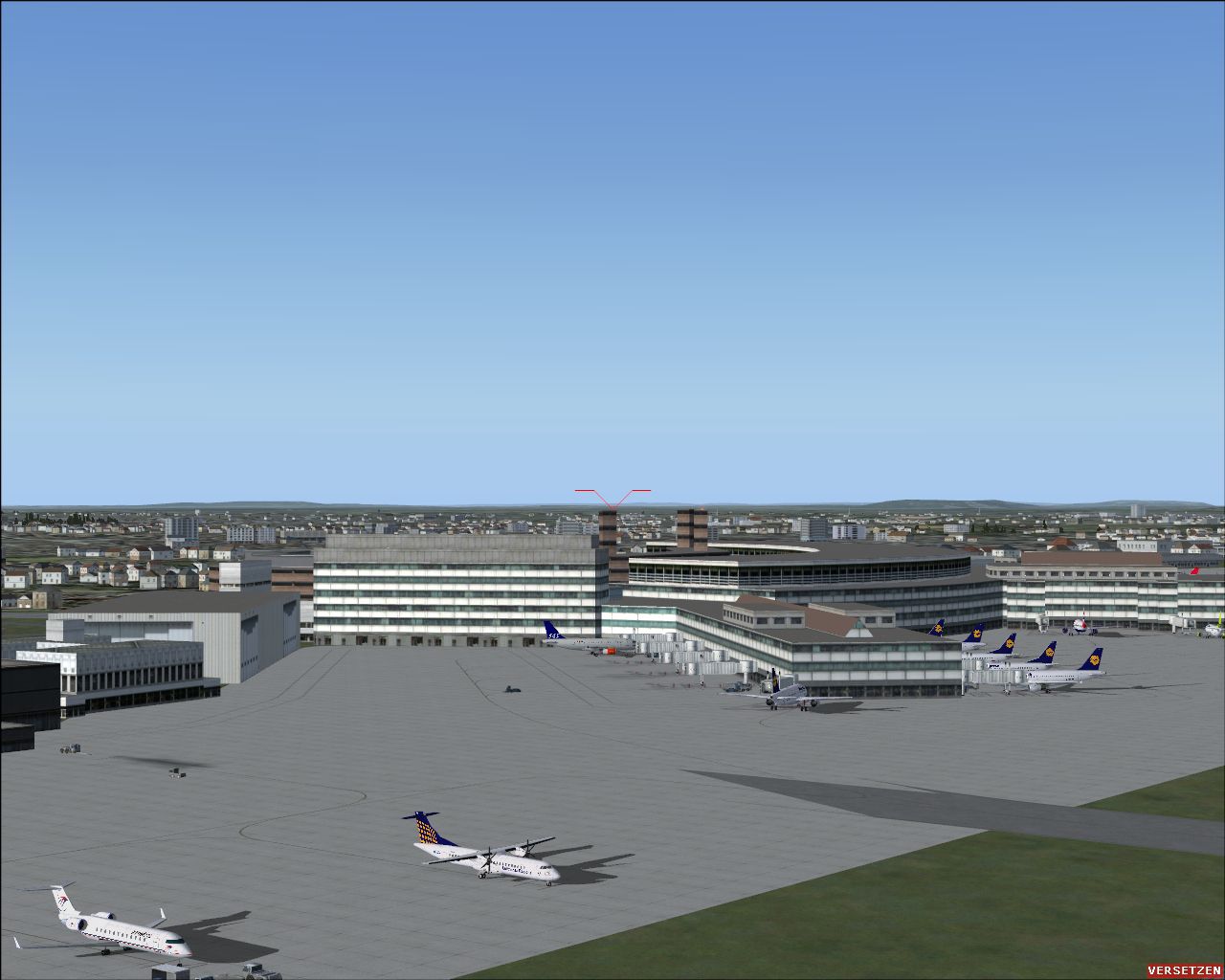
Dusseldorf International Airport (EDDL), Germany. Includes added gates, helipad and parking. Also corrects taxiway names, adjusts tower view and more. By Thomas Schlechter.
Dusseldorf International Scenery.
This is my very first version of an FSX "AFCAD" file.
For EDDL "Dusseldorf International" Germany FSX default airport.
The following changes have been made:
Gates added:
V91-V96 (6 gates)
V86 (1 gate)
V61-V74 (10 gates)
V53-V31 (9 gates)
V29-V01 (10 gates)
2 GA parkings added
Parking codes have been added to most of the gates.
Helipad:
a helipad at building 10 (police) has been added.
Taxiways:
Taxyway names "W1" and "W2" has been deleted and converted to "W".
The corresponding taxyway signs have been corrected.
Tower:
The "Apron Tower"at terminal B has been added.
Tower view has been adjusted.
Runway changes:
RWY 05L/ 23R for landing only.
RWY 05R/ 23L for departing only.
Installation:
Place the bgl file in the addon scenery/ scenery subfolder.
Disclaimer:
If you use these files, you take sole responsiblity for any damage done to your computer.
Feel free to distribute these files.
Suggestion for improvements and comments are welcome.
Enjoy.
Thomas
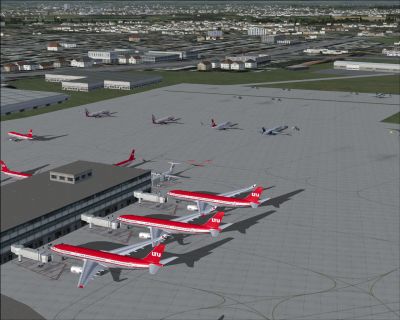
Dusseldorf International Scenery.
Free for all simmers · 1.48 MB · Scanned clean Sep 2026
Download speed: Free tier is capped at 0.5 Mbps. PRO members download at full line speed.
FSX\Addon Scenery\ containing scenery and texture sub-folders.readme.txt or README file. It tells you exactly where files go, what dependencies are needed, and any quirks specific to this add-on.Use these coordinates to fly directly to this location once the mod is installed.
51.28944400,6.76666700
Launch FSX or Prepar3D and use Flights → Load to open the downloaded .pln file. Your aircraft will be positioned at this location.
The archive afxeddl.zip has 7 files and directories contained within it.
This list displays the first 500 files in the package. If the package has more, you will need to download it to view them.
| Filename/Directory | File Date | File Size |
|---|---|---|
| __Upload | 04.22.09 | 0 B |
| AFX_ EDDL_T1.bgl | 08.03.07 | 25.50 kB |
| Readme.txt | 08.04.07 | 1.04 kB |
| picture00.jpg | 08.04.07 | 560.56 kB |
| picture01.jpg | 08.04.07 | 987.34 kB |
| flyawaysimulation.txt | 10.29.13 | 959 B |
| Go to Fly Away Simulation.url | 01.22.16 | 52 B |
Only PRO members can place votes.
More FSX & P3D add-ons hand-picked based on this download.
FSX Scenery
Princess Juliana International Airport (TNCM) in Saint Marteen, Netherlands A…
 FSX Scenery
Barbados International Airport (TBPB). Grantley Adams International Airport f…
 FSX Scenery
Dubai International Airport (OMDB), Dubai. Includes a new passenger terminal …
 FSX Scenery
Soekarno-Hatta International Airport (WIII), Jakarta, Indonesia. An update to…
 FSX Scenery
San Diego International Airport, California (CA), USA. This photoreal scenery…
 FSX Scenery
Suvarnabhumi International Airport (VTBS), Bangkok, Thailand, v1.1. Includes …
 FSX Scenery
Scenery Miami International Airport (KMIA), Florida (FL). Includes updated ta…
 FSX Scenery
Dallas-Fort Worth International Airport (KDFW), Texas (TX), with Terminal D. …
Be the first to leave a comment on this download.
Be the first to share your thoughts on this download.