

 FSX Scenery
Daytona Beach Redone
Daytona Beach Redone. This is a compilation of changes to scenery at Daytona …
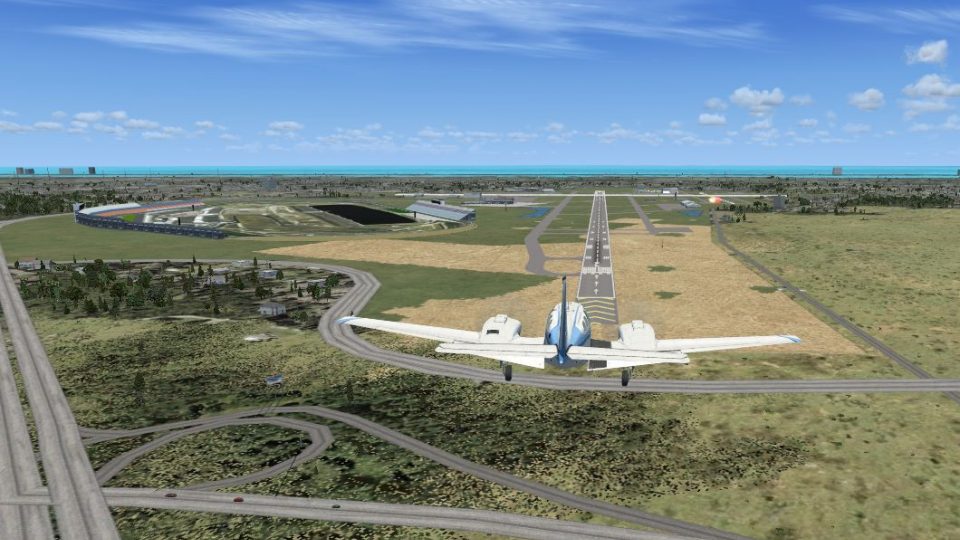
Daytona Beach International Airport (KDAB) gets a more believable arrival with a detailed Daytona International Speedway placed beside the field in Microsoft Flight Simulator X. Revision 1 elevates the track and infield to curb distant texture flashing, and includes minor scenery touches that enhance the overall airport environment.
 Rate
Rate
 United States of America
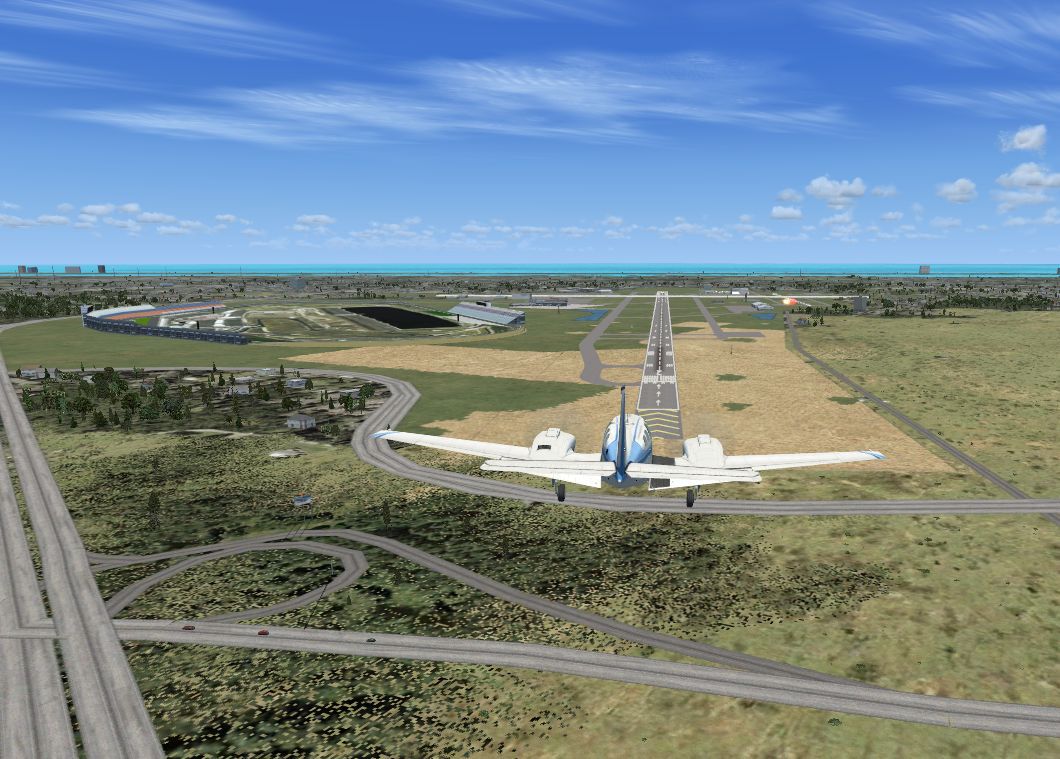
Daytona Beach International Airport (KDAB), Florida (FL), revision 1. Adds Daytona International Speedway to KDAB scenery, since an approach to the airport without it is unrealistic. By Art Poole.
Daytona Beach International Scenery.
Description:
Adds Daytona International Speedway to KDAB scenery, since an approach to the airport without it is unrealistic. This revised version elevates the track and infield to reduce flashing of the infield texture when viewing at a distance. Some minor enhancements are also added.
Installation:
If replacing the previous version, remove the Daytona International Speedway folder in it's entirety from Addon Scenery.
1. Extract the zip file and place the Daytona International Speedway folder into [Flight Simulator X> Addon Scenery].
2. Start FSX and go the to SCENERY LIBRARY under settings, then click on ADD AREA. Locate and add "Daytona International Speedway" in your Addon Scenery directory.
This scenery is freeware, and may not be reproduced in whole, or any part for profit. This scenery previously submitted for FS9 was recompiled for FSX using FSDS. There is no warranty. Thanks to Google Earth, Manifold Toolbar and SBuilder by Luis de Sá for contributions to this endeavor. Daytona International Speedway is a trademark of International Speedway Corporation.
Art Poole
Free for all simmers · 506.2 KB · Scanned clean Oct 2026
Download speed: Free tier is capped at 0.5 Mbps. PRO members download at full line speed.
FSX\Addon Scenery\ containing scenery and texture sub-folders.readme.txt or README file. It tells you exactly where files go, what dependencies are needed, and any quirks specific to this add-on.Use these coordinates to fly directly to this location once the mod is installed.
29.17990000,-81.05810000
Launch FSX or Prepar3D and use Flights → Load to open the downloaded .pln file. Your aircraft will be positioned at this location.
The archive daytona1.zip has 27 files and directories contained within it.
This list displays the first 500 files in the package. If the package has more, you will need to download it to view them.
| Filename/Directory | File Date | File Size |
|---|---|---|
| Daytona_International_Speedway_rev_1 | 02.02.08 | 0 B |
| Daytona International Speedway | 02.02.08 | 0 B |
| Approach to KDAB.JPG | 02.02.08 | 160.05 kB |
| readme.txt | 02.02.08 | 1.52 kB |
| scenery | 02.02.08 | 0 B |
| CVX_Daytona_International_Speedway.BGL | 12.13.07 | 448 B |
| dis.bgl | 01.27.08 | 248.81 kB |
| texture | 02.02.08 | 0 B |
| dis logo.bmp | 01.18.08 | 257.05 kB |
| dis_track.bmp | 10.23.07 | 65.05 kB |
| grandstand01.bmp | 11.23.07 | 17.05 kB |
| grandstand02.bmp | 11.23.07 | 17.05 kB |
| grandstand03.bmp | 11.25.07 | 65.05 kB |
| grandstand04.bmp | 11.26.07 | 65.05 kB |
| grandstand07.bmp | 11.27.07 | 17.05 kB |
| grandstand08.bmp | 11.27.07 | 17.05 kB |
| grandstand09.bmp | 11.27.07 | 17.05 kB |
| infield3.bmp | 01.18.08 | 257.05 kB |
| pylon.bmp | 01.27.08 | 257.05 kB |
| roof4.bmp | 04.17.03 | 2.39 kB |
| sky_w_midgray4.bmp | 04.17.03 | 6.39 kB |
| tower1.bmp | 11.26.07 | 17.05 kB |
| tower2.bmp | 11.27.07 | 17.05 kB |
| tower3.bmp | 11.27.07 | 17.05 kB |
| tower4.bmp | 11.27.07 | 17.05 kB |
| flyawaysimulation.txt | 10.29.13 | 959 B |
| Go to Fly Away Simulation.url | 01.22.16 | 52 B |
Only PRO members can place votes.
More FSX & P3D add-ons hand-picked based on this download.
FSX Scenery
Daytona Beach Redone. This is a compilation of changes to scenery at Daytona …
 FSX Scenery
Daytona Beach, Florida (FL). Updated scenery for KDAB airport and surrounding…
 FSX Scenery
This freeware package for Microsoft Flight Simulator X provides a full redesi…
 FSX Scenery
Long Beach Scenery, California (CA). A scenery enhancement for the default KL…
 FSX Scenery
90 Mile Beach X. 2.5 meter photoreal scenery of 90 mile beach, New Zealand. T…
 FSX Scenery
Immerse yourself in a detailed representation of CAT4, also referred to as Qu…
 FSX Scenery
Palm Beach County Park Airport (KLNA) in Lantana, Florida offers a distinctiv…
 FSX Scenery
New Smyrna Beach Municipal Airport (KEVB), New Smyrna Beach, Florida (FL). Fe…
Be the first to leave a comment on this download.
Be the first to share your thoughts on this download.