

 Chile
Chile  FSX Scenery
Palermo Punta Raisi Airport
Palermo Punta Raisi Airport, Italy, v2.0. Palermo Airport, also known as Falc…
Punta Arenas Airport (SCCI) scenery refreshes Aeropuerto Presidente Carlos Ibáñez del Campo with a satellite-aligned layout and crisp day-and-night photoscenery textures, improving ground accuracy and atmosphere for operations in southern Chile. Built for FSX, it enhances the default field while keeping performance-friendly simplicity for everyday VFR and IFR flying.
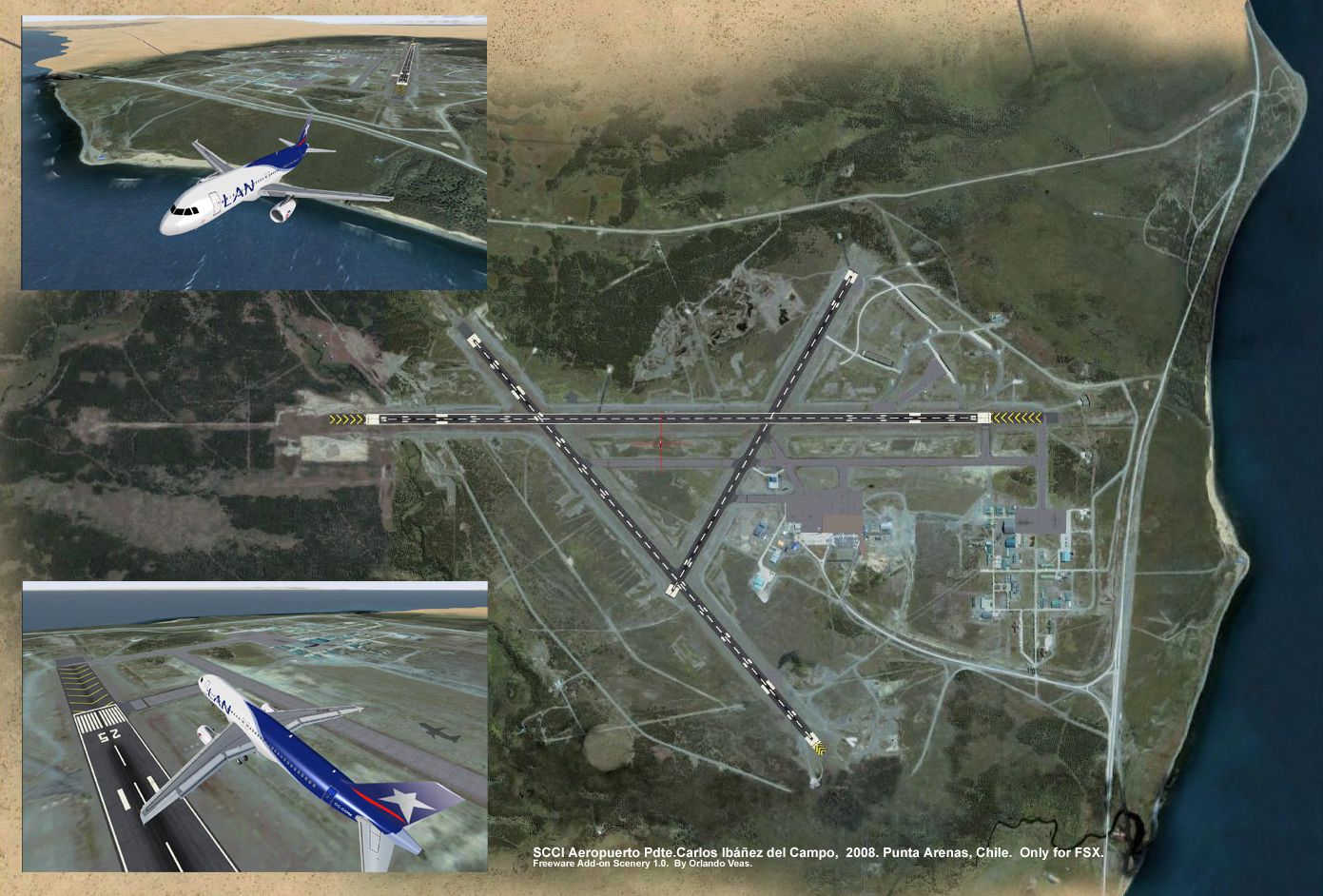
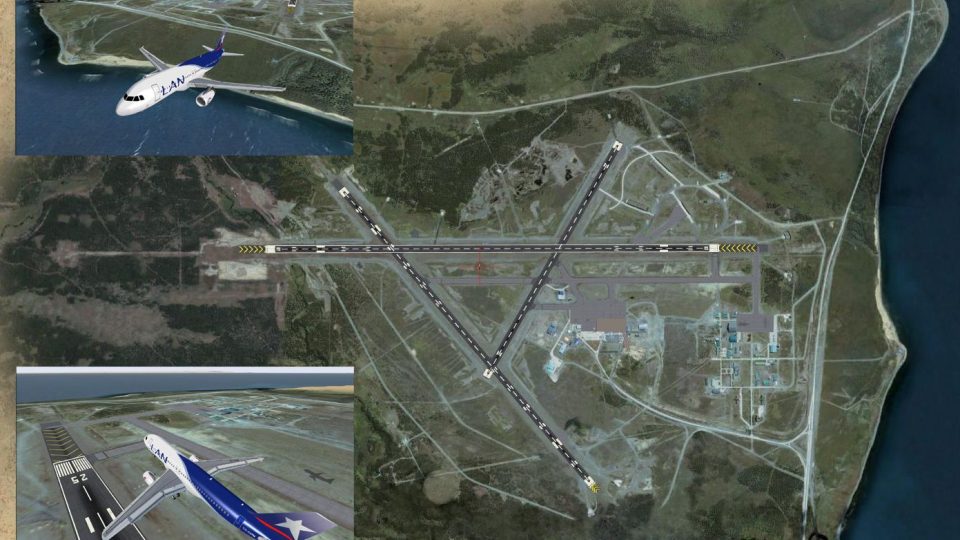
Punta Arenas Airport Chile (SCCI). This is just an upgrade over the default airport. Layout is modified following satellite coordinates and textures are replaced by day/night photoscenery. By Orlando Veas.
Punta Arenas Airport Scenery.
SCCI "Aeropuerto Presidente Carlos Ibánez del Campo".
This is just an upgrade over the default fsx airport. Layout is modified following satellite coordinates and textures are replaced by Day/Night Photoscenery. More to come in V 1.1, so keep patience with the extra taxi signs.(only few)
INSTALLATION
1.- Unzip the entire package in a temporary folder.
2.- Copy the entire folder where you keep your Addon Scenery in the main FSX directory.
3.- Run your fsx and go to settings/ Press "scenery Library"/ "Add Area" and follow till SCCI_PTA_ARENAS folder. (Location in step 2).
4.- Press "ok" and now you are ready to fly!!
This work is dedicated to all those pilots in heart......"we can't help it".
Orlando Veas
This is a freeware, so you assume all responsibility in case of problems (pc).
Free for all simmers · 27.91 MB · Scanned clean Oct 2026
Download speed: Free tier is capped at 0.5 Mbps (this file takes approximately 8 mins at the cap). PRO members download at full line speed.
FSX\Addon Scenery\ containing scenery and texture sub-folders.readme.txt or README file. It tells you exactly where files go, what dependencies are needed, and any quirks specific to this add-on.Use these coordinates to fly directly to this location once the mod is installed.
-53.00170000,-70.84830000
Launch FSX or Prepar3D and use Flights → Load to open the downloaded .pln file. Your aircraft will be positioned at this location.
The archive scci_fsx.zip has 12 files and directories contained within it.
This list displays the first 500 files in the package. If the package has more, you will need to download it to view them.
| Filename/Directory | File Date | File Size |
|---|---|---|
| SCCI_PTA_ARENAS | 04.25.08 | 0 B |
| scenery | 04.25.08 | 0 B |
| Carlos Ibanez Del Campo Intl SCCI_ok2.bgl | 04.25.08 | 13.95 kB |
| CVX_PTA_ARENAS_exc_hydrofromland.BGL | 04.24.08 | 847 B |
| CVX_PTA_ARENAS_exc_shorelines.BGL | 04.24.08 | 419 B |
| CVX_PTA_ARENAS_hydro_ocean_generic1.BGL | 04.24.08 | 5.54 kB |
| CVX_PTA_ARENAS_new_shorelines.BGL | 04.24.08 | 753 B |
| Photo01_85%compress.bgl | 04.25.08 | 28.93 MB |
| PTARENAS_COVER.jpg | 04.25.08 | 885.28 kB |
| Readme.txt | 04.25.08 | 1.04 kB |
| flyawaysimulation.txt | 10.29.13 | 959 B |
| Go to Fly Away Simulation.url | 01.22.16 | 52 B |
Only PRO members can place votes.
More FSX & P3D add-ons hand-picked based on this download.
FSX Scenery
Palermo Punta Raisi Airport, Italy, v2.0. Palermo Airport, also known as Falc…
 FSX Scenery
First version of this scenery that includes the new runway at MDPC and it als…
FSX Scenery
Enhancing Palermo’s Punta Raisi (LICJ) airport environment in FSX becomes str…
 FSX Scenery
Punta Gorda Airport, Belize. This airport, serviced by all Belize airlines, i…
 FSX Scenery
Palermo Falcone e Borsellino/Punta Raisi airport, Italy. A small improvement …
 FSX Scenery
Punta del Este in Uruguay stands out as a vibrant coastal region cherished by…
 FSX Scenery
Princess Juliana International Airport (TNCM) in Saint Marteen, Netherlands A…
 FSX Scenery
Los Angeles Airport Scenery v3, California (CA). This photoreal scenery is a …
Read what other simmers think, or add your own.


Is a great three runway airport in the south extreme of my country. The wind is very highest, that´s the reason of the three runway like a triangle. It is ubicated beside the "Estrecho de Magallanes" between both oceans, Pacific and Atlantic, at 15 miles from Punta Arenas to the north. Very good add on for my FSX.
German Diaz.