


 Uruguay
  FSX Scenery
Palermo Punta Raisi Airport
Palermo Punta Raisi Airport, Italy, v2.0. Palermo Airport, also known as Falc…
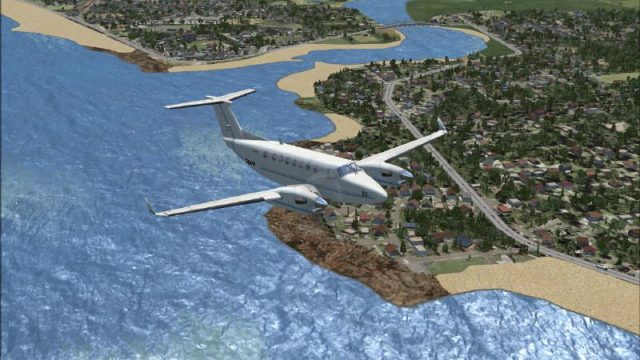
Punta del Este scenery brings Uruguay’s signature resort coastline to life with detailed beaches, urban textures, harbor areas, and regional landmarks, tuned for Microsoft Flight Simulator X and Microsoft Flight Simulator 2004. It integrates cleanly with common libraries and tools, and requires Buenos Aires 2008 scenery to display the distinctive Rio de la Plata water color.

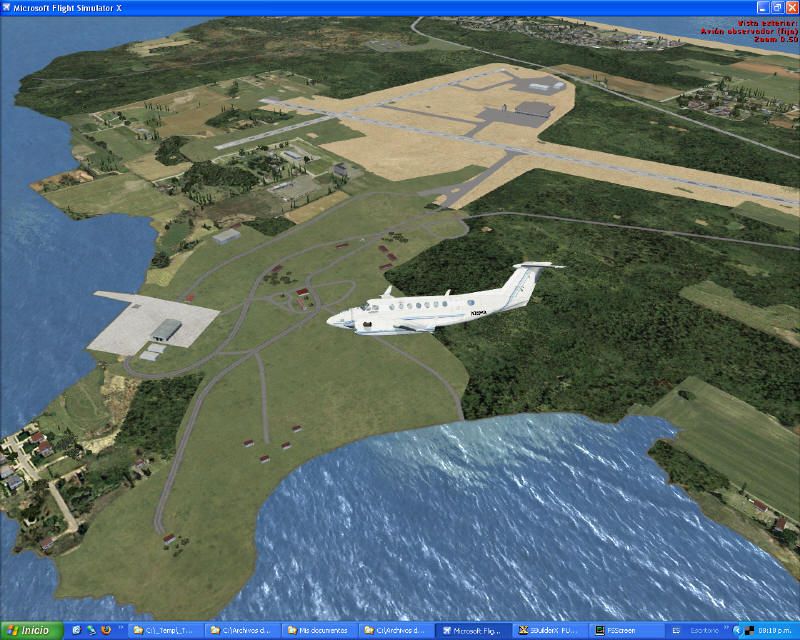
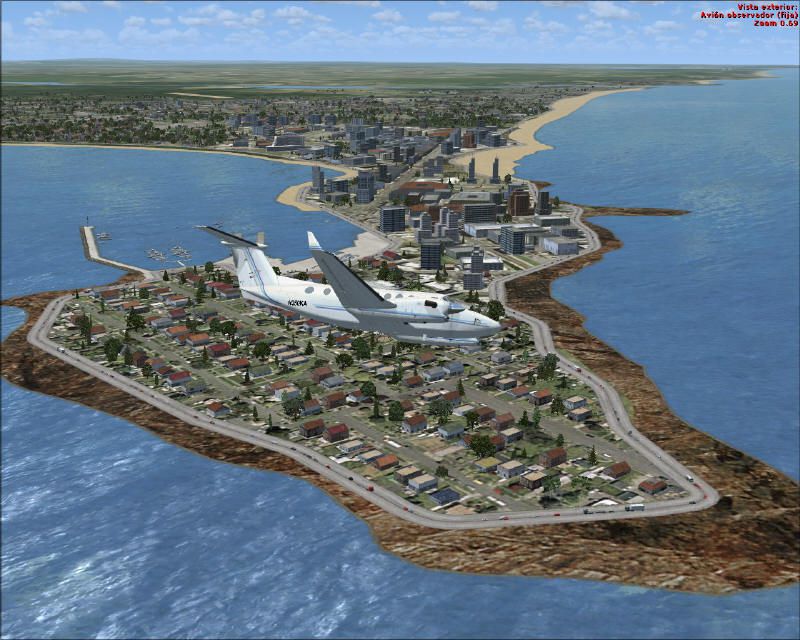
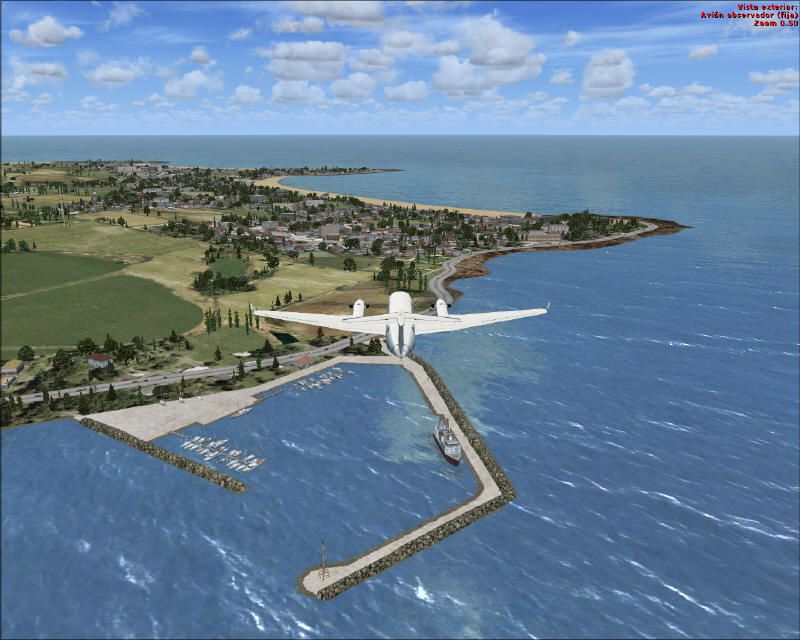
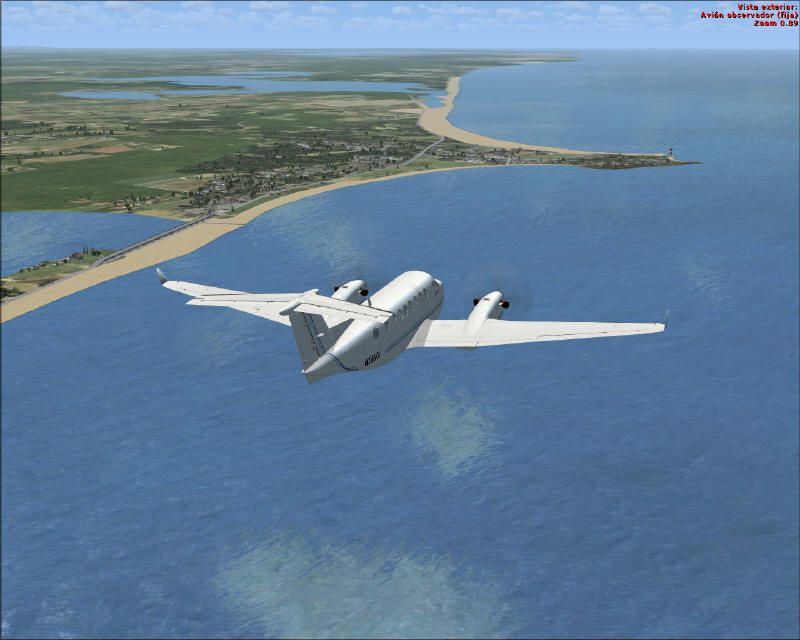
Punta del Este in Uruguay stands out as a vibrant coastal region cherished by many flight sim enthusiasts, and this freeware release by developer Pablo Contouris is designed to enhance the realism in Microsoft Flight Simulator X and Microsoft Flight Simulator 2004 (FS9). It accurately depicts beaches, urban areas, and the surrounding environment near Uruguay’s southeast tip. Moreover, it offers compatibility with other common add-ons and libraries many simmers already employ. This is especially valuable if you intend to see the distinctive brownish shade of the Rio de la Plata, which is possible by including the “Buenos Aires 2008” (BSAS08V1.ZIP) scenery.
This mod recreates Punta del Este’s sweeping coast and highlights important geographic details. When flying over Uruguay, you’ll notice harbor areas, residential zones, and the unique layout that has established Punta del Este as a destination for sun-seeking tourists. The simulation of water coloration along the shoreline plays a crucial role in immersing users in the real-world environment, particularly near the Rio de la Plata estuary.
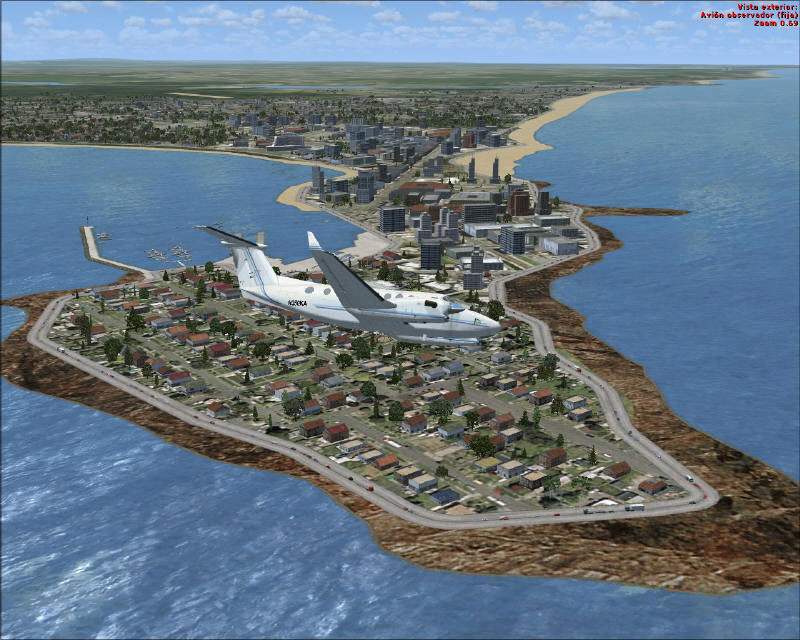
Punta del Este Scenery.
Included in this package are various FS9 custom structures found across several in-game object libraries. These elements, typically stored in directories such as Scenery/Namw/scenery/seattl.bgl, represent a wide selection of hangars, storage facilities, parking structures, and assorted architectural pieces. For those using the EZ-Scenery tool, scaling these objects to match your layout is straightforward. If you see a hangar you appreciate but its dimensions don’t align with your area, you can easily resize it to fit seamlessly into your project. These details bring added authenticity to the Punta del Este region and other airfields you wish to enhance in your simulator.
To help scenery designers seamlessly incorporate these buildings, the package addresses multiple file types:
When you release any project that employs these assets, remember that other users must also install this library to view the objects as intended.
This same approach applies to those using Microsoft Flight Simulator X, although your folder structure might differ slightly. Installing these files in recognizable scenery and texture directories will ensure proper integration.
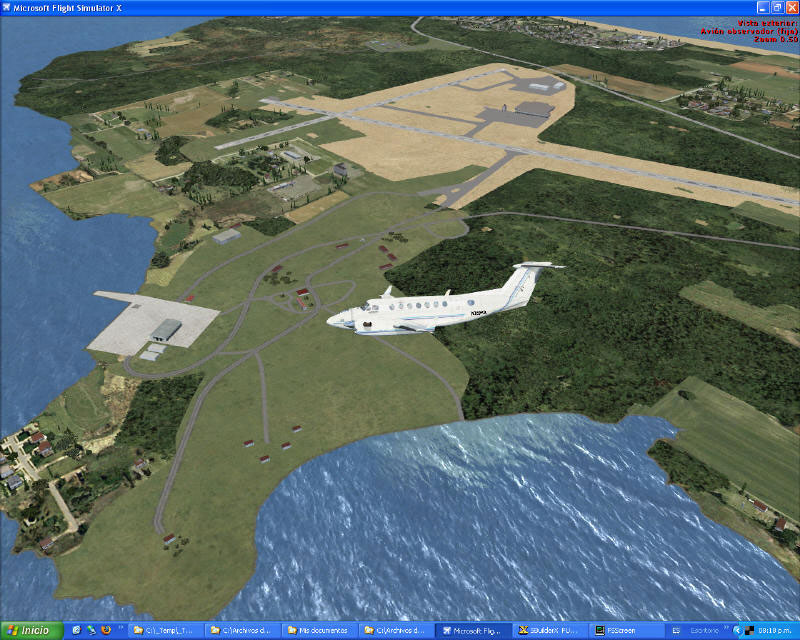
Punta del Este Scenery.
The creator, Pablo Contouris, offers this scenery strictly as a freeware solution for FS9 and compatibility in FSX. Keep in mind any derivative scenery requiring structures from this library must include instructions so subsequent users can also install these same files. The library elements are licensed for use within freeware settings only, preserving the shared nature of the content among enthusiasts.
Free for all simmers · 6.53 MB · Scanned clean Oct 2026
Download speed: Free tier is capped at 0.5 Mbps (this file takes approximately 2 mins at the cap). PRO members download at full line speed.
This add-on may require the following files to function properly. If this is a repaint, the dependency below is likely the base aircraft package.
FSX\Addon Scenery\ containing scenery and texture sub-folders.readme.txt or README file. It tells you exactly where files go, what dependencies are needed, and any quirks specific to this add-on.Use these coordinates to fly directly to this location once the mod is installed.
-34.90000000,-54.95000000
Launch FSX or Prepar3D and use Flights → Load to open the downloaded .pln file. Your aircraft will be positioned at this location.
The archive pestev1.zip has 159 files and directories contained within it.
This list displays the first 500 files in the package. If the package has more, you will need to download it to view them.
| Filename/Directory | File Date | File Size |
|---|---|---|
| Readme_FSX_Punta del este.txt | 06.15.08 | 3.54 kB |
| Léame_FSX_Punta del este.pdf | 03.26.08 | 449.65 kB |
| Leame_FSX_Punta del este.txt | 06.15.08 | 3.66 kB |
| PEsteV1.gif | 07.06.08 | 16.22 kB |
| cvxAUTOPISTAS.BGL | 03.20.08 | 4.03 kB |
| cvxBASES CONCRETO.BGL | 03.20.08 | 623 B |
| cvxBOSQUES.BGL | 03.20.08 | 556 B |
| cvxCALLES DE BARRIO.BGL | 03.21.08 | 1.78 kB |
| cvxCIUDAD CENTRO GRID.BGL | 03.20.08 | 1.88 kB |
| cvxCIUDAD CENTRO TORRES.BGL | 03.20.08 | 534 B |
| cvxCOSTAS.BGL | 03.20.08 | 22.39 kB |
| cvxGOLF.BGL | 03.20.08 | 453 B |
| cvxMAR WATER POLY.BGL | 03.20.08 | 36.10 kB |
| cvxPARQUES.BGL | 03.20.08 | 2.06 kB |
| cvxPASTOS.BGL | 03.20.08 | 1.06 kB |
| cvxPIEDRAS NEGRAS.BGL | 03.20.08 | 2.67 kB |
| cvxPLAYAS.BGL | 03.20.08 | 6.77 kB |
| cvxPUEBLO AGREGADO.BGL | 03.24.08 | 420 B |
| cvxSUBURBIO GRID.BGL | 03.20.08 | 1.85 kB |
| cvxSUBURBIO NO GRID.BGL | 03.20.08 | 4.86 kB |
| cvxTRANSITO VEHICULAR.BGL | 03.20.08 | 27.47 kB |
| cvxZONAS ARIDAS.BGL | 03.20.08 | 278 B |
| CVX_Punta_AB_Excl.BGL | 03.24.08 | 373 B |
| CVX_ROU_Costa_Punta_Excl.BGL | 03.21.08 | 4.82 kB |
| Excl_Puente_01.bgl | 03.20.08 | 112 B |
| Excl_Puente_02.bgl | 03.20.08 | 112 B |
| Piriapolis Objetos.bgl | 03.21.08 | 1004 B |
| Punta del Este Objetos.bgl | 03.21.08 | 4.87 kB |
| Texture | 07.06.08 | 0 B |
| Thumbs.db | 03.26.08 | 28.50 kB |
| FS9 custom buildings SS 1 readme.txt | 12.19.05 | 2.50 kB |
| fs9_custom_buildings_ss_1.bgl | 12.19.05 | 1.16 MB |
| fs9_custom_buildings_SS_1.txt | 12.19.05 | 8.79 kB |
| ancaa.bmp | 05.21.03 | 42.74 kB |
| ancaa_lm.bmp | 05.21.03 | 42.74 kB |
| ancab.bmp | 05.21.03 | 42.74 kB |
| ancab_lm.bmp | 05.21.03 | 42.74 kB |
| ancac.bmp | 05.21.03 | 42.74 kB |
| ancac_lm.bmp | 05.21.03 | 42.74 kB |
| ancad.bmp | 05.21.03 | 42.74 kB |
| ancad_lm.bmp | 05.21.03 | 42.74 kB |
| ancae.bmp | 05.21.03 | 42.74 kB |
| ancae_lm.bmp | 05.21.03 | 42.74 kB |
| atld.bmp | 05.21.03 | 42.74 kB |
| atld_lm.bmp | 05.21.03 | 42.74 kB |
| atle.bmp | 05.21.03 | 42.74 kB |
| atle_lm.bmp | 05.21.03 | 42.74 kB |
| atlf.bmp | 05.21.03 | 42.74 kB |
| atlf_lm.bmp | 05.21.03 | 42.74 kB |
| atlww.bmp | 05.21.03 | 42.74 kB |
| atlww_lm.bmp | 05.21.03 | 42.74 kB |
| chica.bmp | 05.21.03 | 42.74 kB |
| chica_lm.bmp | 05.21.03 | 42.74 kB |
| chicb.bmp | 05.21.03 | 42.74 kB |
| chicb_lm.bmp | 05.21.03 | 42.74 kB |
| chicc.bmp | 05.21.03 | 42.74 kB |
| chicc_lm.bmp | 05.21.03 | 42.74 kB |
| chicd.bmp | 05.21.03 | 42.74 kB |
| chicd_lm.bmp | 05.21.03 | 42.74 kB |
| chicf.bmp | 05.21.03 | 42.74 kB |
| chicf_lm.bmp | 05.21.03 | 42.74 kB |
| CTKH.bmp | 05.21.03 | 42.74 kB |
| CTKH_LM.bmp | 05.21.03 | 42.74 kB |
| DEN_hangers2.bmp | 05.21.03 | 170.74 kB |
| DEN_hangers2_LM.bmp | 05.21.03 | 170.74 kB |
| DFW_maintenance.bmp | 05.21.03 | 170.74 kB |
| DFW_maintenance_LM.bmp | 05.21.03 | 170.74 kB |
| DFW_North.bmp | 05.21.03 | 170.74 kB |
| DFW_North_LM.bmp | 05.21.03 | 170.74 kB |
| DFW_south.bmp | 05.21.03 | 170.74 kB |
| DFW_south_LM.bmp | 05.21.03 | 170.74 kB |
| DFW_westcargo.bmp | 05.21.03 | 170.74 kB |
| DFW_westcargo_LM.bmp | 05.21.03 | 170.74 kB |
| Fantasy_Main.bmp | 05.21.03 | 42.74 kB |
| Fantasy_Main_LM.bmp | 05.21.03 | 42.74 kB |
| Fantasy_Tower.bmp | 05.21.03 | 42.74 kB |
| Fantasy_Tower_LM.bmp | 05.21.03 | 42.74 kB |
| Forums_Greenroof.bmp | 05.21.03 | 42.74 kB |
| Forums_Greenroof_LM.bmp | 05.21.03 | 42.74 kB |
| hangar6.bmp | 05.21.03 | 42.74 kB |
| hangar6_LM.bmp | 05.21.03 | 42.74 kB |
| JFK_Cargo1a.bmp | 05.21.03 | 170.74 kB |
| JFK_Cargo1a_LM.bmp | 05.21.03 | 170.74 kB |
| JFK_Cargo2.bmp | 05.21.03 | 170.74 kB |
| JFK_Cargo2_LM.bmp | 05.21.03 | 170.74 kB |
| JFK_Hangers.bmp | 05.21.03 | 170.74 kB |
| JFK_Hangers_LM.bmp | 05.21.03 | 170.74 kB |
| JFK_Jetway.bmp | 05.21.03 | 170.74 kB |
| JFK_Jetway_LM.bmp | 05.21.03 | 170.74 kB |
| LAS_4.bmp | 05.21.03 | 42.74 kB |
| LAS_4_lm.bmp | 05.21.03 | 42.74 kB |
| laxaa.bmp | 04.16.03 | 42.74 kB |
| laxaa_lm.bmp | 04.16.03 | 42.74 kB |
| LDM_sf_ftmasonbldg1.bmp | 05.21.03 | 42.74 kB |
| LDM_sf_ftmasonbldg1_lm.bmp | 05.21.03 | 42.74 kB |
| LDM_sf_presidio1.bmp | 05.21.03 | 42.74 kB |
| LDM_sf_presidio1_lm.bmp | 05.21.03 | 42.74 kB |
| LDM_sf_presidio2.bmp | 05.21.03 | 42.74 kB |
| LDM_sf_presidio2_lm.bmp | 05.21.03 | 42.74 kB |
| LDM_sf_presidio3.bmp | 05.21.03 | 42.74 kB |
| LDM_sf_presidio3_lm.bmp | 05.21.03 | 42.74 kB |
| MIA_Maintanance.bmp | 05.21.03 | 170.74 kB |
| MIA_Maintanance_LM.bmp | 05.21.03 | 170.74 kB |
| MIA_Mainterminal.bmp | 05.21.03 | 170.74 kB |
| MIA_Mainterminal_LM.bmp | 05.21.03 | 170.74 kB |
| MIA_Tower_Jetway_Light.bmp | 05.21.03 | 170.74 kB |
| MIA_Tower_Jetway_Light_LM.bmp | 05.21.03 | 170.74 kB |
| PhilHangar.bmp | 05.21.03 | 42.74 kB |
| PhilHangar_LM.bmp | 05.21.03 | 42.74 kB |
| PHX_Honeywell.bmp | 05.21.03 | 170.74 kB |
| PHX_Honeywell_LM.bmp | 05.21.03 | 170.74 kB |
| PHX_NG.bmp | 05.21.03 | 170.74 kB |
| PHX_NG_LM.bmp | 05.21.03 | 170.74 kB |
| PHX_NWBuildings.bmp | 05.21.03 | 170.74 kB |
| PHX_NWBuildings_LM.bmp | 05.21.03 | 170.74 kB |
| PHX_Terminal3.bmp | 05.21.03 | 170.74 kB |
| PHX_Terminal3_LM.bmp | 05.21.03 | 170.74 kB |
| PietenHangar.bmp | 05.21.03 | 42.74 kB |
| PietenHangar_LM.bmp | 05.21.03 | 42.74 kB |
| PioneerHangar.bmp | 05.21.03 | 42.74 kB |
| PioneerHangar_LM.bmp | 05.21.03 | 42.74 kB |
| PioneerVette.bmp | 05.21.03 | 42.74 kB |
| PioneerVette_LM.bmp | 05.21.03 | 42.74 kB |
| PitcairnHangar.bmp | 05.21.03 | 42.74 kB |
| PitcairnHangar_LM.bmp | 05.21.03 | 42.74 kB |
| RyanHangar.bmp | 05.21.03 | 42.74 kB |
| RyanHangar_LM.bmp | 05.21.03 | 42.74 kB |
| seapa.bmp | 05.21.03 | 42.74 kB |
| seapa_lm.bmp | 05.21.03 | 42.74 kB |
| seapb.bmp | 05.21.03 | 42.74 kB |
| seapb_lm.bmp | 05.21.03 | 42.74 kB |
| seapc.bmp | 05.21.03 | 42.74 kB |
| seapc_lm.bmp | 05.21.03 | 42.74 kB |
| seapd.bmp | 05.21.03 | 42.74 kB |
| seapd_lm.bmp | 05.21.03 | 42.74 kB |
| seape.bmp | 05.21.03 | 42.74 kB |
| seape_lm.bmp | 05.21.03 | 42.74 kB |
| seapf.bmp | 04.16.03 | 2.74 kB |
| seapf_lm.bmp | 04.16.03 | 2.74 kB |
| seapg.bmp | 05.21.03 | 2.74 kB |
| seapg_lm.bmp | 05.21.03 | 2.74 kB |
| sfoaa.bmp | 05.21.03 | 42.74 kB |
| sfoaa_lm.bmp | 05.21.03 | 42.74 kB |
| sfoac.bmp | 05.21.03 | 42.74 kB |
| sfoac_lm.bmp | 05.21.03 | 42.74 kB |
| sfoad.bmp | 05.21.03 | 42.74 kB |
| sfoad_lm.bmp | 05.21.03 | 42.74 kB |
| sfoae.bmp | 05.21.03 | 42.74 kB |
| sfoae_lm.bmp | 05.21.03 | 42.74 kB |
| sfoaf.bmp | 05.21.03 | 42.74 kB |
| sfoaf_lm.bmp | 05.21.03 | 42.74 kB |
| Est_1.jpg | 03.26.08 | 112.23 kB |
| Est_2.jpg | 03.26.08 | 114.15 kB |
| Est_3.jpg | 03.26.08 | 89.08 kB |
| Est_4.jpg | 03.26.08 | 129.81 kB |
| Est_5.jpg | 03.26.08 | 65.77 kB |
| Thumbs.db | 07.06.08 | 15.50 kB |
| flyawaysimulation.txt | 10.29.13 | 959 B |
| Go to Fly Away Simulation.url | 01.22.16 | 52 B |
Only PRO members can place votes.
More FSX & P3D add-ons hand-picked based on this download.
FSX Scenery
Palermo Punta Raisi Airport, Italy, v2.0. Palermo Airport, also known as Falc…
 FSX Scenery
First version of this scenery that includes the new runway at MDPC and it als…
 FSX Scenery
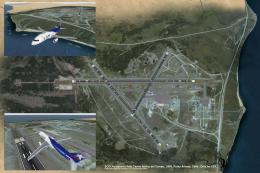
Punta Arenas Airport Chile (SCCI). This is just an upgrade over the default a…
 FSX Scenery
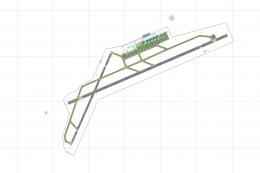
Palermo Falcone e Borsellino/Punta Raisi airport, Italy. A small improvement …
FSX Scenery
Enhancing Palermo’s Punta Raisi (LICJ) airport environment in FSX becomes str…
 FSX Scenery
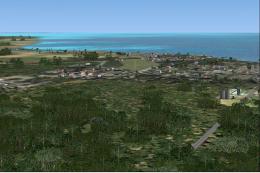
Punta Gorda Airport, Belize. This airport, serviced by all Belize airlines, i…
FSX Scenery
Scenery Cayo Coco - Jardines Del Ray. This scenery is an update of the Cayo C…
 FSX Scenery
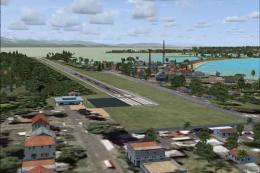
Bocas del Toro International Airport (MPBO), Panama, v1.0. Features structure…
Be the first to leave a comment on this download.
Be the first to share your thoughts on this download.