

 FSX Scenery
XEGD RAF Davidstow Moor
XEGD RAF Davidstow Moor (long runways), UK. Designed to blend with Horizon Ge…
Crossland Moor Airfield brings a challenging hilltop strip above Huddersfield to life in FSX, featuring a steep, undulating runway, awkward approaches, and a dramatic drop-off at the 25 end, plus ambient field sounds and road traffic. It requires A Day on the Farm and A Day on the Farm-2 scenery and textures for full coverage.
 Rate
Rate
 United Kingdom
Crossland Moor Airfield, UK. Companion to `A Day on the Farm' and `A Day on the Farm-2'. Crossland Moor is situated high up in the bleak Yorkshire moorlands above Huddersfield, England. It has an awkward approach to a long steep sloping undulating runway with a sheer drop at the end of 25 (looks like someone has already had a bit of trouble!). Complete with sound and road traffic. By Neil Birch.
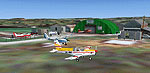
Crossland Moor Airfield Scenery.
INSTALLATION
YOU MUST HAVE ALREADY DOWNLOADED A DAY ON THE FARM and A DAY ON THE FARM-2 FSX for all the necessary scenery and texture files,plus if you haven't downloaded the series of my farm strip addons you will need to download Total.zip plus you will need UKVFR Addon and RWY12.
Aligned for Justflight/horizon VFR SCENERY.
Unzip the zip file crs.zip into an empty directory.
You will now have 2 folders 1/ scenery 2\ Texture/
Copy all the SCENERY files *.bgl (not the folder) into your original ADOTF Scenery folder, overwrite any files when prompted (some earlier scenery files have been updated).
Copy all the TEXTURE files *.bmp/*.dds (not the folder) into the original ADOTF TEXTURE folder, overwrite any files when prompted (some earlier texture files have been updated).
Airfield can be selected from your World-Goto Airport menu.
Crossland Moor is situated high up in the bleak Yorkshire moorlands above Huddersdfield, England. It has an awkward approach to a long sloping runway with a sheer drop at the end of 25 (looks like someone has had a bit of trouble!). Fuel is available.
A great flight from here is a short trip over to Oxenhope, if you look at your GPS you can see it. But it's still difficult to find.
I have incuded extracts (with permission) from Bryan Lockyears book ` FARM STRIPS AND PRIVATE AIRFIELDS' guide.
In this latest update, all of the terrain settings are as accurate as possible, all the fields have sound (you will have to download the `Sounds Update' Seperately) and now you also have road traffic, its not brilliant but there's only so many hours in the day.
This is freeware and includes other peoples work so do not sell it.
Thats it enjoy your flying.
Fields include:
1/ Lumb in Rossendale
2/ Acaster and Belle-Vue
3/Breidden and Camphill
4/Clipgate and Pent Farm
5/Tarn and Patty's Farm
6/ ashley's Field and Hanley
7/Vallance By-Ways Gatwick
8/ Oxenhope
9/ Egton
10/ Fishburn
11/ Milson
12/Milton
13/ Crossland Moor
Free for all simmers · 2.45 MB · Scanned clean Oct 2026
Download speed: Free tier is capped at 0.5 Mbps. PRO members download at full line speed.
This add-on may require the following files to function properly. If this is a repaint, the dependency below is likely the base aircraft package.
FSX\Addon Scenery\ containing scenery and texture sub-folders.readme.txt or README file. It tells you exactly where files go, what dependencies are needed, and any quirks specific to this add-on.Use these coordinates to fly directly to this location once the mod is installed.
53.62000000,-1.81000000
Launch FSX or Prepar3D and use Flights → Load to open the downloaded .pln file. Your aircraft will be positioned at this location.
The archive crs.zip has 29 files and directories contained within it.
This list displays the first 500 files in the package. If the package has more, you will need to download it to view them.
| Filename/Directory | File Date | File Size |
|---|---|---|
| Crossland Moor.DIZ | 05.21.08 | 635 B |
| README.txt | 05.21.08 | 2.17 kB |
| scenery | 05.21.08 | 0 B |
| CVX_SBX-Crossland-Moor.BGL | 05.20.08 | 1.17 kB |
| CVX_SBX-Rothwell.BGL | 05.21.08 | 326 B |
| cvxROADS-HUDDERSFIELD-1.BGL | 05.21.08 | 878 B |
| cvxROADS-HUDDERSFIELD-2.BGL | 05.21.08 | 345 B |
| FSA-Crossland Moor.bgl | 05.21.08 | 165 B |
| FSA-Crossland Moor2004.BGL | 05.21.08 | 706 B |
| IS-crossland-moor.bgl | 05.21.08 | 13.17 kB |
| Neil's airport buildings.bgl | 05.20.08 | 210.29 kB |
| Neil's airport buildings.txt | 05.20.08 | 1.05 kB |
| neils objects.bgl | 05.20.08 | 602.48 kB |
| neils objects.txt | 05.20.08 | 3.31 kB |
| neils-farm-buildings.bgl | 05.20.08 | 1.12 MB |
| neils-farm-buildings.txt | 05.20.08 | 2.65 kB |
| Neils-people.bgl | 05.20.08 | 15.38 kB |
| Neils-people.txt | 05.20.08 | 866 B |
| sounds-crossland-moor.BGL | 05.21.08 | 342 B |
| ss.bmp | 05.21.08 | 539.29 kB |
| texture | 05.21.08 | 0 B |
| portakabin-6b-seethro.bmp | 05.20.08 | 682.75 kB |
| portakabin-6b-seethro_lm.bmp | 05.20.08 | 682.75 kB |
| portakabin-6-see-thro.bmp | 05.20.08 | 682.75 kB |
| portakabin-6-see-thro_lm.bmp | 05.21.08 | 682.75 kB |
| portakabin-8.bmp | 05.20.08 | 682.75 kB |
| portakabin-8b.bmp | 05.20.08 | 682.75 kB |
| flyawaysimulation.txt | 10.29.13 | 959 B |
| Go to Fly Away Simulation.url | 01.22.16 | 52 B |
Only PRO members can place votes.
More FSX & P3D add-ons hand-picked based on this download.
FSX Scenery
XEGD RAF Davidstow Moor (long runways), UK. Designed to blend with Horizon Ge…
 FSX Scenery
A complete package covering the Locher/Sarentino Airfield for Microsoft Fligh…
 FSX Scenery
ADEX Wangen-Lachen Airfield (LSPV), Switzerland. Wangen-Lachen is a small air…
 FSX Scenery
Trabzon Airfield. VFR scenery of Turkey Trabzon (LTCG) Airfield and the surro…
 FSX Scenery
Istanbul Hezarfen Airfield Scenery. A detailed re-creation of the Istanbul He…
 FSX Scenery
Rossfeld Glider Airfield, south of Stuttgart, Germany, on a hilltop. You will…
 FSX Scenery
Center And Southern Italy Airfield. A list of 146 airstrips, covering the Ita…
 FSX Scenery
FSX/SP2 Newtownards Airfield (EGAD), UK, for use with default scenery. Built …
Be the first to leave a comment on this download.
Be the first to share your thoughts on this download.