

 FSX Scenery
German Camp Marmal
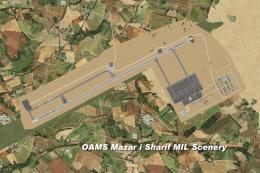
German Camp Marmal v2.0 (OAMS); a tribute to the German soldiers in Afghanist…
MCAS Camp Pendleton (KNFG) scenery refreshes the Oceanside, California base in Microsoft Flight Simulator X with expanded military parking, refined taxiways and aprons, plus added fire station details, static fuel trucks, helicopters, and lit parking lots. Stock objects keep it lightweight and library-free, with layout tuned from current diagrams and satellite references.
 Rate
Rate
 United States of America
MCAS Camp Pendleton (KNFG), Oceanside, California (CA). An improved version with added parking, fire station with trucks, static fuel trucks, parking lot, adjust taxiways and aprons. By Jim Cook.
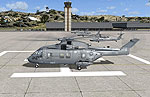
MCAS Camp Pendleton Scenery.
MS didn't do much with military bases in FSX. Here is an improved version of the stock MCAS Camp Pendleton. I added Military_Cargo and Military_Combat parking spaces. I added the fire station and fire trucks. Added static fuel trucks, helicopters, parking lots with cars and light poles. Added, removed, or adjusted taxiways and aprons.
I use Just Flight's Military Plus Packs and they work fine with this airport. I also use Ultimate Terrain and FSGenesis landclass but they are not required. All objects are stock FSX so no additional object libraries are needed. Updates made using AirNav diagrams and Google Earth to be as accurate as possible. All work done with Flight 1's AFX program and Instant Scenery.
I will be doing other military bases as time permits.
INSTALLATION:
Extract the two files AFX_KNFG_JC.bgl and KNFG_JC.bgl into your Addon Scenery/Scenery folder, re-start FSX and enjoy.
Jim Cook
Free for all simmers · 11.74 KB · Scanned clean Oct 2026
Download speed: Free tier is capped at 0.5 Mbps. PRO members download at full line speed.
FSX\Addon Scenery\ containing scenery and texture sub-folders.readme.txt or README file. It tells you exactly where files go, what dependencies are needed, and any quirks specific to this add-on.Use these coordinates to fly directly to this location once the mod is installed.
33.30170000,-117.35500000
Launch FSX or Prepar3D and use Flights → Load to open the downloaded .pln file. Your aircraft will be positioned at this location.
The archive pendlton.zip has 6 files and directories contained within it.
This list displays the first 500 files in the package. If the package has more, you will need to download it to view them.
| Filename/Directory | File Date | File Size |
|---|---|---|
| AFX_KNFG_JC.bgl | 06.15.08 | 18.34 kB |
| KNFG_JC.bgl | 06.15.08 | 3.61 kB |
| pendleton_read_me.txt | 06.13.08 | 1.00 kB |
| FILE_ID.DIZ | 06.19.08 | 215 B |
| flyawaysimulation.txt | 10.29.13 | 959 B |
| Go to Fly Away Simulation.url | 01.22.16 | 52 B |
Only PRO members can place votes.
More FSX & P3D add-ons hand-picked based on this download.
FSX Scenery
German Camp Marmal v2.0 (OAMS); a tribute to the German soldiers in Afghanist…
 FSX Scenery
Camp Bastion Airport, Helmand Province, Afghanistan (OAZI). This airport is m…
 FSX Scenery
Kavik Rivier Camp, Alaska (AK). Kavik airstrip is part of the "Dew Line" set …
 FSX Scenery
IPBB Bush Camp, British Columbia, Canada. IPBB ("Ian P's Bigger Base") is a p…
 FSX Scenery
Scenery Bear Camp Reserch (BC). This is a fictitious research center located …
 FSX Scenery
Bob's Safari Camp, airport ID HSAF. This is a fictitious fly-in Safari Camp c…
 FSX Scenery
Ranger 6000 Foot Training Camp, located east of Port Hardy, British Columbia,…
 FSX Scenery
1n 1996, The USMC abandoned the cramped quarters of MCAS El Toro and MCAS Tus…
Be the first to leave a comment on this download.
Be the first to share your thoughts on this download.