

 FSX Scenery
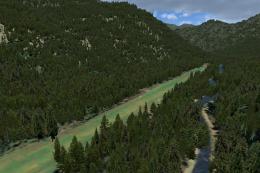
Johnson Creek Airport
(FAA ID: 3U2), a grass airstrip located in central Idaho (ID) three miles (5 …
Seymour Johnson AFB (KGSB) in Goldsboro, North Carolina gets a military-focused scenery refresh for FSX with reworked parking for cargo and combat aircraft, cleaner taxi flow, and more authentic base infrastructure. Custom building and vehicle placements add a fire station with trucks, improved aprons, and updated airfield details using only stock objects.
 Rate
Rate
 United States of America
This package offers a detailed refresh of Seymour Johnson AFB (KGSB) in Goldsboro, North Carolina. It features custom placements, updated parking, and authentic elements that enhance the airport’s military feel inside FSX. Developed by Jim Cook, it introduces various improvements to the default base, incorporating new buildings, fire trucks, and specific parking for cargo and combat aircraft to provide a more realistic environment.
For flight sim pilots who enjoy military operations, this add-on integrates carefully placed Military_Cargo and Military_Combat parking spots. These slots accommodate AI traffic from packages such as Just Flight’s Military Plus Packs (if installed) or any user-defined aircraft. The creator, Jim Cook, designed this rework to align with real-world airfield data, and he streamlined the taxiways to handle larger operations, ensuring smooth movement around the airbase.
A new fire station building, complete with fire trucks, brings authenticity to emergency response scenarios. Facilities like parking lots, light poles, and additional structures also get introduced, replicating the organized nature of a real air force base. Obsolete default buildings have been removed and replaced with more accurate models, while static vehicles add further immersion for those who enjoy immersive ground scenery.
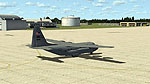
Seymour Johnson AFB Scenery.
This version is fully compatible with Ultimate Terrain and FSGenesis products, yet these extras are optional. Since only stock FSX objects were used to complete the transformation, no additional library downloads are necessary. Every improvement is aligned with AirNav references and Google Earth imagery, resulting in accurate runway positions and precise aprons. The refined flow of taxiways focuses on effortless departures and arrivals for both cargo and combat operations.
All scenery alterations and placements were completed using a combination of Flight 1’s AFX program and Instant Scenery. These tools allowed Jim Cook to reconfigure the control tower, tweak the layout of the fuel trucks, and insert additional airport vehicles in just the right locations. Parking expansions cater to a variety of aircraft, from large transports to fighter jets, vital for anyone who enjoys tailored military flights within FSX.
Created by Jim Cook
Free for all simmers · 13.21 KB · Scanned clean Oct 2026
Download speed: Free tier is capped at 0.5 Mbps. PRO members download at full line speed.
FSX\Addon Scenery\ containing scenery and texture sub-folders.readme.txt or README file. It tells you exactly where files go, what dependencies are needed, and any quirks specific to this add-on.Use these coordinates to fly directly to this location once the mod is installed.
35.33940000,-77.96060000
Launch FSX or Prepar3D and use Flights → Load to open the downloaded .pln file. Your aircraft will be positioned at this location.
The archive john_afb.zip has 6 files and directories contained within it.
This list displays the first 500 files in the package. If the package has more, you will need to download it to view them.
| Filename/Directory | File Date | File Size |
|---|---|---|
| AFX_KGSB_JC.bgl | 06.28.08 | 24.08 kB |
| KGSB_JC.bgl | 06.07.08 | 2.53 kB |
| johnson_read_me.txt | 06.29.08 | 1.10 kB |
| FILE_ID.DIZ | 07.02.08 | 200 B |
| flyawaysimulation.txt | 10.29.13 | 959 B |
| Go to Fly Away Simulation.url | 01.22.16 | 52 B |
Only PRO members can place votes.
More FSX & P3D add-ons hand-picked based on this download.
FSX Scenery
(FAA ID: 3U2), a grass airstrip located in central Idaho (ID) three miles (5 …
 FSX Scenery
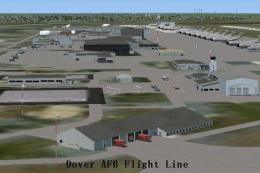
Dover Air Force Base or Dover AFB (IATA: DOV, ICAO: KDOV, FAA LID: DOV) is a …
 FSX Scenery
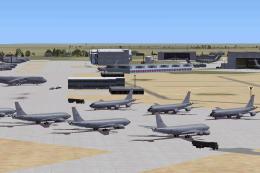
Custom built hangars and buildings for Altus AFB, Oklahoma (OK), USA. AFCAD f…
 FSX Scenery
Scenery Edwards AFB Additions (KEDW), California (CA). Adds two refuel statio…
 FSX Scenery
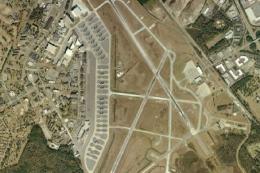
Charleston AFB / International Airport (KCHS), South Carolina (SC). A complet…
 FSX Scenery
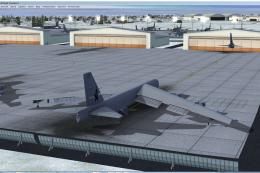
Scenery Griffiss AFB New York (NY) as it was back in the late 1980's before i…
 FSX Scenery
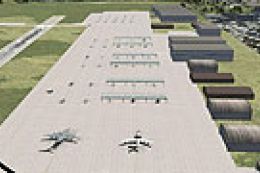
This freeware package refines the stock representation of Nellis Air Force Ba…
 FSX Scenery
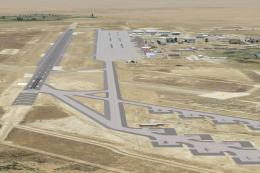
Mountain Home AFB (KMUO), Idaho (ID). The Air Force has been consolidating ai…
Read what other simmers think, or add your own.
