

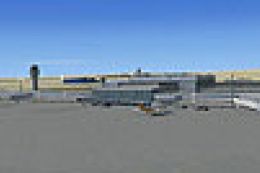
 FSX Scenery
Damascus Fix
Damascus Fix, for use with FSX_DMSC.ZIP. Corrects the AFCAD and stops scenery…
Damascus International Airport (OSDI) gets a stability and layout tune‑up that resolves crash issues and corrects AFCAD data for smoother AI traffic, taxi routes, and parking behavior. Built for FSX, it requires the FSX_DMSC.ZIP Damascus scenery and replaces the affected BGL scenery files with updated versions.
 Rate
Rate
 Syrian Arab Republic
Damascus International Airport (OSDI), Syria, fix for use with FSX_DMSC.ZIP. Corrects crash and AFCAD problems. By Vedat Sencan.
This "FIX" makes the FSX Damascus scenery crash and afcad corrects. Unfortunately my Fsx Damascus scenery has some afcad and crash problems that we didn't recognized before. Thanks for coutions mail which I got few simmers.
This Fix is for corrections this porblems. Sorry for that mistakes.
Installation:
Open named OSDI_fix.zip. You will see folder named scenery. Addon scenery/fsx_damascus/sceney folder where you install before. Copy and paste new scenery folder the same place. ...addonscenery/fsx_damascus/ folder and write on old bgl folder.
That is all.
Good flight.
Free for all simmers · 538.22 KB · Scanned clean Oct 2026
Download speed: Free tier is capped at 0.5 Mbps. PRO members download at full line speed.
This add-on may require the following files to function properly. If this is a repaint, the dependency below is likely the base aircraft package.
FSX\Addon Scenery\ containing scenery and texture sub-folders.readme.txt or README file. It tells you exactly where files go, what dependencies are needed, and any quirks specific to this add-on.Use these coordinates to fly directly to this location once the mod is installed.
33.41149900,36.51520200
Launch FSX or Prepar3D and use Flights → Load to open the downloaded .pln file. Your aircraft will be positioned at this location.
The archive osdi_fix.zip has 12 files and directories contained within it.
This list displays the first 500 files in the package. If the package has more, you will need to download it to view them.
| Filename/Directory | File Date | File Size |
|---|---|---|
| scenery | 09.27.08 | 0 B |
| fuel.BGL | 09.27.08 | 636.83 kB |
| hangar1.BGL | 09.27.08 | 15.68 kB |
| hangar2.BGL | 09.27.08 | 15.92 kB |
| hangar22.BGL | 09.27.08 | 13.21 kB |
| hangarcargo.BGL | 09.27.08 | 17.30 kB |
| tabela.BGL | 09.27.08 | 322.65 kB |
| terminal.BGL | 09.27.08 | 559.01 kB |
| tower.BGL | 09.27.08 | 466.74 kB |
| Readme.txt | 10.12.08 | 1.01 kB |
| flyawaysimulation.txt | 10.29.13 | 959 B |
| Go to Fly Away Simulation.url | 01.22.16 | 52 B |
Only PRO members can place votes.
More FSX & P3D add-ons hand-picked based on this download.
FSX Scenery
Damascus Fix, for use with FSX_DMSC.ZIP. Corrects the AFCAD and stops scenery…
 FSX Scenery
Damascus International Airport (OSDI), Syria. AFCAD by Salim Unuver. By Vedat…
 FSX Scenery
Sofia International Airport Fix. Fixed version for FSX of Sofia International…
 FSX Scenery
Tampa International Airport (KTPA), Florida (FL). Fix for use with KTPAXFUL.Z…
 FSX Scenery
Livingstone International Airport Fix, for use with LIVINGSTONE.ZIP. This is …
FSX Scenery
Scenery Fix--Madeira LPMA, Porto Santo LPPS, Portugal. The default scenery di…
 FSX Scenery
Rio Mesh Fix. Corrections for the default mesh for Rio de Janeiro (SBRJ), Bra…
 FSX Scenery
Juneau Alaska Scenery Fix (AK), for use with JUNEAU_JD.ZIP. This file fixes t…
Be the first to leave a comment on this download.
Be the first to share your thoughts on this download.