

 FSX Scenery
British Columbia Float Bases
This is a collection of coastal British Columbia float bases made with defaul…
Hualien and Jiashan Air Bases scenery refreshes RCYU in Taiwan with satellite-guided taxiway alignment, resized aprons, and expanded civil and military parking, plus stock-object landmarks for a lived-in ramp. It also depicts nearby Jiashan by modeling it as Hualien’s Runway 3L/21R for FSX.
 Rate
Rate
 Taiwan, Province of China
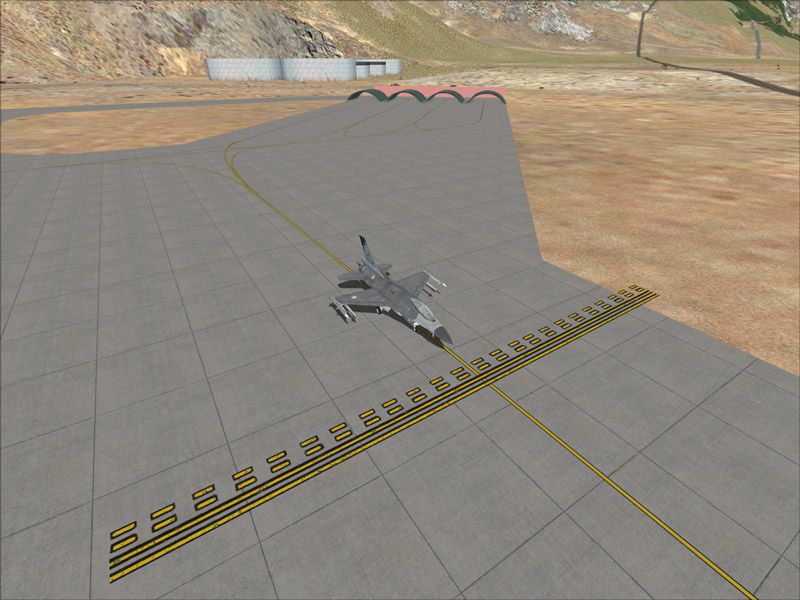
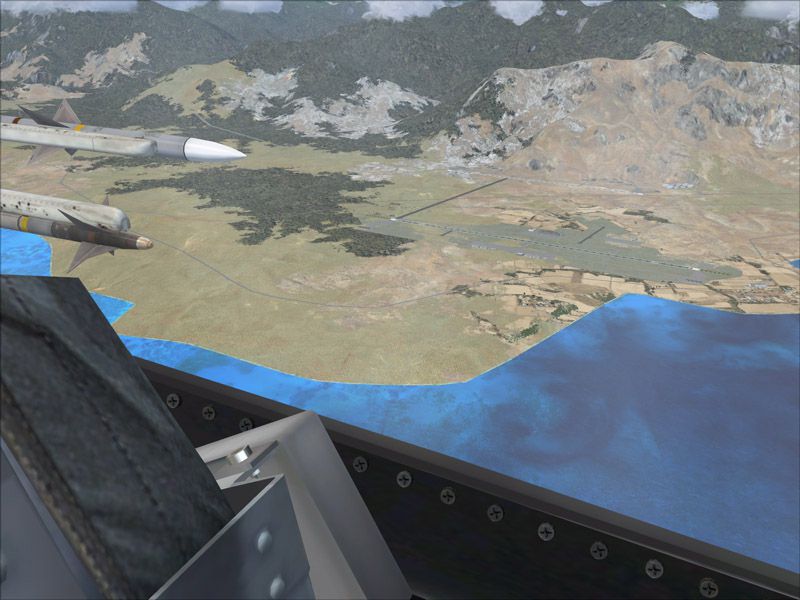
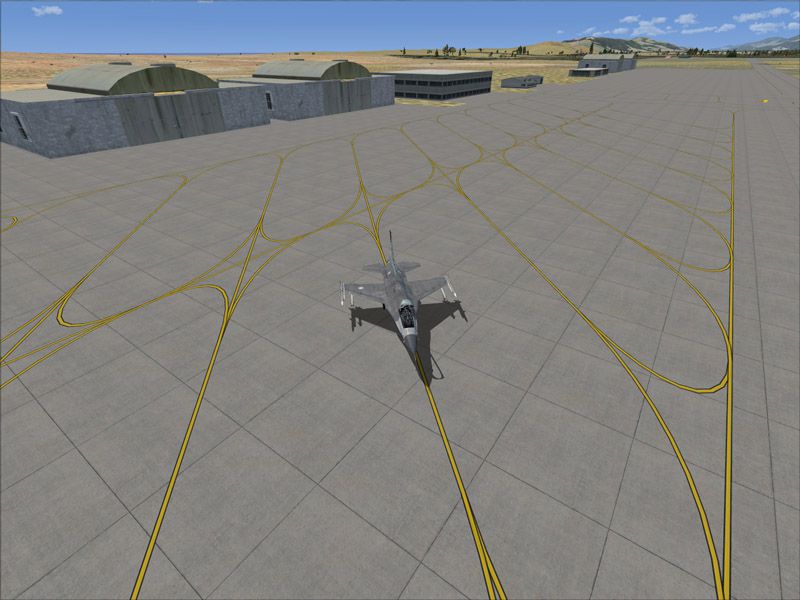
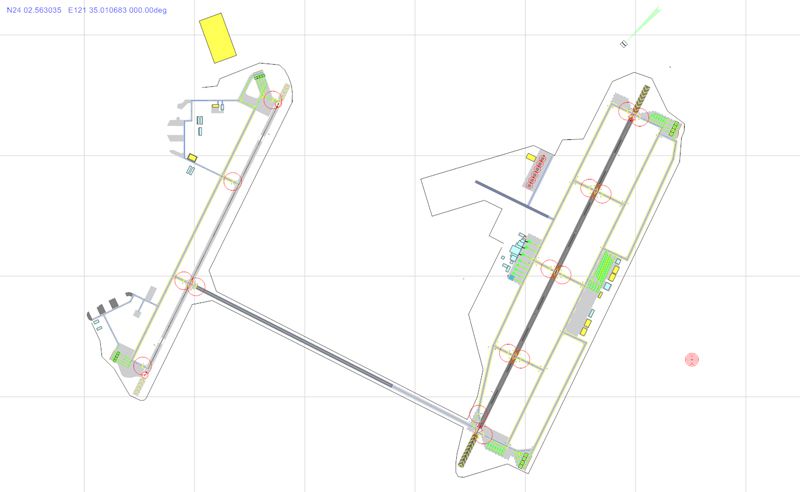
Hualien And Jiashan Air Bases, Taiwan. This is an improvement of the default RCYU Hualien Air Base in eastern Taiwan. It is the home of the ROCAF 401st Tactical Composite Wing flying F-16A/B fighters. Satellite imagery available online was used to reposition taxiways, add and resize aprons, and add civilian gates and military aircraft parking. Prominent buildings were represented using stock library objects. Furthermore, features were added to represent the nearby Jiashan Air Base. Since Jiashan is a highly classified installation with no information such as tower frequency available in public, liberty was taken to configure it as Hualiens runway 3L-21R. By Mike Huang.
Hualien And Jiashan Air Bases Scenery.
Aircraft Parking Guide:
1. Gates 1~7 are on the civilian terminal.
2. NE and SE Parking spaces are the ready aircraft shelters near the end of Hualien's runway.
3. E Parking spaces are located on Hualien's military apron.
4. NW and SW Parking spaces are the ready aircraft shelters near the end of Jiashan's runway.
Installation:
1. unzip the content of this package to the Addon Scenery folder of your FSX.
2. start FSX, and add this scenery from the menu.
This package is supplied as freeware and SHALL NOT be used nor distributed in any manner for generating monetary profit. Repaints, and distribution thereof, are welcome.
Mike Huang
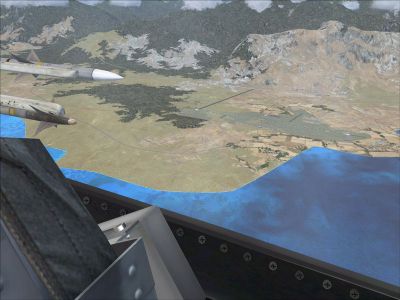
Hualien And Jiashan Air Bases Scenery.
Free for all simmers · 508.18 KB · Scanned clean Oct 2026
Download speed: Free tier is capped at 0.5 Mbps. PRO members download at full line speed.
FSX\Addon Scenery\ containing scenery and texture sub-folders.readme.txt or README file. It tells you exactly where files go, what dependencies are needed, and any quirks specific to this add-on.Use these coordinates to fly directly to this location once the mod is installed.
24.02350000,121.61700000
Launch FSX or Prepar3D and use Flights → Load to open the downloaded .pln file. Your aircraft will be positioned at this location.
The archive mh_rcyu.zip has 12 files and directories contained within it.
This list displays the first 500 files in the package. If the package has more, you will need to download it to view them.
| Filename/Directory | File Date | File Size |
|---|---|---|
| mh_rcyu-1.jpg | 02.26.09 | 141.98 kB |
| mh_rcyu-2.jpg | 02.26.09 | 143.06 kB |
| mh_rcyu-3.jpg | 02.26.09 | 127.62 kB |
| mh_rcyu-4.jpg | 02.26.09 | 145.21 kB |
| mh_rcyu.gif | 02.26.09 | 5.13 kB |
| readme rcyu.txt | 02.26.09 | 1.55 kB |
| SCENERY | 02.26.09 | 0 B |
| RCYU_ADE_MH.BGL | 02.26.09 | 31.46 kB |
| RCYU_ADE_MH_CVX.bgl | 02.26.09 | 879 B |
| RCYU | 02.26.09 | 0 B |
| flyawaysimulation.txt | 10.29.13 | 959 B |
| Go to Fly Away Simulation.url | 01.22.16 | 52 B |
Only PRO members can place votes.
More FSX & P3D add-ons hand-picked based on this download.
FSX Scenery
This is a collection of coastal British Columbia float bases made with defaul…
 FSX Scenery
Manitoba Floatplane Bases. 55 bases including 36 floatplane bases, 6 heliport…
FSX Scenery
Pocatello Midwest B-29 Bases, and others. This is an update of previous proje…
 FSX Scenery
FSadventureSky scenery and flights. Sainte-Anne-des-Monts is a city in the Ga…
 FSX Scenery
Amazonas Air 1937 Scenery And Flights. As war clouds are stirred in Europe th…
FSX Scenery
It replaces the default C08 airport in WestCliffe, Colorado (CO). The fiction…
 FSX Scenery
Works with the Caribbean meshs in LOD 10 (MESHANTILLES.ZIP). Features redesig…
 FSX Scenery
Kadena AB And Okinawa Islands airstrips, southern Japan. This package contain…
Be the first to leave a comment on this download.
Be the first to share your thoughts on this download.