

 France
  FSX Scenery
Henri Coanda Airport
Enhance your virtual flights into Romania’s busiest international gateway wit…
Henri Mondor Hospital scenery places the Créteil, France emergency complex into FSX SP2 with a detailed rooftop helipad for SAMU-style EMS operations near Paris. It works standalone, and requires Ultimate Terrain X only for best road alignment around the parking exit, with Orly LFPO a convenient starting point.
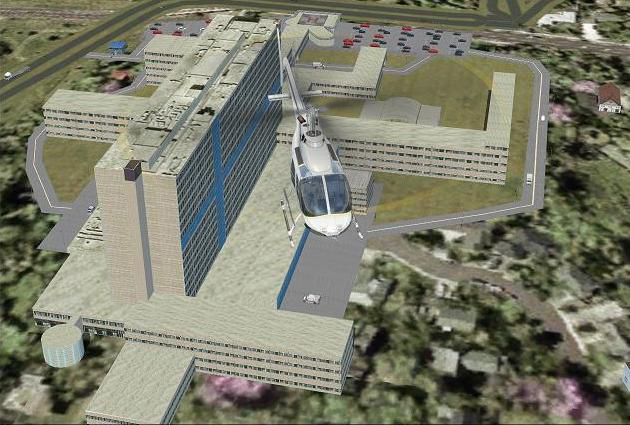
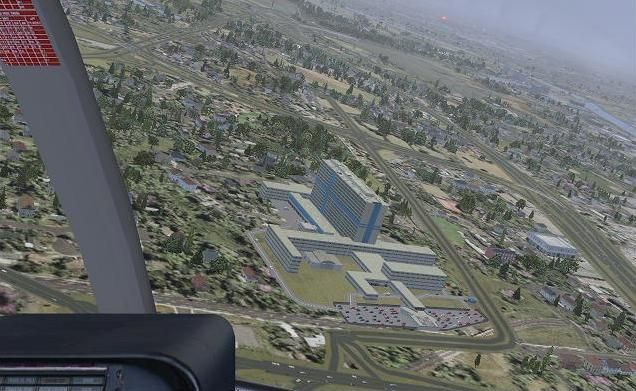
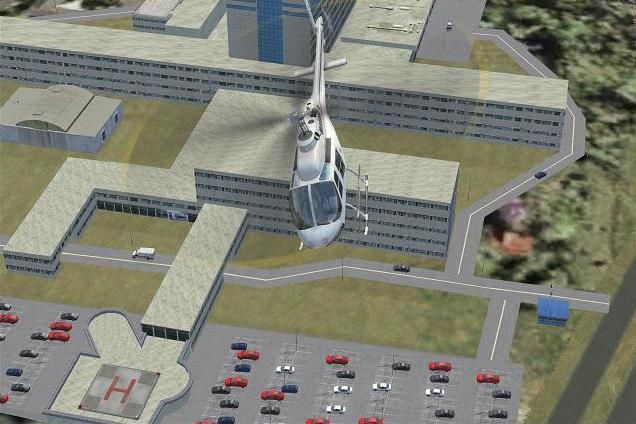
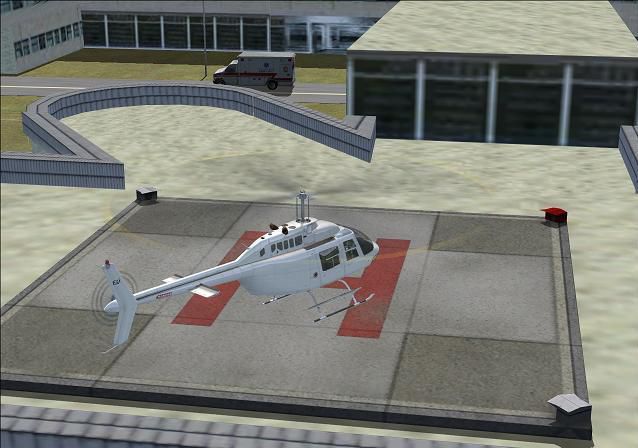
Henri Mondor Hospital (APHP) scenery with helipad, Creteil, France. By Leonard Savina.
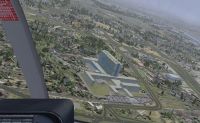
Henri Mondor Hospital Scenery.
Just unzip the scenery in "\ProgramFiles\\Microsoft Games\Microsoft Flight Simulator\Addon Scenery" folder. And add aphp_hmn to your FSX Scenery library.
Scenery is for FSX SP2 and results are better with UTX (parking exit matches a road). You can use it without UTX.
Henri Mondor is an hospital based in Creteil near Paris. The emergency department is equipped with an helipad where helicopters from the french EMS (SAMU) can drop quickly seriously injured persons. Henri Mondor is the headquarter of SAMU 94 and is part of the APHP group ("Assistance Publique des Hopitaux de Paris"). About 40 000 persons are being taken care each year in this hospital.
Nearest airport is Orly (ICAO: LFPO). Fly N-E from Orly.
The helicopters used by EMS (SAMU) at this hospital are Eurocopter's EC135. You can purchase this helicopter at Nemeth. Then you can freely download the SAMU repaint of the helicopter made by Sebastien Pero.
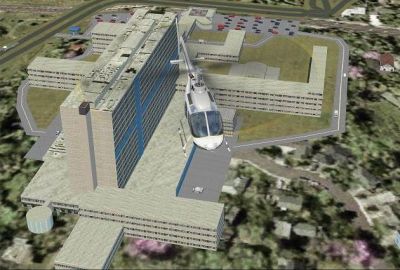
Henri Mondor Hospital Scenery.
Free for all simmers · 752.96 KB · Scanned clean Oct 2026
Download speed: Free tier is capped at 0.5 Mbps. PRO members download at full line speed.
FSX\Addon Scenery\ containing scenery and texture sub-folders.readme.txt or README file. It tells you exactly where files go, what dependencies are needed, and any quirks specific to this add-on.Use these coordinates to fly directly to this location once the mod is installed.
48.79520000,2.46070000
Launch FSX or Prepar3D and use Flights → Load to open the downloaded .pln file. Your aircraft will be positioned at this location.
The archive aphp_hmn.zip has 21 files and directories contained within it.
This list displays the first 500 files in the package. If the package has more, you will need to download it to view them.
| Filename/Directory | File Date | File Size |
|---|---|---|
| aphp_hmn | 04.01.09 | 0 B |
| hmn_aphp-scr1.jpg | 04.01.09 | 59.86 kB |
| hmn_aphp-scr2.jpg | 04.01.09 | 61.69 kB |
| hmn_aphp-scr3.jpg | 04.01.09 | 52.75 kB |
| hmn_aphp-scr4.jpg | 04.01.09 | 46.83 kB |
| readme.txt | 04.01.09 | 2.53 kB |
| scenery | 03.31.09 | 0 B |
| HHMN_ADE_01.BGL | 03.26.09 | 7.42 kB |
| HHMN_ADE_CVX.bgl | 03.25.09 | 375 B |
| HHMN_GMAX_01.BGL | 03.26.09 | 77.12 kB |
| texture | 03.31.09 | 0 B |
| thm3.bmp | 03.23.09 | 128.07 kB |
| thm3_lm.bmp | 03.23.09 | 128.07 kB |
| thmn1.bmp | 03.18.09 | 128.07 kB |
| thmn1_lm.bmp | 03.18.09 | 128.07 kB |
| thmn2.bmp | 03.18.09 | 128.07 kB |
| thmn2_lm.bmp | 03.18.09 | 128.07 kB |
| thmnp.bmp | 03.18.09 | 128.07 kB |
| thmnp_lm.bmp | 03.18.09 | 128.07 kB |
| flyawaysimulation.txt | 10.29.13 | 959 B |
| Go to Fly Away Simulation.url | 01.22.16 | 52 B |
Only PRO members can place votes.
More FSX & P3D add-ons hand-picked based on this download.
FSX Scenery
Enhance your virtual flights into Romania’s busiest international gateway wit…
 FSX Scenery
Hospital of St Cross. The hospital of St. Cross, which stands about a mile fr…
 FSX Scenery
Skara Scenery Bonaire X. Flamingo International Airport or Bonaire Internatio…
 FSX Scenery
Iwo Jima Scenery 1945 Update. This is a complete scenery with added effects a…
FSX Scenery
Kjeller Area Scenery X, Norway. Scenery around Kjeller airport with photoreal…
 FSX Scenery
FSX Loney's Alaska For FSX. This is a compilation of the author's Alaskan sce…
 FSX Scenery
For users of Flight Simulator X (and FSX: Steam Edition) and/or Prepar3D, ter…
 FSX Scenery
This freeware release by developer Aime Leclercq introduces revised highways …
Be the first to leave a comment on this download.
Be the first to share your thoughts on this download.