


 United States of America
  FSX Scenery
Bangor Int'l Airport
Bangor Int'l Airport (KBGR), Maine (ME). Here is an improved version of the s…
Bangor International Airport (KBGR) for FSX refreshes Maine’s key gateway with extra terminal-side detail, livelier cargo and service areas, and more realistic ground activity using default buildings and vehicles. A tailored AFCAD expands airline and general aviation parking and refines ramp flow, and it requires only the stock object library.
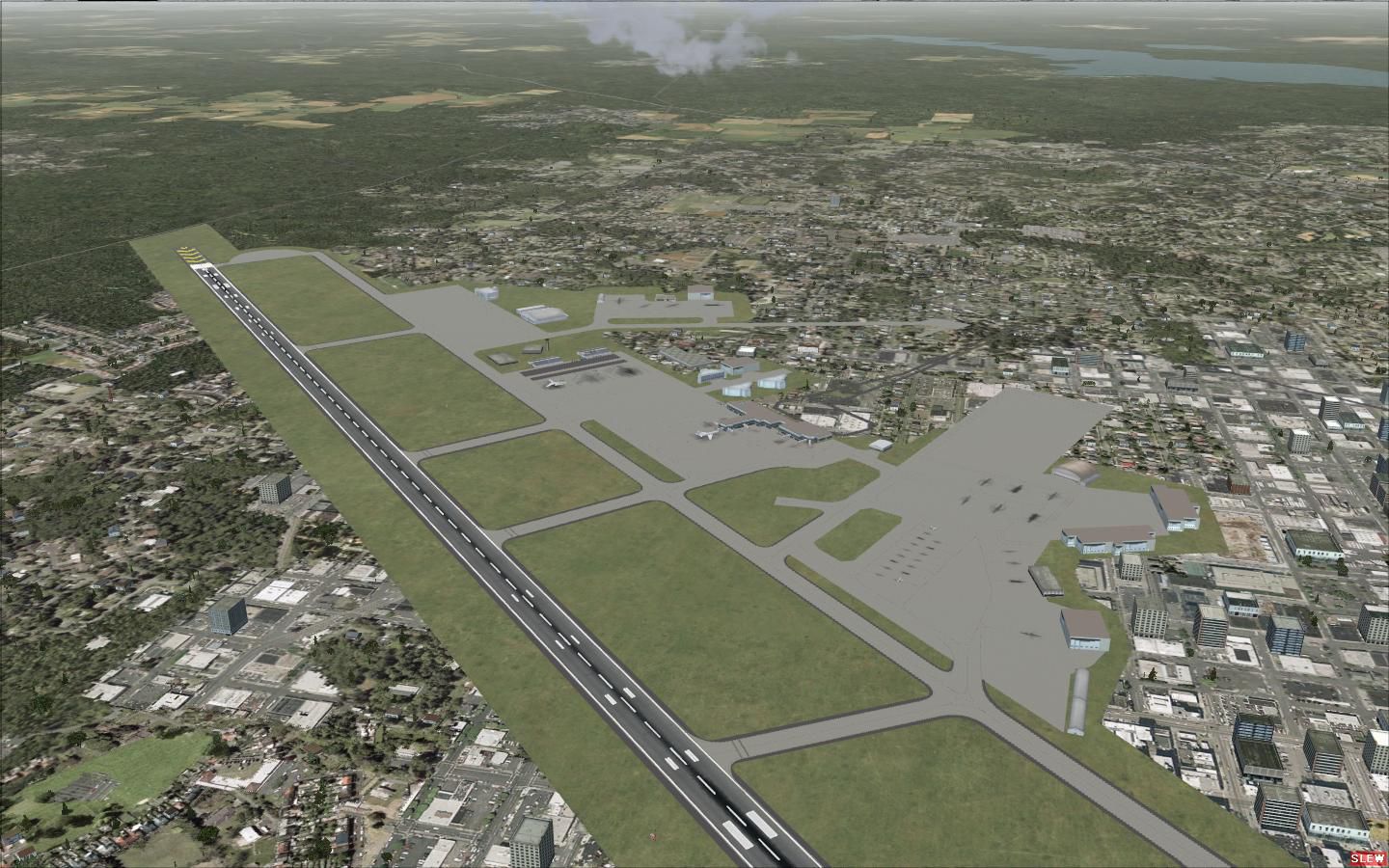
Experience an expanded representation of Bangor International Airport (KBGR) in Maine through this carefully designed freeware scenery by creator Lee Marrow. It integrates additional structures, vehicles, and a customized AFCAD file that introduces new parking options, all while relying on the default object library in Microsoft Flight Simulator X.
The primary objective of this package is to update Bangor International Airport’s surroundings with more engaging details. Stock buildings and airport vehicles anchor the scenery, ensuring that gate areas, cargo zones, and service roads capture the airport’s unique character. You might notice cargo areas brimming with extra life, as well as subtle visual enrichments that add vitality—even hinting at references to Accra Airport elements carried over into this layout.
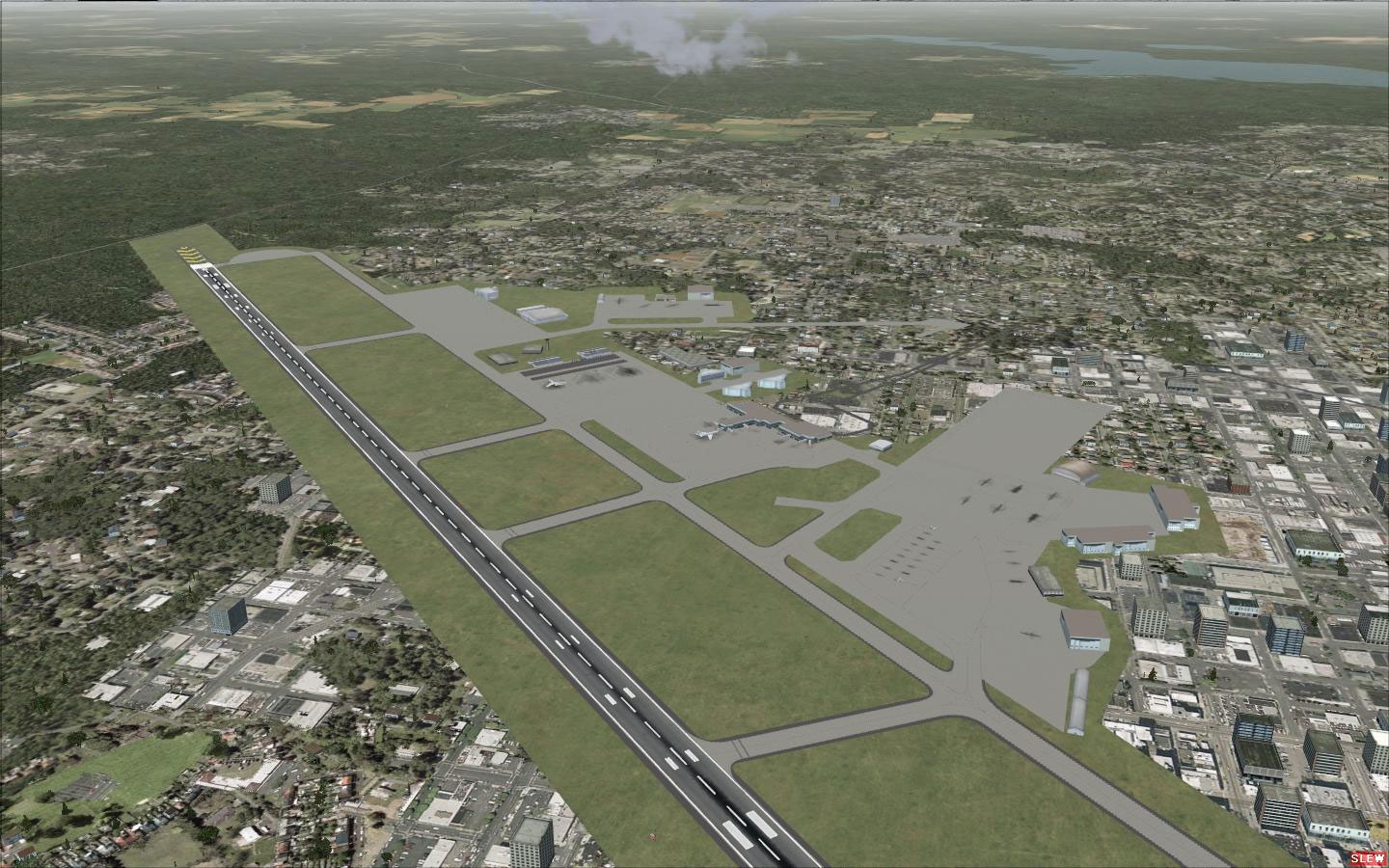
Bangor International Airport Scenery.
This scenery is designed to be fully self-contained, incorporating only built-in FSX elements. The developer, Lee Marrow, welcomes any user feedback or creative suggestions to refine future releases. He mentions this as his initial scenery venture for FSX, so community insights are highly appreciated.
Enjoy exploring the updated Bangor International Airport and take advantage of its enhanced cargo areas, newly assigned gates, and overall vibrancy. Thank you for choosing this freeware release and getting a taste of revitalized aviation operations in Maine.
Free for all simmers · 266.35 KB · Scanned clean Oct 2026
Download speed: Free tier is capped at 0.5 Mbps. PRO members download at full line speed.
FSX\Addon Scenery\ containing scenery and texture sub-folders.readme.txt or README file. It tells you exactly where files go, what dependencies are needed, and any quirks specific to this add-on.Use these coordinates to fly directly to this location once the mod is installed.
44.80740000,-68.82810000
Launch FSX or Prepar3D and use Flights → Load to open the downloaded .pln file. Your aircraft will be positioned at this location.
The archive kbgr1.zip has 8 files and directories contained within it.
This list displays the first 500 files in the package. If the package has more, you will need to download it to view them.
| Filename/Directory | File Date | File Size |
|---|---|---|
| KBGR Read me.txt | 08.23.09 | 557 B |
| kbgr.jpg | 08.23.09 | 242.39 kB |
| KBGR | 08.23.09 | 0 B |
| scenery | 08.23.09 | 0 B |
| AFX_KBGR.bgl | 08.22.09 | 52.75 kB |
| KBGRbb1.BGL | 08.23.09 | 2.96 kB |
| flyawaysimulation.txt | 10.29.13 | 959 B |
| Go to Fly Away Simulation.url | 01.22.16 | 52 B |
Only PRO members can place votes.
More FSX & P3D add-ons hand-picked based on this download.
FSX Scenery
Bangor Int'l Airport (KBGR), Maine (ME). Here is an improved version of the s…
 FSX Scenery
Princess Juliana International Airport (TNCM) in Saint Marteen, Netherlands A…
 FSX Scenery
Barbados International Airport (TBPB). Grantley Adams International Airport f…
 FSX Scenery
Dubai International Airport (OMDB), Dubai. Includes a new passenger terminal …
 FSX Scenery
Soekarno-Hatta International Airport (WIII), Jakarta, Indonesia. An update to…
 FSX Scenery
San Diego International Airport, California (CA), USA. This photoreal scenery…
 FSX Scenery
Suvarnabhumi International Airport (VTBS), Bangkok, Thailand, v1.1. Includes …
 FSX Scenery
Scenery Miami International Airport (KMIA), Florida (FL). Includes updated ta…
Be the first to leave a comment on this download.
Be the first to share your thoughts on this download.