


 Canada
  FSX Scenery
Kingsford Smith Int'l Airport
Kingsford Smith Int'l Airport (YSSY), Sydney, Australia. Includes two version…
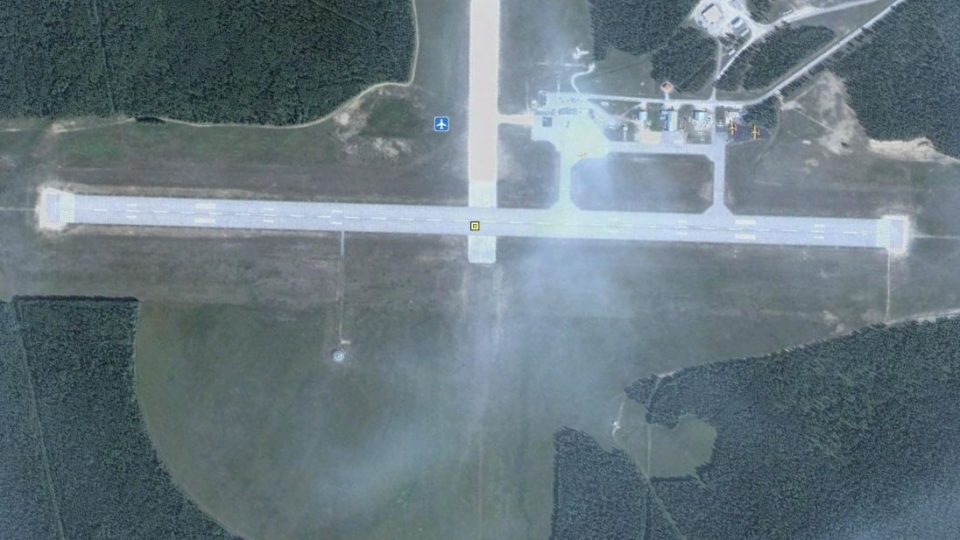
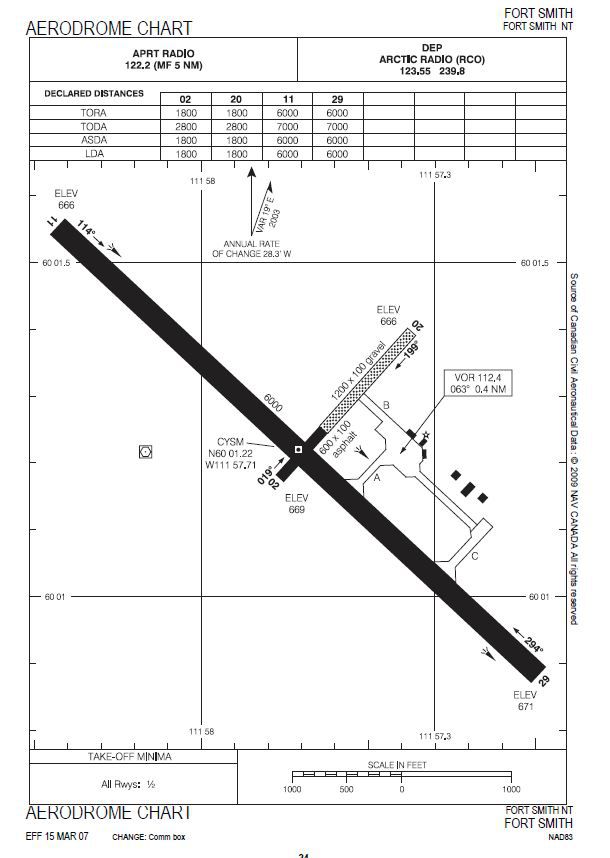
Fort Smith Airport (CYSM/YSM) in Canada’s Northwest Territories gets a detailed rebuild for FSX, replacing the default field with refined runway alignment, a new terminal model, added roads and parking, improved lighting, and extra static objects. The redraw also enhances runway 02/20 visuals and includes approach plates, diagrams, and curated airport views.
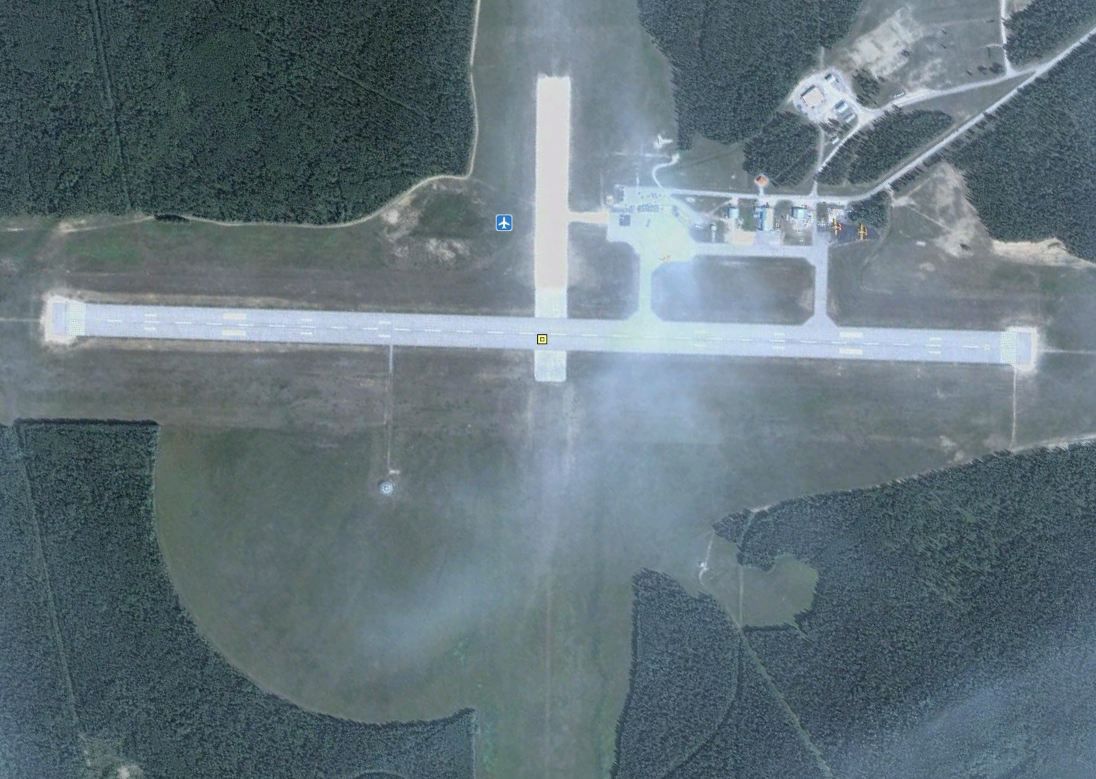
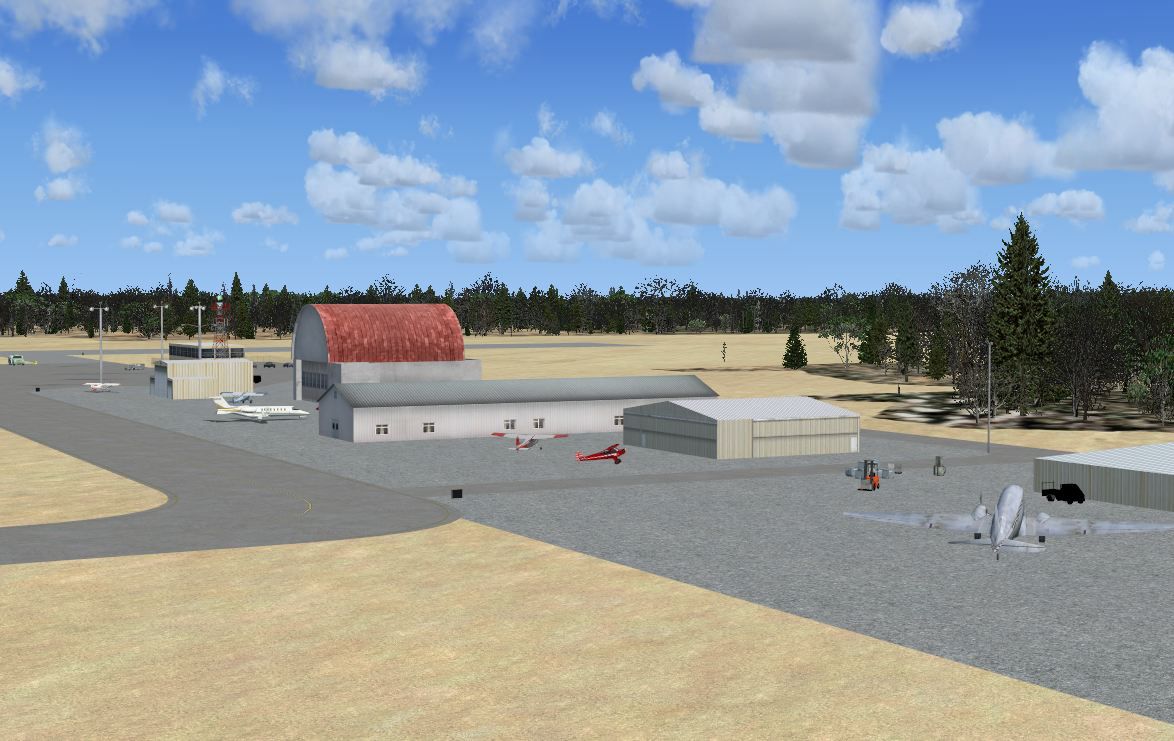
Scenery Fort Smith Airport NWT, Canada. Fort Smith Airport (IATA: YSM, ICAO: CYSM), is located approximately 4 km west of town of Fort Smith. By Robert Catherall.
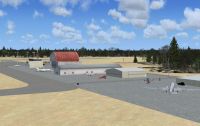
Fort Smith Airport Scenery.
This scenery has been created to replace the default FSX CYSM airport using ADEX v01.47.07.
1. Slight adjustment to runway orintation.
2. Terminal replaced using FSX Scenery Object.
3. Airport roads and vehicle parking areas added.
4. Airport lighting added.
5. Other improvement include static objects.
6. Airport approach plates and diagrams included along with airport views.
It will be noted that the asphpalt and gravel runway 02/20 has been redrawn but is not in use for AI traffic.
Installation:
Copy the 3 BGL files contained in the "Addon Scenery" folder into your "FSX Addon Scenery->Scenery" folder.
Place the files contained in the "Global Scenery/Texture" folders as follows:
Copy the 4 BGL files located the Scenery Folder into your "FSX Global->Scenery" folder.
Copy the 27 DDS files located in the Texture Folder into you "FSX Global->Texture" folder
NOTE: Those of you who installed my CYYG Charlottetown, PEI scenery will need to delete the following 2 files from the "Global->texture" folder.
mac_stair.bmp and mac_stairs1.bmp
I have since converted all BMP files to DDS and therefore the two file noted above will not be needed.
To Uninstall:
1. Just delete the 3 BGL files previously placed in your "FSX Addon Scenery->Scenery" folder.
2. Note: The files placed in the Global->Scenery->Texture folders need not be deleted. These objects may be used in other sceneries.
Acknowledgements:
ADEX (freeware) Utility - Jon Masterson.
Jim Dhaenens for providing the library of objects contained in lightobj. These are by Jim Dhaenens and you may use them without further permission as long as you ensure proper credit is given. No commercial use is authorized without specific permission.
Robert Catherall
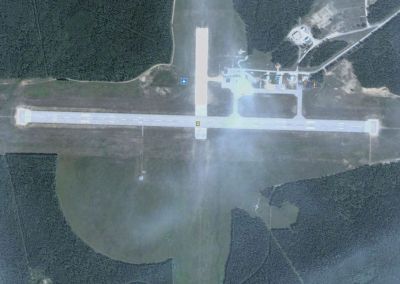
Fort Smith Airport Scenery.
Free for all simmers · 4.51 MB · Scanned clean Oct 2026
Download speed: Free tier is capped at 0.5 Mbps (this file takes approximately 1 min at the cap). PRO members download at full line speed.
FSX\Addon Scenery\ containing scenery and texture sub-folders.readme.txt or README file. It tells you exactly where files go, what dependencies are needed, and any quirks specific to this add-on.Use these coordinates to fly directly to this location once the mod is installed.
60.02030000,-111.96170000
Launch FSX or Prepar3D and use Flights → Load to open the downloaded .pln file. Your aircraft will be positioned at this location.
The archive cysmfortsmith-nwt.zip has 38 files and directories contained within it.
This list displays the first 500 files in the package. If the package has more, you will need to download it to view them.
| Filename/Directory | File Date | File Size |
|---|---|---|
| CYSM Fort Smith-NWT_ADEX_RWC.BGL | 04.15.10 | 7.08 kB |
| CYSM Fort Smith-NWT_ADEX_RWC_CVX.BGL | 04.06.10 | 697 B |
| CYSM Fort Smith-NWT_ADEX_RWC_OBJ.BGL | 04.15.10 | 4.41 kB |
| CYSM Aerodrome Chart.JPG | 04.16.10 | 74.59 kB |
| CYSM Airport View.JPG | 04.16.10 | 137.93 kB |
| CYSM Sat View.JPG | 04.16.10 | 141.92 kB |
| Scenery | 04.16.10 | 0 B |
| lens aerosoft1.bgl | 12.02.05 | 9.34 MB |
| lightobj.bgl | 04.10.10 | 643.63 kB |
| myeglcobj.bgl | 03.25.10 | 362.62 kB |
| small airport objects_3.bgl | 01.01.06 | 455.38 kB |
| Texture | 04.15.10 | 0 B |
| almwht.dds | 04.10.10 | 64.12 kB |
| cable drum Pirelli.dds | 04.09.10 | 42.79 kB |
| cable drum top cable.dds | 04.09.10 | 42.79 kB |
| Cable planks.dds | 04.09.10 | 42.79 kB |
| cablewinding grey.dds | 04.09.10 | 42.79 kB |
| cablewinding.dds | 04.09.10 | 42.79 kB |
| jcb black.dds | 04.09.10 | 10.79 kB |
| jcb dirty yellow.dds | 04.09.10 | 42.79 kB |
| jcb fork lift.dds | 04.09.10 | 170.79 kB |
| jcb grey.dds | 04.09.10 | 10.79 kB |
| jcb yellow.dds | 04.09.10 | 10.79 kB |
| lights1.dds | 04.10.10 | 32.12 kB |
| mac_stair.dds | 04.13.10 | 170.79 kB |
| mac_stairs1.dds | 04.13.10 | 42.79 kB |
| sk_refueller_Shell.dds | 03.25.10 | 42.79 kB |
| sk_refueller_Shell_lm.dds | 03.25.10 | 42.79 kB |
| Toyota black.dds | 04.15.10 | 10.79 kB |
| Toyota decals.dds | 04.15.10 | 42.79 kB |
| Toyota grey.dds | 04.15.10 | 10.79 kB |
| Toyota orange.dds | 04.15.10 | 10.79 kB |
| Trans_window_dark.dds | 04.09.10 | 42.79 kB |
| Trans_window_dark_lm.dds | 04.09.10 | 42.79 kB |
| Trans_window1.dds | 04.09.10 | 42.79 kB |
| ReadMe.txt | 04.16.10 | 2.36 kB |
| flyawaysimulation.txt | 10.29.13 | 959 B |
| Go to Fly Away Simulation.url | 01.22.16 | 52 B |
Only PRO members can place votes.
More FSX & P3D add-ons hand-picked based on this download.
FSX Scenery
Kingsford Smith Int'l Airport (YSSY), Sydney, Australia. Includes two version…
 FSX Scenery
Merle K (Mudhole) Smith Airport (PACV), Alaska (AK). Puts some life in the ai…
 FSX Scenery
Texas, USA. Fort Worth Alliance Airport was constructed as the world's first …
 FSX Scenery
Scenery Fort Wayne International Airport (KFWA), Indiana (IN). An upgrade to …
 FSX Scenery
Kingsford Smith International Airport (YSSY), Sydney, Australia. Features ope…
 FSX Scenery
W91 And Smith Mountain Lake, Virginia. This is a wishful interpretation of th…
 FSX Scenery
Dallas-Fort Worth International Airport (KDFW), Texas (TX), with Terminal D. …
 FSX Scenery
Fort Lauderdale Hollywood International Airport (KFLL), Florida (FL). An upda…
Be the first to leave a comment on this download.
Be the first to share your thoughts on this download.