

 FSX Scenery
Phoenix Sky Harbor International Airport V2
Scenery Phoenix Sky Harbor International Airport (KPHX), Phoenix, Arizona (AZ…
KPHX Phoenix Sky Harbor International Airport scenery sharpens Phoenix’s busiest hub with accurate airline gate assignments, refined cargo parking, and reliable, visible passenger boarding bridges triggered via CTRL+J. Built for Microsoft Flight Simulator X SP2, it also aligns smoothly with AI traffic so aircraft park at the correct terminals for a convincingly active desert gateway.
 Rate
Rate
 United States of America
Situated in Phoenix, Arizona (AZ), this freeware enhancement by authors SWVA1369 and Rob Touchtone refines KPHX Phoenix Sky Harbor International Airport for Microsoft Flight Simulator X (FSX) SP2. It updates gate assignments, adjusts cargo positions for accuracy, and enables fully functional passenger boarding bridges via CTRL+J. Realistic extras have also been included to add depth and immersion to this busy American hub that serves as a critical nexus for airlines such as Southwest.
The developers meticulously used ADE (Airport Design Editor) to ensure each airline gate aligns with its respective real-world assignment. This applies to both passenger terminals and cargo areas, providing an authentic operational feel. All jetways were reworked to be visible on arrival and to operate reliably, allowing more streamlined passenger procedures across the entire airfield.
By referencing real-world charts, every parking spot was matched with the most suitable air carrier or company operating in that portion of the airport’s complex. This approach delivers highly accurate airline distribution around each terminal, in addition to accommodating local cargo operations with dedicated ramp space.

KPHX Phoenix Sky Harbor International Airport Scenery.
For those who rely on artificial intelligence traffic solutions, such as World of AI, this rendition functions smoothly, placing aircraft in their correct terminals at accurate times. This level of consistency helps virtual pilots experience a busier airport that matches typical traffic flows throughout the day.
This add-on requires no further external libraries and remains entirely self-contained. Those looking to replicate Phoenix Sky Harbor’s dynamic environment will find this scenery delivers an efficient recreation of the terminals, cargo ramps, and boarding systems. With the reconfigured gates and interactive jetways, this version captures the essence of a major aviation crossroads in the southwestern United States.
Created by SWVA1369 and Rob Touchtone, this package showcases their dedication to accuracy and realism for the FSX community. Enjoy exploring the desert skies while departing and arriving from one of Arizona’s most significant airports.
Free for all simmers · 2.46 MB · Scanned clean Oct 2026
Download speed: Free tier is capped at 0.5 Mbps. PRO members download at full line speed.
FSX\Addon Scenery\ containing scenery and texture sub-folders.readme.txt or README file. It tells you exactly where files go, what dependencies are needed, and any quirks specific to this add-on.Use these coordinates to fly directly to this location once the mod is installed.
33.43416700,-112.01166700
Launch FSX or Prepar3D and use Flights → Load to open the downloaded .pln file. Your aircraft will be positioned at this location.
The archive kphx_2.zip has 12 files and directories contained within it.
This list displays the first 500 files in the package. If the package has more, you will need to download it to view them.
| Filename/Directory | File Date | File Size |
|---|---|---|
| 220px-PHX_logo.png | 06.28.10 | 8.43 kB |
| Addon Scenery | 07.04.10 | 0 B |
| scenery | 07.04.10 | 0 B |
| KPHX_ADEX_RWT.ad2 | 07.04.10 | 1.21 MB |
| KPHX_ADEX_RWT.ad2.bak | 07.03.10 | 1.21 MB |
| KPHX_ADEX_RWT.BGL | 07.04.10 | 121.57 kB |
| KPHX_ADEX_RWT.xml | 07.04.10 | 1.14 MB |
| FILE_ID.txt | 07.04.10 | 346 B |
| READ ME.txt | 07.04.10 | 744 B |
| KPHX_2 | 07.04.10 | 0 B |
| flyawaysimulation.txt | 10.29.13 | 959 B |
| Go to Fly Away Simulation.url | 01.22.16 | 52 B |
Only PRO members can place votes.
More FSX & P3D add-ons hand-picked based on this download.
FSX Scenery
Scenery Phoenix Sky Harbor International Airport (KPHX), Phoenix, Arizona (AZ…
 FSX Scenery
This upgraded scenery package refines Phoenix Sky Harbor International Airpor…
 FSX Scenery
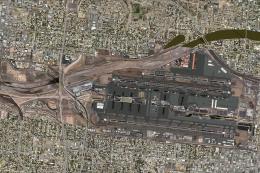
Phoenix Sky Harbor International (KPHX), Phoenix, Arizona (AZ). Updated for F…
 FSX Scenery
Sky Harbor Airport (KDYT), Duluth, Minnesota (MN). An improved version with a…
 FSX Scenery
Victoria Inner Harbor Airport. This airport was made using Airport Facilitato…
 FSX Scenery
Friday Harbor Airport And Lopez Island. This package was made using Airport D…
 FSX Scenery
Cape Town Harbor, South Africa. By Frits Beyer. Copy Cape Town Harbor folder …
 FSX Scenery
Friday Harbor (KFHR), Washington (WA). Features moved and adjusted ramps, tax…
Be the first to leave a comment on this download.
Be the first to share your thoughts on this download.